1. บทนำ
This manual provides essential information for the safe and effective operation of your SOOMFON SK2 Mini Projector. Please read this manual thoroughly before using the product and retain it for future reference.
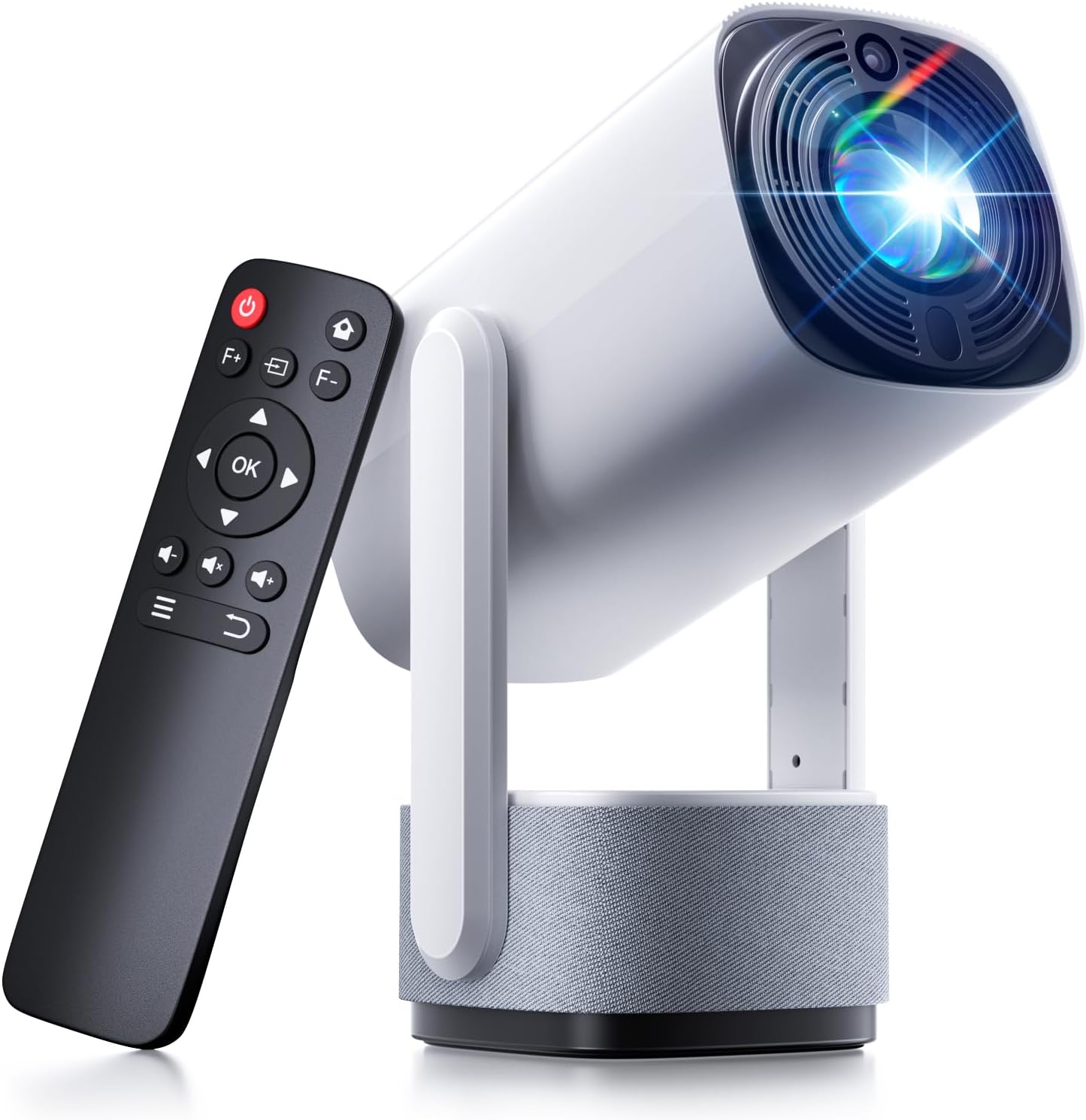
Image: The SOOMFON SK2 Mini Projector shown with its remote control.
2. เนื้อหาบรรจุภัณฑ์
ตรวจสอบว่ารายการทั้งหมดที่ระบุไว้ด้านล่างนี้รวมอยู่ในแพ็คเกจของคุณ:
- โปรเจ็กเตอร์ SOOMFON SK2
- สาย HDMI (1.5 ม.)
- สายไฟ (1.5 ม.)
- คู่มือการใช้งาน
- คู่มือแนะนำ
- Remote Control (2x AAA batteries not included)

Image: Contents of the SOOMFON SK2 Mini Projector package.
3. สินค้าหมดview
The SOOMFON SK2 Mini Projector is designed for versatile media projection, featuring a compact form factor and multiple connectivity options.
คุณสมบัติหลัก:
- เทคโนโลยีการแสดงผล: Advanced LCD with uniform illumination.
- ปณิธาน: Native 720p (1280 x 720), supports 4K and 1080p input.
- ความสว่าง: 260 ANSI Lumens.
- ขนาดการฉายภาพ: Up to 150 inches.
- ความสามารถในการพกพา: Compact design (7.5 x 4 x 4 inches) and lightweight (1.3 lbs).
- การหมุน: 270° rotatable stand for flexible projection angles (wall-to-ceiling).
- เสียง: Integrated dual 3W high-fidelity speakers.
- การเชื่อมต่อ: HDMI, USB, Audio ports, Wi-Fi, Bluetooth (two-way for input/output).
- มิเรอร์หน้าจอ: Supports Miracast and AirPlay for wireless screen sharing.
- การแก้ไขภาพ: แก้ไขภาพบิดเบี้ยวอัตโนมัติ
- การปกป้องดวงตา: Diffuse reflection imaging technology.
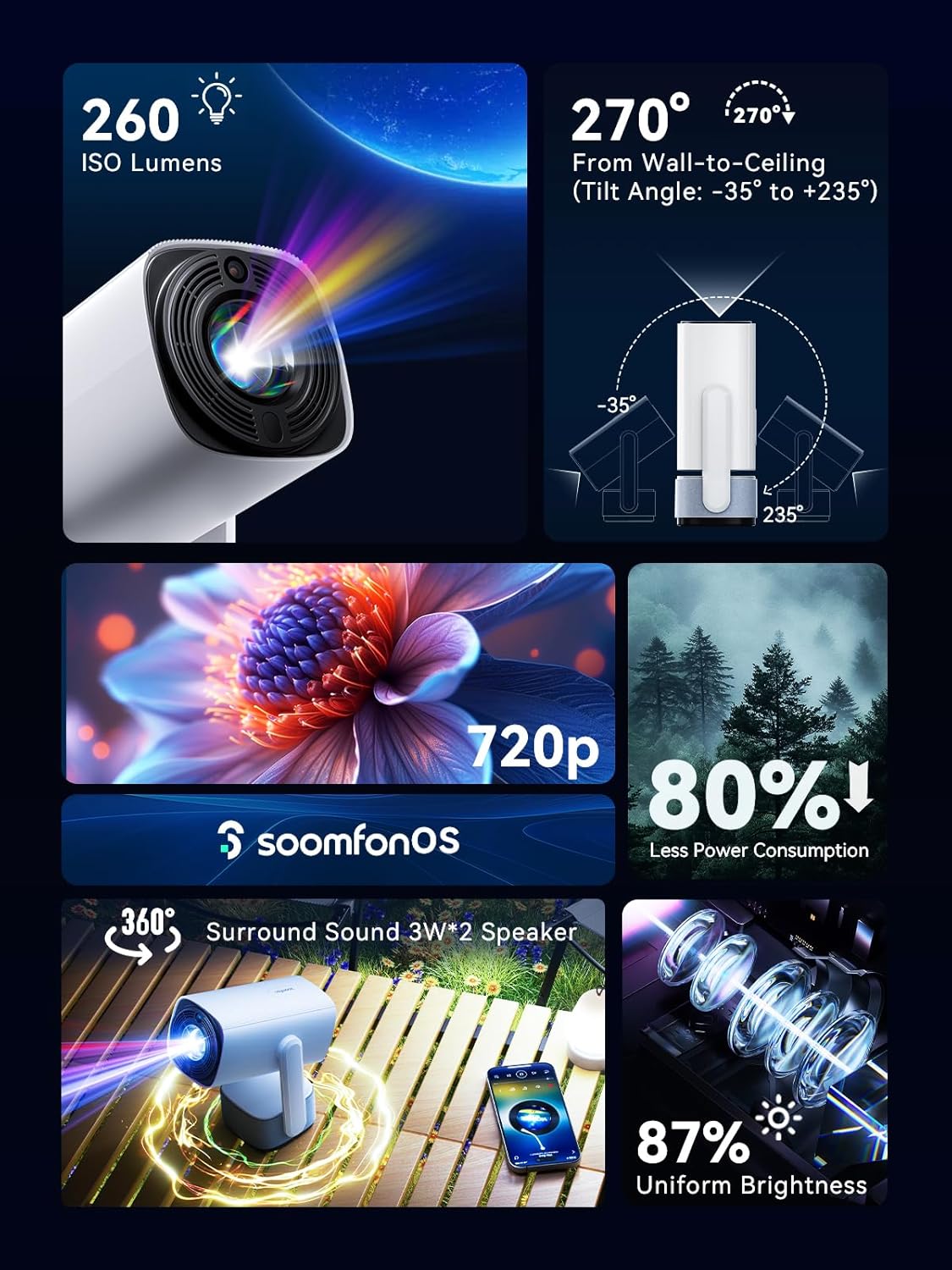
ภาพ: เหนือview of the projector's main features.
4. การตั้งค่า
4.1 การเชื่อมต่อสายไฟ
- เชื่อมต่อสายไฟที่ให้มากับช่องเสียบไฟของโปรเจ็กเตอร์
- เสียบปลายสายไฟอีกด้านหนึ่งเข้ากับเต้ารับไฟฟ้าที่เหมาะสม
4.2 การจัดวาง
Position the projector on a stable, flat surface. The 270° rotatable stand allows for flexible projection angles, including wall and ceiling projection.

Image: Projector positioned for wall-to-ceiling projection.
4.3 การเปิดเครื่องครั้งแรก
- กดปุ่มเปิด/ปิดบนโปรเจ็กเตอร์หรือรีโมทคอนโทรลเพื่อเปิดอุปกรณ์
- The projector will boot up and display the main interface (SoomfonOS).
5. คู่มือการใช้งาน
5.1 การปรับโฟกัส
Adjust the image clarity using the F+ and F- buttons on the remote control. This is a manual adjustment.
5.2 การแก้ไขคีย์สโตน
The projector features automatic keystone correction. It will automatically adjust the image to be rectangular even if the projector is placed at an angle. Manual adjustments may also be available in the settings menu if needed.

Image: Automatic keystone correction in action.
5.3 การเชื่อมต่อ
5.3.1 การเชื่อมต่อ HDMI
Connect an HDMI cable from your source device (e.g., laptop, game console, TV stick) to the HDMI port on the projector. Select the HDMI input source from the projector's menu.
5.3.2 การเชื่อมต่อ USB
Insert a USB flash drive into the USB port. The projector supports FAT32 formatted drives up to 32GB. Navigate to the USB section in the SoomfonOS to access media files.
5.3.3 Wi-Fi and Screen Mirroring
Connect the projector to your Wi-Fi network via the settings menu. Once connected, you can use Miracast (for Android) or AirPlay (for iOS) to wirelessly mirror your smartphone or tablet screen to the projector.

Image: Streaming content from a phone to the projector.
5.3.4 การเชื่อมต่อบลูทูธ
The projector supports two-way Bluetooth functionality:
- Bluetooth Input (Audio Mode): Connect your smartphone or other Bluetooth audio device to the projector to use it as a Bluetooth speaker. Access this mode from the homepage.
- เอาต์พุตบลูทูธ: Connect the projector to external Bluetooth speakers or headphones for enhanced audio. Access this in the settings menu.

Image: Two-way Bluetooth connectivity options.
5.4 SoomfonOS Navigation
The projector operates on SoomfonOS, a user-friendly interface. Use the remote control's directional buttons and OK button to navigate through menus and select options. The main screen provides access to input sources, settings, and media playback options.

Image: The SoomfonOS user interface.
6. การบำรุงรักษา
6.1 การทำความสะอาด
- เลนส์: ใช้ผ้านุ่มไม่เป็นขุยที่ออกแบบมาสำหรับเลนส์สายตาโดยเฉพาะ ห้ามใช้น้ำยาทำความสะอาดหรือตัวทำละลายที่มีฤทธิ์กัดกร่อน
- ภายนอก: เช็ดทำความสะอาดภายนอกโปรเจคเตอร์ด้วยผ้าแห้งนุ่มๆ สำหรับคราบฝังแน่น ให้ใช้ผ้าชุบน้ำหมาดๆ เช็ดอีกครั้งamp สามารถใช้ผ้าแล้วตามด้วยผ้าแห้ง
- การระบายอากาศ : Ensure the ventilation openings are clear of dust and obstructions to prevent overheating.
6.2 พื้นที่จัดเก็บ
When not in use, store the projector in a cool, dry place away from direct sunlight and extreme temperatures. If possible, use the original packaging or a protective case to prevent dust accumulation and damage.
7 การแก้ไขปัญหา
- ไม่มีภาพ/คุณภาพภาพต่ำ:
- ตรวจสอบให้แน่ใจว่าสายไฟเชื่อมต่ออย่างแน่นหนาและโปรเจ็กเตอร์เปิดอยู่
- Check the input source selection (HDMI, USB, etc.) matches your connected device.
- Adjust the focus using the F+ and F- buttons on the remote.
- ตรวจสอบให้แน่ใจว่าห้องมืดสนิทเพื่อประสิทธิภาพสูงสุด viewing, especially for larger screen sizes.
- ไม่มีเสียง:
- ตรวจสอบระดับเสียงทั้งบนโปรเจ็กเตอร์และอุปกรณ์ต้นทาง
- If using external speakers, ensure they are properly connected via Bluetooth or audio cable.
- For HDMI sources, verify the audio output settings on your source device.
- Cannot Stream from Netflix/Prime Video via Screen Mirroring:
- Due to HDCP (High-bandwidth Digital Content Protection) restrictions, direct screen mirroring of certain streaming services (like Netflix, Prime Video, Hulu) may not work or may only provide audio.
- สารละลาย: Use an external streaming device (e.g., Amazon Fire Stick, Roku, Google TV) connected to the projector's HDMI port for these services.
- ปัญหาการเชื่อมต่อ Wi-Fi:
- ตรวจสอบให้แน่ใจว่าป้อนรหัสผ่าน Wi-Fi ถูกต้อง
- If experiencing issues with long Wi-Fi passwords, check the SOOMFON official website for potential firmware updates.
- เสียงพัดลม:
- The projector's fan noise is noticeable during operation. This is normal for cooling the internal components.
- For a more immersive audio experience, consider connecting external Bluetooth speakers.
8. ข้อมูลจำเพาะ
| คุณสมบัติ | ข้อมูลจำเพาะ |
|---|---|
| ยี่ห้อ | สมฝน |
| หมายเลขรุ่น | สก2 |
| น้ำหนักสินค้า | 1.69 ปอนด์ |
| ขนาดสินค้า | 9.65 x 4.53 x 3.74 นิ้ว |
| ความละเอียดการแสดงผลดั้งเดิม | 1280x720p ความละเอียด |
| ความละเอียดอินพุตที่รองรับ | สูงถึง 4K |
| ความสว่าง | 260 ANSI Lumens |
| เทคโนโลยีการเชื่อมต่อ | HDMI, USB, Audio, Wi-Fi, Bluetooth |
| คุณสมบัติพิเศษ | Built-In Speaker, Built-In Wi-Fi, Portable, 270° Rotatable Stand, Automatic Keystone Correction |
| การใช้ที่แนะนำ | ธุรกิจ, การศึกษา, เกม, โฮมเธียเตอร์ |
9. การรับประกันและการสนับสนุน
SOOMFON is committed to providing quality products and customer satisfaction.
9.1 การสนับสนุนด้านเทคนิค
Lifetime technical support is available for your SOOMFON SK2 Mini Projector.
9.2 ข้อมูลการติดต่อ
- อีเมล: service@soomfon.com
- แชทสด: Available on the official SOOMFON webเปิดให้บริการวันจันทร์-ศุกร์ เวลา 9:00 - 17:00 น. (PST)


