1. บทนำ
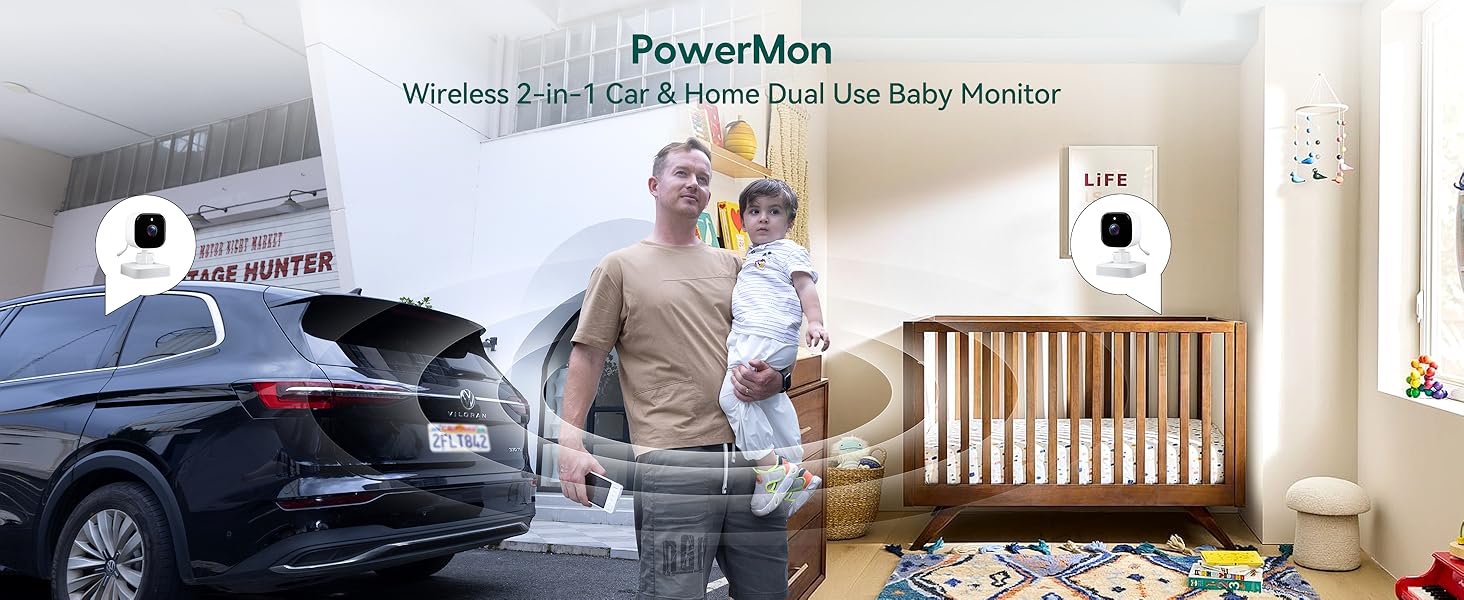
Thank you for choosing the BABELIO Wireless Baby Car Camera. This device is designed to provide a secure and convenient way to monitor your child in the car and at home. Featuring a 5-inch HD display, night vision capabilities, and a 360° rotatable camera, it offers peace of mind without the need for Wi-Fi or complex wiring. Please read this manual thoroughly before use to ensure proper operation and safety.
2. เนื้อหาบรรจุภัณฑ์
ตรวจสอบว่ารายการทั้งหมดที่ระบุไว้ด้านล่างนี้รวมอยู่ในแพ็คเกจของคุณ:
- Baby Monitor (5.0" Display) x 1
- Wireless Camera x 1
- USB Charging Cables x 2
- Monitor Mounting Bracket x 1
- Camera Mounting Straps x 1
- อะแดปเตอร์การชาร์จ x 1
- ที่ชาร์จในรถยนต์ x 1
3. การตั้งค่าและการติดตั้ง
3.1 การชาร์จอุปกรณ์
Before first use, fully charge both the baby monitor and the wireless camera using the provided USB charging cables and adapters. A full charge provides up to 8 hours of battery life for the camera.
3.2 Car Installation
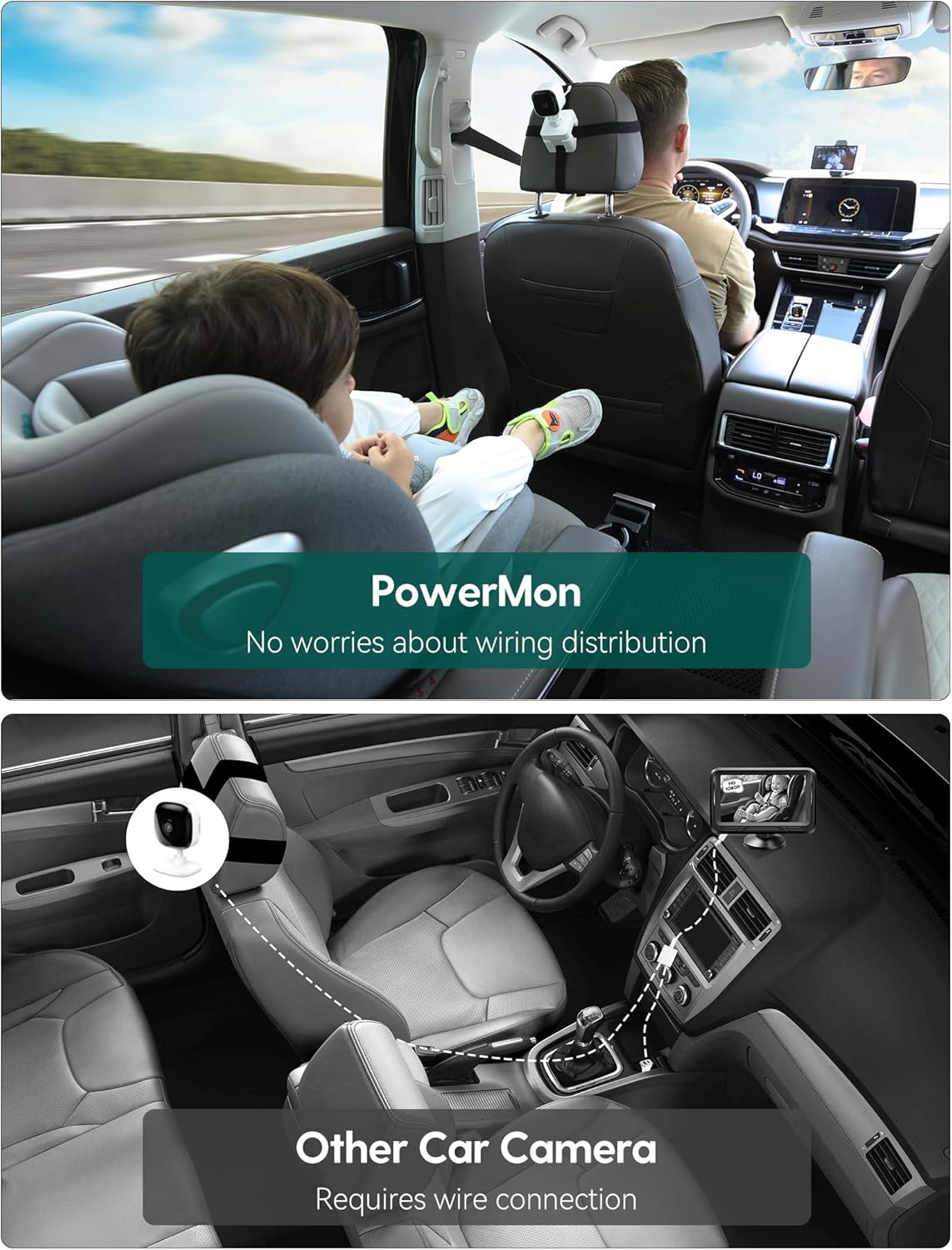
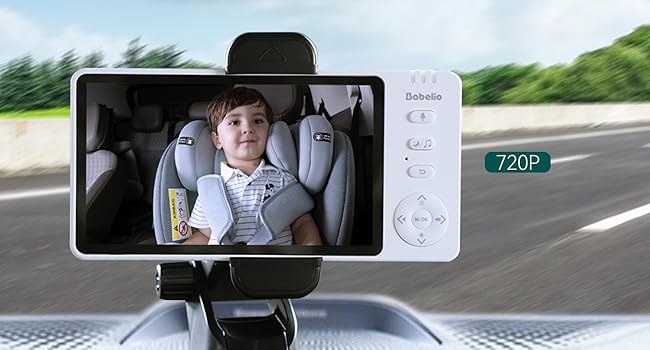
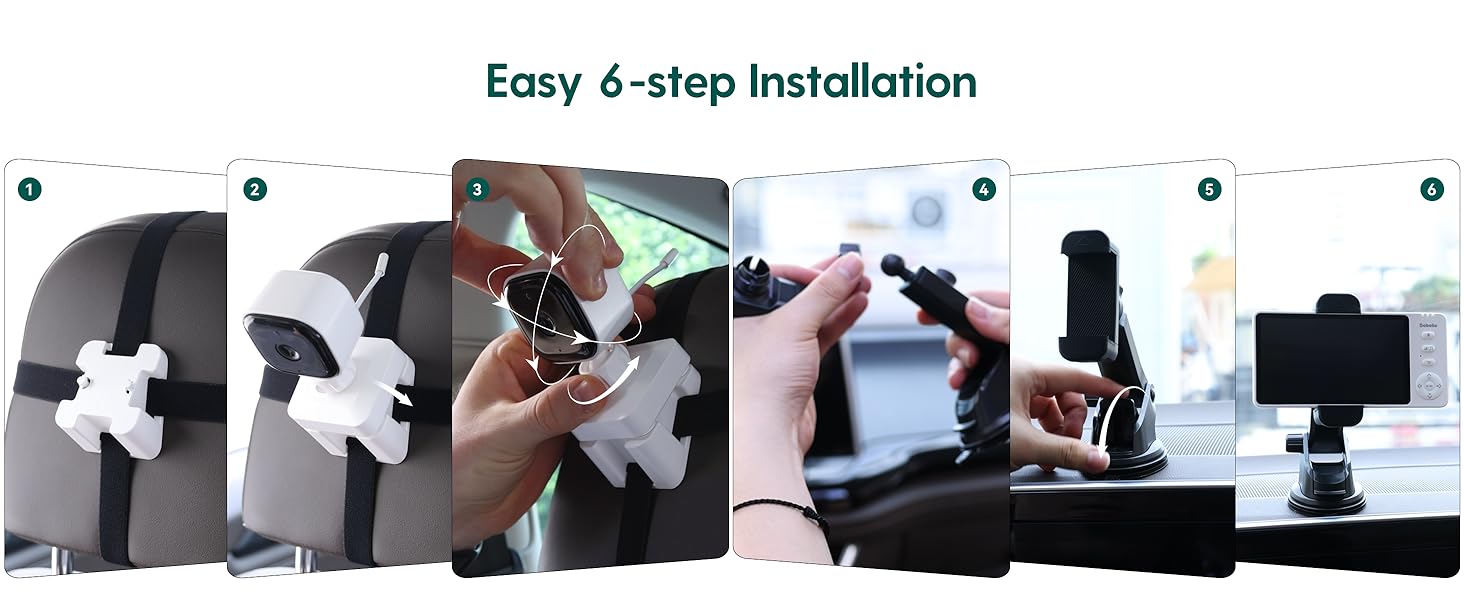
- ติดตั้งกล้อง: Secure the camera to the headrest of the rear seat using the camera mounting straps. Position it to have a clear view of your child in their car seat. The camera features 360° rotation for optimal angle adjustment.
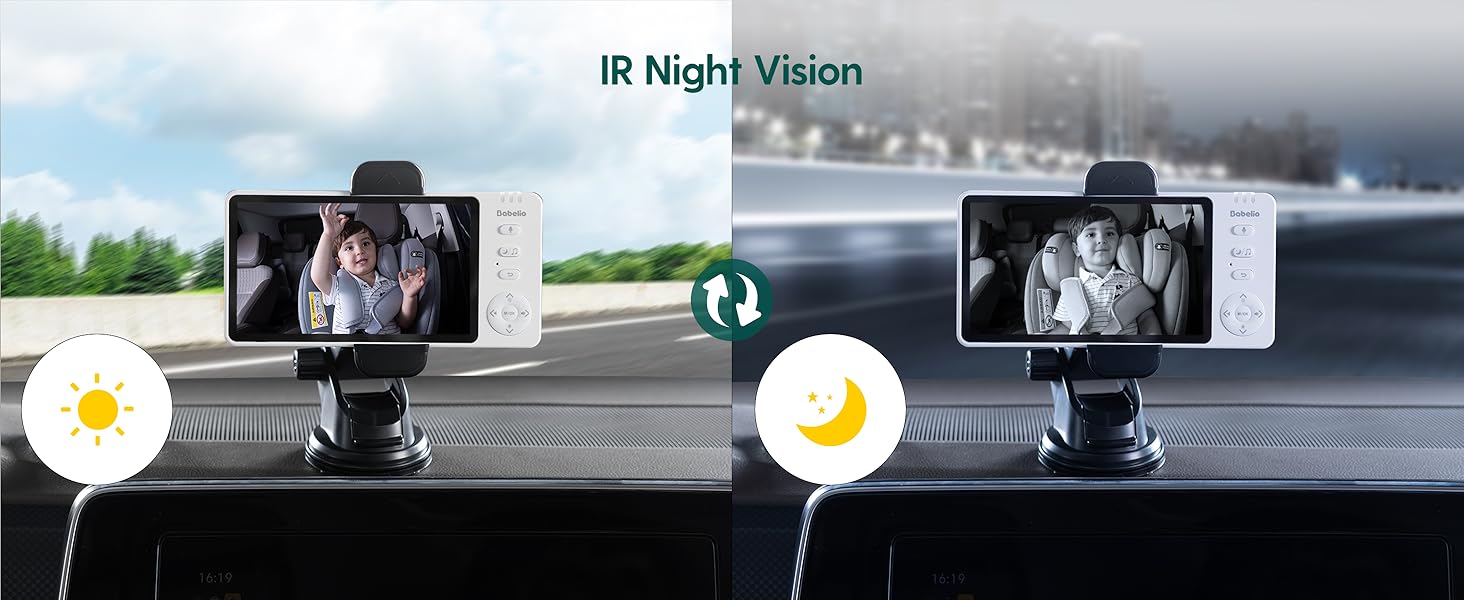
- ติดตั้งจอภาพ: Attach the monitor mounting bracket to your car's dashboard or windshield. Ensure it does not obstruct your driving view. Insert the 5-inch monitor into the bracket.
- เปิดเครื่อง: Turn on both the camera and the monitor. They will automatically pair.
3.3 Home Use
The BABELIO camera can also be used as a home monitor. Simply place the camera on a flat surface in your child's room or play area. The monitor can be placed nearby for continuous viewการไอเอ็นจี
4. คู่มือการใช้งาน
4.1 การทำงานพื้นฐาน
- เปิด/ปิดเครื่อง: Press and hold the power button on both the monitor and camera to turn them on or off.
- การควบคุมระดับเสียง: Use the volume buttons on the monitor to adjust the audio level.
- การนำทางเมนู: Use the directional buttons and M/OK button to navigate through the monitor's menu options.
4.2 การมองเห็นตอนกลางคืน
The camera automatically switches to black and white night vision in low-light conditions using 940nm invisible IR lights. This ensures clear monitoring without disturbing your child.
4.3 ฟังก์ชั่นซูม
Use the zoom controls on the monitor to get a closer view of your child. The monitor supports up to 4x digital zoom.

4.4 VOX Mode (Voice Activated)
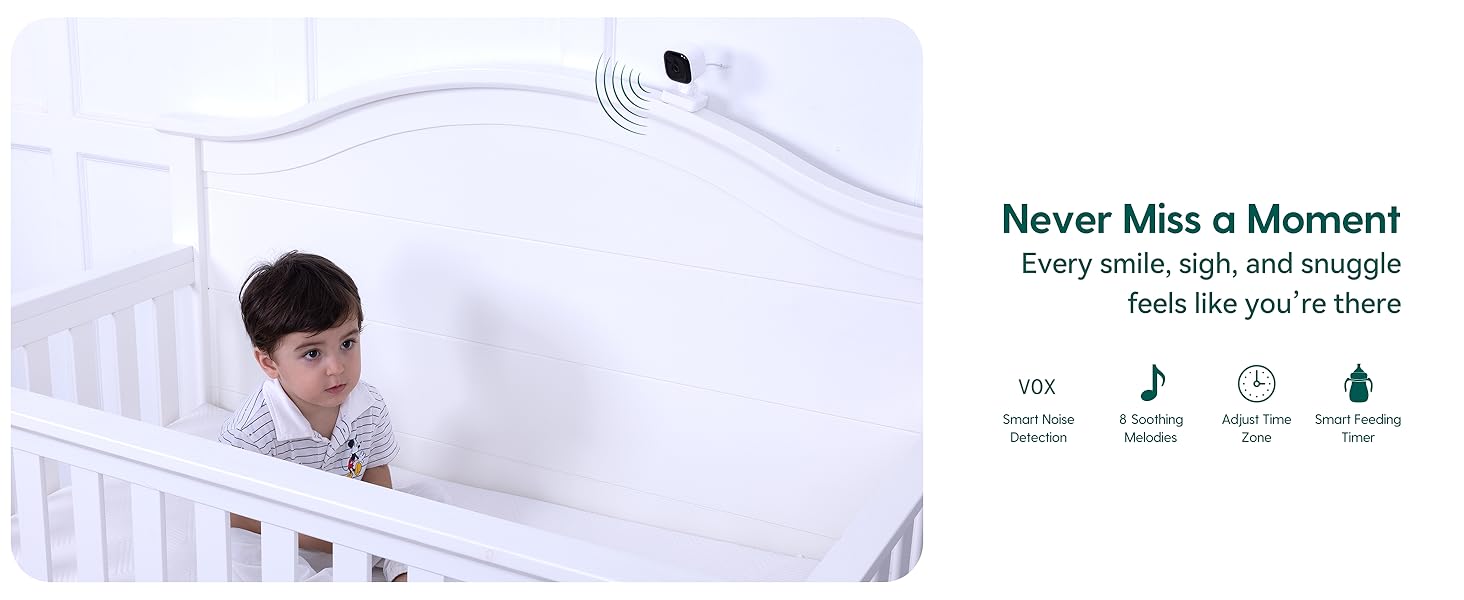
Activate VOX mode to conserve battery. The monitor screen will turn off, but the audio will remain active. The screen will automatically turn on when sound is detected from the camera. You can adjust the sensitivity levels (High, Mid, Low) in the settings.
4.5 การสนทนาสองทาง
Press and hold the microphone button on the monitor to speak to your child through the camera's speaker. Release the button to listen.
4.6 เพลงกล่อมเด็ก
The monitor includes pre-programmed lullabies to help soothe your child. Access this feature through the menu settings.
5. ข้อมูลจำเพาะ
| คุณสมบัติ | ข้อมูลจำเพาะ |
|---|---|
| ชื่อรุ่น | เอบีเอ็ม950 |
| ขนาดหน้าจอ | 5.0 นิ้ว |
| ความละเอียดในการจับภาพวิดีโอ | 720p |
| เทคโนโลยีการเชื่อมต่อ | ไร้สาย (2.4GHz FHSS) |
| การใช้งานภายใน/ภายนอกอาคาร | ในร่ม |
| แหล่งพลังงาน | ใช้พลังงานจากแบตเตอรี่ |
| อายุการใช้งานแบตเตอรี่ (กล้อง) | นานถึง 8 ชั่วโมง (ต่อการชาร์จหนึ่งครั้ง) |
| คุณสมบัติพิเศษ | Night Vision, Two-Way Talk, VOX Mode, Lullabies, Temperature Monitoring |
| ประเภทการติดตั้ง | Headrest Mount (Camera), Dashboard/Window Mount (Monitor) |
| ขนาดสินค้า | 4 x 0.75 x 6 นิ้ว |
| น้ำหนักสินค้า | 1.54 ปอนด์ |
6. การบำรุงรักษา
- การทำความสะอาด: Use a soft, dry cloth to clean the monitor and camera. Do not use liquid or aerosol cleaners.
- พื้นที่จัดเก็บ: เก็บอุปกรณ์ไว้ในที่แห้งและเย็น หลีกเลี่ยงแสงแดดโดยตรงและอุณหภูมิที่สูงหรือต่ำเกินไป
- การดูแลแบตเตอรี่ เพื่อยืดอายุการใช้งานแบตเตอรี่ ควรหลีกเลี่ยงการปล่อยประจุแบตเตอรี่จนหมดบ่อยๆ ควรชาร์จแบตเตอรี่เป็นประจำ
7 การแก้ไขปัญหา
- ไม่มีสัญญาณ/การเชื่อมต่อไม่ดี:
- Ensure both the camera and monitor are powered on and fully charged.
- Move the camera and monitor closer to each other.
- Avoid placing the devices near other electronic equipment that may cause interference. - ไม่มีเสียง:
- Check the volume settings on the monitor.
- Ensure the microphone on the camera is not obstructed. - ระบบมองเห็นในเวลากลางคืนไม่ทำงาน:
- Ensure the camera is in a sufficiently dark environment for automatic night vision activation. - อายุการใช้งานแบตเตอรี่สั้น:
- Ensure the devices are fully charged before use.
- Reduce screen brightness or activate VOX mode to extend battery life.
8. การรับประกันและการสนับสนุน
For warranty information or technical support, please refer to the contact details provided with your purchase or visit the official Babelio webไซต์นี้ โปรดเก็บหลักฐานการซื้อไว้เพื่อใช้ยืนยันการรับประกัน


