1. บทนำ
ขอบคุณสำหรับการซื้อasing the IRRADIO IR-M5 Classic Portable Speaker. This manual provides essential information for the safe and efficient operation of your device. Please read it thoroughly before use and keep it for future reference.
2. ข้อมูลด้านความปลอดภัย
- ห้ามให้ลำโพงสัมผัสกับอุณหภูมิที่สูงหรือต่ำเกินไปหรือโดนแสงแดดโดยตรงเป็นเวลานาน
- หลีกเลี่ยงการทำตกหรือให้ลำโพงได้รับแรงกระแทกรุนแรง
- Do not disassemble, repair, or modify the device yourself. Refer to qualified service personnel.
- ควรเก็บลำโพงให้ห่างจากอุปกรณ์ทางการแพทย์ เนื่องจากมีแม่เหล็กอยู่ภายใน
- ตรวจสอบให้แน่ใจว่าพอร์ตชาร์จแห้งก่อนที่จะเสียบสายชาร์จ
- This device is IPX7 water-resistant, meaning it can be submerged in up to 1 meter of water for 30 minutes. Do not intentionally submerge it for longer periods or deeper than specified.
3. เนื้อหาบรรจุภัณฑ์
กรุณาตรวจสอบแพ็คเกจสำหรับรายการต่อไปนี้:
- IRRADIO IR-M5 Classic Portable Speaker
- สายชาร์จ USB
- คู่มือการใช้งาน
4. สินค้าหมดview
ทำความคุ้นเคยกับส่วนประกอบและการควบคุมของลำโพง

รูปที่ 4.1 : ด้านหน้า view of the IRRADIO IR-M5 Classic speaker, showing the speaker grille, IRRADIO logo, and RGB LED light bar.
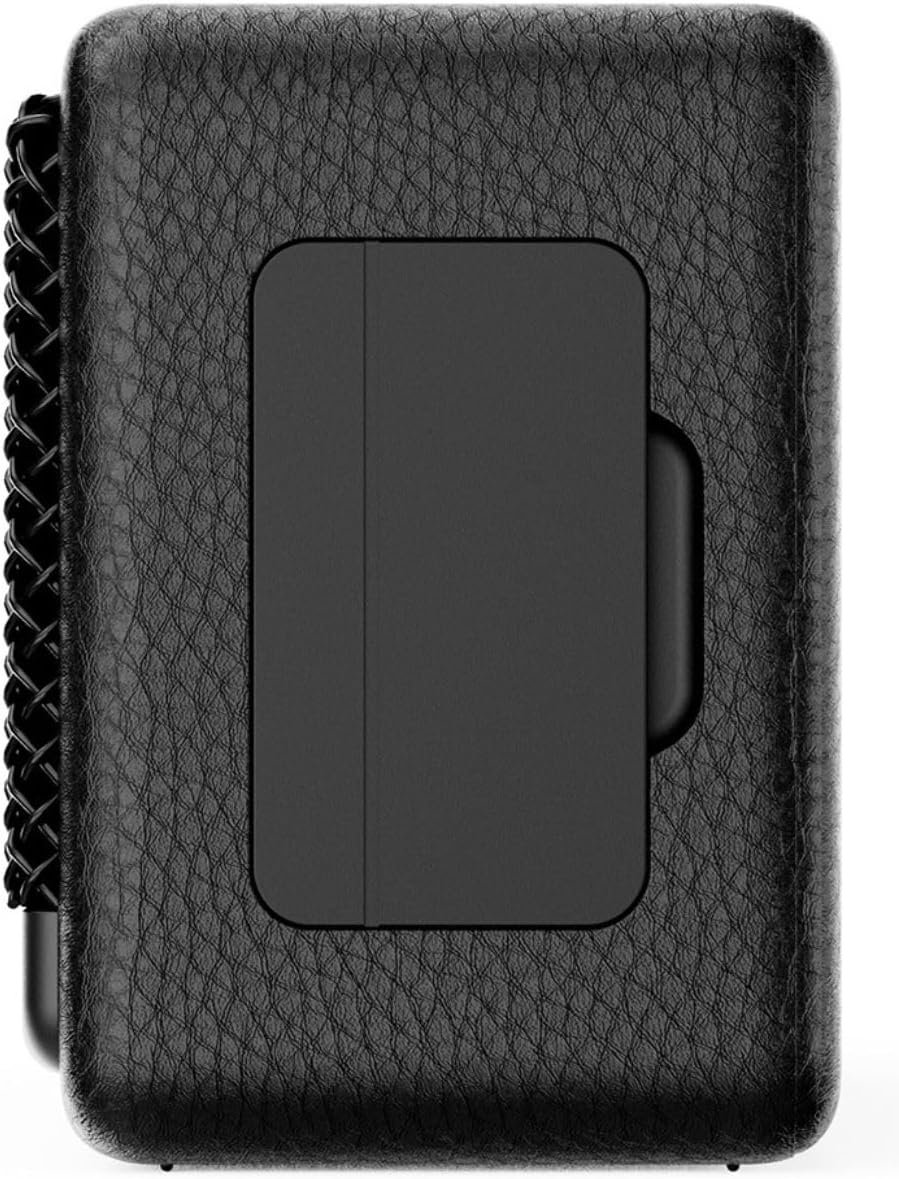
รูปที่ 4.2: ย้อนกลับ view of the IRRADIO IR-M5 Classic speaker, highlighting the passive subwoofer panel.

รูปที่ 4.3: ด้านข้าง view of the IRRADIO IR-M5 Classic speaker, showing the integrated strap for portability.
การควบคุมและพอร์ต:
- ปุ่มเปิด/ปิด: กดค้างไว้เพื่อเปิด/ปิด
- เพิ่มระดับเสียง/เพลงถัดไป: กดสั้นเพื่อเพิ่มระดับเสียง กดยาวเพื่อเล่นเพลงถัดไป
- ลดระดับเสียง/เพลงก่อนหน้า: กดสั้นเพื่อลดระดับเสียง กดยาวเพื่อเล่นเพลงก่อนหน้า
- ปุ่มเล่น/หยุดชั่วคราว/โทรออก: Press to play/pause music or answer/end calls.
- ปุ่มโหมด (M): กดเพื่อสลับระหว่างโหมดการเล่นบลูทูธและ USB
- RGB LED Button: Press to cycle through RGB lighting modes or turn off the lights.
- พอร์ตชาร์จ USB-C: สำหรับชาร์จลำโพง
- พอร์ต USB-A: For external USB music playback.
- AUX Input (3.5mm Mini Jack): สำหรับการเชื่อมต่อเสียงแบบมีสาย
5. การตั้งค่า
5.1 การชาร์จลำโพง
Before first use, fully charge the speaker. Connect the provided USB charging cable to the USB-C port on the speaker and the other end to a compatible USB power adapter (not included).
- ไฟ LED จะแสดงสถานะการชาร์จ
- การชาร์จเต็มจะใช้เวลาประมาณ 3.5 ชั่วโมง
5.2 เปิด/ปิดเครื่อง
- หากต้องการเปิดเครื่อง ให้กดปุ่มเปิด/ปิดค้างไว้จนกว่าจะได้ยินเสียงแจ้งเตือน
- หากต้องการปิดเครื่อง ให้กดปุ่มเปิด/ปิดค้างไว้อีกครั้งจนกว่าลำโพงจะปิดลง
5.3 การจับคู่บลูทูธ
- เปิดลำโพง ลำโพงจะเข้าสู่โหมดจับคู่บลูทูธโดยอัตโนมัติ ซึ่งจะแสดงด้วยไฟ LED กระพริบ
- บนอุปกรณ์ของคุณ (สมาร์ทโฟน แท็บเล็ต แล็ปท็อป) เปิดใช้งาน Bluetooth และค้นหาอุปกรณ์ที่มีอยู่
- Select "IR-M5 Classic" from the list of devices.
- Once paired, the LED indicator will stop flashing and remain solid. You are now ready to play music.
6. คู่มือการใช้งาน
6.1 การเล่นเพลง
- โหมดบลูทู ธ : หลังจากจับคู่สำเร็จแล้ว ให้เล่นเพลงจากอุปกรณ์ที่เชื่อมต่อของคุณ
- การเล่น USB: Insert a USB drive with MP3/WAV files into the USB-A port. The speaker will automatically switch to USB mode and begin playback. Use the Mode button to switch if necessary.
- โหมด AUX: Connect an audio device using a 3.5mm AUX cable to the AUX input. The speaker will automatically switch to AUX mode.
6.2 การควบคุมระดับเสียง
- Press the Volume Up (+) button to increase volume.
- Press the Volume Down (-) button to decrease volume.
6.3 ระบบนำทางตามเส้นทาง
- Long press the Volume Up (+) button for the next track.
- Long press the Volume Down (-) button for the previous track.
6.4 ฟังก์ชั่น True Wireless Stereo (TWS)
To pair two IR-M5 Classic speakers for a stereo experience:
- ตรวจสอบให้แน่ใจว่าลำโพงทั้งสองเปิดอยู่และไม่ได้เชื่อมต่อกับอุปกรณ์ Bluetooth ใดๆ
- สำหรับลำโพงตัวใดตัวหนึ่ง ให้กดปุ่มเล่น/หยุดชั่วคราวสองครั้งติดต่อกัน ลำโพงจะเข้าสู่โหมดจับคู่ TWS
- The speakers will automatically connect to each other. You will hear a confirmation sound.
- Once TWS paired, connect your device to one of the speakers via Bluetooth as described in section 5.3. Both speakers will now play in stereo.
6.5 RGB LED Lighting
Press the RGB LED button to cycle through different lighting modes or to turn the lights off.
7. การบำรุงรักษา
- ทำความสะอาดลำโพงด้วยผ้านุ่มและแห้ง ห้ามใช้น้ำยาทำความสะอาดหรือสารละลายที่มีฤทธิ์กัดกร่อน
- เก็บลำโพงไว้ในที่เย็นและแห้งเมื่อไม่ได้ใช้งาน
- If the speaker will not be used for an extended period, charge it every 3 months to maintain battery health.
8 การแก้ไขปัญหา
| ปัญหา | สาเหตุที่เป็นไปได้ | สารละลาย |
|---|---|---|
| ลําโพงไม่เปิดขึ้น | แบตเตอรี่อ่อน | ชาร์จลำโพงให้เต็ม |
| ไม่สามารถจับคู่ผ่านบลูทูธได้ | ลำโพงไม่ได้อยู่ในโหมดจับคู่หรือเชื่อมต่อกับอุปกรณ์อื่นแล้ว | Ensure speaker is in pairing mode. Disconnect from other devices. Restart speaker and device. |
| ไม่มีเสียง. | ระดับเสียงต่ำเกินไป; โหมดอินพุตไม่ถูกต้อง; อุปกรณ์ไม่เล่น | Increase volume. Check input mode (Bluetooth/USB/AUX). Ensure source device is playing. |
| การจับคู่ TWS ล้มเหลว | Speakers are already connected to a device or each other. | ตรวจสอบให้แน่ใจว่าลำโพงทั้งสองตัวถูกตัดการเชื่อมต่อจากอุปกรณ์ทั้งหมดก่อนที่จะเริ่มการจับคู่ TWS |
9. ข้อมูลจำเพาะ
| คุณสมบัติ | รายละเอียด |
|---|---|
| ชื่อรุ่น | IR-M5 คลาสสิค |
| ยี่ห้อ | วิทยุกระจายเสียง |
| กำลังขับ | 20W (Rated), 28W (Music) |
| ไดรเวอร์ | 2 x 50mm Full-Range, 1 x Passive Subwoofer |
| การตอบสนองความถี่ | 85เฮิรตซ์ - 20กิโลเฮิรตซ์ |
| เวอร์ชันบลูทูธ | 5.4 |
| ช่วงสาย | สูงสุด 10 เมตร (ไม่มีสิ่งกีดขวาง) |
| ความจุของแบตเตอรี่ | 2000mAh (3.7V, 7.4 Wh) |
| เวลาการเล่น | ประมาณ 8 ชั่วโมง (ที่ระดับเสียง 50%) |
| เวลาในการชาร์จ | ประมาณ 3.5 ชั่วโมง |
| ความต้านทานต่อน้ำ | IPX7 |
| ขนาด (กว้าง x ยาว x สูง) | 17.4 x 8 x 5.3 ซม. (6.8 x 3.15 x 2.1 นิ้ว) |
| น้ำหนัก | 506 กรัม (0.506 กก.) |
| รูปแบบเสียงที่รองรับ | MP3, WAV |
10. การรับประกันและการสนับสนุน
This product comes with a standard manufacturer's warranty. For detailed warranty terms and conditions, please refer to the warranty card included in your package or contact your local distributor. For technical support or service inquiries, please visit the official IRRADIO webเว็บไซต์หรือติดต่อฝ่ายบริการลูกค้าของพวกเขา
หมายเหตุ: ข้อมูลจำเพาะและดีไซน์ของผลิตภัณฑ์อาจมีการเปลี่ยนแปลงได้โดยไม่ต้องแจ้งให้ทราบล่วงหน้าเพื่อการปรับปรุง


