การแนะนำ
Thank you for choosing the HUTT C7 Window Cleaning Robot. This manual provides detailed instructions for the safe and efficient operation, maintenance, and troubleshooting of your device. Please read this manual thoroughly before use and keep it for future reference.
The HUTT C7 is designed to provide an effortless cleaning experience for various smooth surfaces, including windows, tiles, and wooden doors, utilizing advanced features like HUTTHINK 5.0 intelligent frequency control and HUTTSLAM 4.0 route planning.
มีอะไรอยู่ในกล่อง
เมื่อเปิดบรรจุภัณฑ์ โปรดตรวจสอบว่าอุปกรณ์ทุกชิ้นครบถ้วนและอยู่ในสภาพดี:
- HUTT C7 Window Cleaning Robot with 2-in-1 Cable (Power & Safety Cable)
- รีโมทคอนโทรล
- 3x Cleaning Cloths (2 sets)
- Replacement Spray Nozzle
- อะแดปเตอร์แปลงไฟ
- สายเชื่อมต่อสายไฟ
- คู่มือการใช้งาน
- คู่มือเริ่มต้นอย่างรวดเร็ว

Image: Complete scope of delivery for the HUTT C7 Window Cleaning Robot, including the robot, remote control, cleaning cloths, and power cables.
การตั้งค่า
1. การติดแผ่นทำความสะอาด
Ensure the cleaning pads are securely attached to the bottom of the robot. The HUTT C7 uses ultra-fine microfiber wiping cloths designed for effective cleaning.
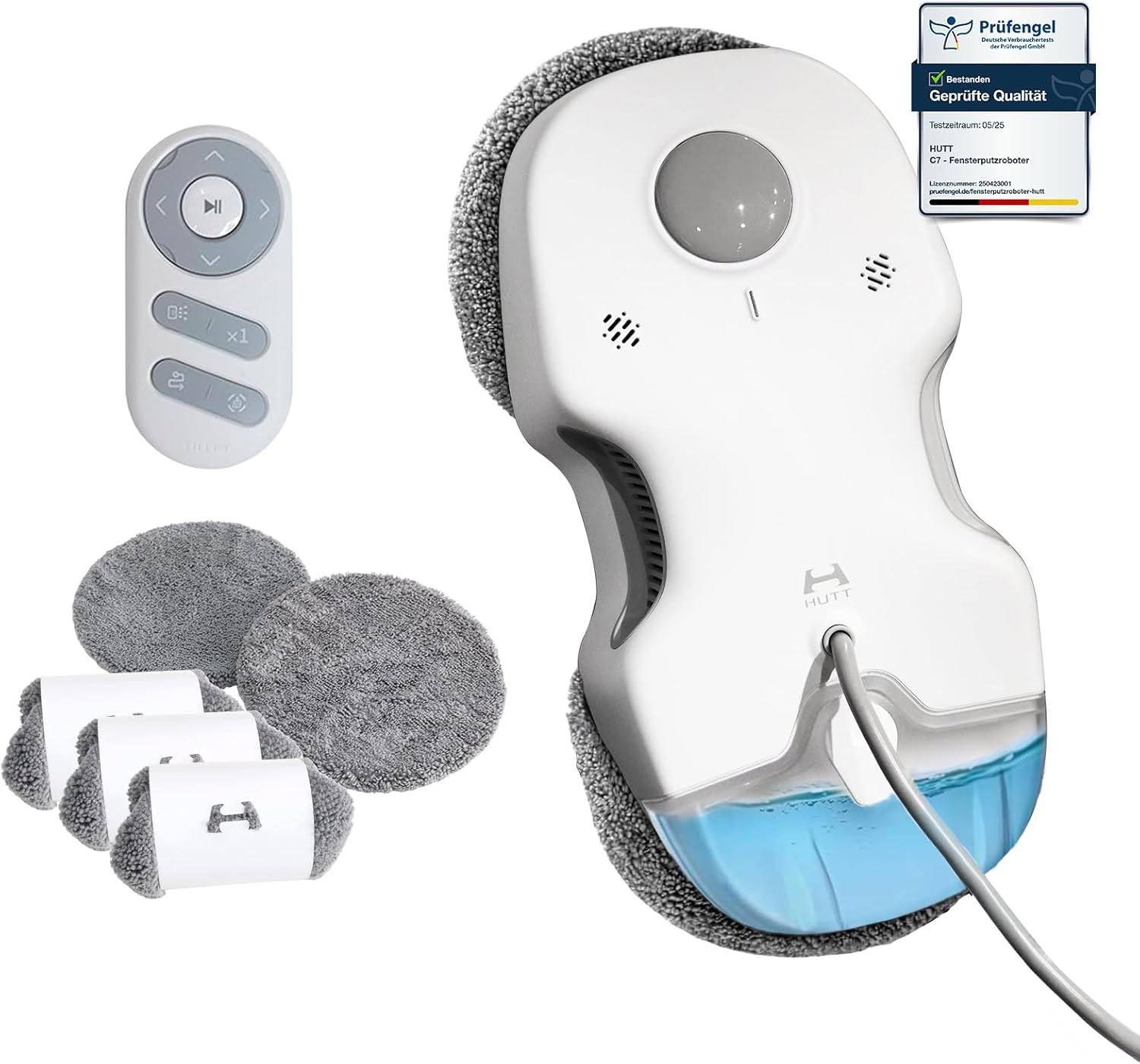
Image: The HUTT C7 robot with its remote control and a set of microfiber cleaning pads, ready for attachment.
2. การเติมน้ำลงในถังน้ำ
Locate the 80ml water tank on the robot. Open the cap and fill it with clean water or a suitable window cleaning solution. Close the cap tightly to prevent leaks.
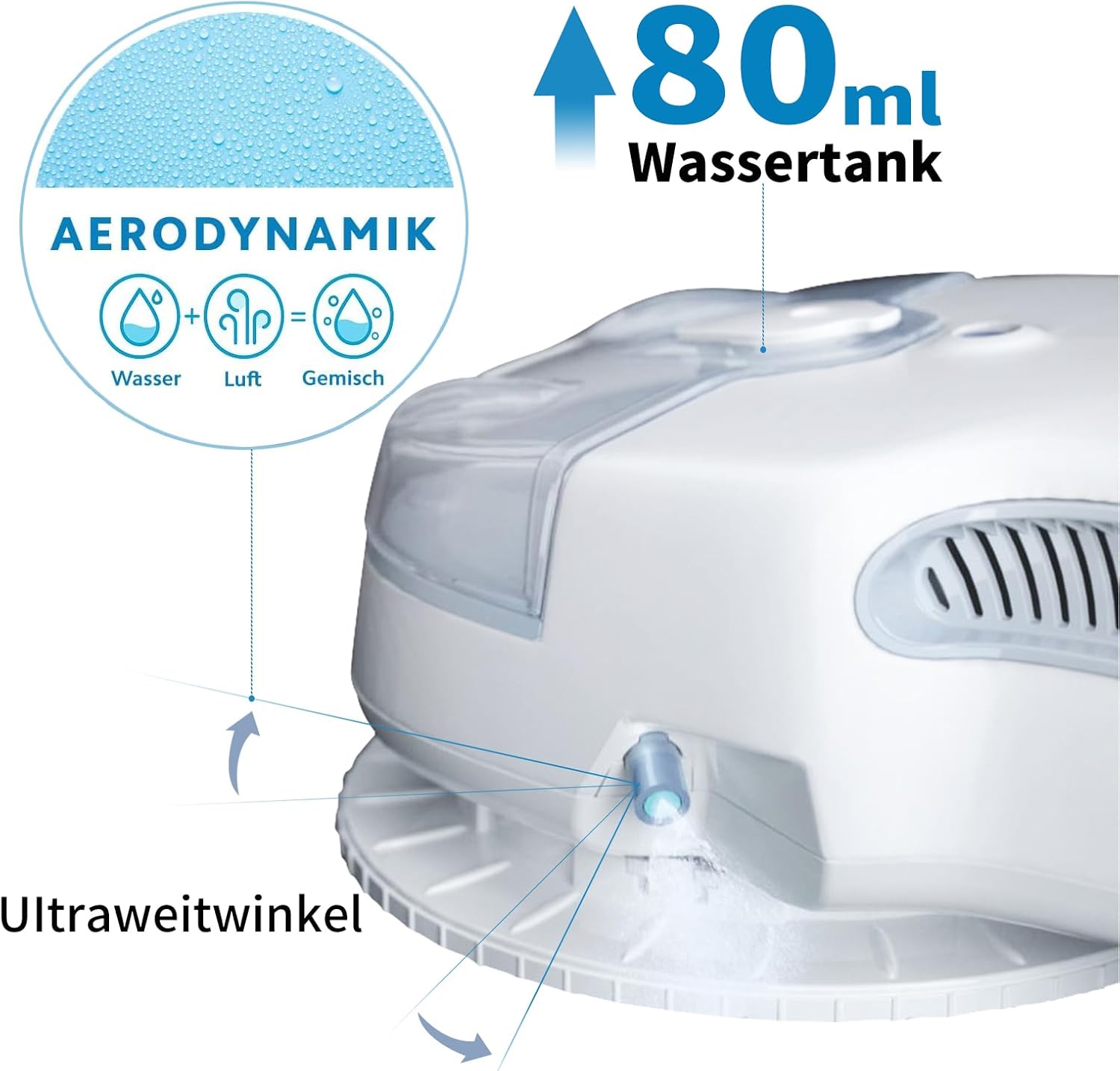
ภาพ: ระยะใกล้ view of the HUTT C7's 80ml water tank, highlighting its capacity and design for efficient cleaning.
3. Connecting Power and Safety Cable
Connect the power adapter to the robot and plug it into a power outlet. For safety, always attach the integrated safety rope to a secure anchor point, especially when cleaning at heights.

Image: Illustration of the HUTT C7's dual safety strategy, showing the connection of the power cable with integrated safety rope and the robot operating on a window.
คำแนะนำการใช้งาน
1. เปิด/ปิดเครื่อง
Press the power button on the robot or the remote control to turn the device on. The robot will perform a self-check. To turn off, press the power button again.
2. Starting Cleaning
Place the robot on the surface to be cleaned. Ensure it has a firm suction. Press the start button on the remote control or the robot. The HUTT C7 will automatically detect the surface and begin its cleaning path using HUTTSLAM 4.0 intelligent route planning.

Image: The HUTT C7 robot demonstrating its intelligent navigation path and the remote control used for manual operation.
3. คุณสมบัติอัจฉริยะ
- HUTTHINK 5.0 Intelligent Frequency Control: The robot automatically recognizes the surface texture (glass, tiles, wood) and dynamically adjusts suction power for gentle and thorough cleaning.
- HUTTSLAM 4.0 Route Planning System: Ensures systematic and complete cleaning with intelligent horizontal and vertical cleaning paths, leaving no spots missed.
- High-Performance Suction Motor: With 5500Pa suction power, the brushless motor effectively removes stubborn dirt, dust, and water stains.
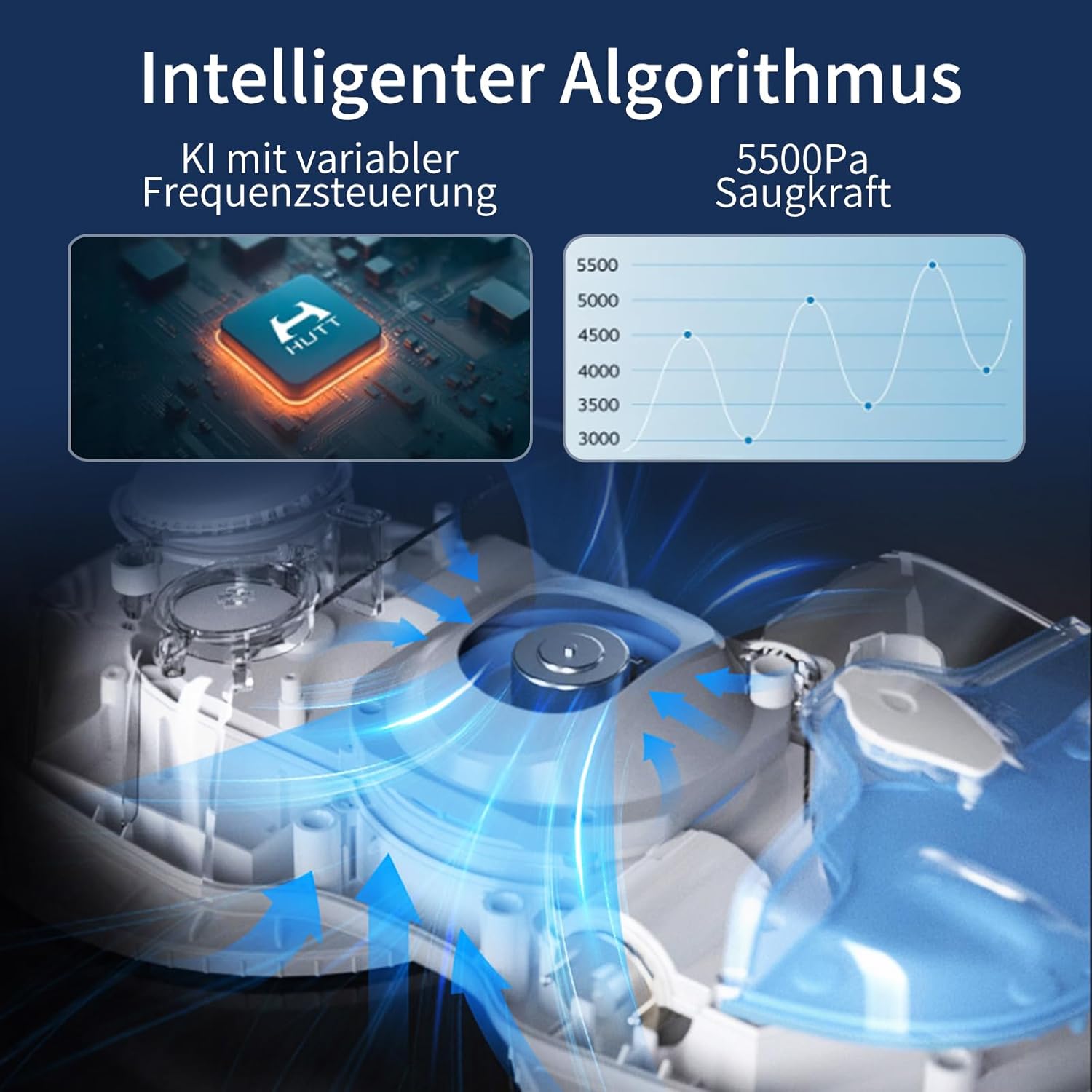
Image: Diagram illustrating the HUTT C7's intelligent algorithm for variable frequency control and its powerful 5500Pa suction.
4. Multi-Surface Application
The HUTT C7 is versatile and can be used on various smooth surfaces:
- หน้าต่าง
- กระจก
- ประตูกระจก
- Smooth Tiles
- Wooden Doors

Image: The HUTT C7 demonstrating its ability to clean various surfaces including mirrors, glass doors, windows, and tiles.
5. Cleaning Process (Recommended 3 Passes)
- Pass 1: Loosen Stains - ทำความสะอาดด้วยโฆษณาamp cloth and wring it out well.
- Pass 2: Wipe Glass - Apply 6-8 sprays of glass cleaner to a dry cloth and wipe.
- Pass 3: Polish - Use a dry wiping mop to polish and minimize water spots.

Image: Visual guide to the recommended three-pass cleaning process for the HUTT C7, showing steps for loosening stains, wiping, and polishing.
การซ่อมบำรุง
1. Cleaning Pads
The ultra-fine microfiber wiping cloths should be cleaned after each use. They can be washed by hand or machine. Ensure they are completely dry before reattaching them to the robot.

Image: Depiction of the HUTT C7's simple operation, rotating cleaning surfaces, and the detailed structure of its microfiber wiping cloths.
2. การทำความสะอาดถังเก็บน้ำ
Regularly empty and rinse the 80ml water tank to prevent residue buildup. Use clean water for rinsing.
3. Robot Body Cleaning
เช็ดทำความสะอาดภายนอกของหุ่นยนต์ด้วยผ้าแห้งเนื้อนุ่ม ห้ามใช้สารทำความสะอาดที่มีฤทธิ์กัดกร่อน หรือจุ่มหุ่นยนต์ลงในน้ำ
4. การจัดเก็บ
Store the HUTT C7 in a cool, dry place away from direct sunlight and extreme temperatures. Ensure the water tank is empty before long-term storage.
การแก้ไขปัญหา
| ปัญหา | สาเหตุที่เป็นไปได้ | สารละลาย |
|---|---|---|
| Robot not sticking to surface | Insufficient suction; dirty cleaning pads; surface too rough or wet. | Ensure power is connected and suction is active. Clean or replace pads. Ensure surface is not excessively wet or uneven. |
| รอยเส้นที่เหลืออยู่บนพื้นผิว | Dirty cleaning pads; incorrect cleaning solution; insufficient passes. | Replace or clean pads. Use appropriate window cleaning solution. Perform multiple cleaning passes (e.g., 3-pass method). |
| หุ่นยนต์ไม่เคลื่อนไหวหรือติดขัด | Obstruction; low battery; edge detection issue. | Remove any obstructions. Ensure robot is fully charged or connected to power. The robot has high-sensitivity edge detection to prevent falls. |
| Robot falls during power outage | Safety rope not attached or improperly secured. | Always ensure the safety rope is securely attached to a fixed point. The robot has a 20-minute backup battery for power outagการป้องกันอี |
| Water spray not working | ถังน้ำว่างเปล่า; หัวฉีดอุดตัน | Refill water tank. Clean or replace the spray nozzle. |
หากปัญหายังคงมีอยู่หลังจากพยายามแก้ไขปัญหาเหล่านี้แล้ว โปรดติดต่อฝ่ายสนับสนุนลูกค้า
ข้อมูลจำเพาะ
| คุณสมบัติ | รายละเอียด |
|---|---|
| ยี่ห้อ | ฮัท |
| ชื่อรุ่น | C7 |
| หมายเลขรุ่น | H000007 |
| สี | สีขาว/สีเทา |
| ขนาดสินค้า (กว้าง x ยาว x สูง) | 29.5 x 14.5 x 8.9 ซม. |
| น้ำหนักสินค้า | 1.18 กิโลกรัม |
| ความจุถังน้ำ | 80 มล. |
| พลังดูด | 5500 ปา |
| ระดับเสียง | 73 เดซิเบล |
| Backup Battery Duration | 20 minutes (for power outagการป้องกันอี) |
| คุณสมบัติพิเศษ | HUTTHINK 5.0 Intelligent Frequency Control, Ultra-fine Microfiber Wiping Cloths, Patented 3D Suspension Chassis, HUTTSLAM 4.0 Route Planning System, Remote Control, Power Outagการป้องกันอี |
การรับประกันและการสนับสนุน
The HUTT C7 Window Cleaning Robot comes with a standard manufacturer's warranty. Please refer to the warranty card included in your package for specific terms and conditions.
For technical support, troubleshooting assistance, or warranty claims, please contact HUTT customer service through the contact information provided on the official HUTT webไซต์หรือแพลตฟอร์มการซื้อของคุณ
Always ensure you have your product model number (C7) and purchase details ready when contacting support.


