1. บทนำ
Welcome to the user manual for the MOZA Racing FSR2 Formula Wheel. This document provides comprehensive instructions for setting up, operating, and maintaining your new racing wheel. The FSR2 Formula Wheel is designed to deliver an immersive and precise racing experience, featuring a 280mm diameter, a 6-paddle design, and customizable RGB signal lights. Please read this manual carefully before using the product to ensure optimal performance and longevity.
2. สินค้าหมดview
The MOZA Racing FSR2 Formula Wheel is a high-performance racing peripheral crafted for serious sim racers. It integrates advanced features and robust construction to enhance your virtual driving experience.
2.1 คุณสมบัติหลัก
- 280mm Diameter: Optimized size for formula-style racing.
- 6-Paddle Design: Includes magnetic shifters, clutch paddles, and auxiliary paddles for versatile control.
- RGB Signal Lights: Customizable RPM and flag indicator lights for real-time feedback.
- Integrated Display Screen: High-resolution screen for displaying telemetry data, lap times, and other crucial information.
- การก่อสร้างคุณภาพสูง: Features carbon fiber front plate and durable materials for longevity.
- ด้ามจับที่ออกแบบตามหลักสรีรศาสตร์: Designed for comfort and secure handling during intense racing sessions.
- ระบบปลดเร็ว: Allows for easy and secure attachment to compatible MOZA wheelbases.
2.2 ส่วนประกอบ
The FSR2 Formula Wheel typically includes the following components:
- MOZA Racing FSR2 Formula Wheel
- USB Cable (for data/power if not directly powered by wheelbase)
- Mounting Screws (if applicable for quick release)
- คู่มือการใช้งาน (เอกสารนี้)
2.3 ผลิตภัณฑ์ Views

รูปที่ 2.3.1 : ด้านหน้า view of the MOZA Racing FSR2 Formula Wheel, showcasing the integrated display, buttons, rotary encoders, and RGB light bar.

รูปที่ 2.3.2: มุม view of the FSR2 Formula Wheel, highlighting the ergonomic grips and the six paddle shifters located behind the wheel.

รูปที่ 2.3.3: ด้านหลัง view of the FSR2 Formula Wheel, displaying the quick release hub for easy attachment to a wheelbase and the paddle shifter mechanisms.
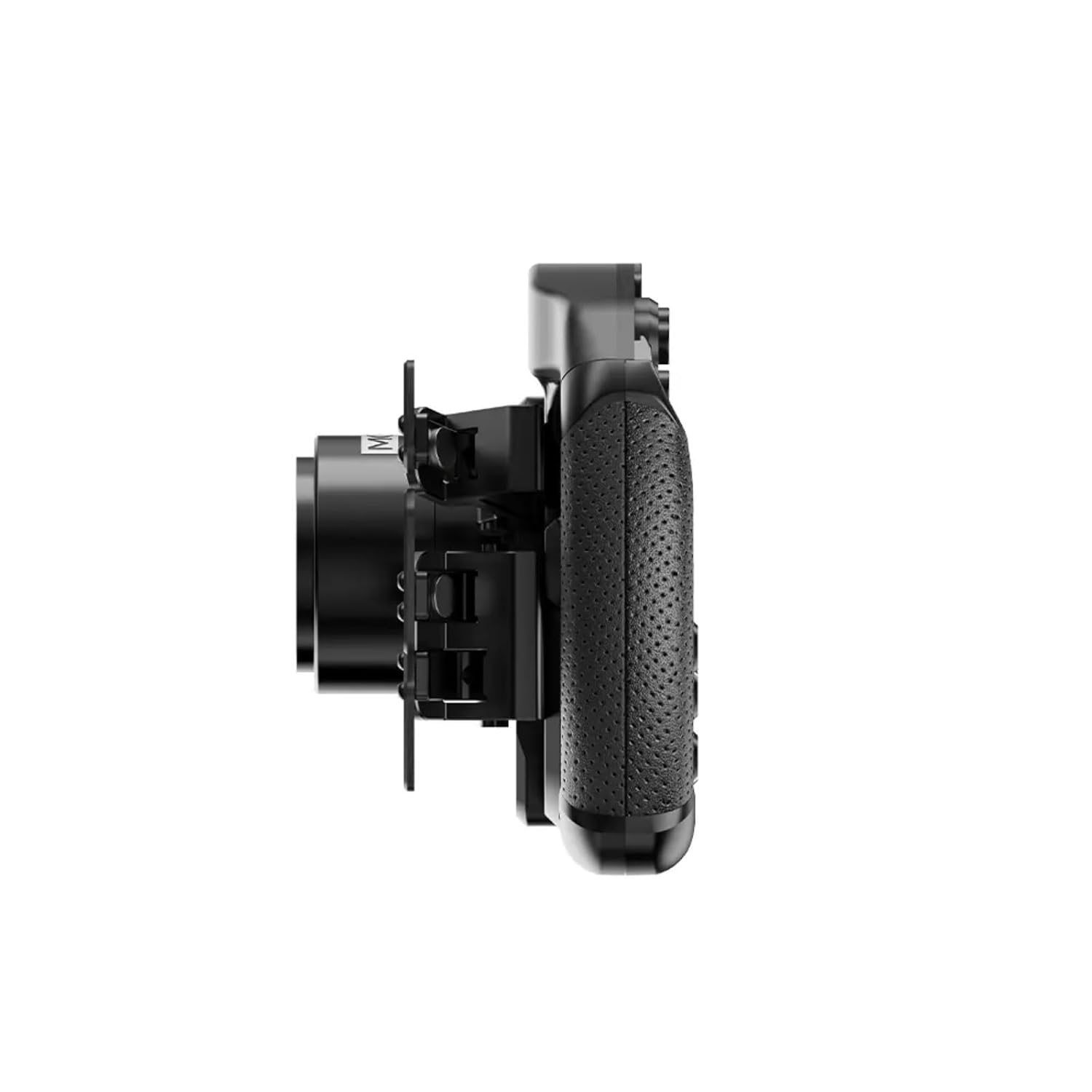
รูปที่ 2.3.4: โปรด้านข้างfile view of the FSR2 Formula Wheel, illustrating its slim design and the depth of the grips and button clusters.
3. การตั้งค่า
Follow these steps to properly set up your MOZA Racing FSR2 Formula Wheel.
3.1 การยึดติดกับฐานล้อ
- Ensure your MOZA wheelbase is powered off.
- Align the quick release mechanism on the FSR2 Formula Wheel with the quick release on your MOZA wheelbase.
- Push the wheel firmly onto the wheelbase until it clicks into place. A secure connection is indicated by the quick release collar fully engaging.
- Gently pull on the wheel to confirm it is securely attached and does not wobble.
3.2 การติดตั้งซอฟต์แวร์
- Download the latest version of the MOZA Pit House software from the official MOZA Racing webงาน (mozaracing.com/downloads).
- Install the MOZA Pit House software on your PC by following the on-screen instructions.
- Connect your MOZA wheelbase to your PC via the provided USB cable.
- Launch MOZA Pit House. The software should automatically detect your wheelbase and the attached FSR2 Formula Wheel.
- If prompted, update the firmware for both your wheelbase and the FSR2 Formula Wheel to the latest version. This ensures compatibility and access to new features.
4. คู่มือการใช้งาน
This section details the basic operation and customization of your FSR2 Formula Wheel.
4.1 Button and Encoder Functions
The FSR2 Formula Wheel features numerous buttons and rotary encoders. Their specific functions can often be mapped within your racing simulation software or customized via MOZA Pit House.
- ปุ่ม: Use for various in-game actions such as DRS, KERS, pit limiter, brake bias, etc.
- ตัวเข้ารหัสแบบหมุน: Typically used for fine-tuning settings like traction control, ABS, engine mapping, or navigating menus.
- คันเกียร์แม่เหล็ก: For upshifts and downshifts.
- แป้นคลัตช์: For clutch control, often configurable as dual-clutch for race starts.
4.2 Integrated Display Screen
The integrated display screen provides real-time telemetry data. You can configure the displayed information through MOZA Pit House.
- Default Displays: RPM, current gear, lap time, delta time, fuel level, tire temperatures, etc.
- การปรับแต่ง: Use MOZA Pit House to select which data points are displayed and their layout.
4.3 RGB Signal Lights
The RGB light bar at the top of the wheel provides visual cues for RPM and other in-game events.
- RPM Indicator: Lights illuminate progressively as RPM increases, indicating optimal shift points.
- Flag Indicators: Can be configured to display various flag warnings (e.g., yellow, blue, green) from the simulation.
- การปรับแต่ง: Adjust colors, brightness, and trigger points for the RGB lights within MOZA Pit House.
5. การบำรุงรักษา
Proper maintenance ensures the longevity and optimal performance of your FSR2 Formula Wheel.
5.1 การทำความสะอาด
- Use a soft, dry, lint-free cloth to wipe down the wheel's surfaces.
- สำหรับรอยฝังแน่น ให้ลบออกเล็กน้อยampชุบผ้าด้วยน้ำ หลีกเลี่ยงสารเคมีรุนแรงหรือน้ำยาทำความสะอาดที่มีฤทธิ์กัดกร่อน
- Do not spray cleaning solutions directly onto the wheel, especially near buttons, encoders, or the display.
- Clean the grips regularly to remove sweat and oils, which can degrade the material over time.
5.2 พื้นที่จัดเก็บ
- When not in use, store the wheel in a clean, dry environment away from direct sunlight and extreme temperatures.
- If detaching the wheel from the wheelbase, store it in a protective bag or case to prevent dust accumulation and accidental damage.
การอัปเดตเฟิร์มแวร์ 5.3 รายการ
- Regularly check for firmware updates via the MOZA Pit House software.
- การอัปเดตเฟิร์มแวร์มักรวมถึงการปรับปรุงประสิทธิภาพ การแก้ไขข้อผิดพลาด และคุณสมบัติใหม่ๆ
- Always follow the update instructions provided by MOZA Pit House carefully to avoid interruption during the update process.
6 การแก้ไขปัญหา
If you encounter issues with your FSR2 Formula Wheel, refer to the following common problems and solutions.
| ปัญหา | สาเหตุที่เป็นไปได้ | สารละลาย |
|---|---|---|
| Wheel not detected by PC/MOZA Pit House | Loose USB connection, outdated drivers, wheelbase not powered on. |
|
| Buttons/Encoders not responding | Incorrect mapping in game, software glitch, physical damage. |
|
| Display screen is blank or frozen | Software issue, power interruption, firmware problem. |
|
If the problem persists after trying these solutions, please contact MOZA Racing customer support for further assistance.
7. ข้อมูลจำเพาะ
| คุณสมบัติ | รายละเอียด |
|---|---|
| ชื่อรุ่น | ล้อสูตร FSR2 |
| เส้นผ่านศูนย์กลาง | 280มม. |
| การออกแบบพายเรือ | 6-paddle (magnetic shifters, clutch paddles, auxiliary paddles) |
| แสดง | Integrated high-resolution screen |
| แสงสว่าง | Customizable RGB signal lights |
| วัสดุก่อสร้าง | Carbon fiber front plate, aluminum alloy, high-quality grips |
| การเชื่อมต่อ | Directly connects to MOZA wheelbases via quick release |
| น้ำหนักสินค้า | 5.65 ปอนด์ (ประมาณ 2.56 กก.) |
| ขนาดแพ็คเกจ | 12.8 x 8.86 x 4.84 นิ้ว |
| ASIN | B0F4CP6MGZ |
| วันที่พร้อมใช้งานครั้งแรก | 10 เมษายน 2025 |
8. การรับประกันและการสนับสนุน
MOZA Racing products are covered by a limited warranty. For detailed warranty terms and conditions, please refer to the official MOZA Racing webเว็บไซต์หรือบัตรรับประกันที่รวมอยู่ในผลิตภัณฑ์ของคุณ
For technical support, troubleshooting assistance, or warranty claims, please contact MOZA Racing customer support through their official webเว็บไซต์:
When contacting support, please have your product model (FSR2 Formula Wheel) and ASIN (B0F4CP6MGZ) ready to expedite the process.


