การแนะนำ
Thank you for choosing the WeCool Fairwhale Sports Analog Digital Watch. This watch combines classic analog timekeeping with modern digital functionalities, designed for durability and versatility. It features a robust build, water resistance, and multiple functions including alarm, stopwatch, and LED backlight, making it suitable for various activities and daily wear.

Figure 1: WeCool Fairwhale Sports Analog Digital Watch on Wrist
This manual provides detailed instructions on how to set up, operate, and maintain your watch to ensure optimal performance and longevity. Please read it carefully before using your watch.
สินค้าเกินview
Familiarize yourself with the main components and buttons of your WeCool Fairwhale watch:

Figure 2: Watch Components and Button Functions
- ปุ่มไฟ: เปิดใช้งานไฟแบ็คไลท์ LED
- ปุ่มโหมด: สลับไปมาระหว่างโหมดต่างๆ (เวลา, นาฬิกาปลุก, นาฬิกาจับเวลา)
- ปุ่มรีเซ็ต: Used for resetting stopwatch or adjusting settings.
- ปุ่มเริ่มต้น: Used for starting stopwatch or adjusting settings.
- ปุ่มปรับ: Used for entering setting mode and confirming selections.
การตั้งค่าและการกำหนดค่าเริ่มต้น
การตั้งเวลาและวันที่แบบดิจิตอล
- ในโหมดแสดงเวลาปกติ ให้กดปุ่ม โหมด button three times to enter the time setting mode. The seconds will flash.
- กดปุ่ม รีเซ็ต ปุ่มสำหรับสลับไปมาระหว่างการตั้งค่า: วินาที → ชั่วโมง → นาที → เดือน → วันที่ → วันในสัปดาห์
- ใช้ เริ่ม button to adjust the flashing value. Hold to increase rapidly.
- เมื่อการตั้งค่าทั้งหมดถูกต้องแล้ว ให้กดปุ่ม โหมด ปุ่มเพื่อออกจากโหมดการตั้งค่า
การตั้งเวลาแบบอะนาล็อก
The analog hands are set independently. Pull out the crown (small knob on the right side of the watch) and rotate it to adjust the analog time. Push the crown back in when finished.

Figure 3: WeCool Fairwhale Sports Analog Digital Watch
คำแนะนำการใช้งาน
การใช้ไฟแบ็คไลท์ LED
กดปุ่ม แสงสว่าง button (top left) to illuminate the digital display. The backlight will stay on for a few seconds, allowing you to read the time in low-light conditions.

Figure 4: Super-Luminous Display in the Dark
การใช้นาฬิกาจับเวลา
- จากหน้าจอแสดงเวลาปกติ ให้กดปุ่ม โหมด กดปุ่มหนึ่งครั้งเพื่อเข้าสู่โหมดนาฬิกาจับเวลา หน้าจอจะแสดง "00:00:00"
- กดปุ่ม เริ่ม ปุ่มสำหรับเริ่มจับเวลา
- กดปุ่ม เริ่ม กดปุ่มอีกครั้งเพื่อหยุดการจับเวลา
- กดปุ่ม รีเซ็ต ปุ่มสำหรับรีเซ็ตนาฬิกาจับเวลาเป็น "00:00:00"
- กดปุ่ม โหมด กดปุ่มเพื่อกลับสู่การแสดงเวลาปกติ
การตั้งค่าและการใช้นาฬิกาปลุก
- จากหน้าจอแสดงเวลาปกติ ให้กดปุ่ม โหมด กดปุ่มสองครั้งเพื่อเข้าสู่โหมดตั้งค่านาฬิกาปลุก ตัวเลขชั่วโมงจะกะพริบ
- กดปุ่ม รีเซ็ต ปุ่มสำหรับเลือกตั้งค่าระหว่างชั่วโมงและนาที
- ใช้ เริ่ม ปุ่มสำหรับปรับค่าการกระพริบ
- เมื่อตั้งเวลาปลุกที่ต้องการแล้ว ให้กดปุ่ม โหมด ปุ่มเพื่อออก
- หากต้องการเปิด/ปิดสัญญาณเตือน ในโหมดสัญญาณเตือน ให้กดปุ่ม เริ่ม กดปุ่ม ไอคอนแจ้งเตือนจะปรากฏ/หายไปบนหน้าจอ
การดูแลรักษา
- การทำความสะอาด: เช็ดนาฬิกาเป็นประจำด้วยผ้าแห้งนุ่มๆ เพื่อขจัดสิ่งสกปรกและเหงื่อ สำหรับคราบสกปรกที่ติดแน่น ให้ใช้ผ้าที่ชื้นเล็กน้อยเช็ดamp ผ้าแล้วเช็ดให้แห้งสนิท
- ความต้านทานน้ำ: This watch is water-resistant up to 50 meters (5 ATM). It is suitable for cold water, rain, and swimming. อย่าทำ press any buttons underwater. Avoid exposure to steam and hot water, as this can damage the waterproof seal.
- อุณหภูมิ: หลีกเลี่ยงการนำนาฬิกาไปสัมผัสกับอุณหภูมิที่สูงหรือต่ำเกินไป (ร้อนหรือเย็นเกินไป) เป็นเวลานาน
- สารเคมี: Keep the watch away from solvents, detergents, perfumes, and other chemicals that may damage the band or case.
- การเปลี่ยนแบตเตอรี่: When the display becomes dim or functions become erratic, it may be time to replace the battery. It is recommended to have the battery replaced by a qualified watch technician to ensure the water resistance is maintained.
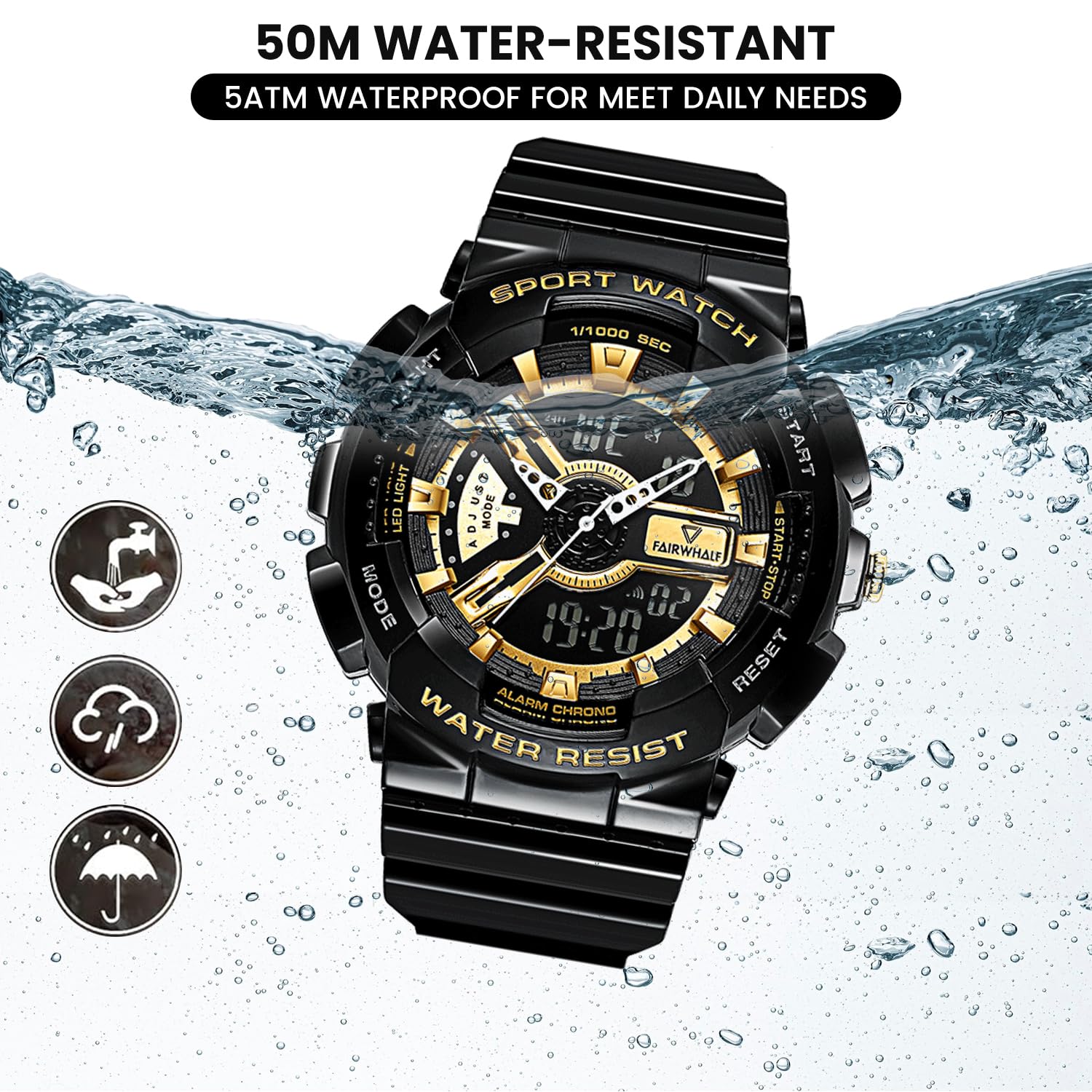
Figure 5: 50M Water-Resistant Feature
การแก้ไขปัญหา
| ปัญหา | สาเหตุที่เป็นไปได้ | สารละลาย |
|---|---|---|
| จอแสดงผลแบบดิจิตอลว่างเปล่าหรือมืดลง | แบตเตอรี่อ่อน | เปลี่ยนแบตเตอรี่ |
| เข็มนาฬิกาแบบอนาล็อกไม่ขยับหรือทำงานผิดปกติ | เม็ดมะยมหลุดออกมา แสดงว่ามีปัญหาเรื่องแบตเตอรี่ | Push the crown back in. If still not working, replace battery. |
| ปุ่มต่างๆ ไม่ตอบสนอง | นาฬิกาอาจอยู่ในโหมดล็อกหรือแบตเตอรี่เหลือน้อย | Try pressing all buttons firmly. If issue persists, replace battery. |
| มีน้ำอยู่ภายในนาฬิกา | Buttons pressed underwater; exposure to hot water/steam; damaged seal. | Immediately take to a professional watch repair service. Avoid further water exposure. |
ข้อมูลจำเพาะ
| คุณสมบัติ | รายละเอียด |
|---|---|
| หมายเลขรุ่น | ฟ.ว.-4300-1 |
| ประเภทการเคลื่อนไหว | Imported Japanese Quartz Movement |
| ประเภทจอภาพ | อนาล็อกและดิจิตอล |
| เส้นผ่านศูนย์กลางตัวเรือน | 52 มม. (2 นิ้ว) |
| วัสดุของวงดนตรี | Eco-friendly Resin / Polyurethane |
| ความต้านทานต่อน้ำ | 5 ATM (50 เมตร) |
| คุณสมบัติพิเศษ | LED Backlight, Dual Time Display, Stopwatch, Alarm, Shock-Resistant, 12/24H Format |
| แบตเตอรี่ | แบตเตอรี่ AAA 1 ก้อน (รวมอยู่ด้วย) |
| น้ำหนักสินค้า | 50 กรัม |
| ขนาดสินค้า | 20 x 5 x 2 ซม. |

Figure 6: Watch Parameters and Key Features
การรับประกันและการสนับสนุน
Your WeCool Fairwhale Sports Analog Digital Watch comes with a limited warranty. For specific warranty terms and conditions, please refer to the warranty card included with your purchase or visit the official WeCool webเว็บไซต์.
If you encounter any issues or have questions regarding your watch, please do not hesitate to contact our professional after-sales team through Amazon. We are committed to providing satisfactory answers and support.
You can reach us via the Amazon messaging system by visiting the product page and clicking on the seller's name, "WeCool Technology", then selecting "Ask a question".


