การแนะนำ
This manual provides essential instructions for the setup, operation, and maintenance of your Accutime Peanuts Characters Kids Digital Watch. Please read this manual thoroughly to ensure proper use and longevity of your watch.
สินค้าเกินview
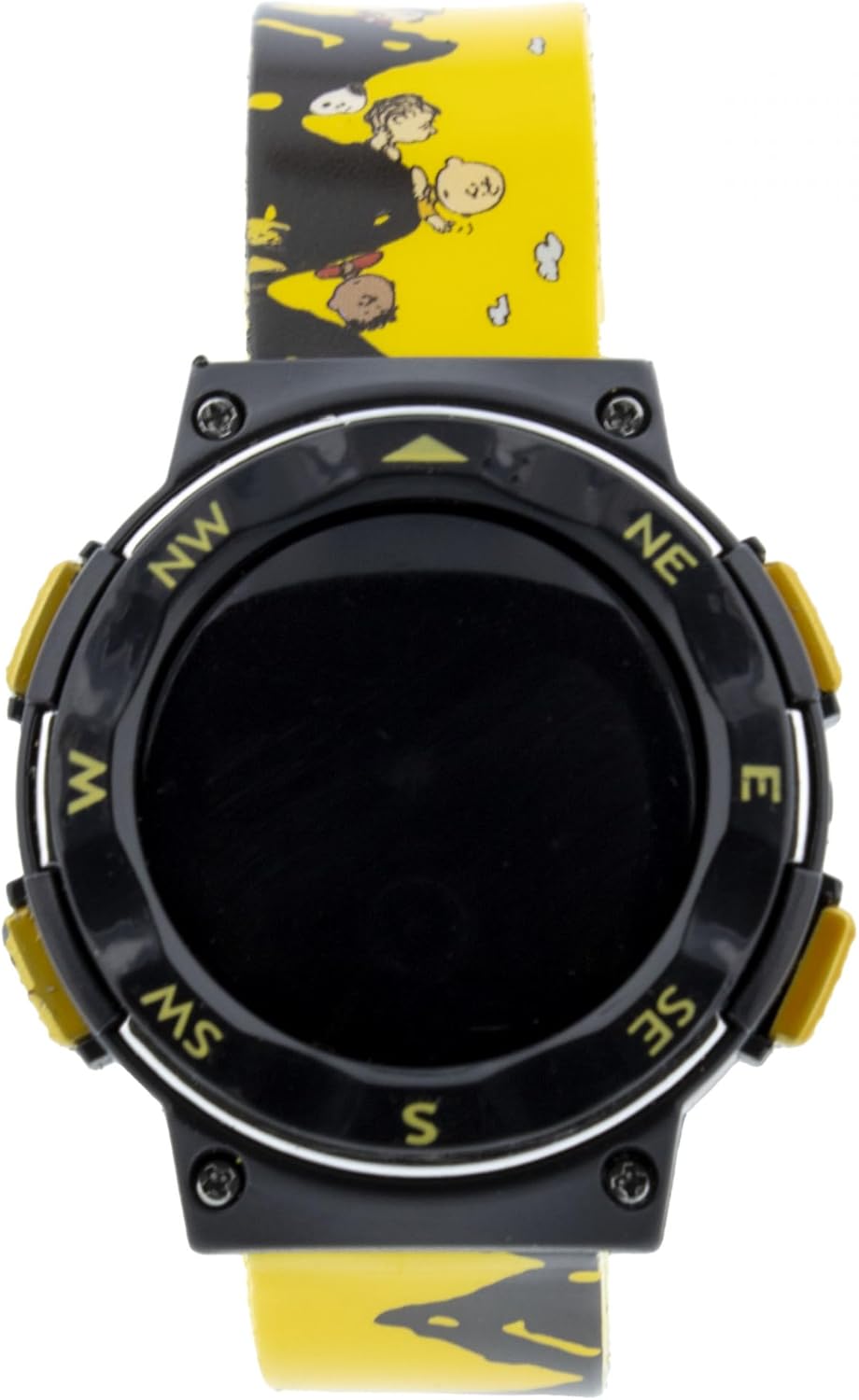
ภาพที่ 1: ด้านหน้า view of the Accutime Peanuts Kids Digital Watch. The watch features a black digital display area surrounded by a black bezel with compass markings (NW, NE, E, SE, S, SW, W). Yellow buttons are visible on the sides. The yellow watch band is adorned with various Peanuts characters.

ภาพที่ 2: ภาพเต็มตัว view of the Accutime Peanuts Kids Digital Watch. This image displays the entire yellow polyurethane wristband, which features a pattern of Peanuts characters. The watch case is black with yellow accents and a digital display.
The Accutime Peanuts Characters Kids Digital Watch is designed for children, featuring a digital time display and a durable polyurethane wristband with Peanuts characters. The watch case is made of metal, ensuring resilience for daily wear.
การตั้งค่า
1 การเปิดใช้งานครั้งแรก
Upon first use, if the display is not active, gently remove any plastic battery tab that may be protruding from the side of the watch case. This tab prevents battery drain during storage.
2. การตั้งเวลา
- Locate the buttons on the side of the watch. Typically, there are two to four buttons.
- กดปุ่ม โหมด button (often labeled 'M' or 'Mode') repeatedly until the time display starts flashing or you enter the time setting mode.
- ใช้ ชุด or ปรับ button (often labeled 'S' or 'A') to change the flashing digits (hours, minutes). Pressing this button usually increments the value.
- กดปุ่ม โหมด button again to move to the next setting (e.g., minutes, then AM/PM).
- เมื่อตั้งเวลาเสร็จแล้ว ให้กดปุ่ม โหมด button one last time to exit the setting mode. The display should stop flashing.
Note: Button functions may vary slightly. Refer to the specific button labels on your watch.
การใช้งานนาฬิกา
การแสดงเวลา
The watch primarily displays the current time in a digital format (hours and minutes). Some models may also show seconds.
การเปลี่ยนโหมด
กดปุ่ม โหมด button to cycle through available display modes. Common modes include:
- เวลา: Standard hour and minute display.
- วันที่: Month and day display.
- วินาที: Display of current seconds.
ฟังก์ชั่นแบ็คไลท์
If your watch is equipped with a backlight, press the แสงสว่าง button (often located on the top left or right side) to illuminate the display for a few seconds in low-light conditions.
การซ่อมบำรุง
การทำความสะอาด
ในการทำความสะอาดนาฬิกา ให้เช็ดเบาๆ ด้วยผ้าเนื้อนุ่มและแห้งamp cloth. Avoid using harsh chemicals or abrasive materials, as these can damage the watch case or band. Ensure the watch is dry after cleaning.
การเปลี่ยนแบตเตอรี่
When the display becomes dim or stops working, the battery may need replacement. This watch uses a standard watch battery. Battery replacement should ideally be performed by a qualified watch technician to ensure proper sealing and function. If attempting yourself, carefully open the back case, replace the battery with the correct type, and ensure the case is securely closed.
ความต้านทานต่อน้ำ
This watch is designed for everyday use and is generally splash-resistant. It is not recommended for swimming, showering, or submersion in water. Exposure to excessive moisture may cause damage.
การแก้ไขปัญหา
| ปัญหา | สารละลาย |
|---|---|
| จอแสดงผลว่างเปล่าหรือมืดลง | The battery may be depleted. Replace the battery or have it replaced by a professional. Ensure any battery tab has been removed. |
| เวลาไม่ถูกต้อง | Reset the time following the "Setting the Time" instructions in the Setup section. |
| ปุ่มต่างๆ ไม่ตอบสนอง | Check if the watch is in a locked mode (unlikely for a basic kids' watch, but possible). If not, the battery may be low, or there could be an internal issue. Try replacing the battery first. |
ข้อมูลจำเพาะ
- ยี่ห้อ: ตามเวลา
- หมายเลขรุ่น: 030506625469
- ASIN: B0F3Y19VL3
- แผนก: เด็กชาย
- ดูประเภท: ดิจิตอล
- วัสดุเคส: โลหะ
- วัสดุสาย: โพลียูรีเทน
- ประเภทตัวล็อค: หัวเข็มขัด
- ผู้ผลิต: บริษัท แอคคิวไทม์ วอทช์ จำกัด
การรับประกันและการสนับสนุน
For warranty information or technical support, please contact Accutime Watch Corp. directly. Details regarding specific warranty periods and coverage are typically provided with the product packaging or can be obtained from the manufacturer's official webเว็บไซต์.
หากต้องการความช่วยเหลือเพิ่มเติม คุณสามารถไปที่ ร้าน Accutime บน Amazon.


