การแนะนำ
Thank you for choosing the NIMO 15.6 FHD-Laptop. This powerful and versatile laptop is designed to enhance your productivity and entertainment experience. Featuring an Intel Core i3-1215U processor, 16GB RAM, and a 1TB SSD, it delivers fast and efficient performance for all your tasks. This manual provides essential information on setting up, operating, maintaining, and troubleshooting your new laptop.

Image: The NIMO 15.6 FHD-Laptop, showcasing its sleek design and key features like Full HD display, 16GB RAM, 1TB SSD, Type-C PD Charger, Fingerprint reader, and Backlit keyboard.
มีอะไรอยู่ในกล่อง
กรุณาตรวจสอบเนื้อหาในแพ็คเกจของคุณเพื่อให้แน่ใจว่ามีสินค้าครบทั้งหมด:
- แล็ปท็อป Nimo N154 จำนวน 1 เครื่อง
- 1 x ที่ชาร์จเร็ว Type-C 65W PD
- 1 x คู่มือผู้ใช้
- ระบบปฏิบัติการ Windows 11 Home (ติดตั้งมาแล้ว)
การตั้งค่า
เปิดเครื่องและชาร์จครั้งแรก
- Unpack your NIMO laptop and the Type-C 65W PD Fast Charger.
- Connect the Type-C charger to the laptop's Type-C charging port and plug the adapter into a power outlet.
- ควรปล่อยให้แล็ปท็อปชาร์จไฟอย่างน้อย 30 นาทีก่อนใช้งานครั้งแรก หรือจนกว่าตัวแสดงสถานะแบตเตอรี่จะแสดงว่ามีประจุเพียงพอ
- Press the power button located on the top right side of the keyboard to turn on the laptop.
การตั้งค่า Windows 11
Follow the on-screen instructions to complete the initial Windows 11 setup. This typically includes:
- เลือกภูมิภาคและเค้าโครงแป้นพิมพ์ของคุณ
- การเชื่อมต่อกับเครือข่าย Wi-Fi
- ยอมรับข้อตกลงใบอนุญาต
- การสร้างหรือลงชื่อเข้าใช้ด้วยบัญชี Microsoft
- Setting up a PIN or password for login.
- Configuring privacy settings.
การใช้งานแล็ปท็อปของคุณ
จอแสดงผลและภาพ
The NIMO laptop features a stunning 15.6-inch Full HD (1920x1080) display with an 85% screen-to-body ratio and razor-thin bezels, providing vibrant colors and sharp details for an immersive viewการสร้างประสบการณ์

Image: The NIMO laptop screen displaying a vibrant image, highlighting its Full HD (1920x1080) resolution, IPS technology, bright viewและคุณสมบัติในการปกป้องดวงตา
ผลงาน
Equipped with an Intel Core i3-1215U processor, 16GB DDR4 RAM, and a 1TB SSD, your NIMO laptop delivers powerful performance for multitasking, productivity, and entertainment. The 12th Gen Intel Core i3-1215U processor offers 6 cores and 8 threads, with a turbo boost up to 3.7 GHz, ensuring smooth and responsive operation.

ภาพ: รายละเอียด view of the 12th Gen Intel Core i3-1215U Processor, illustrating its 6 cores, 8 threads, 15W power consumption, and 3.7 GHz Turbo Boost frequency, with a performance improvement indicator.
แป้นพิมพ์และการป้อนข้อมูล
The laptop features a backlit keyboard for comfortable typing in various lighting conditions, a responsive touchpad, and a numeric keypad for efficient data entry. The integrated fingerprint reader provides seamless and secure login.
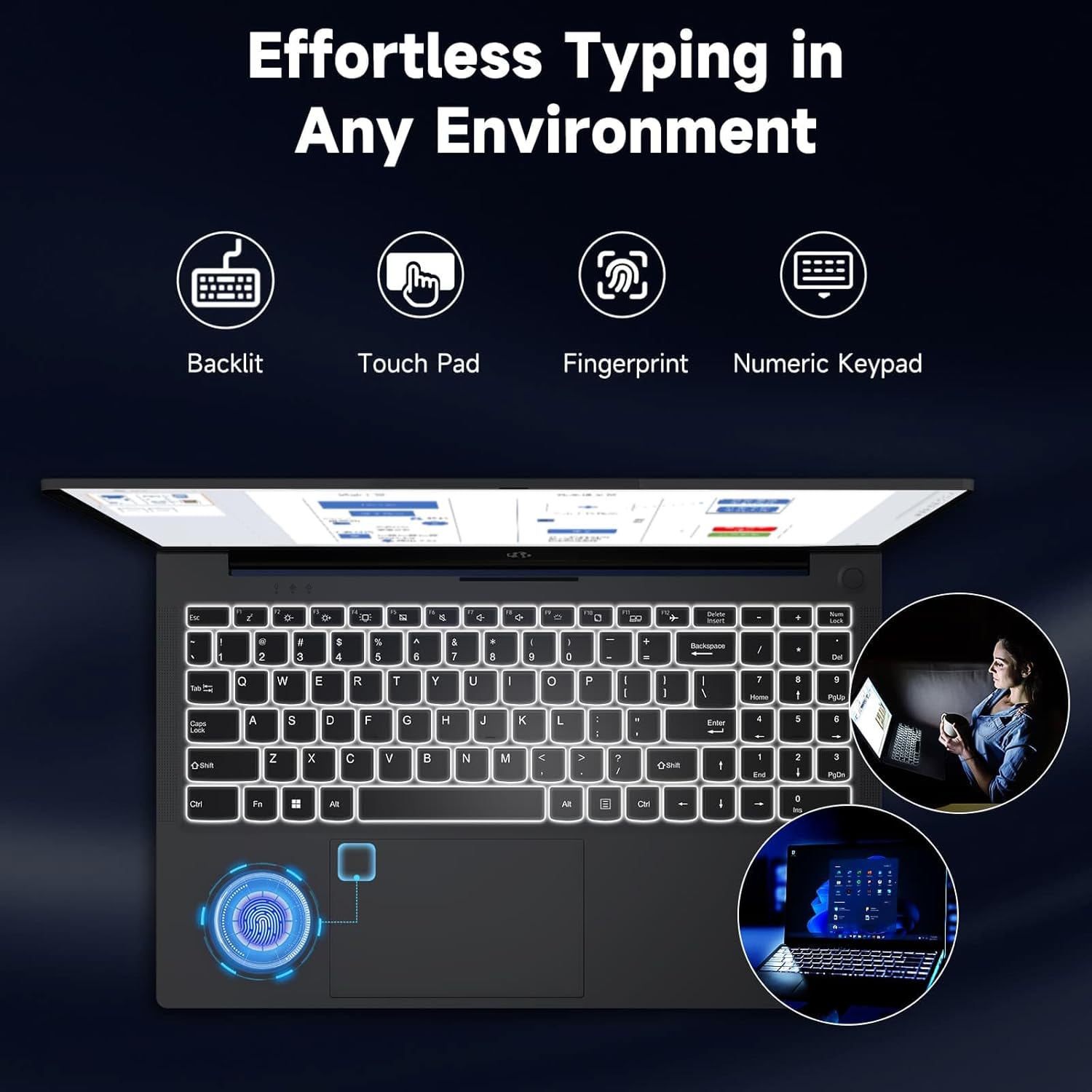
Image: The NIMO laptop keyboard, highlighting its backlit keys, touchpad, fingerprint sensor, and numeric keypad for effortless typing in any environment.
ความปลอดภัยและความเป็นส่วนตัว
Unlock your laptop with ease and speed using the integrated fingerprint scanner. For privacy, the 2.0MP webcam includes a physical privacy switch, allowing you to control when your camera is active.
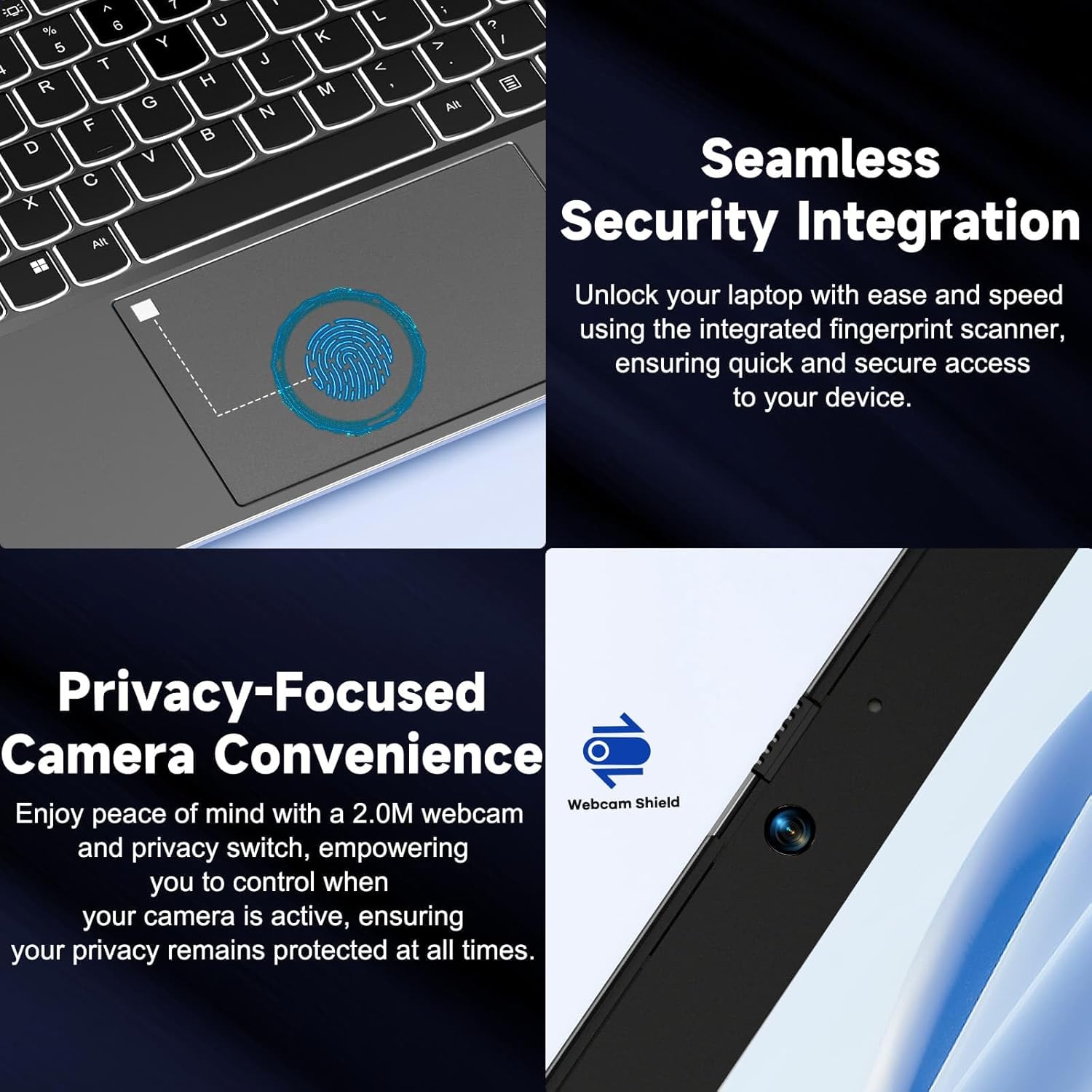
ภาพ: ระยะใกล้ views of the laptop's fingerprint sensor for seamless security integration and the webcam with its privacy shield for enhanced privacy.
การเชื่อมต่อ
The NIMO laptop offers multiple ports for versatile connectivity, including USB 2.0, USB 3.0, HDMI, and Type-C ports (one for charging, one for multifunction). It also features a Micro SD card reader, a headphone combo jack, and a Kensington lock slot.

ภาพ: ระเบิด view of the NIMO laptop, highlighting the location and type of its multiple ports, including USB, HDMI, Type-C, Micro SD, headphone combo, and Kensington lock.
บานพับแบบพับราบ 180°
The laptop is equipped with a 180° lay-flat hinge, allowing the screen to lie completely flat. This feature expands usage scenarios, making it easier to share content or collaborate with others.

Image: The NIMO laptop demonstrating its 180° lay-flat hinge, showing the screen fully opened and flat, ideal for sharing content.
การซ่อมบำรุง
การทำความสะอาด
- ใช้ผ้านุ่มไม่เป็นขุยเช็ดเล็กน้อยampชุบน้ำหรือน้ำยาทำความสะอาดหน้าจอเพื่อเช็ดหน้าจอ
- สำหรับแป้นพิมพ์และตัวเครื่อง ให้ใช้ผ้านุ่มและแห้ง หลีกเลี่ยงสารเคมีรุนแรงหรือวัสดุที่มีฤทธิ์กัดกร่อน
- ใช้ลมอัดเพื่อเป่าฝุ่นออกจากปุ่มคีย์บอร์ดและช่องระบายอากาศ
การดูแลแบตเตอรี่
- หลีกเลี่ยงการปล่อยแบตเตอรี่จนหมดบ่อยครั้ง
- เก็บแล็ปท็อปไว้ในที่แห้งและเย็นหากไม่ได้ใช้งานเป็นเวลานาน
- Use only the provided NIMO 65W PD fast charger.
การอัพเดตซอฟต์แวร์
- Regularly check for Windows updates to ensure your system has the latest security patches and performance improvements.
- Keep your drivers updated for optimal hardware performance.
การแก้ไขปัญหา
| ปัญหา | สาเหตุที่เป็นไปได้ | สารละลาย |
|---|---|---|
| โน๊ตบุ๊คเปิดไม่ติด | แบตเตอรี่เหลือน้อย; ปัญหาเกี่ยวกับอะแดปเตอร์แปลงไฟ | Ensure charger is properly connected and plugged in. Allow to charge for a few minutes before attempting to power on again. |
| ปัญหาการเชื่อมต่อ Wi-Fi | Driver issue; Router problem; Wi-Fi disabled | Check if Wi-Fi is enabled (Fn+F5). Restart your router. Update Wi-Fi drivers via Device Manager. |
| ประสิทธิภาพการทำงานช้า | Too many background apps; Low disk space; Malware | Close unnecessary applications. Free up disk space. Run a full system scan with antivirus software. |
| ไฟแบ็คไลท์คีย์บอร์ดไม่ทำงาน | ปิดแบ็คไลท์ | Press Fn + F10 (or the key with the backlight icon) to toggle the backlight on/off or adjust brightness. |
| เครื่องอ่านลายนิ้วมือไม่ตอบสนอง | Sensor dirty; Driver issue; Incorrect setup | Clean the sensor with a soft cloth. Re-register your fingerprint in Windows Settings. Update fingerprint reader drivers. |
ข้อมูลจำเพาะ
| คุณสมบัติ | รายละเอียด |
|---|---|
| ชื่อรุ่น | NIMO N154G |
| ขนาดหน้าจอ | 15.6 นิ้ว |
| ความละเอียดหน้าจอ | 1920 x 1080 พิกเซล (ฟูลเอชดี) |
| โปรเซสเซอร์ | โปรเซสเซอร์ Intel Core i3-1215U (ความเร็วสูงสุด 4.4 GHz) |
| แรม | 16GB DDR4 (3200 เมกะเฮิรตซ์) |
| พื้นที่จัดเก็บ | 1TB SSD ความจุ |
| โคโปรเซสเซอร์กราฟิก | กราฟิกแบบบูรณาการ |
| ระบบปฏิบัติการ | วินโดวส์ 11 โฮม |
| ประเภทไร้สาย | 802.11a/b/g/n/ac |
| พอร์ต USB | 1 x USB 2.0, 2 x USB 3.0 |
| พอร์ตอื่น ๆ | HDMI, 2 x Type-C (1 Charge Only, 1 Multifunction), Micro SD Reader, Headphone Combo, Kensington Lock |
| Webลูกเบี้ยว | ด้านหลัง 2 MP Webความละเอียดของกล้อง |
| อายุการใช้งานแบตเตอรี่ (เฉลี่ย) | 5 ชั่วโมง |
| แหล่งพลังงาน | Battery Powered (65W PD Type-C Charger) |
| น้ำหนักสินค้า | 5 ปอนด์ |
| ขนาดสินค้า | 14.07 x 8.98 x 0.76 นิ้ว |
| สี | สีเทา |
| คุณสมบัติพิเศษ | Fingerprint Reader, HD Audio, Backlit Keyboard, Memory Card Slot, Numeric Keypad, 180° Lay-Flat Hinge |
การรับประกันและการสนับสนุน
NIMO is committed to providing reliable products and excellent customer service. Your NIMO laptop comes with comprehensive warranty and support:
- 2-Year Laptop Protection: มั่นใจได้ด้วยการรับประกัน 2 ปี ครอบคลุมข้อบกพร่องจากการผลิต
- การคืนสินค้าฟรีภายใน 90 วัน: If you are not satisfied with your purchase, you can return it within 90 days.
- 24/7 Customer Service Support: Our dedicated team of laptop experts is available around the clock to provide instant assistance and resolve any issues you may encounter.
For support, please refer to the contact information provided on the NIMO official website or the packaging. Please have your model number (NIMO N154G) and purchase details ready when contacting support.

Image: An illustration of NIMO's after-sales excellence, showing domestically partial assembly, 90-day free returns, 2-year after-sales support, and 24/7 customer service support.


