1. บทนำ
This manual provides detailed instructions for the installation, operation, and maintenance of your Ctronics 4MP 4G LTE Indoor Surveillance Camera. This camera is designed to offer reliable security monitoring in indoor environments, even without a Wi-Fi connection, utilizing 4G LTE cellular technology. It features 4MP Ultra HD resolution, 360° pan/tilt functionality, intelligent human detection, color night vision, and two-way audio communication.
2. เนื้อหาบรรจุภัณฑ์
โปรดตรวจสอบว่าสินค้าทั้งหมดมีอยู่ในแพ็คเกจ:
- Ctronics 4MP 4G Indoor Surveillance Camera
- อะแดปเตอร์แปลงไฟ
- สายชาร์จ
- คู่มือการใช้งาน (เอกสารนี้)
- ตัวยึด
- สกรูยึด
3. สินค้าหมดview
The Ctronics 4MP 4G Indoor Surveillance Camera is a dome-shaped device equipped with advanced features for comprehensive indoor monitoring. It includes a lens, LED lights for night vision, a microphone, a speaker, and a 4G antenna for cellular connectivity.
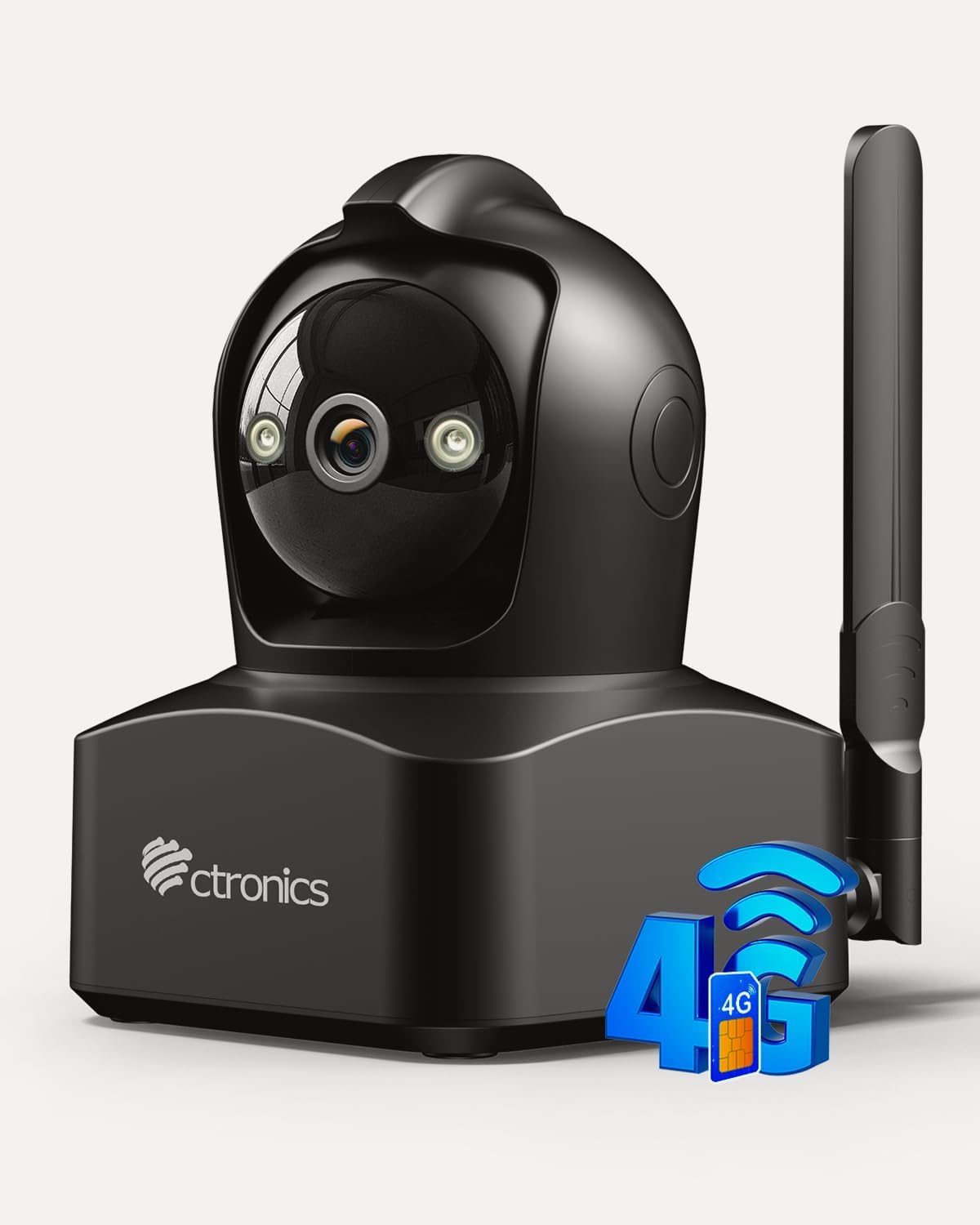
Figure 3.1: Ctronics 4MP 4G Indoor Surveillance Camera. This image displays the main unit of the surveillance camera, highlighting its compact design and external antenna for 4G connectivity.
4. การตั้งค่า
4.1 การติดตั้งซิมการ์ด
This camera operates using a Nano SIM card for 4G LTE cellular connectivity, making it suitable for locations without Wi-Fi. A 300 MB data SIM is typically included, but you can use your own Nano SIM card. Ensure the SIM card's PIN is disabled before insertion.
- Locate the SIM card slot on the camera.
- Carefully insert the Nano SIM card into the slot until it clicks into place.
- Ensure the SIM card is correctly oriented as indicated by the diagram near the slot.

Figure 4.1: 4G LTE Connectivity. This image illustrates the camera's 4G LTE capability, allowing monitoring in locations without Wi-Fi, such as garages, shops, or holiday homes. It highlights the use of a SIM card for connectivity.
4.2 การเชื่อมต่อสายไฟ
Connect the provided power adapter to the camera's power input port and then plug it into a standard electrical outlet. The camera will power on automatically.
4.3 Application and PC Client Installation
To access and control your camera, download the official Ctronics application on your smartphone or the PC client for Windows/Mac OS.
- สำหรับสมาร์ทโฟน: ค้นหา "Ctronics Pro" in your device's app store (iOS or Android) and install it.
- สำหรับพีซี/แล็ปท็อป: Visit the official Ctronics website to download the appropriate client software for Windows or Mac OS.
Follow the in-app or software instructions to add your camera using its unique ID or QR code.

Figure 4.2: Multi-platform Access. This image shows the camera supports multi-platform access, allowing users to view live feeds and recordings on various devices including iOS, Android, Windows, and Mac OS, using the Ctronics Pro app or HiP2P Client.
4.4 ตัวเลือกการติดตั้ง
The camera can be placed on a tabletop or mounted on a wall or ceiling using the provided bracket and screws.
- ตำแหน่งบนโต๊ะ: Simply place the camera on a flat, stable surface.
- การติดตั้งบนผนัง/เพดาน:
- เลือกสถานที่ที่เหมาะสมเพื่อให้ได้ผลลัพธ์ที่ดีที่สุด viewการไอเอ็นจี
- ใช้ขายึดเป็นแบบในการทำเครื่องหมายตำแหน่งรูสกรู
- Drill pilot holes and secure the bracket with the provided screws.
- ติดตั้งกล้องเข้ากับขาตั้งที่ติดตั้งไว้

Figure 4.3: Tabletop or Wall Mounting. This image demonstrates the versatility of the camera's installation, suitable for both tabletop placement and wall mounting, providing flexible protection for different indoor environments.
5. การดำเนินการ
5.1 สด View และการบันทึก
Once connected, open the Ctronics Pro app or PC client to view the live feed. The camera provides 4MP Ultra HD (2.5K QHD) resolution, ensuring clear and detailed images.
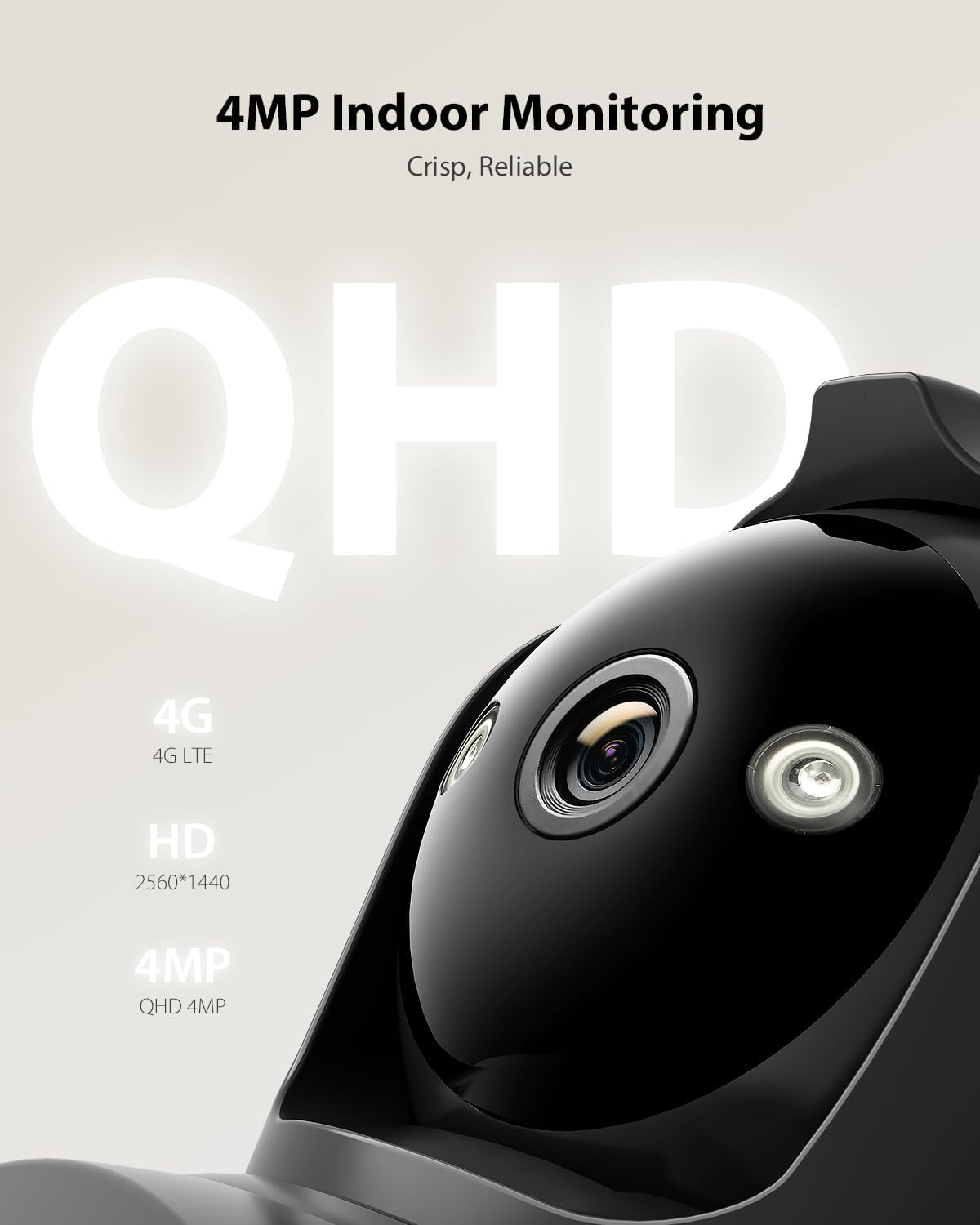
Figure 5.1: 4MP QHD Resolution. The camera provides crisp, reliable 4MP QHD resolution (2560x1440) for clear indoor monitoring, capturing every detail with enhanced clarity.
5.2 การหมุน การเอียง และการซูม (PTZ)
The camera supports 355° horizontal pan and 90° vertical tilt, allowing you to adjust the viewing angle remotely through the application. You can also set up to 8 preset positions for quick navigation to important areas.
5.3 การติดตามอัจฉริยะ
Activate the intelligent tracking feature in the app. The camera will automatically detect and follow human movement within its field of view, ensuring continuous surveillance of subjects.

Figure 5.2: Intelligent Tracking. This image illustrates the camera's intelligent tracking feature, which automatically follows detected human movement to ensure continuous surveillance. A smartphone notification for human recognition is also shown.
5.4 การมองเห็นตอนกลางคืน
The camera features advanced color night vision, providing clear and detailed images even in complete darkness, with a range of up to 20 meters. You can switch between full-color and black-and-white night vision modes as needed.

Figure 5.3: Color Night Vision. This image demonstrates the camera's advanced night vision capabilities, showing both full-color night vision and standard black-and-white mode. It highlights the clarity of images captured in low-light conditions.
5.5 เสียงสองทาง
Utilize the built-in microphone and speaker for two-way communication. This allows you to speak with individuals near the camera and hear their responses directly through the application.
5.6 Smart Alarm with Light and Sound
When motion is detected, the camera can automatically activate loud sirens and bright LED lights to deter intruders. You will also receive real-time alerts via the application and email notifications.
5.7 ตัวเลือกการจัดเก็บข้อมูล
The camera supports multiple storage methods for recordings:
- การจัดเก็บข้อมูลภายในเครื่อง: Insert a TF (microSD) card (up to 128GB, not included) into the designated slot.
- บริการคลาวด์: A 7-day trial of Ctronics Cloud service is typically available. Refer to the app for subscription details.
- เอฟทีพี: Configure FTP settings in the application to store recordings on an FTP server.

Figure 5.4: Flexible Storage Options. This image highlights the camera's flexible storage capabilities, including local storage on a TF card (up to 128GB, not included) and cloud service (7-day trial available). FTP storage is also supported.
6. การบำรุงรักษา
- การทำความสะอาด: ใช้ผ้านุ่มและแห้งเช็ดเลนส์และตัวกล้อง หลีกเลี่ยงน้ำยาทำความสะอาดหรือสารละลายที่มีฤทธิ์กัดกร่อน
- อัพเดตเฟิร์มแวร์: Regularly check for firmware updates through the Ctronics Pro application to ensure optimal performance and security.
- สภาพแวดล้อม : Ensure the camera is used within its specified operating temperature and humidity ranges. This camera is designed for indoor use only.
7 การแก้ไขปัญหา
| ปัญหา | สาเหตุที่เป็นไปได้ | สารละลาย |
|---|---|---|
| กล้องไม่เปิดเครื่อง | Power adapter not connected; Power outlet faulty | ตรวจสอบให้แน่ใจว่าอะแดปเตอร์ไฟฟ้าเชื่อมต่ออย่างแน่นหนา ลองใช้เต้ารับไฟฟ้าอื่น |
| No 4G connection | SIM card not inserted correctly; SIM card PIN enabled; No data plan; Poor cellular signal | Reinsert SIM card; Disable SIM PIN; Check data plan status; Relocate camera to an area with better signal. |
| Cannot access camera via app/PC client | Incorrect camera ID; Network issue; App/client outdated | Verify camera ID; Check internet connection on your device; Update app/client to the latest version. |
| คุณภาพของภาพไม่ดี | Dirty lens; Low light conditions; Network bandwidth issues | Clean the camera lens; Ensure adequate lighting or enable night vision; Check 4G signal strength. |
| เสียงสองทางไม่ทำงาน | Microphone/speaker muted in app; Volume too low; Network latency | Check app settings for audio mute/volume; Ensure stable 4G connection. |
8. ข้อมูลจำเพาะ
| คุณสมบัติ | รายละเอียด |
|---|---|
| หมายเลขรุ่น | 850-4MPB (CTIPC-850C-4MP-B) |
| ความละเอียดในการบันทึกวิดีโอ | 4MP (2560x1440 QHD) |
| อัตราเฟรม | 15 เฟรมต่อวินาที |
| Viewอิงแองเกิล | 90 องศา |
| ช่วงแพน/เอียง | แพน: 355°, เอียง: 90° |
| ช่วงการมองเห็นตอนกลางคืน | 20 Meters (Color Night Vision) |
| การสื่อสารแบบไร้สาย | เครือข่ายมือถือ (4G LTE) |
| การเชื่อมต่อแบบมีสาย | อีเทอร์เน็ต RJ45 |
| ตัวเลือกการจัดเก็บข้อมูล | TF Card (up to 128GB), Cloud Service, FTP |
| คุณสมบัติพิเศษ | Two-way audio, HD resolution, PTZ technology, Color Night Vision, Intelligent Tracking, Smart Alarm (Light & Sound) |
| อุปกรณ์ที่รองรับ | Computer, Laptop, Smartphone, Tablet (Windows, Mac OS, iOS, Android) |
| แหล่งพลังงาน | Electric Cable (5 Volts DC, 5 Watt-hours) |
| วัสดุ | อะคริโลไนไตรล์ บิวทาไดอีน สไตรีน (ABS) |
| ขนาด (กว้าง x ยาว x สูง) | 14.22 x 18.39 x 11.99 ซม. |
| น้ำหนัก | 520 กรัม |
| ประเภทการติดตั้ง | Screw-in (Tabletop, Wall, Ceiling Mount) |
| สภาพแวดล้อมการใช้งาน | ในร่ม |
9. การรับประกันและการสนับสนุน
Ctronics products typically come with a limited warranty. For specific warranty terms, technical support, or service inquiries, please refer to the warranty card included with your product or visit the official Ctronics website. Contact information for customer support can usually be found on the product packaging or the manufacturer's webเว็บไซต์.


