JLab SBPOPBLK50WEB

JLab Pop Party Portable Bluetooth Speaker User Manual

Model: SBPOPBLK50WEB

JLab Pop Party Portable Bluetooth Speaker

Image: JLab Pop Party Portable Bluetooth Speaker in Midnight Black.

การแนะนำ

The JLab Pop Party Portable Bluetooth Speaker is designed for portability and vibrant audio experiences. This manual provides essential information for setting up, operating, and maintaining your speaker, ensuring you get the most out of its features, including customizable RGB lighting, IP55 waterproofing, and LabSync multi-speaker connectivity.

วิดีโอ: ภาพรวมโดยย่อview of the JLab Pop Party Speaker's features, including sound, strap, waterproofing, and battery life.

มีอะไรอยู่ในกล่อง

Upon unboxing your JLab Pop Party Speaker, you should find the following items:

  • JLab Pop Party Bluetooth Speaker
  • สายชาร์จ USB-C
  • คู่มือการใช้งาน (เอกสารนี้)
Diagram of JLab Pop Party Speaker components including loop handle, full-range driver, USB-C port, and passive radiator.

Image: Diagram illustrating the speaker's components: loop handle, 2" full-range driver, USB-C charging port, and 2" passive radiator.

การตั้งค่า

การชาร์จลำโพง

Before first use, fully charge your JLab Pop Party Speaker. Connect the provided USB-C charging cable to the speaker's charging port and a compatible USB power source. The LED indicator will show charging status.

จับคู่บลูทู ธ

  1. ตรวจสอบให้แน่ใจว่าลำโพงชาร์จแบตเตอรี่เต็มแล้วและปิดเครื่องอยู่
  2. กดปุ่มเปิด/ปิดค้างไว้จนกว่าไฟ LED จะกะพริบ ซึ่งแสดงว่าเข้าสู่โหมดจับคู่แล้ว
  3. On your device (smartphone, tablet, etc.), enable Bluetooth and search for "JLab Pop Party".
  4. Select the speaker from the list to connect. A confirmation tone will sound upon successful pairing.

คำแนะนำการใช้งาน

Video: A comprehensive demonstration of the JLab Pop Party Speaker's features and usage.

การควบคุมพื้นฐาน

  • เปิด/ปิดเครื่อง: กดปุ่มเปิด/ปิดค้างไว้
  • เพิ่ม/ลดระดับเสียง: Use the volume buttons on the speaker or your connected device.
  • เล่น/หยุดชั่วคราว: กดปุ่มเล่น/หยุดชั่วคราว
  • ข้ามแทร็ก: กดปุ่มเล่น/หยุดชั่วคราวสองครั้งเพื่อเล่นเพลงถัดไป กดสามครั้งเพื่อเล่นเพลงก่อนหน้า

ประสบการณ์เสียงที่ดื่มด่ำ

The Pop Party Speaker features a 2-inch full-range driver and a 2-inch passive woofer, delivering clear audio with enhanced bass. Enjoy up to 8 hours of playtime, or 5+ hours with RGB lighting activated.

JLab Pop Party Speaker on a beach towel with two people in the background, illustrating its immersive sound quality.

Image: The JLab Pop Party Speaker providing immersive sound in an outdoor setting.

Video: Demonstrating the JLab Pop Party Speaker's sound quality and compact design.

แสง RGB ปรับแต่งได้

Personalize your listening experience with dynamic RGB lighting. The JLab App allows you to adjust colors, patterns, and frequency to match your mood or environment.
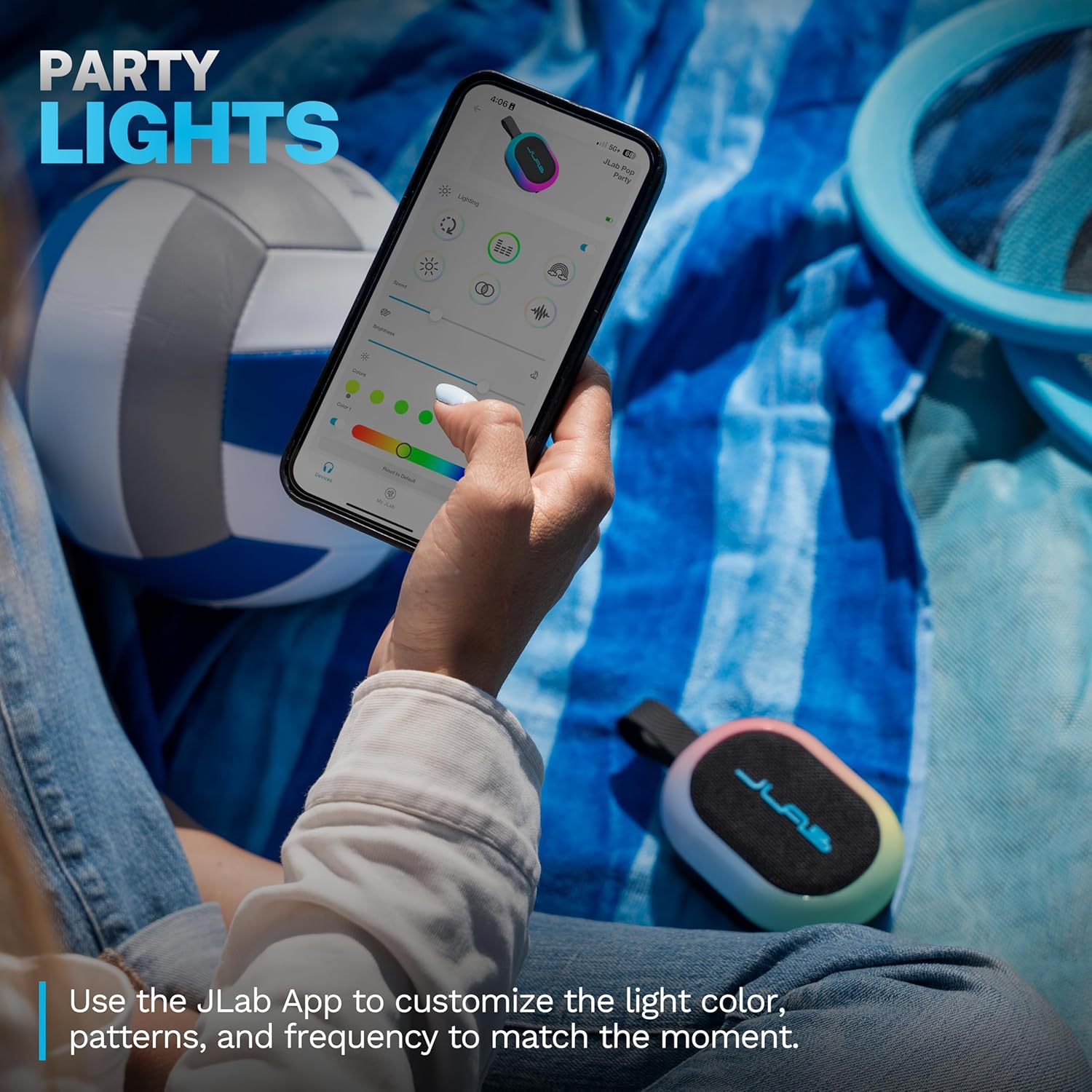
A hand holding a smartphone displaying the JLab App interface for customizing RGB lighting on the Pop Party Speaker.

Image: The JLab App showing options for customizing the speaker's RGB lighting.

LabSync Multi-Speaker Connectivity

Amplify your audio by connecting up to 100 JLab Party speakers using LabSync. This feature synchronizes sound and lights across multiple speakers, creating a unified audio experience.

Two JLab Pop Party Speakers connected via LabSync, with people dancing in the background, illustrating multi-speaker synchronization.

Image: Multiple JLab Pop Party Speakers synchronized for an enhanced audio experience.

LabSync Stereo Pairing

For a more immersive soundstage, use the JLab App to designate two JLab Party speakers as left and right channels. This creates a powerful 2-channel stereo system, optimizing audio for a richer listening experience.
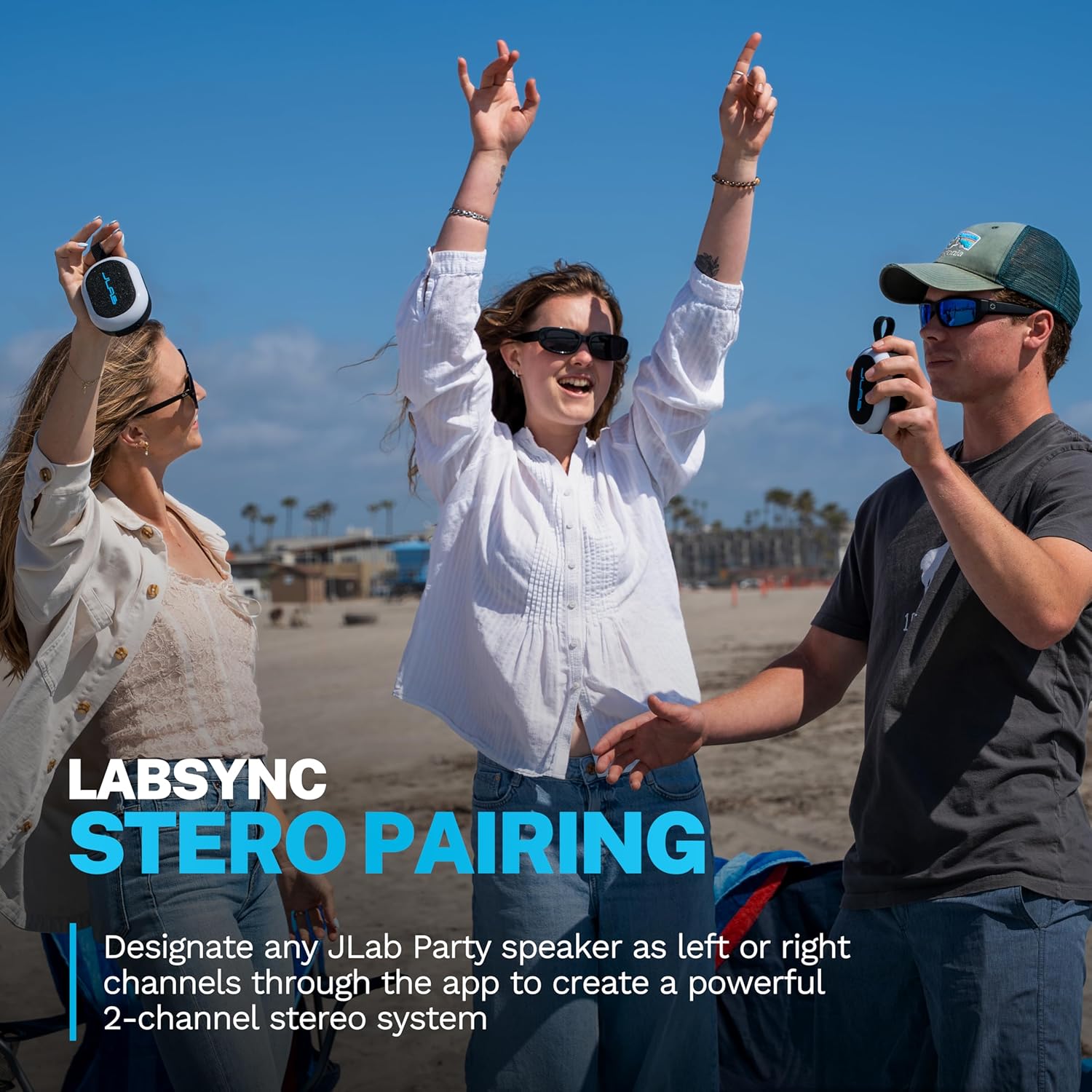
Three people on a beach, two holding JLab Pop Party Speakers, demonstrating the stereo pairing feature.

Image: JLab Pop Party Speakers set up for stereo pairing.

JLab App Customization

The JLab App provides comprehensive control over your speaker. Customize RGB lighting, manage controls, and fine-tune sound preferences using EQ4 presets (JLab Signature, Balance, Bass Boost) or a custom equalizer. The app also facilitates software updates.
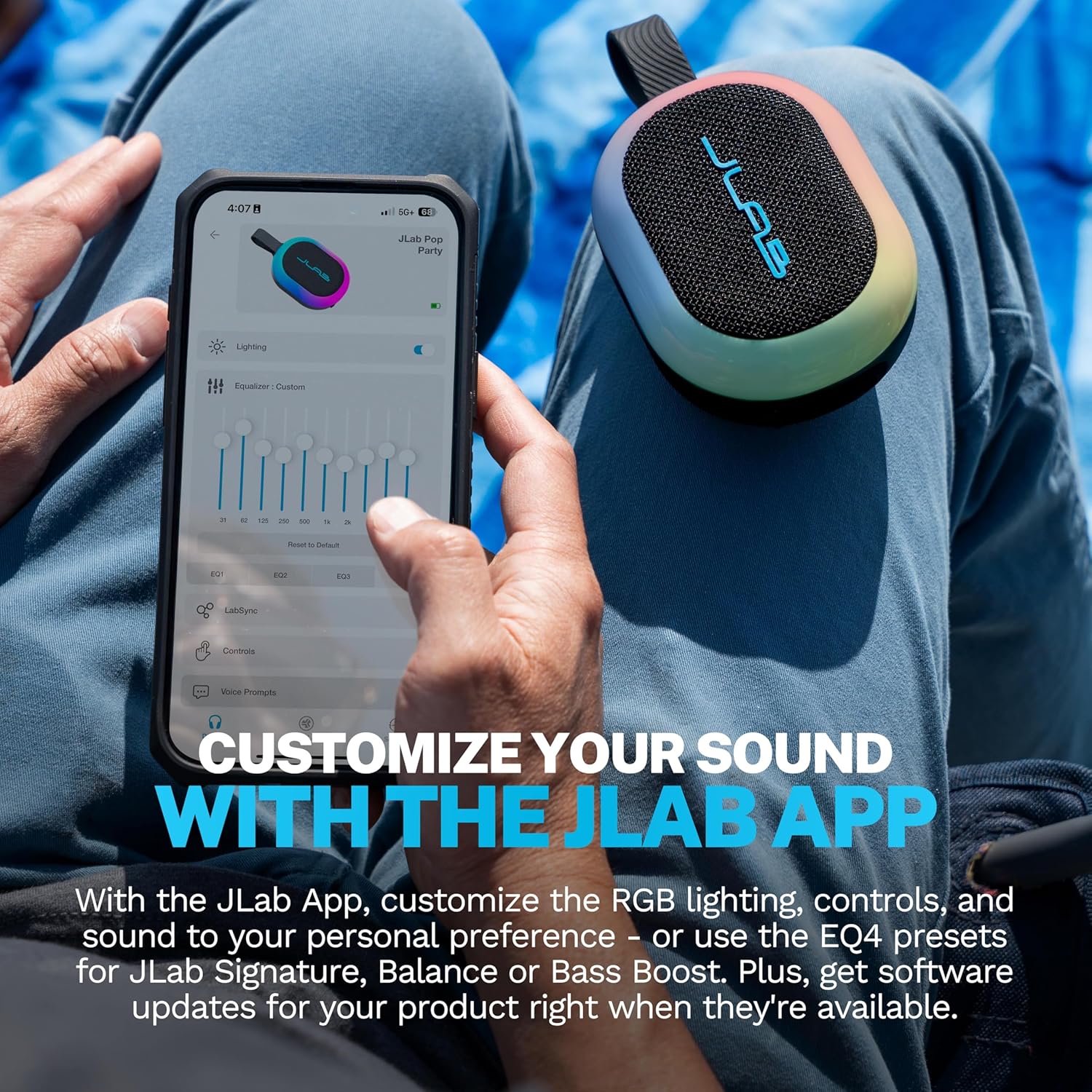
A person using the JLab App on a smartphone to customize equalizer settings for the Pop Party Speaker.

Image: The JLab App interface for sound and lighting customization.

การซ่อมบำรุง

Waterproofing (IP55 Rating)

The JLab Pop Party Speaker features an IP55 waterproof rating, making it resistant to dust and water splashes. It is suitable for use in environments like poolside, beaches, or during light rain. อย่าจุ่มลำโพงลงในน้ำ

A hand holding the JLab Pop Party Speaker with its detachable loop handle, against a beach background, highlighting its portability and waterproof design.

Image: The JLab Pop Party Speaker's portable design and IP55 waterproof rating for outdoor use.

Video: Demonstrating the JLab Pop Party Speaker's waterproof capabilities and various features.

การดูแลทั่วไป

การแก้ไขปัญหา

ข้อมูลจำเพาะ

คุณสมบัติรายละเอียด
ชื่อรุ่นPop Party
หมายเลขรุ่นSBPOPBLK50WEB
ประเภทลำโพงลำโพงบลูทูธแบบพกพา
เทคโนโลยีการเชื่อมต่อบลูทูธ
ระดับความต้านทานต่อน้ำIP55 (ทนน้ำ)
ขนาดลำโพง2 Inches (Full-range driver and passive woofer)
กำลังขับสูงสุดของลำโพง10 วัตต์
การตอบสนองความถี่ความถี่ 100 กิโลเฮิรตซ์
เวลาเล่น8+ Hours (5+ Hours with RGB lighting)
คุณสมบัติพิเศษLED Light, Multi Room Audio (LabSync), Portable, Stereo Pairing, Detachable Loop Handle
วัสดุพลาสติก
ขนาดสินค้าลึก 4.2 นิ้ว x กว้าง 3.11 นิ้ว x สูง 1.89 นิ้ว
น้ำหนักสินค้า10.8 ออนซ์
แบตเตอรี่แบตเตอรี่ที่ไม่ได้มาตรฐาน 1 ก้อน (รวมอยู่ด้วย)

การรับประกันและการสนับสนุน

For warranty information and customer support, please visit the official JLab webหรือติดต่อฝ่ายบริการลูกค้าโดยตรง เก็บใบเสร็จรับเงินไว้เพื่อใช้ในการเคลมประกัน

JLab Official Webเว็บไซต์: www.jlab.com

เอกสารที่เกี่ยวข้อง - SBPOPBLK50WEB

พรีview JLab GO Party Bluetooth Speaker - การแจ้งเตือนและการแจ้งเตือน
คอมเพล็ตนาติดตั้งบลูทูธ Bluetooth JLab GO Party Dowiedz się, jak sparować urzędzenie, ładować baterię, korzystać z przycisków, การใช้งาน JLab หรือ funkcji LabSync do połęczenia wielu głośników.
พรีview JLab JBuds Party - ติดตั้ง Bluetooth
Przewodnik użytkownika dla głośnika Bluetooth JLab JBuds Party, zawierajęcy instrukcje parowania, ładowania, obsługi przycisków, funkcji LabSync หรือ pobierania aplikacji
พรีview คู่มือการใช้งานและคำแนะนำสำหรับลำโพงบลูทูธ JLab Pop Party
คู่มือการใช้งานฉบับสมบูรณ์สำหรับลำโพงบลูทูธ JLab Pop Party อธิบายรายละเอียดเกี่ยวกับการตั้งค่า การจับคู่ การชาร์จ ฟังก์ชั่นปุ่ม การเชื่อมต่อลำโพงหลายตัวผ่าน LabSync และการผสานรวมแอปพลิเคชันเพื่อการปรับแต่ง
พรีview คู่มือผู้ใช้และคำแนะนำสำหรับหูฟังไร้สาย JLab GO Air Pop True Wireless
คู่มือครอบคลุมเกี่ยวกับหูฟังไร้สาย JLab GO Air Pop อย่างแท้จริง ครอบคลุมถึงการจับคู่บลูทูธ ฟังก์ชันปุ่ม โหมด EQ การชาร์จ การติดตั้ง การแก้ไขปัญหา และการดูแลรักษา
พรีview หูฟังไร้สาย JLab GO Air Pop True Wireless - คู่มือผู้ใช้และคำแนะนำการตั้งค่า
คู่มือฉบับสมบูรณ์สำหรับการตั้งค่า การจับคู่ และการใช้งานหูฟังไร้สาย JLab GO Air Pop ของคุณ ครอบคลุมฟังก์ชันปุ่มต่างๆ โหมด EQ การชาร์จ การแก้ไขปัญหา และคำแนะนำการดูแลรักษา
พรีview JLab GO Air POP True Wireless Earbuds User Manual & Guide
Get the most out of your JLab GO Air POP true wireless earbuds with this comprehensive user manual. Learn about Bluetooth pairing, button controls, EQ modes, charging, fit, troubleshooting, and important precautions.