1. บทนำ
Welcome to the Turtlebox Ranger user manual. This guide provides essential information for setting up, operating, maintaining, and troubleshooting your new portable Bluetooth speaker. The Turtlebox Ranger is designed for robust outdoor use, featuring a waterproof, dustproof, and shockproof construction, powerful audio output, and extended battery life.
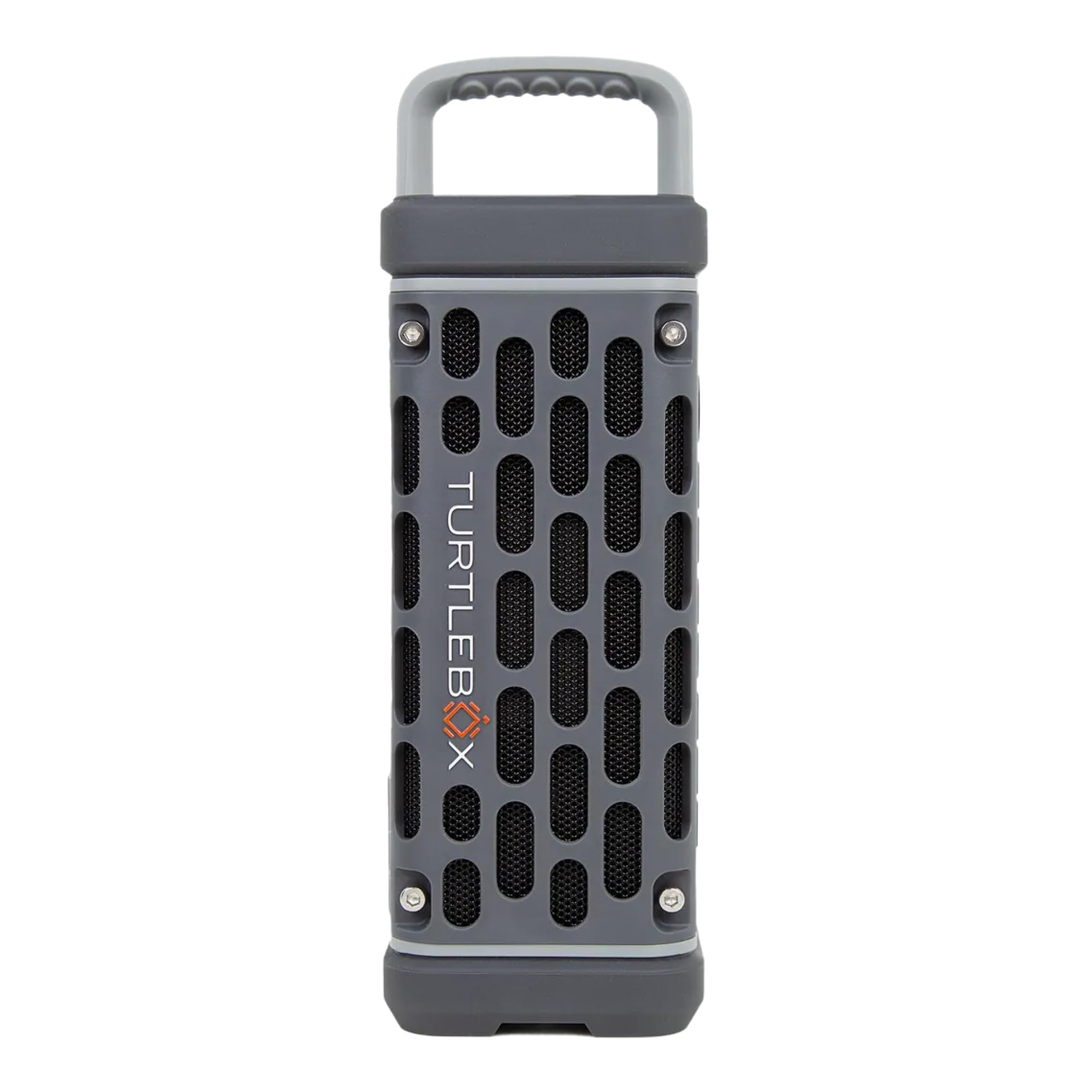
Image 1: The Turtlebox Ranger portable Bluetooth speaker, showcasinด้วยดีไซน์ที่กะทัดรัดและทนทาน
2. อะไรอยู่ในกล่อง
Your Turtlebox Ranger package includes the following items:
- Turtlebox Ranger Portable Bluetooth Speaker
- สายไฟ
3. คุณสมบัติหลัก
- Unmatched Volume & Bass: Delivers 105dB of powerful, distortion-free sound, ideal for outdoor environments.
- IP67 Waterproof & Built Tough: Designed to withstand water, dust, and shocks, ensuring durability in various conditions.
- อายุการใช้งานแบตเตอรี่ตลอดทั้งวัน: ใช้งานได้นานสูงสุด 25 ชั่วโมงต่อการชาร์จหนึ่งครั้ง
- Unlimited Pairing (Party Mode): Sync multiple Ranger speakers for a full stereo or surround sound experience.
- Designed for the Outdoors: Features a rugged handle, built-in tie-down anchors, and magnetic mounts for versatile placement.

Image 2: Turtlebox Ranger showing its compact dimensions and weight, highlighting its portability.

Image 3: The Turtlebox Ranger featuring its strong magnetic mounts for secure attachment to metal surfaces.

Image 4: Bottom of the Turtlebox Ranger with integrated tie-down anchors for securing the speaker.

ภาพที่ 5: ด้านข้าง view of the Turtlebox Ranger, highlighting its fully waterproof ports for charging and connectivity.
4. การตั้งค่า
4.1 การชาร์จลำโพง
Before first use, fully charge your Turtlebox Ranger. Connect the provided power cable to the charging port located on the side of the speaker (refer to Image 5). The battery indicator lights will show the charging status. A full charge provides up to 25 hours of playtime.
4.2 การเปิด/ปิดเครื่อง
To power on the speaker, press and hold the power button (circular button with a line) on the control panel until the indicator lights illuminate. To power off, press and hold the same button until the lights turn off.
4.3 การจับคู่บลูทูธ
วิธีจับคู่อุปกรณ์ของคุณผ่านบลูทูธ:
- Ensure the speaker is powered on and in pairing mode (Bluetooth indicator light will be blinking).
- บนสมาร์ทโฟน แท็บเล็ต หรือแล็ปท็อปของคุณ ให้ไปที่การตั้งค่าบลูทูธ
- Select "Turtlebox Ranger" from the list of available devices.
- เมื่อเชื่อมต่อแล้ว ไฟแสดงสถานะบลูทูธบนลำโพงจะติดสว่างค้าง

Image 6: Close-up of the Turtlebox Ranger's control panel, illustrating the various buttons for operation.
5. คู่มือการใช้งาน
5.1 การควบคุมขั้นพื้นฐาน
- เพิ่ม/ลดระดับเสียง: Use the '+' and '-' buttons on the control panel.
- เล่น/หยุดชั่วคราว: กดปุ่มเปิด/ปิดหนึ่งครั้ง
- ข้ามแทร็ก: Use the forward (▶▶) and backward (◀◀) buttons.
5.2 Party Mode (Unlimited Pairing)
The Turtlebox Ranger supports Party Mode, allowing you to connect multiple Ranger speakers for a synchronized audio experience. To activate Party Mode, press the dedicated Party Mode button (X icon) on the control panel of each speaker you wish to link. Follow the on-screen instructions or refer to the Turtlebox app for detailed pairing steps.
5.3 Mounting and Securing
- ฐานยึดแม่เหล็ก: Utilize the strong magnets on the back of the speaker to attach it securely to any ferrous metal surface, such as a golf cart frame or vehicle.
- Tie-Down Anchors: Use the integrated tie-down anchors (Image 4) with straps or ropes to secure the speaker to non-magnetic surfaces or for added stability in dynamic environments.
- หูหิ้ว: The rugged handle allows for easy portability and transport.
6. การบำรุงรักษา
- การทำความสะอาด: Wipe the speaker with a damp cloth. For saltwater exposure, rinse thoroughly with fresh water.
- Drying Ports: Ensure all ports are completely dry before charging to maintain waterproofing and prevent damage.
- พื้นที่จัดเก็บ: ควรเก็บไว้ในที่แห้งและเย็น หลีกเลี่ยงแสงแดดโดยตรงเมื่อไม่ได้ใช้งานเป็นเวลานาน
7 การแก้ไขปัญหา
7.1 ไม่มีไฟฟ้า
- ตรวจสอบให้แน่ใจว่าลำโพงชาร์จเต็มแล้ว
- ตรวจสอบการเชื่อมต่อสายไฟ
7.2 ไม่มีเสียง
- Verify that the speaker is powered on and successfully paired with your device.
- ปรับระดับเสียงทั้งบนลำโพงและอุปกรณ์ที่เชื่อมต่อของคุณ
- ตรวจสอบให้แน่ใจว่าไม่มีอุปกรณ์อื่นใดเชื่อมต่ออยู่กับลำโพง
7.3 ปัญหาการจับคู่บลูทูธ
- Make sure the speaker is within range (typically 30 feet) of your device.
- Turn off and restart both the speaker and your Bluetooth device.
- Forget the speaker from your device's Bluetooth settings and attempt to re-pair.
8. ข้อมูลจำเพาะ
| คุณสมบัติ | รายละเอียด |
|---|---|
| ชื่อรุ่น | Turtlebox Ranger |
| ประเภทลำโพง | กลางแจ้ง |
| เอาท์พุตเสียง | 105 เดซิเบล |
| แบตเตอรี่ | 25.2 Wh Lithium-ion battery, up to 25 hours playtime |
| ความต้านทานต่อน้ำ | กันน้ำระดับ IP67 |
| การเชื่อมต่อ | บลูทูธ 5.4 |
| คุณสมบัติพิเศษ | 2" woofers, Class D digital amplifier with enhanced DSP tuning, Magnetic Mount, Tie-down Anchors, Party Mode (unlimited pairing) |
| อุปกรณ์ที่รองรับ | สมาร์ทโฟน, แท็บเล็ต, แล็ปท็อป |
| ขนาดสินค้า | ลึก 3.15 นิ้ว x กว้าง 3.15 นิ้ว x สูง 8.05 นิ้ว |
| น้ำหนักสินค้า | 2.4 ปอนด์ |
| วัสดุ | พลาสติก |
| วิธีการควบคุม | สัมผัส |
9. การรับประกันและการสนับสนุน
9.1 การรับประกันแบบจำกัด
The Turtlebox Ranger comes with a limited warranty. For detailed information regarding warranty coverage, terms, and conditions, please visit the official Turtlebox webไซต์หรือติดต่อฝ่ายสนับสนุนลูกค้า
9.2 การสนับสนุนลูกค้า
For any questions, technical assistance, or support needs, please refer to the contact information provided on the official Turtlebox webเว็บไซต์: Visit the Turtlebox Store on Amazon.


