1. สินค้าหมดview
The WVX Gaming Laptop R9-6900HX (Model A02) is a high-performance portable computer designed for demanding tasks such as gaming, content creation, and multitasking. It features an AMD Ryzen 9 6900HX processor, AMD Radeon 680M integrated graphics, and fast DDR5 memory.
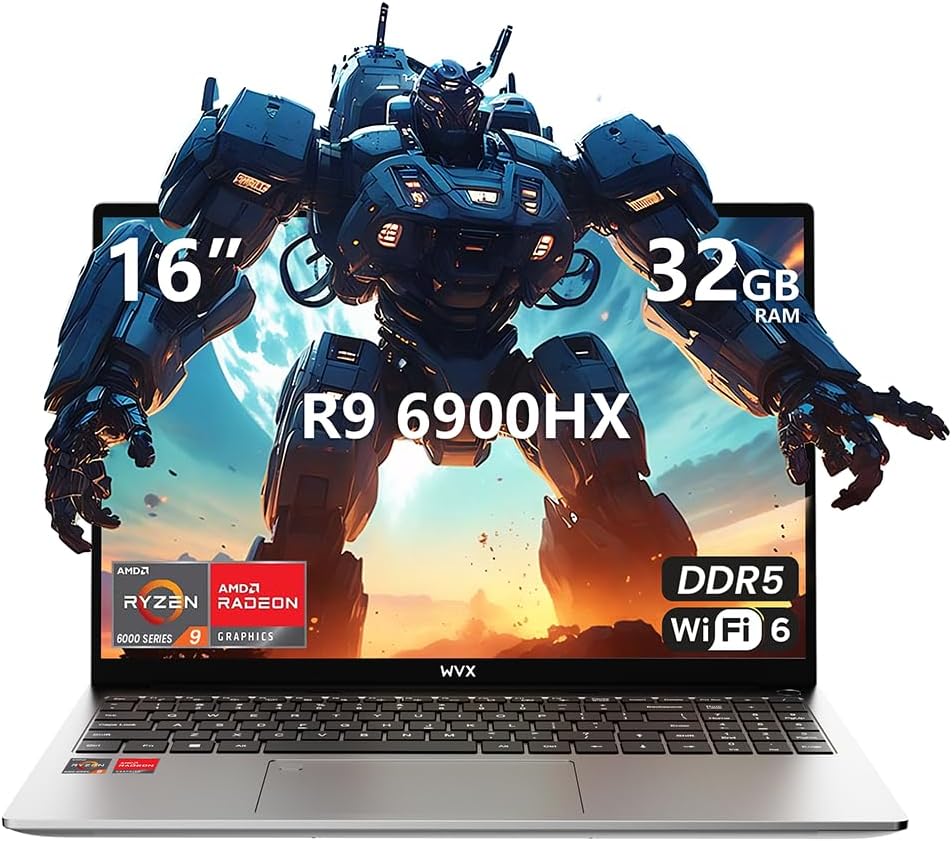
Image 1.1: WVX Gaming Laptop R9-6900HX
คุณสมบัติหลัก:
- ซีพียูประสิทธิภาพสูง: AMD Ryzen 9 6900HX with 8 cores and 16 threads, up to 4.9 GHz.
- กราฟิกแบบรวม: AMD Radeon 680M, delivering strong visual performance.
- หน่วยความจำความเร็วสูง: 32GB DDR5 RAM, expandable up to 64GB.
- Ampที่เก็บของ: 512GB SSD, expandable up to 2TB.
- จอแสดงผลที่มีชีวิตชีวา: 16-inch Full HD (1920x1200) screen.
- การเชื่อมต่อขั้นสูง: Wi-Fi 6 และ Bluetooth 5.2
- ระบบปฏิบัติการ: ติดตั้ง Windows 11 Pro ไว้ล่วงหน้า
2. การตั้งค่า
2.1 การแกะกล่องและการตรวจสอบเบื้องต้น
Carefully remove the laptop and its accessories from the packaging. Ensure all components listed in the 'What's in the Box' section are present and undamaged.
- R9-6900HX laptop
- PD100W adapter (charger)
2.2 การเชื่อมต่ออะแดปเตอร์ไฟฟ้า
Connect the PD100W adapter to the laptop's power input port and then plug it into a power outlet. It is recommended to fully charge the laptop before its first use.
2.3 Initial Boot-up and Windows Setup
Press the power button located on the laptop. The system will guide you through the initial Windows 11 Pro setup process. Follow the on-screen instructions to configure your language, region, network, and user account.
3. คู่มือการใช้งาน
3.1 คีย์บอร์ดและทัชแพด
The laptop features a full-size keyboard with a numeric keypad and a responsive touchpad. The keyboard is backlit for comfortable use in low-light conditions. The touchpad supports multi-touch gestures for enhanced navigation.

Image 3.1: Laptop keyboard and touchpad layout.
3.2 การแสดงผลและกราฟิก
The 16-inch FHD display offers a resolution of 1920x1200 pixels, providing clear and vibrant visuals. The AMD Radeon 680M graphics processor handles demanding visual tasks efficiently.

Image 3.2: Display features including 300 nits brightness, IPS, and low blue light.
3.3 พอร์ตและการเชื่อมต่อ
แล็ปท็อปเครื่องนี้มีพอร์ตต่างๆ สำหรับเชื่อมต่อกับอุปกรณ์ภายนอก:
- พอร์ต USB 4 3.0x
- พอร์ต HDMI
- Full-function Type-C Port (supports charging, data transfer, external 4K monitor)
- แจ็คหูฟัง 3.5 มม
- เครื่องอ่านการ์ด SD
For wireless connectivity, the laptop supports Wi-Fi 6 for high-speed internet and Bluetooth 5.2 for connecting peripherals.
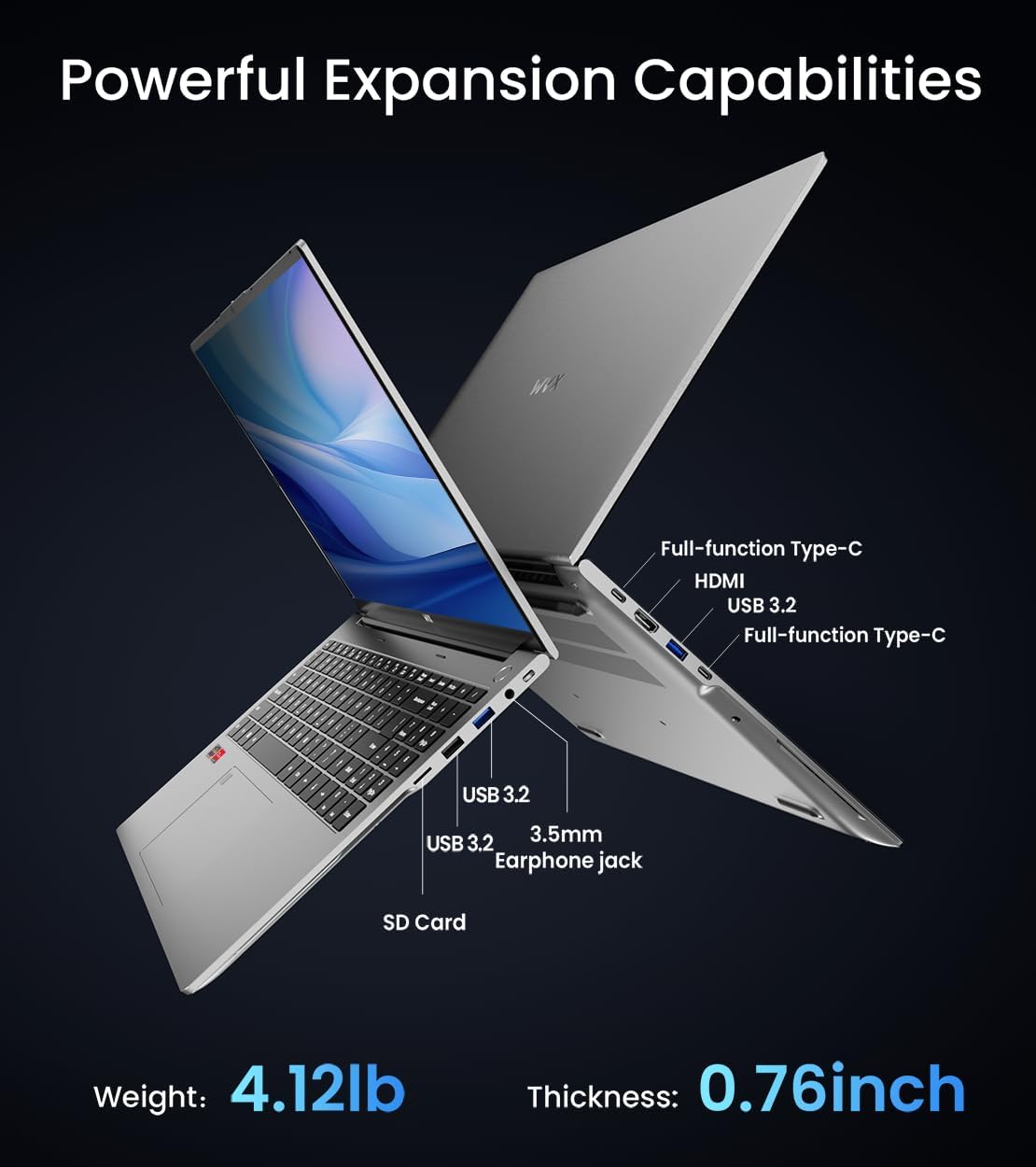
ภาพที่ 3.3: จบแล้วview of available ports and physical dimensions.
4. การบำรุงรักษา
4.1 การทำความสะอาด
To maintain optimal performance and appearance, regularly clean your laptop. Use a soft, lint-free cloth for the screen and exterior. For stubborn smudges, a slightly dampened cloth with water or a specialized screen cleaner can be used. Avoid harsh chemicals.
4.2 การอัปเดตซอฟต์แวร์
Regularly update your Windows operating system and drivers to ensure system stability, security, and optimal performance. Windows Update can be accessed through the Settings menu.
4.3 การอัพเกรดพื้นที่เก็บข้อมูลและหน่วยความจำ
The laptop's RAM can be upgraded to a maximum of 64GB, and the SSD storage can be expanded up to 2TB. Consult a qualified technician for hardware upgrades to avoid voiding your warranty.

Image 4.1: Illustration of memory and storage upgrade capabilities.
5 การแก้ไขปัญหา
5.1 ปัญหาพลังงาน
- โน๊ตบุ๊คไม่เปิด: ตรวจสอบให้แน่ใจว่าอะแดปเตอร์แปลงไฟเสียบแน่นดีแล้ว และแบตเตอรี่มีประจุเพียงพอ ลองเสียบกับปลั๊กไฟอื่นดู
- ไม่ชาร์จแบตเตอรี่: Verify the power adapter is functioning correctly. Check the charging port for any obstructions.
5.2 ปัญหาการแสดงผล
- หน้าจอว่างเปล่า: ลองต่อจอภาพภายนอกเพื่อตรวจสอบว่าปัญหาเกิดจากหน้าจอของแล็ปท็อปหรือไม่ จากนั้นรีสตาร์ทแล็ปท็อป
- หน้าจอกระพริบ: อัปเดตไดรเวอร์กราฟิก ปรับอัตราการรีเฟรชหน้าจอในการตั้งค่า Windows
5.3 ปัญหาประสิทธิภาพการทำงาน
- ประสิทธิภาพช้า: ปิดแอปพลิเคชันที่ไม่จำเป็น ตรวจสอบหาโปรแกรมมัลแวร์ ตรวจสอบให้แน่ใจว่ามีพื้นที่จัดเก็บข้อมูลว่างเพียงพอ
- ความร้อนสูงเกินไป: Ensure ventilation vents are clear. Consider using a cooling pad.

Image 5.1: Illustration of the laptop's cooling system with pure copper heat pipes and fan speed.
6. ข้อมูลจำเพาะ
| คุณสมบัติ | ข้อมูลจำเพาะ |
|---|---|
| ยี่ห้อ | ดับเบิลยูวีเอ็กซ์ |
| ชื่อรุ่น | R9-6900HX (A02) |
| โปรเซสเซอร์ | AMD Ryzen 9 6900HX (4.9 GHz, 8 Cores, 16 Threads) |
| โคโปรเซสเซอร์กราฟิก | การ์ดจอ AMD Radeon 680M |
| แรม | 32 GB DDR5 (สูงสุด 64 GB) |
| ฮาร์ดไดรฟ์ | 512 GB SSD (Max 2TB) |
| ขนาดหน้าจอ | 16 นิ้ว |
| ความละเอียดหน้าจอสูงสุด | 1920x1200 พิกเซล |
| ระบบปฏิบัติการ | วินโดวส์ 11 โปร |
| ประเภทไร้สาย | 802.11ax (ไวไฟ 6) |
| บลูทูธ | 5.2 |
| จำนวนพอร์ต USB 3.0 | 4 |
| ขนาดสินค้า | 14 x 9.7 x 0.78 นิ้ว |
| น้ำหนักสินค้า | 5.89 ปอนด์ |
| แบตเตอรี่ | 58 วัตต์ชั่วโมง |
| คุณสมบัติพิเศษ | Backlit Keyboard, Fingerprint Reader, HD Audio |
7. การรับประกันและการสนับสนุน
WVX offers comprehensive support for your laptop:
- การสนับสนุนด้านเทคนิค: Enjoy unlimited technical support.
- บริการซ่อม: 12 months of repair service for all customers.
- เวลาตอบสนอง: Online connection within 24 hours for inquiries.
For any questions or concerns, please reach out to the WVX support team.

ภาพที่ 7.1: จบแล้วview of WVX customer support services.
8. วิดีโอผลิตภัณฑ์อย่างเป็นทางการ
วิดีโอ 8.1: วิดีโอแนะนำอย่างเป็นทางการasing the WVX R9 6900HX Laptop, highlighting its features and design.


