Thank you for choosing the ONNAIS Biometric Pistol Gun Safe. This manual provides essential information for the safe and effective use of your new gun safe. Please read all instructions carefully before installation and operation. Proper use ensures the security of your firearm and prevents unauthorized access.
Image 1.1: ONNAIS Biometric Pistol Gun Safe with handgun and spare magazines.
2. ข้อมูลด้านความปลอดภัยที่สำคัญ
Always store firearms unloaded with the safety engaged.
ควรล็อกตู้เซฟทุกครั้งเมื่อไม่ได้ใช้งาน
Store mechanical keys in a secure location away from the safe and out of reach of children.
Do not store a chambered firearm in the safe.
Ensure firearms with weapon-mounted lights or lasers are removed before storing, as they may not fit.
แบตเตอรี่แบบชาร์จไฟได้: Built-in Lithium Polymer battery with up to 1 year of use per charge, 2-hour recharge time via USB-C.
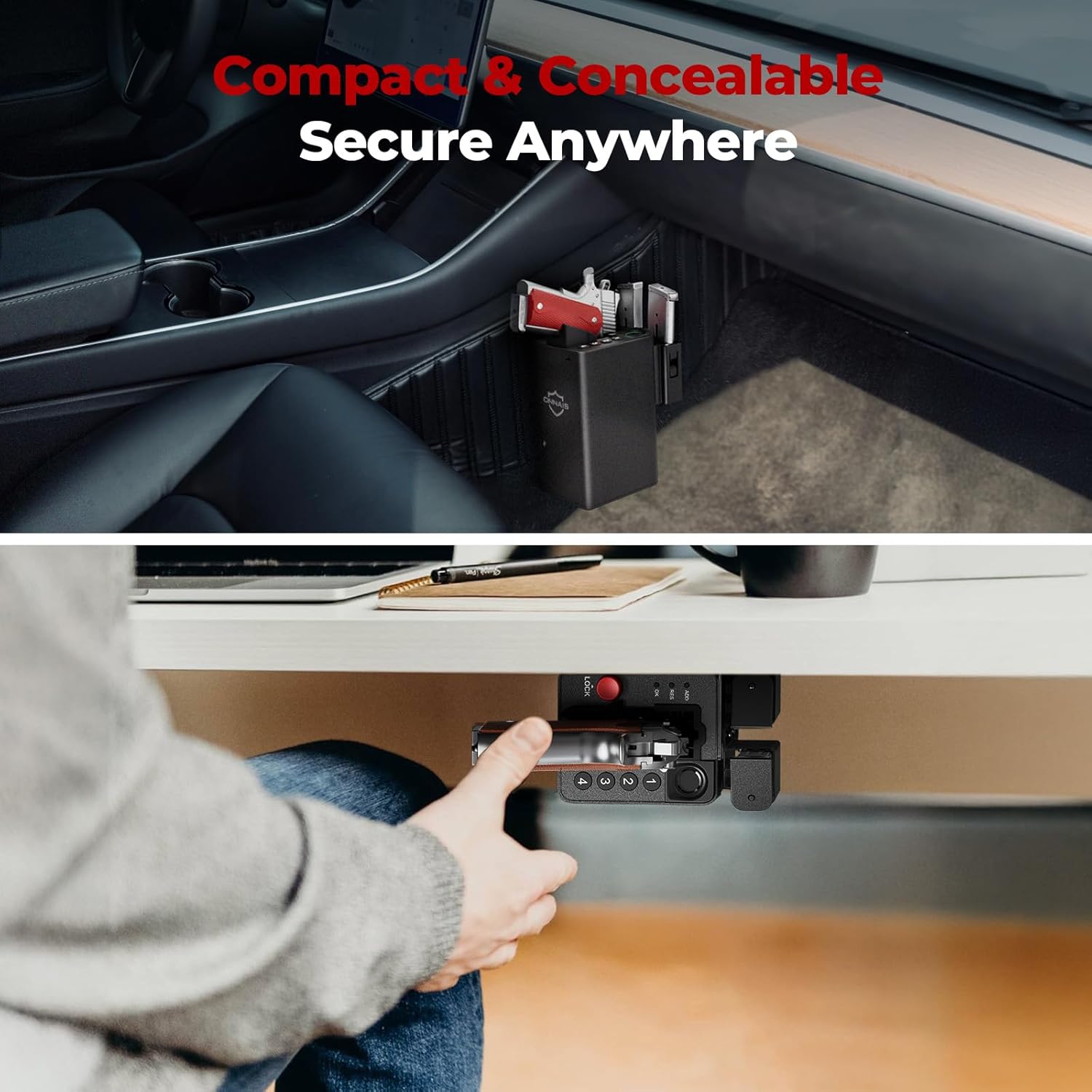
การติดตั้งอเนกประสงค์: Includes pre-drilled holes and screws for wall, desk, under-counter, or vehicle console installation.
การออกแบบตีสองหน้า: Mounting bracket can be reversed for left or right-handed access.
Magazine Storage: Integrated slots for two spare magazines.
วิดีโอ 4.1: จบแล้วview of the ONNAIS Defender Pro Gun Safe's features, including quick access, secure trigger protection, and easy installation.
5. การตั้งค่า
5.1 การชาร์จเริ่มต้น
Before first use, fully charge the safe's internal battery using the provided USB-C cable. The charging port is located on the bottom of the unit. A full charge takes approximately 2 hours.
Image 5.1: The safe's USB-C charging port for convenient recharging.
5.2 การติดตั้งตู้เซฟ
The safe can be mounted in various locations using the included bracket and screws. The mounting bracket is ambidextrous and can be reversed to suit left or right-handed access.
กำหนดตำแหน่ง: Choose a secure and discreet location such as a nightstand, desk, cabinet, or vehicle console.
วงเล็บตำแหน่ง: Place the mounting bracket against the desired surface and mark the screw holes.
เจาะรูนำ: Drill pilot holes if necessary, appropriate for your mounting surface.
วงเล็บยึดที่ปลอดภัย: Attach the bracket firmly using the provided screws.
Attach Safe: Slide the safe onto the mounted bracket until it clicks securely into place.
ภาพที่ 5.2: อดีตamples of the safe mounted under a desk and within a vehicle console.
5.3 การลงทะเบียนลายนิ้วมือ
The safe supports up to 80 fingerprints for multiple users or different finger orientations.
Lift and place your finger multiple times, slightly adjusting the position each time, until the indicator confirms successful registration.
5.4 การตั้งค่ารหัสผ่าน
Set a personal 5-10 digit passcode for backup access.
Press the 'ADD' button on the bottom of the safe.
Enter your desired 5-10 digit code using the keypad (buttons 1-4).
กด 'ตกลง' เพื่อยืนยัน
Re-enter the same code and press 'OK' again to verify.
6. คู่มือการใช้งาน
6.1 Storing a Firearm
Ensure the firearm is unloaded and the safety is engaged before storing.
With the safe unlocked, gently slide the firearm into the designated slot, ensuring the trigger guard is clear.
Press the red 'LOCK' button to engage the trigger lock mechanism. The safe is now secured.
Image 6.1: Proper insertion of a handgun into the safe. Note: Firearms with weapon-mounted lights or lasers are too large to fit. Remove attachments before storing.
6.2 การปลดล็อคด้วยลายนิ้วมือ
For rapid access:
Place a registered finger firmly on the biometric sensor.
The safe will unlock in approximately 0.5 seconds, releasing the trigger lock.
Grasp the firearm's handle and draw it out.
Image 6.2: Quick draw access from the safe, highlighting the exposed grip for immediate retrieval.
6.3 Unlocking with Passcode
As an alternative access method:
Enter your registered 5-10 digit passcode using the keypad.
Press 'OK' to confirm. The safe will unlock.
Grasp the firearm's handle and draw it out.
Image 6.3: Close-up of the 4-button keypad for passcode entry.
6.4 การปลดล็อกด้วยกุญแจแบบกลไก
For emergency or battery-depleted situations:
Locate the keyhole on the side of the safe.
Insert one of the provided mechanical keys and turn to unlock.
Grasp the firearm's handle and draw it out.
Image 6.4: The mechanical key and keyhole for emergency access.
The ONNAIS Biometric Pistol Gun Safe comes with a รับประกันตลอดอายุการใช้งาน. For any questions, troubleshooting assistance, or warranty claims, please contact ONNAIS customer support.
Contact information for support is typically found on the product packaging or the official ONNAIS webเว็บไซต์.
คู่มือเริ่มต้นใช้งานอย่างรวดเร็วของตู้เซฟปืนลายนิ้วมือ ONNAIS Iron PRO คู่มือนี้ให้คำแนะนำการใช้งานอย่างรวดเร็วสำหรับตู้เซฟปืน ONNAIS Iron PRO Biometric Fingerprint Gun Safe เรียนรู้วิธีการตั้งค่าตู้เซฟ การใส่แบตเตอรี่ การตั้งโปรแกรมรหัสผ่านดิจิทัลและลายนิ้วมือ และค้นหาคำตอบสำหรับคำถามที่พบบ่อย