1. สินค้าหมดview
เครื่องบดกาแฟแบบใบมีดคู่ Macap MI40 Touch Instant Burr Coffee Grinder เป็นเครื่องใช้ไฟฟ้าประสิทธิภาพสูงที่ออกแบบมาเพื่อการบดกาแฟที่แม่นยำและสม่ำเสมอ มาพร้อมใบมีดแบนขนาด 65 มม. หน้าจอสัมผัสขนาด 3.5 นิ้วที่ตอบสนองฉับไว และโหมดการทำงานหลากหลาย เหมาะสำหรับวิธีการชงกาแฟหลากหลายรูปแบบ ตั้งแต่เอสเปรสโซไปจนถึงกาแฟสกัดเย็น โครงสร้างที่แข็งแรงทนทานช่วยให้การทำงานเงียบและมีเสถียรภาพ
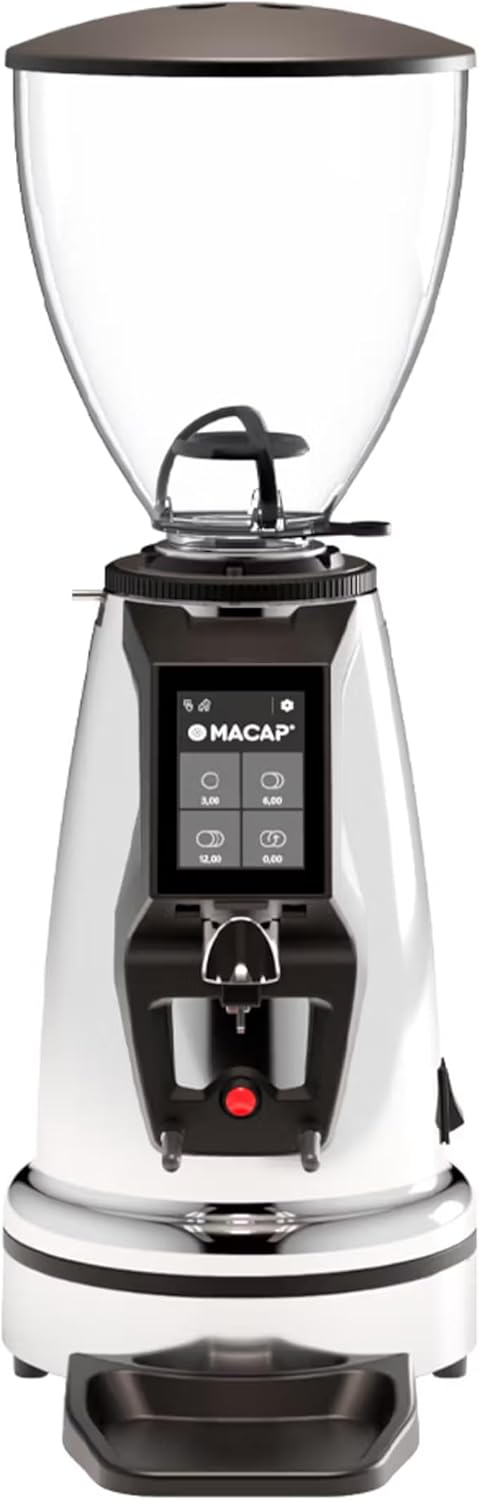
ด้านหน้า view ของเครื่องบดกาแฟแบบทันที Macap MI40 Touch Instant Burr Coffee Grinder ที่จัดแสดงอยู่asinด้วยดีไซน์ที่เงางามด้วยพื้นผิวโครเมียมและหน้าจอสัมผัสในตัว
2. ข้อมูลด้านความปลอดภัย
โปรดอ่านคำแนะนำด้านความปลอดภัยทั้งหมดอย่างละเอียดก่อนใช้งานเครื่องบด เพื่อป้องกันการบาดเจ็บหรือความเสียหาย
- ถอดปลั๊กเครื่องบดออกจากเต้ารับไฟฟ้าทุกครั้งก่อนทำความสะอาด บำรุงรักษา หรือหากจะปล่อยทิ้งไว้โดยไม่มีคนดูแล
- ห้ามจุ่มเครื่องบด สายไฟ หรือปลั๊กไฟลงในน้ำหรือของเหลวอื่นใด
- ห้ามนำมือและอุปกรณ์ใดๆ เข้าไปในช่องใส่เมล็ดกาแฟและช่องบดขณะใช้งาน
- ตรวจสอบให้แน่ใจว่าฝาปิดช่องใส่เมล็ดกาแฟปิดสนิทก่อนทำการบด
- เครื่องบดนี้ใช้สำหรับบดเมล็ดกาแฟคั่วทั้งเมล็ดเท่านั้น ห้ามบดวัสดุอื่น
- ห้ามใช้งานเครื่องบดหากสายไฟหรือปลั๊กชำรุด หรือหากเครื่องทำงานผิดปกติหรือได้รับความเสียหายในลักษณะใดๆ
- เก็บอุปกรณ์ให้พ้นจากมือเด็ก
3 ส่วนประกอบ
ทำความรู้จักกับส่วนประกอบหลักของเครื่องบดกาแฟ MI40 Touch ของคุณ:
ถังถั่ว: ภาชนะใสสำหรับบรรจุเมล็ดกาแฟทั้งเมล็ด ความจุ: 1.2 กิโลกรัม

จอแสดงผลระบบสัมผัสขนาด 3.5 นิ้ว: อินเทอร์เฟซที่ใช้งานง่ายสำหรับการควบคุมการตั้งค่าการบด การตั้งโปรแกรมปริมาณ และโหมดการทำงาน

ปลอกปรับระดับการเจียร: การปรับขนาดอนุภาคแบบละเอียดระดับไร้ขั้น ช่วยให้ควบคุมขนาดอนุภาคของการบดได้อย่างแม่นยำ

ส้อมสำหรับด้ามชงกาแฟและถาดรองน้ำหยด: ขาตั้งปรับระดับได้สำหรับยึดด้ามชงกาแฟ ช่วยให้บดกาแฟได้สะดวกโดยไม่ต้องใช้มือจับ พร้อมถาดรองน้ำหยดแบบถอดได้เพื่อความสะดวกในการทำความสะอาด
4. การตั้งค่า
ทำตามขั้นตอนเหล่านี้เพื่อตั้งค่าเครื่องบดกาแฟ Macap MI40 Touch ของคุณ:
- การแกะกล่อง: นำเครื่องบดและอุปกรณ์เสริมทั้งหมดออกจากบรรจุภัณฑ์อย่างระมัดระวัง เก็บรักษาบรรจุภัณฑ์ไว้สำหรับการขนส่งหรือจัดเก็บในอนาคต
- การจัดวาง: วางเครื่องบดบนพื้นผิวที่มั่นคง เรียบ และแห้ง ตรวจสอบให้แน่ใจว่ามีการระบายอากาศที่เพียงพอรอบๆ ตัวเครื่อง
- การติดตั้งถัง: วางถังใส่เมล็ดกาแฟลงบนตัวเครื่องบด โดยจัดให้แท็บตรงกัน หมุนถังใส่เมล็ดกาแฟตามเข็มนาฬิกาจนกระทั่งล็อคเข้าที่อย่างแน่นหนา
- การติดตั้งถาดรองน้ำหยด: เลื่อนถาดรองน้ำหยดที่ถอดได้เข้าไปในช่องที่กำหนดไว้ที่ฐานของเครื่องบด
- การเชื่อมต่อไฟฟ้า: เสียบสายไฟเข้ากับเต้ารับไฟฟ้าที่มีสายดิน
- การทำความสะอาดเบื้องต้น: ก่อนใช้งานครั้งแรก ให้เช็ดทำความสะอาดภายนอกด้วยน้ำยาฆ่าเชื้อamp ผ้า. ตรวจสอบให้แน่ใจว่าใบมีดบดและรางบดปราศจากเศษวัสดุบรรจุภัณฑ์ใดๆ

ด้านข้าง view ภาพประกอบแสดงเครื่องบดกาแฟ Macap MI40 Touch ที่มีดีไซน์กะทัดรัด รวมถึงตำแหน่งของช่องใส่เมล็ดกาแฟและถาดรองน้ำหยด
5. คู่มือการใช้งาน
5.1. การปรับระดับการบด
เครื่องบดกาแฟ MI40 Touch มาพร้อมระบบปรับระดับการบดแบบละเอียดระดับไมโครเมตร ช่วยให้ควบคุมขนาดอนุภาคได้อย่างแม่นยำ วิธีการปรับระดับการบด:
- ตรวจสอบให้แน่ใจว่าเครื่องบดปิดอยู่หรือไม่ได้กำลังทำงานอยู่
- หมุนวงแหวนปรับระดับการบดที่อยู่ด้านล่างช่องใส่เมล็ดกาแฟ
- หมุน ตามเข็มนาฬิกา สำหรับการบดละเอียด (เช่น สำหรับเอสเปรสโซ)
- หมุน ทวนเข็มนาฬิกา สำหรับการบดเมล็ดกาแฟแบบหยาบ (เช่น สำหรับกาแฟดริป กาแฟเฟรนช์เพรส หรือกาแฟสกัดเย็น)
- ค่อยๆ ปรับระดับการบดทีละน้อยและทดสอบดู เพื่อให้ได้ความละเอียดที่เหมาะสมกับวิธีการชงกาแฟของคุณ
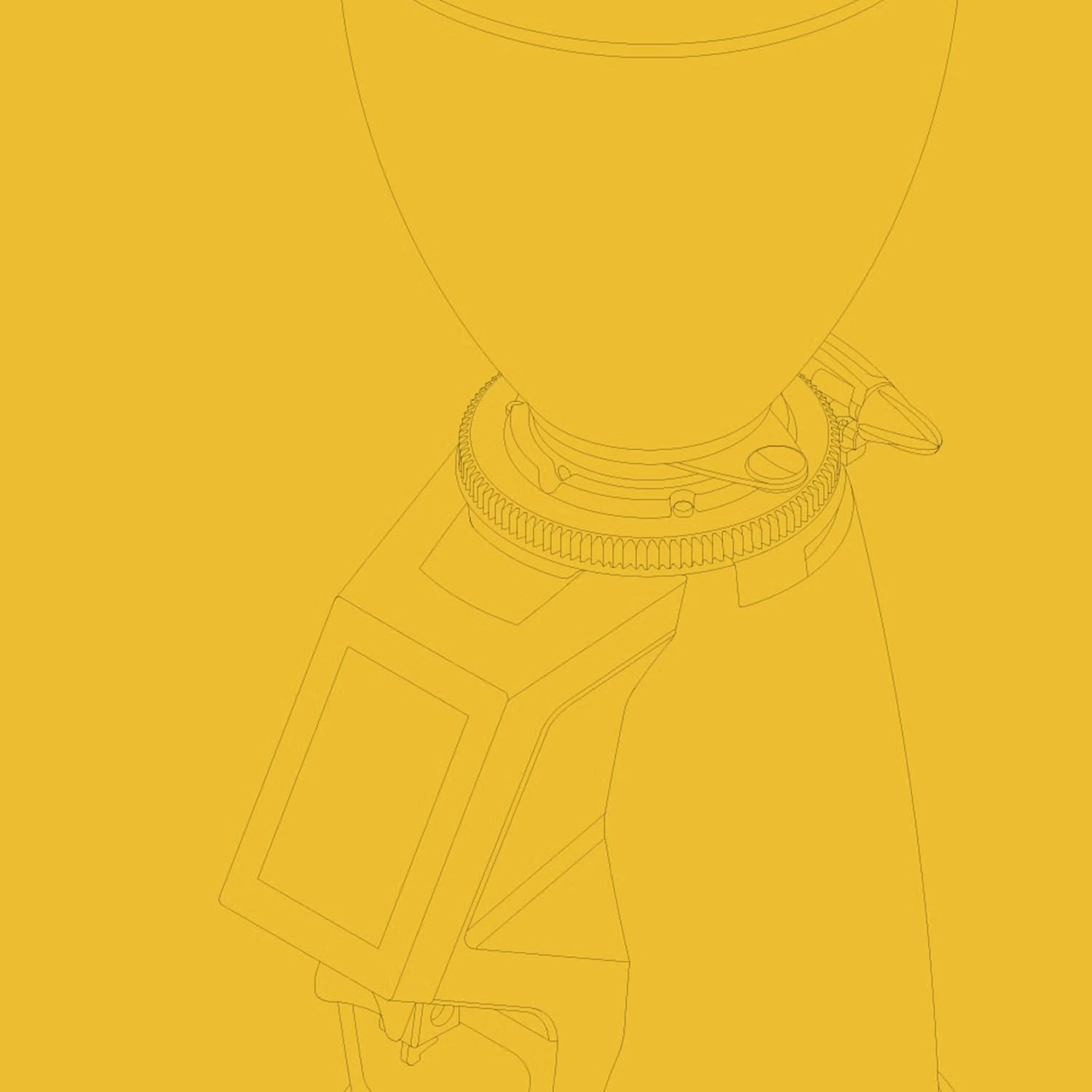
ภาพระยะใกล้ view ของวงแหวนปรับระดับการเจียร โดยแสดงเครื่องหมายตัวเลขเพื่อใช้อ้างอิง
5.2. อินเทอร์เฟซหน้าจอสัมผัส
หน้าจอสัมผัสขนาด 3.5 นิ้ว ช่วยให้ควบคุมและปรับแต่งการบดกาแฟได้อย่างง่ายดาย มีปุ่มกำหนดปริมาณกาแฟที่ตั้งโปรแกรมได้ 4 ปุ่ม และการตั้งค่าต่างๆ มากมาย
หน้าจอสัมผัสขนาด 3.5 นิ้ว แสดงหน้าจอหลักพร้อมปุ่มปรับปริมาณยาที่ตั้งโปรแกรมได้
สำหรับรายละเอียดการสาธิตอินเทอร์เฟซหน้าจอสัมผัสและฟังก์ชันการทำงาน โปรดดูวิดีโออย่างเป็นทางการด้านล่าง:
วิดีโอนี้สาธิตคุณสมบัติและตัวเลือกการปรับแต่งต่างๆ ของหน้าจอสัมผัสขนาด 3.5 นิ้วบนเครื่องบดกาแฟ Macap MI Series รวมถึงการตั้งโปรแกรมปริมาณ การปรับแต่งสี และโหมดการทำงานต่างๆ
5.3. โหมดการทำงาน
MI40 Touch มีโหมดการทำงานหลักสามโหมด:
- โหมดมาตรฐาน: ช่วยให้คุณเลือกปริมาณกาแฟที่ตั้งโปรแกรมไว้ล่วงหน้าได้โดยการกดปุ่มที่เกี่ยวข้องบนหน้าจอสัมผัส เครื่องบดจะจ่ายกาแฟในปริมาณที่ตั้งไว้
- โหมดดันและบด: การบดจะเริ่มต้นเมื่อด้ามชงกาแฟไปกดปุ่มบนส้อม และจะหยุดเมื่อดึงด้ามชงกาแฟออก โหมดนี้เหมาะสำหรับการควบคุมด้วยตนเอง
- โหมดแฮนด์ฟรีสำหรับบาริสต้า: คล้ายกับฟังก์ชั่น Push and Grind แต่ได้รับการออกแบบมาให้บดกาแฟได้อย่างต่อเนื่องตราบใดที่ยังเสียบด้ามชงกาแฟอยู่ ทำให้บาริสต้าสามารถทำงานหลายอย่างพร้อมกันได้
6. การบำรุงรักษาและการทำความสะอาด
การทำความสะอาดและบำรุงรักษาอย่างสม่ำเสมอจะช่วยให้เครื่องบดของคุณทำงานได้อย่างมีประสิทธิภาพสูงสุดและใช้งานได้ยาวนานขึ้น
6.1. ทำความสะอาดทุกวัน
- รางบด: ใช้แปรงหรือเครื่องดูดฝุ่นทำความสะอาดกากกาแฟที่เหลืออยู่ในช่องใส่กากกาแฟหลังการใช้งานทุกครั้ง
- ถาดรองน้ำหยด: ถอดถาดรองน้ำหยดออกและเทน้ำทิ้งเป็นประจำ เช็ดทำความสะอาดด้วยน้ำยาฆ่าเชื้อamp ผ้าและเช็ดให้แห้งสนิท
- ภายนอก: เช็ดภายนอกเครื่องบดด้วยผ้านุ่มๆamp ผ้า ห้ามใช้สารทำความสะอาดที่มีฤทธิ์กัดกร่อนหรือตัวทำละลาย

ถาดรองน้ำหยดและส่วนที่ใช้สำหรับใส่ด้ามชงกาแฟสามารถถอดออกได้ ออกแบบมาเพื่อให้ทำความสะอาดง่าย
6.2. การทำความสะอาดอย่างละเอียด (รายสัปดาห์/รายสองสัปดาห์)
- ถอดปลั๊กเครื่องบด
- ลบ Bean Hopper: เทเมล็ดกาแฟที่เหลือออกให้หมด หมุนช่องใส่เมล็ดกาแฟทวนเข็มนาฬิกาเพื่อปลดล็อกและนำออก
- ทำความสะอาดใบมีดบด: ใช้แปรงแข็งหรือแปรงสำหรับเครื่องบดกาแฟโดยเฉพาะเพื่อขจัดคราบน้ำมันและกากกาแฟที่สะสมอยู่บนใบมีดบด คุณอาจต้องถอดใบมีดบดด้านบนออกเพื่อทำความสะอาดอย่างทั่วถึง (โปรดดูคำแนะนำเฉพาะในคู่มือฉบับเต็มสำหรับการถอดใบมีดบด)
- ทำความสะอาดห้องบด: ใช้เครื่องดูดฝุ่นที่มีหัวดูดแคบเพื่อดูดกากกาแฟออกจากช่องใส่กาแฟ
- ประกอบกลับเข้าที่: ติดตั้งใบมีดบด (หากถอดออก) และช่องใส่เมล็ดกาแฟกลับเข้าไปให้แน่นสนิท
7 การแก้ไขปัญหา
หากคุณพบปัญหาใดๆ กับเครื่องบดกาแฟ MI40 Touch โปรดดูตารางด้านล่างสำหรับปัญหาและวิธีแก้ไขที่พบบ่อย
| ปัญหา | สาเหตุที่เป็นไปได้ | สารละลาย |
|---|---|---|
| เครื่องบดไม่เปิด | ไม่ได้เสียบปลั๊ก, สวิตช์ไฟปิด, เบรกเกอร์สะดุด | ตรวจสอบการเชื่อมต่อสายไฟ ตรวจสอบให้แน่ใจว่าสวิตช์ไฟเปิดอยู่ และรีเซ็ตเบรกเกอร์วงจร |
| ไม่มีการจ่ายกาแฟ | ถังพักเมล็ดว่างเปล่า; ท่อส่งเมล็ดบดอุดตัน; ใบมีดบดติดขัด | เติมผงบดลงในช่องใส่ผงบด ทำความสะอาดรางบด และกำจัดสิ่งแปลกปลอมออกจากใบมีดบด (ถอดปลั๊กออกก่อน) |
| การบดที่ไม่สม่ำเสมอ | ใบมีดบดสกปรกหรือสึกหรอ; การตั้งค่าการบดหยาบ/ละเอียดเกินไป | ทำความสะอาดครีบให้สะอาด ปรับการตั้งค่าการบดทีละน้อย พิจารณาเปลี่ยนครีบหากสึกหรอ |
| เครื่องบดมีเสียงดังมากเกินไป | มีวัตถุแปลกปลอมในเสี้ยน ส่วนประกอบหลวม | ถอดปลั๊กและตรวจสอบครีบระบายความร้อนว่ามีสิ่งแปลกปลอมหรือไม่ ตรวจสอบชิ้นส่วนที่หลวม หากยังมีเสียงดังอยู่ โปรดติดต่อฝ่ายสนับสนุน |
| หน้าจอสัมผัสไม่ตอบสนอง | ความผิดพลาดของซอฟต์แวร์ชั่วคราว; ปัญหาด้านพลังงาน | ถอดปลั๊กเครื่องบดออกเป็นเวลา 30 วินาที แล้วเสียบปลั๊กกลับเข้าไปใหม่ หากปัญหายังคงอยู่ โปรดติดต่อฝ่ายสนับสนุน |
8. ข้อมูลจำเพาะ
ข้อมูลจำเพาะทางเทคนิคที่สำคัญสำหรับเครื่องบดกาแฟแบบทันที Macap MI40 Touch:
| คุณสมบัติ | ข้อมูลจำเพาะ |
|---|---|
| แบบอย่าง | MI40 ทัช |
| ประเภทของเสี้ยน | ดอกกัดแบบแบน |
| เส้นผ่านศูนย์กลางของครีบ | 65มม. |
| กำลังมอเตอร์ | 480วัตต์ |
| ความจุของถังบรรจุ | 1.2 กิโลกรัม |
| การปรับการบด | ไมโครเมตริกแบบไร้ขั้น |
| แสดง | หน้าจอสัมผัสขนาด 3.5 นิ้ว |
| ขนาดสินค้า (กว้าง x ยาว x สูง) | 12" x 7.63" x 22" |
| น้ำหนักสินค้า | 19.58 ปอนด์ |
| ประเทศต้นกำเนิด | อิตาลี |
9. การรับประกันและการสนับสนุน
ผลิตภัณฑ์ของ Macap ผลิตขึ้นตามมาตรฐานระดับสูงและผ่านการควบคุมคุณภาพอย่างเข้มงวด สำหรับข้อมูลการรับประกัน การสนับสนุนทางเทคนิค หรือสอบถามเกี่ยวกับบริการ โปรดดูบัตรรับประกันที่แนบมากับผลิตภัณฑ์ของคุณ หรือเยี่ยมชมเว็บไซต์อย่างเป็นทางการของ Macap webโปรดเตรียมหมายเลขรุ่น (MI40 Touch) และวันที่ซื้อให้พร้อมเมื่อติดต่อฝ่ายสนับสนุน


