1. บทนำ
The iFLYTEK AINOTE Air 2 is an 8.2-inch AI E Ink tablet designed for smart note-taking, document management, and enhanced productivity. It integrates advanced AI features such as real-time voice-to-text transcription, multi-language translation, and intelligent meeting summaries. The device offers a paper-like writing experience with its E Ink display and included stylus, making it suitable for various professional and academic applications.

Image 1.1: The AINOTE Air 2 tablet with its stylus, showcasing its AI-powered note-taking features.
2. อะไรอยู่ในกล่อง
ตรวจสอบว่าบรรจุภัณฑ์มีส่วนประกอบทั้งหมด:
- AINOTE Air 2 Main Unit
- ปากกาสไตลัส
- สายชาร์จ (Type-C)
- คู่มือการใช้งาน (เอกสารนี้)

Image 2.1: Standard accessories included with the AINOTE Air 2.
3. การตั้งค่า
3.1 การชาร์จเริ่มต้น
Before first use, fully charge your AINOTE Air 2 tablet. Connect the provided USB Type-C cable to the tablet's charging port and a compatible USB power adapter (not included). The charging indicator will illuminate.
3.2 เปิด/ปิดเครื่อง
- การเปิดเครื่อง: Press and hold the power button located on the top edge of the tablet until the screen activates.
- วิธีปิดเครื่อง: กดปุ่มเปิด/ปิดค้างไว้ จากนั้นเลือก "ปิดเครื่อง" จากตัวเลือกบนหน้าจอ
3.3 การกำหนดค่าเริ่มต้น
เมื่อเปิดเครื่องครั้งแรก ให้ทำตามคำแนะนำบนหน้าจอดังนี้:
- เลือกภาษาที่คุณต้องการ
- เชื่อมต่อกับเครือข่าย Wi-Fi
- Set up your iFLYTEK account or log in.
- Complete any system updates.
4. คู่มือการใช้งาน
4.1 การจดบันทึกและการเขียน
The AINOTE Air 2 provides a paper-like writing experience using the included stylus. Open the 'Notes' application to begin a new note or access existing ones.
- การใช้สไตลัส: The stylus is designed for precise input. It features a built-in eraser and offers 4096 levels of pressure sensitivity for a natural writing feel. No charging is required for the stylus.
- Handwriting-to-Text: Convert handwritten notes to editable text in 83 languages. Select the conversion option within the notes interface.

Image 4.1: The AINOTE Air 2 demonstrating handwritten notes and their digital transcription.

Image 4.2: Close-up of the stylus in use on the AINOTE Air 2, illustrating the immersive writing experience.
4.2 AI Note-Taking and Transcription
The tablet offers real-time voice-to-text transcription and AI-powered meeting summaries.
- Voice Transcription: Record audio during meetings or lectures. The tablet transcribes spoken words into text in 15 languages, including English, Spanish, Chinese, French, and more.
- Meeting Summaries: Utilize the AI to generate concise summaries of recorded and transcribed meetings, highlighting key points and action items.

Image 4.3: The AINOTE Air 2 displaying multi-language transcription capabilities.

ภาพที่ 4.4: จบแล้วview of the AINOTE Air 2's extensive language support for transcription, translation, and handwriting conversion.
4.3 Reading and Display
The 8.2-inch HD E Ink screen provides a comfortable reading experience, similar to physical paper.
- จอแสดงผลที่เป็นมิตรต่อสายตา: The E Ink technology reduces eye strain, making it suitable for extended reading sessions.
- แสงไฟปรับได้: Features a dual-color temperature reading light with 24 adjustable brightness levels to customize warm/cool tones for various environments.
- ความละเอียดสูง: A 1920x1440 resolution (293 PPI) ensures sharp text and image clarity.

Image 4.5: The AINOTE Air 2's adjustable dual-color temperature lighting for comfortable reading.
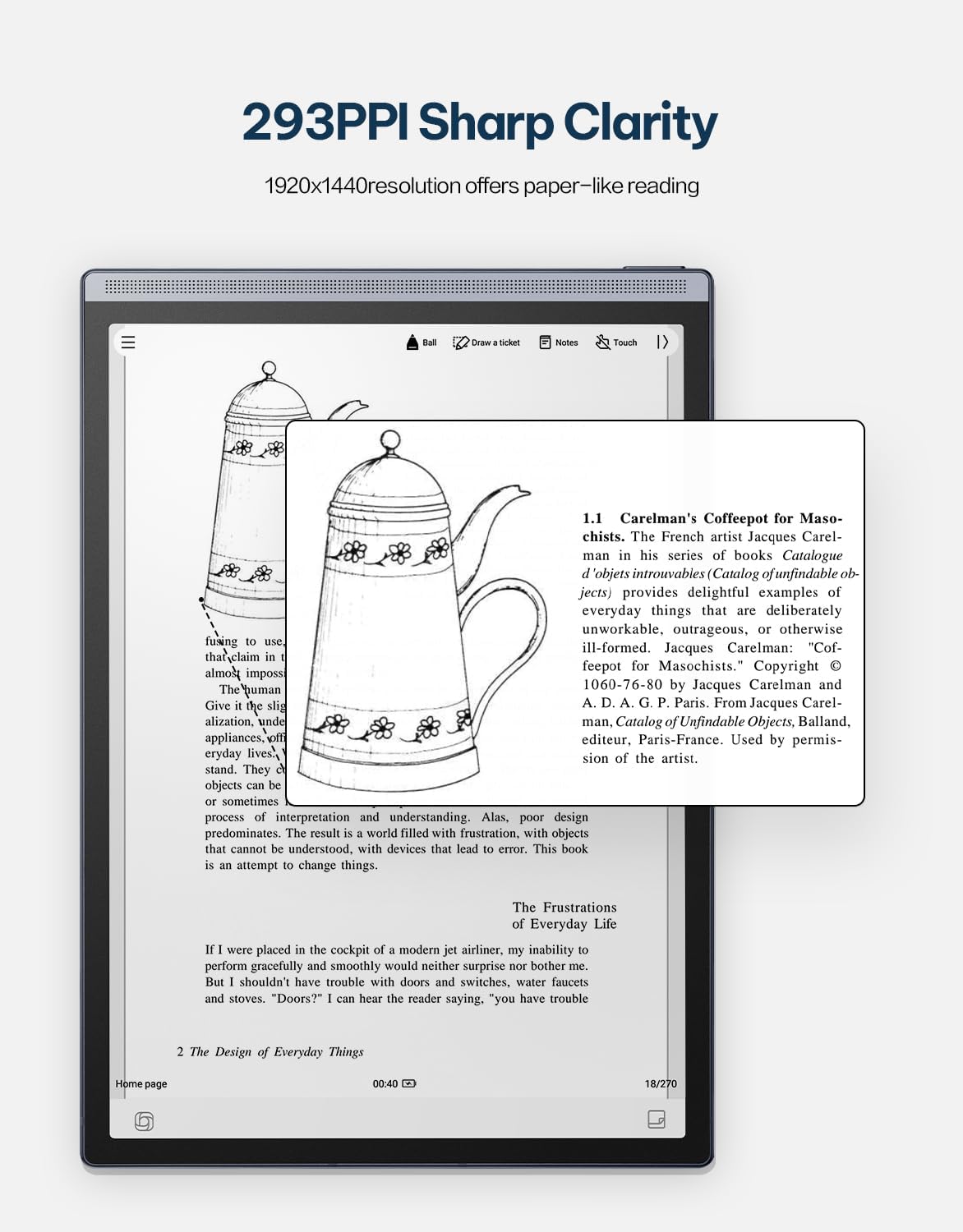
Image 4.6: The AINOTE Air 2's display quality, showing sharp text and images for reading.
4.4 Schedule Management and AI Features
The tablet integrates AI for efficient schedule management and enhanced productivity.
- การกำหนดตารางเวลาอย่างชาญฉลาด: Mark handwritten notes with special symbols (stars, triangles, circles) using the stylus to automatically create to-dos and highlight important items, syncing them with your schedule.
- บูรณาการ ChatGPT: Engage in intelligent dialogues with ChatGPT for information retrieval, brainstorming, and task assistance.
- การค้นหาด้วยพลัง AI: Utilize semantic retrieval to quickly locate key points in meetings and documents, supporting text, voice, and handwriting search.

Image 4.7: Various productivity features of the AINOTE Air 2, including smart scheduling and cloud synchronization.

Image 4.8: The AINOTE Air 2's integration with ChatGPT for interactive assistance.
4.5 Cloud Sync and Storage
The AINOTE Air 2 supports secure cloud syncing for your notes and documents.
- OneDrive Integration: Sync your content with OneDrive for access across multiple devices and secure storage.
- Google Play: The tablet integrates with Google Play, allowing access to a wider range of applications.
5. การบำรุงรักษา
5.1 การทำความสะอาดเครื่อง
- Use a soft, lint-free cloth to gently wipe the screen and body of the tablet.
- Do not use abrasive cleaners, alcohol, or chemical solvents, as these can damage the screen and finish.
- โปรดตรวจสอบให้แน่ใจว่าอุปกรณ์ปิดเครื่องและถอดปลั๊กออกจากแหล่งจ่ายไฟก่อนทำความสะอาด
5.2 การดูแลแบตเตอรี่
- Avoid exposing the tablet to extreme temperatures (hot or cold) as this can affect battery life and performance.
- เพื่อให้แบตเตอรี่มีอายุการใช้งานยาวนานที่สุด ควรหลีกเลี่ยงการปล่อยแบตเตอรี่จนหมดบ่อยครั้ง
- If storing the device for an extended period, charge it to approximately 50% before storage.

Image 5.1: The AINOTE Air 2's USB-C port and battery capacity information.

Image 5.2: Visual representation of the AINOTE Air 2's 2600 mAh battery and its extended usage time.
6 การแก้ไขปัญหา
6.1 ปัญหาทั่วไปและแนวทางแก้ไข
| ปัญหา | สาเหตุที่เป็นไปได้ | สารละลาย |
|---|---|---|
| อุปกรณ์ไม่เปิดเครื่อง | แบตเตอรี่ต่ำ ระบบขัดข้อง | ชาร์จอุปกรณ์อย่างน้อย 30 นาที จากนั้นทำการรีสตาร์ทแบบบังคับโดยกดปุ่มเปิด/ปิดค้างไว้ 10-15 วินาที |
| สไตลัสไม่ตอบสนอง | Stylus tip worn; Software glitch | Check if the stylus tip needs replacement. Restart the tablet. Ensure the stylus is within operating range. |
| ปัญหาการเชื่อมต่อ Wi-Fi | Incorrect password; Router issue; Software bug | Verify Wi-Fi password. Restart your router. Restart the tablet and try connecting again. |
| Slow performance/Lag | Too many apps open; Low storage; Outdated software | Close unnecessary applications. Free up storage space. Check for and install system updates. |
7. ข้อมูลจำเพาะ
| คุณสมบัติ | รายละเอียด |
|---|---|
| ชื่อรุ่น | AINOTE Air 2 (XF-DX-B282E) |
| ขนาดหน้าจอ | 8.2 นิ้ว |
| ประเภทจอภาพ | E Ink, 1920x1440 resolution (293 PPI) |
| ระบบปฏิบัติการ | แอนดรอยด์ |
| โปรเซสเซอร์ | RK3566 ควอดคอร์ 1.8GHz |
| หน่วยความจำ | 4GB LPDDR4x |
| พื้นที่จัดเก็บ | 32GB อีเอ็มซี |
| แบตเตอรี่ | 2600 mAh (Up to 1 week daily use, 3 weeks standby) |
| การเชื่อมต่อ | USB 2.0 ประเภท C |
| ขนาด | 7.5 x 0.2 x 5.3 inches (Ultra-slim 5mm) |
| น้ำหนัก | 1.06 ปอนด์ (230 กรัม) |
| ปากกาสไตลัส | 4096 pressure sensitivity, built-in eraser, no charging required |
| แสงสว่าง | Dual-color temperature reading light, 24 adjustable levels |

Image 7.1: Physical dimensions and weight of the portable AINOTE Air 2 tablet.

Image 7.2: Internal specifications of the AINOTE Air 2, including CPU, memory, and operating system.
8. การรับประกันและการสนับสนุน
8.1 การรับประกันสินค้า
The iFLYTEK AINOTE Air 2 comes with a standard manufacturer's warranty. Please refer to the warranty card included in your product packaging or visit the official iFLYTEK webเว็บไซต์สำหรับข้อกำหนดและเงื่อนไขการรับประกันโดยละเอียด
8.2 การสนับสนุนลูกค้า
For technical assistance, troubleshooting, or general inquiries, please contact iFLYTEK customer support through their official webไซต์หรือข้อมูลการติดต่อที่ระบุไว้ในเอกสารผลิตภัณฑ์ของคุณ
9. สินค้าหมดview วีดีโอ
ชมวิดีโอนี้เพื่อดูภาพรวมview of the AINOTE Air 2 tablet's features and functionality.
Video 9.1: An official product video demonstrating the key features and usage of the AINOTE Air 2 tablet.


