This manual provides detailed instructions for the installation, operation, and maintenance of your MOUNTUP Heavy Duty Single Monitor Arm. Designed for screens ranging from 22 to 42 inches and supporting weights from 4.4 to 33 lbs, this monitor arm offers superior stability and ergonomic adjustability to optimize your workspace. Please read this manual thoroughly before installation to ensure safe and correct usage.
Before beginning, ensure all parts are accounted for. The package typically includes:

Image: MOUNTUP Heavy Duty Single Monitor Arm, showcasing its main components including the adjustable arm, the C-clamp mounting option, and the grommet base option. A monitor is shown attached to the arm, illustrating its functionality.
The MOUNTUP monitor arm offers two versatile mounting methods:

Image: A detailed diagram illustrating the two available mounting options: the C-clamp for desk edges (0.39-2.76 inches thick) and the grommet hole mount for desks with existing holes (0.39-2.36 inches thick, 0.39-2.36 inches hole diameter).
The monitor arm is compatible with VESA patterns of 75x75mm and 100x100mm. Ensure your monitor has one of these patterns.

Image: This graphic details the monitor arm's adaptability, showing VESA compatibility (75x75mm, 100x100mm), load capacity (4.4-33 lbs), height range (9.3-22.1 inches), and maximum extension (23.8 inches).
The MOUNTUP monitor arm allows for a wide range of adjustments to achieve optimal ergonomic positioning:

Image: This image showcases the monitor arm's full range of motion, including tilt (+90°/-45°), swivel (±90°), and 360° rotation, allowing for optimal ergonomic positioning.
Video: This video demonstrates the various adjustments possible with the MOUNTUP Heavy Duty Monitor Arm, including height, tilt, swivel, and rotation, highlighting its ergonomic flexibility.
The monitor arm features an integrated cable management system to keep your workspace tidy and free from clutter. Route your monitor cables through the designated channels along the arm to maintain a clean aesthetic and prevent cable damage.

Image: An image demonstrating the integrated cable management system of the monitor arm, which helps organize wires and free up desktop space for a cleaner, more productive environment.

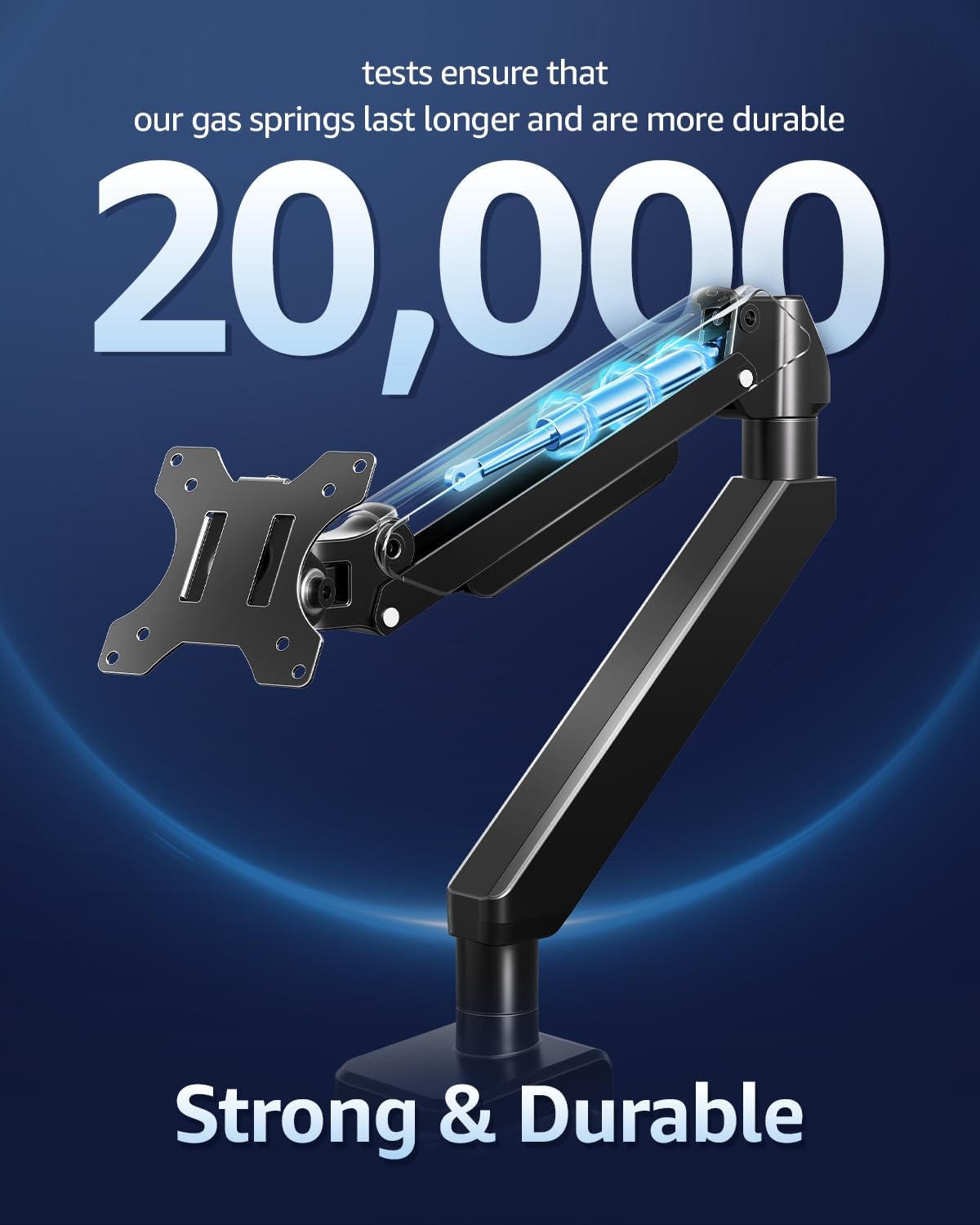
ภาพ: ภาพตัดขวาง view highlighting the durable gas springs within the monitor arm, indicating their longevity and reliability, tested for over 20,000 cycles.
| คุณสมบัติ | ข้อมูลจำเพาะ |
|---|---|
| ขนาดจอภาพที่เข้ากันได้ | 22-42 นิ้ว |
| ความจุในการรับน้ำหนัก | 4.4 - 33 ปอนด์ (2 - 15 กิโลกรัม) |
| ความเข้ากันได้ของ VESA | 75x75มม., 100x100มม. |
| ประเภทการติดตั้ง | ฐานยึดแบบตั้งโต๊ะ (C-Cl)amp or Grommet Base) |
| ซี-ซีแอลamp ความหนาของโต๊ะ | 0.39 - 2.76 นิ้ว |
| Grommet Desk Thickness | 0.39 - 2.36 นิ้ว |
| เส้นผ่านศูนย์กลางรูห่วง | 0.39 - 2.36 นิ้ว |
| ประเภทการเคลื่อนไหว | เอียง หมุน ปรับมุม ปรับความสูง เคลื่อนไหวได้รอบทิศทาง |
| มุมเอียง | +90° / -45° |
| มุมหมุน | ±90° |
| การหมุน | 360° |
| ความสูงสูงสุด | 22.1 นิ้ว |
| ส่วนขยายสูงสุด | 23.8 นิ้ว |
| วัสดุ | เหล็กอัลลอยด์ |
| สี | สีดำ |

Image: An illustration highlighting the monitor arm's robust load capacity, capable of supporting up to 33 pounds, ensuring stability for various monitor sizes.

Image: An image illustrating the monitor arm's capability to support large ultrawide monitors up to 42 inches, providing an expansive viewการสร้างประสบการณ์
For detailed warranty information regarding your MOUNTUP Heavy Duty Single Monitor Arm, please refer to the official MOUNTUP website or the warranty card included in your product packaging. Warranty terms and conditions may vary by region and retailer.
Should you require technical assistance, have questions about installation, or need further support for your MOUNTUP Heavy Duty Single Monitor Arm, please contact MOUNTUP customer service through their official website or the contact information provided in your product documentation. Please have your model number (Heavy Duty Single Monitor Arm) and purchase details ready when contacting support.
![]() |
คู่มือการใช้งานขาตั้งจอภาพเดี่ยว MOUNTUP คู่มือการใช้งานฉบับสมบูรณ์สำหรับขาตั้งจอภาพเดี่ยว MOUNTUP ซึ่งอธิบายรายละเอียดเกี่ยวกับการประกอบ การติดตั้ง การปรับแต่ง และการบำรุงรักษาสำหรับจอภาพที่รองรับมาตรฐาน VESA |
![]() |
คู่มือการติดตั้ง MOUNTUP MU3003 แบบตั้งโต๊ะสำหรับจอภาพเดี่ยว คู่มือการติดตั้งอย่างละเอียดสำหรับขาตั้งจอภาพเดี่ยว MOUNTUP MU3003 ครอบคลุมทุกขั้นตอนamp รวมถึงการติดตั้งฐานแบบเจาะรู การยึดจอภาพ การปรับเอียง และการหมุน ประกอบด้วยขนาดผลิตภัณฑ์และรายละเอียดของฮาร์ดแวร์ |
![]() |
คู่มือการติดตั้ง MOUNTUP Premium Single Monitor Desk Mount คู่มือการติดตั้งและปรับแต่งที่ครอบคลุมสำหรับ MOUNTUP Premium Single Monitor Desk Mount (รุ่น AG9-21-US1.0) รองรับมาตรฐาน VESA (75x75 มม., 100x100 มม.) และรองรับจอภาพที่มีน้ำหนักตั้งแต่ 1 กก. ถึง 17 กก. (2.2-37.5 ปอนด์) มาพร้อม clamp และตัวเลือกการติดตั้งตาไก่ การปรับความตึงสปริงแก๊ส และการจัดการสายเคเบิล |
![]() |
คู่มือการใช้งาน MOUNTUP ขาแขวนจอมอนิเตอร์เดี่ยวบนโต๊ะ รุ่น YZ2216-US3.0 คู่มือการใช้งานฉบับสมบูรณ์สำหรับขาแขวนจอมอนิเตอร์ตั้งโต๊ะ MOUNTUP YZ2216-US3.0 แบบจอเดียว อธิบายรายละเอียดขั้นตอนการประกอบ ติดตั้ง และปรับแต่งแขนยึดจอมอนิเตอร์แบบแก๊สสปริง ประกอบด้วยขนาดผลิตภัณฑ์ สิ่งของภายในบรรจุภัณฑ์ และคู่มือแนะนำทีละขั้นตอน |
![]() |
คู่มือการติดตั้งขาตั้งจอภาพคู่ MOUNTUP คำแนะนำการติดตั้งแบบครอบคลุมสำหรับขาตั้งจอภาพคู่ MOUNTUP ซึ่งประกอบด้วยแขนยึดจอภาพแบบลม ขาตั้ง VESA และความสูงที่ปรับได้ รวมถึงรายละเอียดเกี่ยวกับ clamp และการติดตั้งฐานตาไก่ การประกอบแขน และการติดตั้งจอภาพ |
![]() |
คู่มือการใช้งานขาตั้งจอภาพคู่ MOUNTUP คู่มือการใช้งานฉบับสมบูรณ์สำหรับขาตั้งจอภาพคู่ MOUNTUP โดยละเอียดเกี่ยวกับการประกอบ ตัวเลือกการติดตั้ง (cl)amp และห่วงรัดสายไฟ), การติดตั้งจอภาพ, การปรับแต่ง และการบำรุงรักษาสำหรับจอภาพที่รองรับมาตรฐาน VESA |