1. บทนำ
The RADIOMASTER XR4 Gemini Xrossband Dual-Band Receiver is designed for remote control applications, offering reliable signal reception through its dual-band capabilities. It supports ExpressLRS Gemini Xrossband (Gem-X) protocol, operating on both 2.4GHz and Sub-G 900MHz frequencies. This manual provides essential information for the proper setup, operation, and maintenance of your XR4 receiver.
2. เนื้อหาบรรจุภัณฑ์
ตรวจสอบว่ารายการทั้งหมดที่ระบุไว้ด้านล่างนี้รวมอยู่ในแพ็คเกจของคุณ:
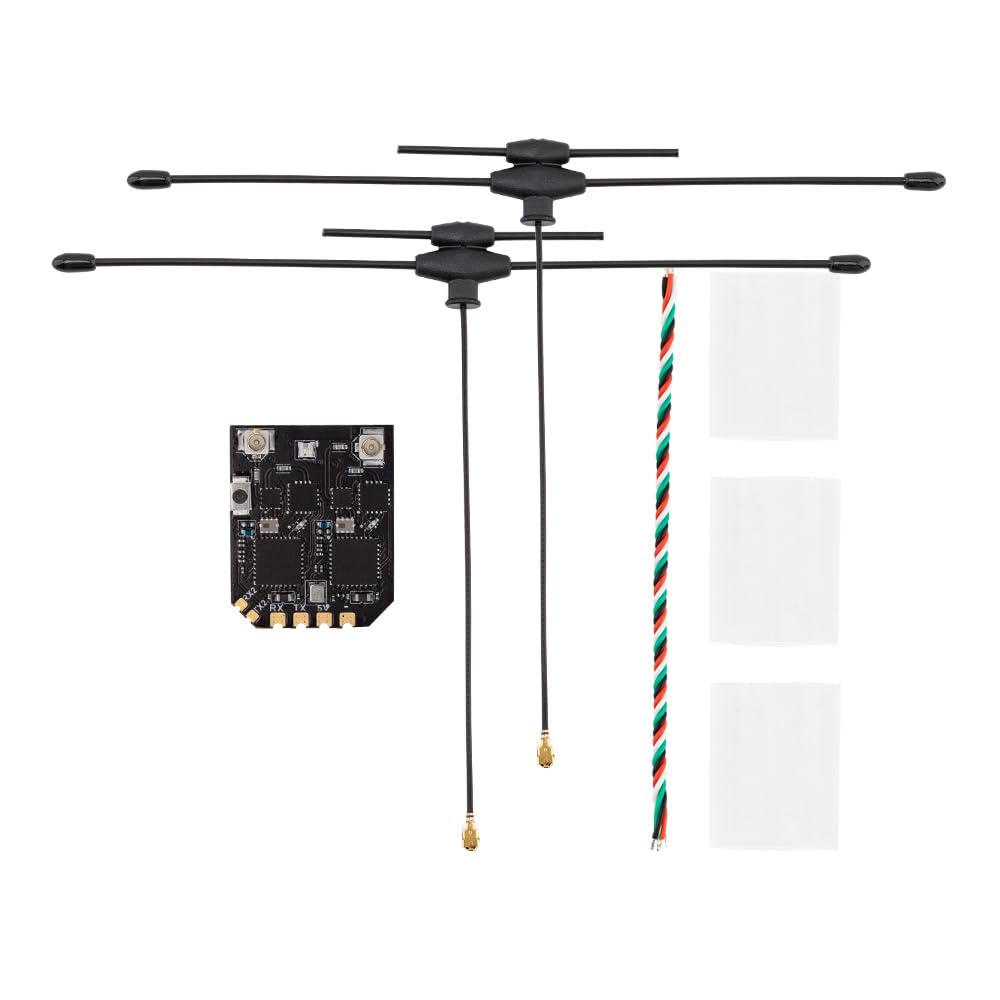
- 1 x XR4 Gemini Xrossband Dual-Band Receiver
- 2 x Dual-Band T-Antenna
- 1 x CRSF Wire
- 3 x Heat-Shrinkable Tube

This image displays the Radiomaster XR4 receiver board with its two dual-band T-antennas attached, illustrating the complete receiver assembly.
3. คุณสมบัติ
- True Diversity & Dual-Band: Utilizes dual LR1121 RF transceivers for enhanced reliability.
- ExpressLRS Gemini Xrossband (Gem-X) Compatible: Supports 2.4GHz and Sub-G 900MHz bands.
- ไมโครคอนโทรลเลอร์ประสิทธิภาพสูง: Equipped with ESP32D4.
- Dual Semtech LR1121 Transceivers: Provides robust signal processing.
- Secondary UART Port: For advanced functionality and future expansion.
- Castled Pads: Facilitates easy soldering.
- โมดูล Wi-Fi ในตัว: Simplifies firmware updates and configuration via WebUI
- Ultra-Low Latency & High Refresh Rate: Ensures stable RF link.
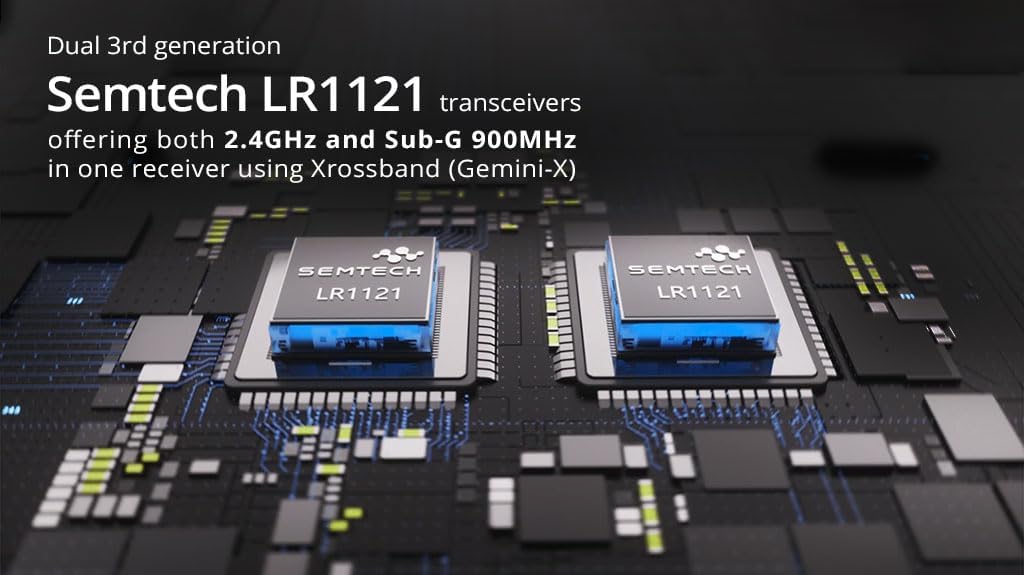
This image highlights the two Semtech LR1121 transceivers, which are central to the receiver's dual-band and true diversity capabilities.

ภาพนี้แสดงรายละเอียด view of the XR4 receiver board, specifically pointing out the additional UART port available for future expansion and advanced functionality.
4. ข้อมูลจำเพาะ
| พารามิเตอร์ | ค่า |
|---|---|
| มหาเทพ | ESP32D4 |
| ชิป RF | LR1121 x 2 |
| ขั้วต่อ RF | IPEX-1 x 2 |
| เสาอากาศ | Dual-Band T Antenna x 2 (Included) |
| ช่วงความถี่ | 2.4GHz / Sub-G 900MHz |
| พลังเทเลเมทรี | 100มิลลิวัตต์ |
| อัตราการรีเฟรชการรับสูงสุด | ดีเค500เฮิรตซ์ / เค1000เฮิรตซ์ |
| อัตราการรีเฟรชตัวรับขั้นต่ำ | 50เฮิรตซ์ |
| ฉบับทำงานtage | DC 4.5-8.4V |
| น้ำหนัก (ไม่รวมเสาอากาศ) | 1.7กรัม |
| ขนาด | 22มม. x 18มม. x 4มม. |
| Firmware Version (pre-installed) | เอ็กซ์เพรส LRS เวอร์ชัน 3.5.1 |
| เป้าหมาย FW | วิทยุ RadioMaster XR4 2.4/900 Gemini RX |
| อินเทอร์เฟซบัส 1 | ซีอาร์เอสเอฟ |
| อินเทอร์เฟซบัส 2 | ยูเออาร์ที |
ภาพนี้แสดงให้เห็นภาพจากบนลงล่างอย่างชัดเจน view of the XR4 receiver's circuit board, showing component layout and connection points.
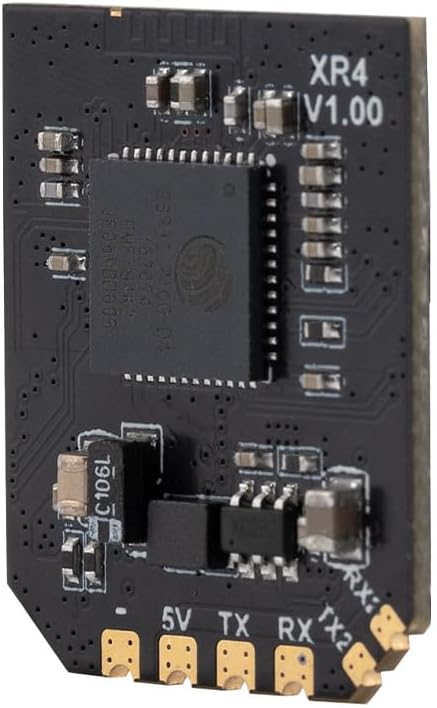
ภาพนี้แสดงด้านข้างของมืออาชีพfile of the XR4 receiver board, with "XR4 V1.00" clearly visible, indicating the model and version.
5. การตั้งค่าและการติดตั้ง
5.1 การเชื่อมต่อสายไฟ
The XR4 receiver uses standard CRSF protocol for communication. Connect the receiver to your flight controller or other compatible device using the provided CRSF wire. Ensure correct polarity for power connections (DC 4.5-8.4V).
- 5 โวลต์: Power input (4.5-8.4V DC)
- จีเอ็นดี: พื้น
- เท็กซัส: CRSF Transmit (connect to RX on flight controller)
- อาร์เอ็กซ์: CRSF Receive (connect to TX on flight controller)
- TX2/RX2: Secondary UART port for advanced functionality.
5.2 การติดตั้งเสาอากาศ
Connect the two dual-band T-antennas to the IPEX-1 connectors on the receiver board. Position the antennas at a 90-degree angle to each other for optimal signal diversity. Use the provided heat-shrinkable tubes to secure and protect the antenna connections.
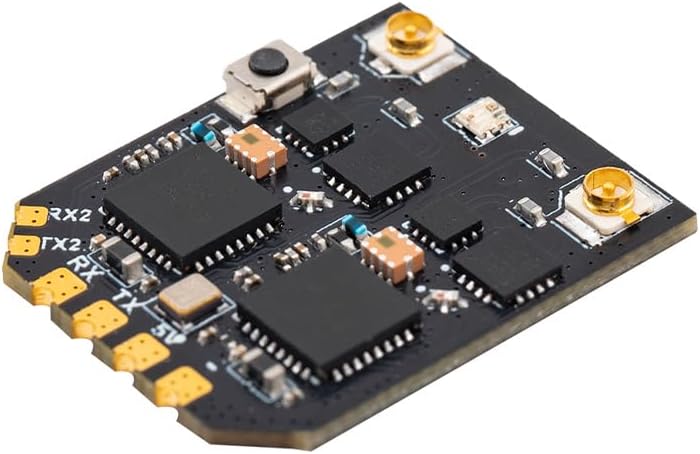
ภาพนี้แสดงให้เห็นมุมเอียง view of the XR4 receiver board, highlighting the IPEX-1 antenna connectors and the soldering pads for power and CRSF communication.
6. คู่มือการใช้งาน
6.1 Binding Procedure (ExpressLRS)
The XR4 receiver comes pre-installed with ExpressLRS v3.5.1 firmware. To bind the receiver to your ExpressLRS transmitter module, follow these general steps:
- ตรวจสอบให้แน่ใจว่าโมดูลส่งสัญญาณของคุณใช้เฟิร์มแวร์ ExpressLRS เวอร์ชันที่เข้ากันได้
- Power on the receiver. It will enter binding mode if it does not find a valid link. The LED on the receiver will typically flash rapidly.
- On your ExpressLRS transmitter, initiate the binding process. This is usually done via the Lua script or a dedicated bind button/menu option.
- เมื่อเชื่อมต่อสำเร็จแล้ว ไฟ LED ของตัวรับสัญญาณจะสว่างค้าง แสดงว่าเชื่อมต่อสำเร็จแล้ว
- If binding fails, ensure your transmitter and receiver have matching ExpressLRS firmware versions and binding phrases (if configured).
6.2 Operating Modes: Gemini and Xrossband (Gem-X)
The XR4 receiver supports various operating modes, leveraging its dual RF circuits:
- Gemini 2.4GHz: Uses two 2.4GHz antennas for dual-frequency operation within the 2.4GHz band.
- Gemini Sub-G 900MHz: Uses two 900MHz antennas for dual-frequency operation within the Sub-G 900MHz band.
- Xrossband (Gem-X): Utilizes one Sub-G 900MHz antenna and one 2.4GHz antenna for dual-band operation, providing enhanced reliability across different frequency ranges.
The specific mode is typically configured via the ExpressLRS Lua script on your transmitter or through the receiver's WebUI

This diagram visually explains the different antenna configurations and packet transmission methods for Gemini 2.4GHz, Gemini Sub-G 900MHz, and Xrossband (Gem-X) dual-band modes.
7. การอัปเดตเฟิร์มแวร์
The XR4 receiver features an integrated Wi-Fi module for convenient firmware updates and configuration. To update the firmware:
- เปิดเครื่องรับ
- เชื่อมต่อกับฮอตสปอต Wi-Fi ของผู้รับจากคอมพิวเตอร์หรืออุปกรณ์มือถือของคุณ โดยทั่วไปชื่อเครือข่ายจะเป็น "ExpressLRS RX" ตามด้วยรหัสประจำตัวเฉพาะ
- เปิด web เบราว์เซอร์และนำทางไปที่ http://10.0.0.1.
- ใช้ WebUI to flash new firmware or adjust settings. Refer to the official ExpressLRS documentation for detailed instructions on firmware flashing.
8. การบำรุงรักษา
The XR4 receiver requires minimal maintenance. Keep the device clean and free from dust and moisture. Regularly inspect antenna connections for damage. Ensure proper heat dissipation if operating in enclosed spaces.
9 การแก้ไขปัญหา
- No Link/LED Flashing:
- Ensure the receiver is powered correctly (4.5-8.4V).
- Verify the transmitter module is powered on and transmitting.
- Check if the receiver is in binding mode (rapid LED flash). If not, re-initiate binding.
- Confirm that the transmitter and receiver are running compatible ExpressLRS firmware versions.
- Check for correct binding phrase if one is set.
- ระยะการส่งสัญญาณ/คุณภาพสัญญาณไม่ดี:
- Inspect antennas for damage or improper connection.
- Ensure antennas are positioned optimally (e.g., 90 degrees to each other).
- Check for sources of interference near the receiver or antennas.
- Verify the selected operating mode (Gemini/Xrossband) is appropriate for your setup.
- เครื่องรับไม่ตอบสนอง:
- Check all wiring connections (power, ground, CRSF TX/RX).
- Ensure the flight controller or connected device is configured correctly for CRSF protocol.
- Attempt a firmware re-flash if the receiver is unresponsive.
10. ข้อมูลด้านความปลอดภัย
- Always ensure correct power polarity before connecting the receiver. Incorrect wiring can cause permanent damage.
- Operate RC equipment responsibly and within legal limits.
- ควรเก็บเครื่องรับสัญญาณให้ห่างจากน้ำ ความชื้น และอุณหภูมิที่สูงหรือต่ำเกินไป
- Do not attempt to modify the receiver's hardware beyond specified connection points.
- ตรวจสอบให้แน่ใจว่ามีการระบายอากาศที่เหมาะสมเพื่อป้องกันภาวะความร้อนมากเกินไป
11. การรับประกันและการสนับสนุน
สำหรับข้อมูลการรับประกันและการสนับสนุนทางเทคนิค โปรดดูที่ RADIOMASTER อย่างเป็นทางการ webหรือติดต่อตัวแทนจำหน่ายที่ได้รับอนุญาต เก็บหลักฐานการซื้อไว้เพื่อใช้ในการเคลมประกัน


