1. บทนำ
Thank you for choosing the GOLDCHAMP 990B SMD Tweezers Meter. This device is designed for precise measurement of surface-mount device (SMD) components, offering functions such as resistance, capacitance, diode, and continuity testing. Its compact design and automatic features make it an ideal tool for electronics repair, manufacturing, and DIY projects.
This manual provides essential information for the safe and effective operation of your 990B SMD Tweezers Meter. Please read it thoroughly before use and retain it for future reference.

Figure 1: GOLDCHAMP 990B SMD Tweezers Meter and included accessories.
2. ข้อมูลด้านความปลอดภัย
To ensure safe operation and prevent damage to the meter, please observe the following safety precautions:
- Always inspect the meter for any damage before use. Do not use if damaged.
- ไม่ต้องสมัครวอลุ่มtage exceeding the maximum input rating (36V DC/AC) to the test pins.
- Ensure the device under test is de-energized before performing resistance, capacitance, or continuity measurements.
- Avoid touching the metal parts of the test pins during measurements to prevent electric shock.
- เปลี่ยนแบตเตอรี่ทันทีเมื่อไฟแสดงสถานะแบตเตอรี่อ่อนปรากฏขึ้นเพื่อให้แน่ใจว่าการอ่านค่าแม่นยำ
- ห้ามใช้งานมิเตอร์ในบริเวณที่มีอากาศระเบิด หรือในบริเวณที่มีก๊าซหรือฝุ่นละอองที่ติดไฟได้
- ทำให้อุปกรณ์แห้งและสะอาด
3. สินค้าหมดview
The GOLDCHAMP 990B SMD Tweezers Meter features a clear LCD display and intuitive controls for efficient component testing. Below is a diagram illustrating the key components of the device.

Figure 2: Structure of the GOLDCHAMP 990B SMD Tweezers Meter.
ส่วนประกอบหลัก:
- จอแสดงผล LCD: แสดงค่าการวัดและตัวบ่งชี้
- ปุ่มถือ: หยุดการอ่านค่าปัจจุบันบนจอแสดงผล
- ปุ่ม FUNC: Selects measurement functions (Resistance, Capacitance, Diode, Continuity, LED/Semiconductor Test).
- สวิตช์ฟังก์ชั่น: Rotary switch for selecting primary measurement modes (R/D/C, DC 36V, LED/Semiconductor Test).
- Test Pins (Gold-plated): Used to contact SMD components for measurement. Gold plating ensures better conductivity and durability.
- Pin Holder: Connects to external test leads for larger components or traditional multimeter use.
4. การตั้งค่า
4.1 การติดตั้งแบตเตอรี่
The GOLDCHAMP 990B is powered by 1.5V (AAA) batteries. To install or replace batteries:
- ค้นหาฝาครอบช่องใส่แบตเตอรี่ที่ด้านหลังของมิเตอร์
- เลื่อนฝาเปิดออก
- ใส่แบตเตอรี่เพื่อให้แน่ใจว่ามีขั้วที่ถูกต้อง (+/-)
- ปิดฝาช่องใส่แบตเตอรี่ให้แน่น
4.2 การเปิดเครื่องครั้งแรก
To turn on the meter, rotate the Function Switch to any desired measurement mode. The LCD display will illuminate, indicating the meter is ready for use. The meter features an auto power-off function after 15 minutes of inactivity to conserve battery life.

Figure 3: Package contents including the meter, case, test leads, and batteries.
5. คู่มือการใช้งาน
The 990B SMD Tweezers Meter offers various measurement modes and smart functions for efficient testing.
5.1 โหมดการวัด
The meter can perform the following tests:
- ความต้านทาน: Measures resistance from 400Ω to 40MΩ.
- ความจุ: Measures capacitance from 5.12nF to 200µF.
- การทดสอบไดโอด: ตรวจสอบปริมาตรไปข้างหน้าtagหยดไดโอด
- ตรวจสอบความต่อเนื่อง: Indicates continuity with an audible buzzer if resistance is below a certain threshold (<30Ω).
- LED/Semiconductor Test: Tests LEDs and other semiconductors.

Figure 4: The 990B meter displaying its various measurement capabilities.
5.2 การดำเนินการวัดผล
- เลือกฟังก์ชัน: Rotate the Function Switch to the desired primary mode (R/D/C for Resistance, Diode, Capacitance, or LED/Semiconductor Test). Use the ฟังค์ชั่น button to cycle through specific functions within that mode.
- Contact Component: Gently pinch the SMD component with the gold-plated test pins. Ensure good contact for accurate readings.
- อ่านจอแสดงผล: The measurement will be shown on the LCD display. The meter features auto-ranging, so it will automatically select the appropriate range.
- Hold Reading: กดปุ่ม ถือ กดปุ่มเพื่อหยุดค่าที่แสดงบนหน้าจอ กดอีกครั้งเพื่อปล่อย

รูปที่ 5: อดีตamples of Resistance Measurement, Diode Test, Auto Range Test, and LED Test.
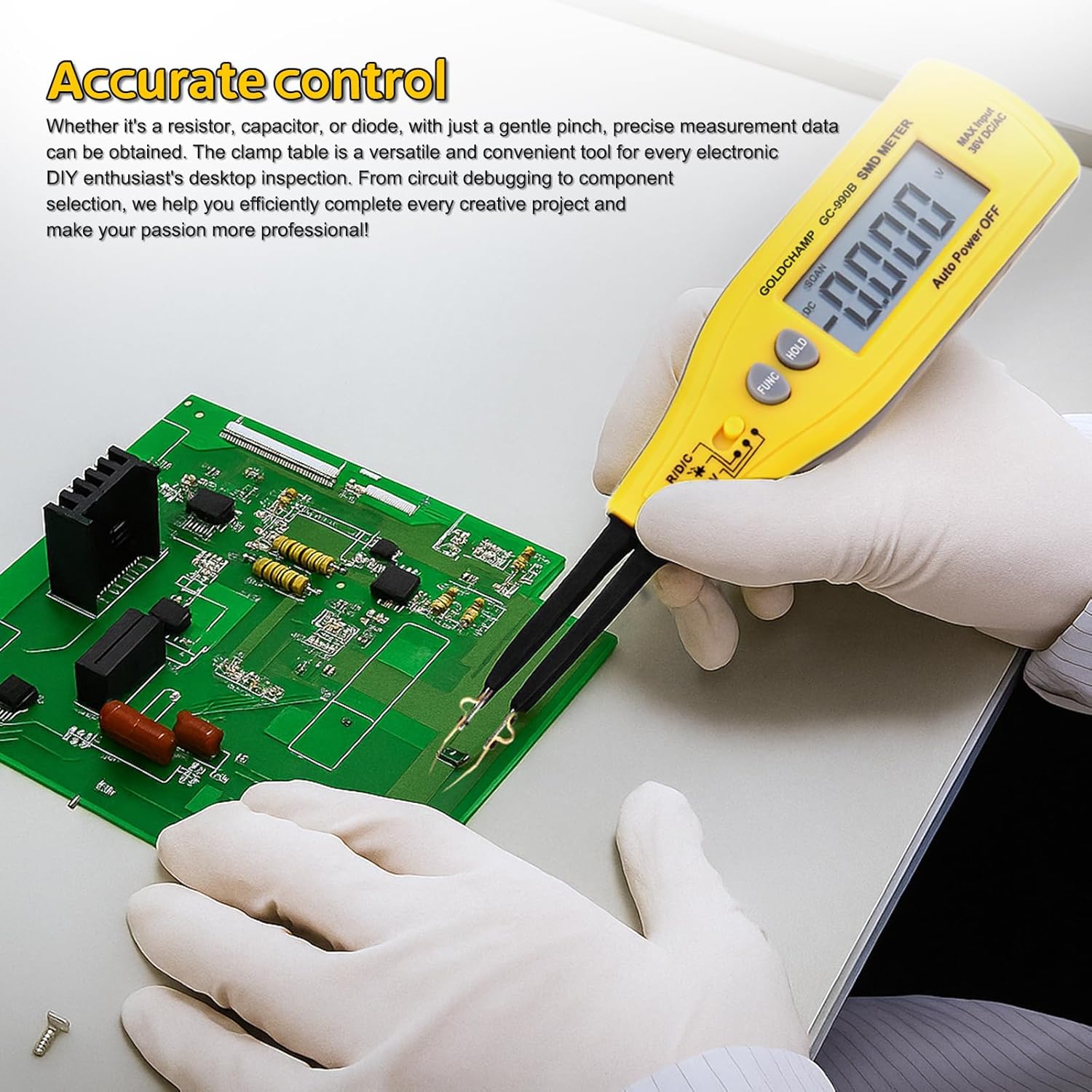
Figure 6: Using the 990B for accurate control and testing on a circuit board.
5.3 ฟังก์ชันอัจฉริยะ
- Auto-Range: The meter automatically selects the correct measurement range, eliminating the need for manual range selection.
- ปิดอัตโนมัติ: The meter will automatically power off after 15 minutes of inactivity to save battery power.
- การวัดค่าสัมพัทธ์: This function allows you to measure the difference between a stored reference value and the current measurement.
6. การบำรุงรักษา
6.1 การทำความสะอาด
To maintain the accuracy and longevity of your meter:
- เช็ดมิเตอร์ด้วยผ้านุ่มๆamp ผ้า ห้ามใช้สารทำความสะอาดที่มีฤทธิ์กัดกร่อนหรือตัวทำละลาย
- Keep the test pins clean and free of debris to ensure good electrical contact.
6.2 การเปลี่ยนแบตเตอรี่
When the low battery warning appears on the display, replace the batteries as described in Section 4.1. Always use fresh 1.5V (AAA) batteries.
6.3 พื้นที่จัดเก็บ
When not in use for extended periods, remove the batteries to prevent leakage. Store the meter in its protective case in a cool, dry place, away from direct sunlight and extreme temperatures.
7 การแก้ไขปัญหา
| ปัญหา | สาเหตุที่เป็นไปได้ | สารละลาย |
|---|---|---|
| มิเตอร์ไม่เปิดใช้งาน | แบตเตอรี่เสียหรือติดตั้งไม่ถูกต้อง | ตรวจสอบขั้วแบตเตอรี่ หรือเปลี่ยนแบตเตอรี่ใหม่ |
| Low battery warning displayed. | แบตเตอรี่เหลือน้อย | เปลี่ยนแบตเตอรี่ทันที |
| "OL" (Overload) indicator. | ค่าที่วัดได้เกินช่วงการวัดของมิเตอร์ | Ensure the component value is within the meter's specifications for the selected range. |
| ค่าที่วัดได้ไม่แม่นยำหรือไม่เสถียร | Poor contact with component, dirty test pins, or environmental interference. | Ensure firm contact, clean test pins, and perform measurements in a stable environment. |
| Auto power-off too soon. | Meter inactive for 15 minutes. | This is a normal function to save battery. Reactivate by pressing a button or rotating the switch. |
8. ข้อมูลจำเพาะ
The following table outlines the technical specifications of the GOLDCHAMP 990B SMD Tweezers Meter:
| คุณสมบัติ | ข้อมูลจำเพาะ |
|---|---|
| จำนวนการแสดงผล | 4000 |
| ช่วงความต้านทาน | 400Ω – 40MΩ |
| ช่วงความจุ | 5.12nF – 200µF |
| ทดสอบไดโอด Voltage | 1.5โวลต์ |
| ตรวจสอบความต่อเนื่อง | <30Ω (audible buzzer) |
| DC ฉบับที่tage Test (via Pin Holder) | 36V (สูงสุด) |
| ช่วงอัตโนมัติ | ใช่ |
| ปิดเครื่องอัตโนมัติ | 15 นาที |
| ระบบป้องกันการโอเวอร์โหลด | Yes (OL indicator) |
| คำเตือนแบตเตอรี่ต่ำ | ใช่ |
| แหล่งจ่ายไฟ | 1.5V (AAA) battery |
| ขนาด | 207 × 36 × 24mm (8 x 2.8 x 1.3 inches) |
| น้ำหนัก | 50 กรัม (2.4 ออนซ์) |
| วัสดุ | เอบีเอส |

Figure 7: Comparison of GOLDCHAMP 990A and 990B models.
9. การรับประกันและการสนับสนุน
9.1 ข้อมูลการรับประกัน
The GOLDCHAMP 990B SMD Tweezers Meter comes with a 365-day warranty from the date of purchase, covering manufacturing defects. This warranty does not cover damage caused by misuse, accidents, unauthorized modifications, or improper operation.
9.2 การสนับสนุนลูกค้า
If you have any questions regarding the operation, maintenance, or troubleshooting of your GOLDCHAMP 990B SMD Tweezers Meter, please do not hesitate to contact our customer support team. We are committed to providing assistance and ensuring your satisfaction.


