1. สินค้าหมดview
The SumUp POS Lite and Solo Card Reader Bundle provides a comprehensive point-of-sale solution designed for efficient business operations. This system integrates a 13-inch touchscreen tablet with built-in software for sales management, item catalog creation, and report generation. The bundle also includes a SumUp Solo card reader for accepting various card payments.
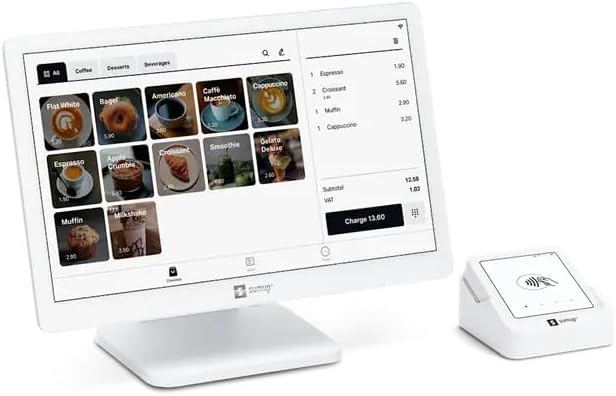
รูปที่ 1.1: The SumUp POS Lite touchscreen tablet and the compact Solo card reader, ready for use.
2. สิ่งที่รวมอยู่
Your SumUp POS Lite and Solo Card Reader Bundle includes the following components:
- POS Lite Touchscreen Tablet: A 13-inch touchscreen tablet with a durable die-cast aluminum stand.
- Pre-installed POS Software: Free, pre-installed point-of-sale software with automated updates.
- SumUp Solo Card Reader: A compact device for accepting card payments.
- สถานีชาร์จ: For the SumUp Solo card reader.
3. การตั้งค่าเริ่มต้น
Follow these steps to set up your SumUp POS Lite and Solo Card Reader Bundle:
- แกะส่วนประกอบ: นำรายการทั้งหมดออกจากบรรจุภัณฑ์อย่างระมัดระวัง
- Assemble POS Lite Tablet: Attach the 13-inch touchscreen tablet to its die-cast aluminum stand. Ensure all cables are securely connected.
- เปิดเครื่อง: Connect the POS Lite tablet to a power source using the provided adapter and power it on.
- การกำหนดค่าเริ่มต้น: Follow the on-screen prompts to connect to Wi-Fi, set up your account, and configure basic business information.
- Charge Solo Card Reader: Place the SumUp Solo card reader in its charging station to ensure it is fully charged before first use.
- Download SumUp App: For full functionality and to manage your account, download the free SumUp app on a compatible smartphone or tablet. This app is available on both Google Play and the App Store.

รูปที่ 3.1: ด้านหลัง view of the SumUp POS Lite tablet, showing the stand and cable connections for power and peripherals.

รูปที่ 3.2: Instructions to download the SumUp app from Google Play or the App Store for managing payments and business operations.
4. คู่มือการใช้งาน
4.1. Using the POS Lite Tablet
The POS Lite tablet serves as the central hub for your business operations. Its intuitive touchscreen interface allows for easy navigation and management.
- Item Catalog: Create and manage your product or service catalog directly on the tablet. Organize items by categories for quick access during sales.
- Processing Sales: Select items from your catalog to add them to a customer's order. The system automatically calculates totals and applicable taxes.
- Generating Reports: Access sales reports, transaction history, and other business analytics through the pre-installed software to monitor performance.

รูปที่ 4.1: The SumUp POS Lite interface showing an item catalog with various products and a current order summary.
4.2. Using the SumUp Solo Card Reader
The Solo card reader integrates seamlessly with the POS Lite tablet to accept card payments. It supports various payment methods.
- การชำระเงินแบบไร้สัมผัส: Customers can tap their contactless cards or mobile devices on the reader.
- Chip & PIN: Insert chip cards into the slot and follow the prompts for PIN entry.
- Magnetic Stripe: Swipe cards with a magnetic stripe through the designated slot.
- Payment Processing: Once a payment is initiated from the POS Lite tablet, the Solo reader will prompt the customer to complete the transaction.
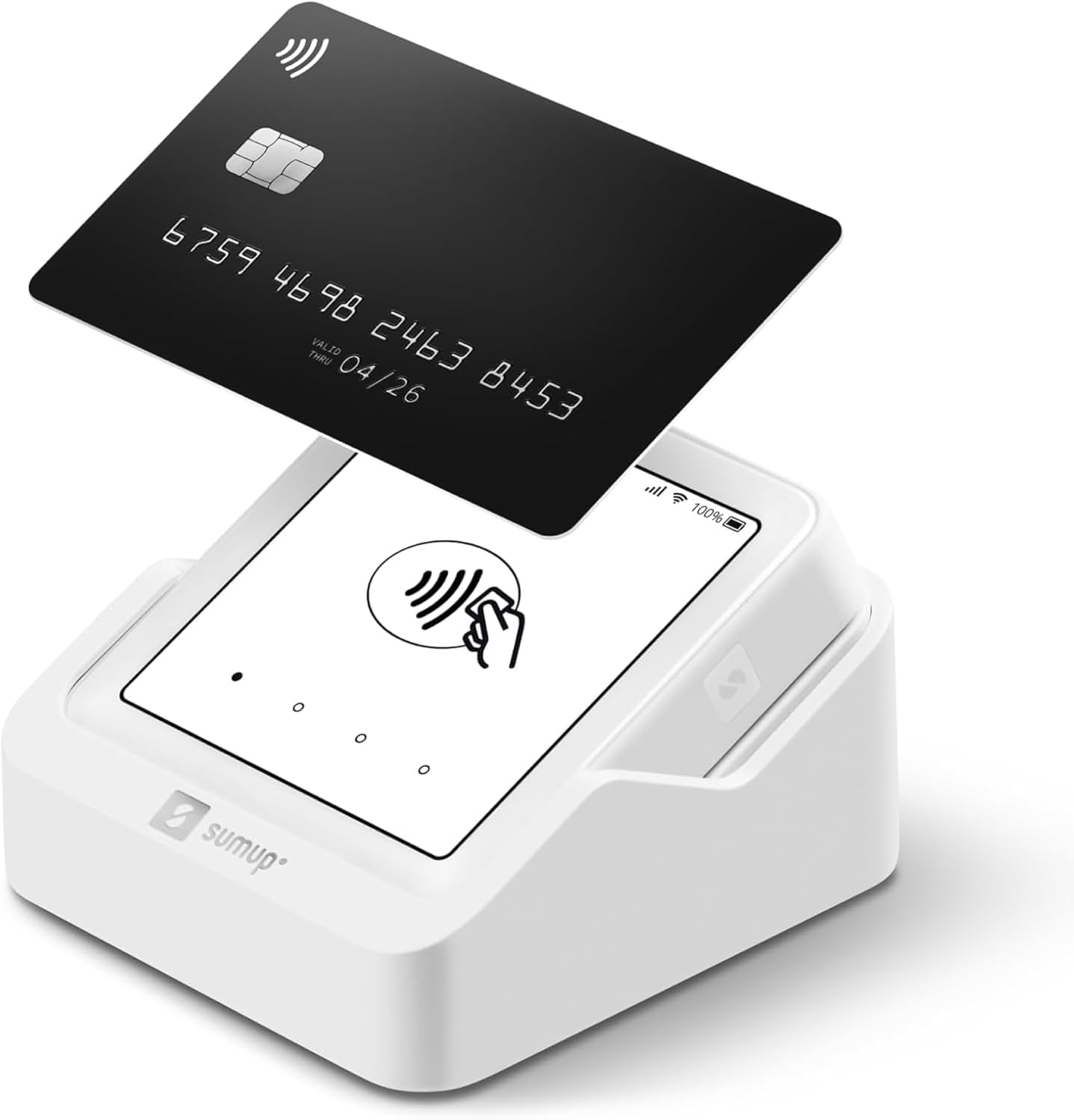
รูปที่ 4.2: A SumUp Solo card reader demonstrating a contactless payment with a credit card.
5. คุณสมบัติขั้นสูง
The SumUp POS Lite system offers several advanced features to enhance your business management:
- Sales Reports: Detailed reports provide insights into sales trends, popular items, and peak hours.
- การติดตามสินค้าคงคลัง: The system automatically updates inventory levels with each purchased item, helping you manage stock efficiently.
- Fully Customizable Item Catalog: Tailor your item catalog to fit your business needs, including product descriptions, pricing, and categories.

รูปที่ 5.1: โอเวอร์view of the advanced features available with the SumUp POS Lite system, including sales reporting and inventory management.
6. การบำรุงรักษา
Proper maintenance ensures the longevity and optimal performance of your SumUp POS Lite and Solo Card Reader Bundle:
- การทำความสะอาด: Use a soft, dry, lint-free cloth to clean the touchscreen and the card reader. Avoid abrasive cleaners or solvents.
- การอัปเดตซอฟต์แวร์: The POS Lite software receives automated updates. Ensure your device is connected to the internet regularly to receive these updates, which often include performance improvements and security enhancements.
- การดูแลแบตเตอรี่ Keep the Solo card reader charged. For prolonged storage, ensure it has at least a 50% charge.
- สภาพแวดล้อม : Operate and store the devices in a dry environment, away from extreme temperatures, direct sunlight, and excessive dust.
7 การแก้ไขปัญหา
If you encounter issues with your SumUp POS Lite and Solo Card Reader Bundle, refer to the following common solutions:
| ปัญหา | สาเหตุที่เป็นไปได้ | สารละลาย |
|---|---|---|
| POS Lite Tablet Not Powering On | อะแดปเตอร์ไฟไม่ได้เชื่อมต่อหรือมีข้อบกพร่อง | Ensure the power adapter is securely connected to the tablet and a working power outlet. Try a different outlet. |
| Solo Card Reader Not Connecting | Low battery, Bluetooth issue, or out of range. | Charge the Solo reader. Ensure Bluetooth is enabled on the POS Lite tablet and the reader is within range. Restart both devices. |
| Payment Transaction Failed | Network connectivity issues, card reader error, or customer card issue. | Check Wi-Fi connection on the POS Lite. Ensure the card is inserted/tapped correctly. Try a different card or payment method. Restart the Solo reader. |
| Software Not Updating | ไม่มีการเชื่อมต่ออินเตอร์เน็ต | Verify the POS Lite tablet is connected to a stable internet connection. Manual update options may be available in settings. |
For further assistance, please refer to the official SumUp support resources.
8. ข้อมูลจำเพาะ
- ชื่อสินค้า : SumUp POS Lite and Solo Card Reader Bundle
- แบบอย่าง: POS Lite and Solo Card Reader Bundle (ASIN: B0F1QT72HM)
- POS Lite Display: หน้าจอสัมผัสขนาด 13 นิ้ว
- เครื่องอ่านบัตร: SumUp Solo (supports Contactless, Chip & PIN, Magnetic Stripe)
- ซอฟต์แวร์: Pre-installed SumUp POS software with automated updates
- การเชื่อมต่อ: Wi-Fi, Bluetooth (for Solo reader)
- วันที่พร้อมใช้งานครั้งแรก: 17 มีนาคม 2025
9. การรับประกันและการสนับสนุน
The SumUp POS Lite and Solo Card Reader Bundle operates without fixed monthly fees or binding contracts, offering full flexibility for your business. A transaction fee of 2.6% + 10 cents per card reader payment applies.
For detailed warranty information, technical support, or customer service, please visit the official SumUp website or contact their support team directly. You can find more information and support resources on the SumUp Store on Amazon.


