การแนะนำ
This manual provides comprehensive instructions for the setup, operation, and maintenance of your Eversolo DMP-A6 Master Gen 2-Black Hi-Fi Music Streamer. Please read this manual thoroughly before using the device to ensure optimal performance and longevity.
The Eversolo DMP-A6 Master Gen 2-Black is an advanced Hi-Fi music streamer designed for high-fidelity audio playback. It features an upgraded Op-amp Chip OPA1612 for enhanced sound output and a newly designed linear power supply for ultra-low noise operation. It supports a wide range of audio formats and streaming services, offering versatile connectivity options for integration into various audio systems.
ข้อมูลด้านความปลอดภัย
ปฏิบัติตามคำแนะนำด้านความปลอดภัยต่อไปนี้เสมอเพื่อป้องกันความเสียหายต่ออุปกรณ์หรือการบาดเจ็บส่วนบุคคล:
- อย่าให้เครื่องโดนน้ำหรือความชื้นมากเกินไป
- ต้องแน่ใจว่ามีการระบายอากาศที่เหมาะสมเพื่อป้องกันความร้อนสูงเกินไป อย่าปิดกั้นช่องระบายอากาศ
- ใช้เฉพาะสายไฟและอุปกรณ์เสริมที่ให้มาเท่านั้น
- อย่าพยายามเปิดหรือซ่อมแซมอุปกรณ์ด้วยตนเอง แนะนำให้ส่งช่างผู้ชำนาญเข้ารับบริการทั้งหมด
- Keep the device away from direct sunlight, heat sources, and strong magnetic fields.
- เช็ดทำความสะอาดอุปกรณ์ด้วยผ้าแห้งเนื้อนุ่ม หลีกเลี่ยงการใช้สารทำความสะอาดที่มีฤทธิ์กัดกร่อนหรือตัวทำละลาย
เนื้อหาแพ็คเกจ
ตรวจสอบว่ามีสินค้าทั้งหมดอยู่ในบรรจุภัณฑ์:
- Eversolo DMP-A6 Master Gen 2-Black Unit
- สายไฟ
- สาย USB
- Screwdriver (for internal storage installation, if applicable)
- คู่มือการใช้งาน (เอกสารนี้)
- สายเคเบิลทริกเกอร์
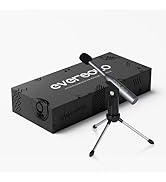
Image: Illustration of the Eversolo DMP-A6 Master Gen 2-Black package contents.
การตั้งค่า
1. การจัดวางทางกายภาพ
Place the DMP-A6 Master Gen 2-Black on a stable, flat surface with adequate ventilation. Ensure there is sufficient space around the unit for airflow, especially at the rear and sides where heat dissipation occurs.
2. การเชื่อมต่อไฟฟ้า
Connect the provided power cable to the AC inlet on the rear of the unit and then to a suitable power outlet. Ensure the power switch is in the OFF position before connecting.
3. การเชื่อมต่อเสียง
The DMP-A6 Master Gen 2-Black offers various audio input and output options:
- เอาท์พุตอะนาล็อก: Use XLR or RCA outputs to connect to active speakers or power ampลิตเตอร์
- เอาต์พุตดิจิตอล: Optical, Coaxial, and HDMI (for audio only, no video output).
- อินพุตดิจิตอล: Coaxial, Optical, Type-C USB, and HD Bluetooth for connecting external digital audio sources.
- อาร์ค HDMI: Connect your TV's HDMI ARC port to the DMP-A6's HDMI ARC input to transmit TV audio directly.

Image: Rear panel connections of the DMP-A6 Master Gen 2-Black.
4. การเชื่อมต่อเครือข่าย
Connect the unit to your network via Ethernet cable for the most stable connection, or use the built-in Wi-Fi for wireless connectivity. A stable network connection is essential for streaming services and firmware updates.
5. เปิดเครื่องครั้งแรก
After all connections are made, switch on the power. The device will boot up, and the 6-inch LCD color touchscreen will display the initial setup wizard.
คำแนะนำการใช้งาน
1. User Interface and Control
The DMP-A6 Master Gen 2-Black can be controlled via its integrated 6-inch LCD color touchscreen or through the dedicated mobile application for Android and iOS devices.

Image: Front panel and touchscreen display.
2. แอปพลิเคชั่นบนมือถือ
Download the official Eversolo mobile application from your device's app store. The app provides comprehensive control over the streamer, including music playback, settings adjustment, and personalized playlist management.

Image: Eversolo mobile application interface.
3. Music Playback and Streaming
The device supports a wide array of music services and streaming protocols:
- บริการแบบบูรณาการ: Access Amazon Music, TIDAL, Qobuz, HIRESAUDIO, Deezer, Tuneln Radio, and more directly from the device.
- สตรีมมิ่งไร้สาย: Compatible with Roon Ready, TIDAL Connect, and DLNA for seamless streaming from compatible devices and servers.
- Local/Network Playback: เล่นเพลง files from local drives (USB) or network storage (NAS). The device supports cross-platform addition of music files.
- รูปแบบที่รองรับ: Plays almost all ultra-high sampling master recording formats, including FLAC, WAV, APE, DSD512 (dsf/.dff/.iso/.dst) stereo/multichannel, and MQA.
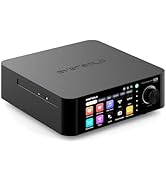
Image: Supported music services and streaming platforms.
4. คุณสมบัติขั้นสูง
- EOS Audio Engine: Utilizes an innovative audio processing engine that bypasses SRC limitations for high-resolution audio direct output.
- HDMI ARC & TRIGGER: HDMI ARC allows direct TV audio transmission. The TRIGGER function enables linked devices to automatically power on/off with the streamer.
- Professional EQ: Fine-tune your audio output with the built-in professional equalizer.
- OPA1612 Op-amp ชิป: Features an upgraded Op-amp chip for a warmer voice output and improved audio quality.
- Ultra-Low Noise Linear Power Supply: Ensures a clean audio signal with noise levels below 40uV.

Image: Key technical features and specifications.
การซ่อมบำรุง
1. การทำความสะอาด
Regularly clean the exterior of the unit with a soft, dry, lint-free cloth. Do not use liquid cleaners, aerosols, or solvents, as they may damage the finish or internal components.
2. การอัปเดตเฟิร์มแวร์
Eversolo frequently releases firmware updates to improve performance, add features, and fix bugs. It is recommended to keep your device's firmware up to date. Updates can typically be performed directly through the device's settings menu when connected to the internet.
3. การจัดเก็บ
หากต้องเก็บรักษาอุปกรณ์เป็นเวลานาน ควรตัดการเชื่อมต่อจากแหล่งจ่ายไฟและเก็บไว้ในที่แห้งและเย็น หลีกเลี่ยงแสงแดดโดยตรงและอุณหภูมิที่สูงหรือต่ำเกินไป
การแก้ไขปัญหา
| ปัญหา | สาเหตุที่เป็นไปได้ | สารละลาย |
|---|---|---|
| ไม่มีไฟฟ้า | ไม่ได้เสียบสายไฟ; ปิดสวิตช์ไฟ; มีปัญหาที่ปลั๊กไฟ | Ensure power cable is securely connected. Check power switch. Test power outlet with another device. |
| ไม่มีเสียงออก | Incorrect audio output selected; Cables not connected properly; Ampปัญหาเกี่ยวกับเครื่องขยายเสียง/ลำโพง | Verify correct output in settings. Check all audio cable connections. Test amplifier/speakers with another source. |
| ไม่สามารถเชื่อมต่อกับเครือข่าย | รหัสผ่าน Wi-Fi ไม่ถูกต้อง; เราเตอร์มีปัญหา; สายอีเธอร์เน็ตหลุด | Re-enter Wi-Fi password. Restart router. Check Ethernet cable connection. |
| Streaming services not loading | Poor internet connection; Service outage; App issue. | Check internet speed. Verify service status online. Restart the streamer and the app. |
| อุปกรณ์ไม่ตอบสนอง | ซอฟต์แวร์มีปัญหาชั่วคราว | Perform a soft reset by holding the power button, or disconnect power for 30 seconds and reconnect. |
If the problem persists after attempting these solutions, please contact Eversolo customer support.
ข้อมูลจำเพาะ
| คุณสมบัติ | รายละเอียด |
|---|---|
| ชื่อรุ่น | DMP-A6 Master Gen 2-Black |
| ขนาด (กว้าง x ยาว x สูง) | 10.63 x 7.36 x 5.34 นิ้ว (โดยประมาณ) |
| น้ำหนัก | 9.24 ปอนด์ |
| ระบบปฏิบัติการ | Android 11 (deeply tailored system) |
| แสดง | 6-inch LCD Color Touchscreen |
| แรม | 4GB |
| การเชื่อมต่อ | Bluetooth, Ethernet, HDMI, IR |
| อินพุตเสียง | Coaxial, Optical, Type-C USB, HD Bluetooth |
| เอาต์พุตเสียง | HDMI (audio only), USB, Optical, Coaxial, XLR, RCA |
| บริการสตรีมมิ่งที่รองรับ | Amazon Music, Deezer, HIRESAUDIO, Qobuz, Tidal, Tuneln Radio, Roon Ready, TIDAL Connect, DLNA |
| รูปแบบเสียงที่รองรับ | FLAC, WAV, APE, DSD512, MQA, PCM768kHz/32Bit |
| คุณสมบัติพิเศษ | Professional EQ, Roon Ready, Squeezelite, TIDAL Connect, HDMI ARC, TRIGGER, OPA1612 Op-amp, Ultra-Low Noise Linear Power Supply |
การรับประกันและการสนับสนุน
ข้อมูลการรับประกัน
The Eversolo DMP-A6 Master Gen 2-Black typically comes with a รับประกันจำกัด 1 ปี นับจากวันที่ซื้อสินค้า การรับประกันนี้ครอบคลุมถึงข้อบกพร่องจากการผลิตและฝีมือการผลิตภายใต้การใช้งานปกติ โปรดเก็บหลักฐานการซื้อไว้เพื่อใช้ในการเรียกร้องการรับประกัน
The warranty does not cover damage caused by misuse, accident, unauthorized modification, improper installation, or natural disasters. For detailed warranty terms and conditions, please refer to the official Eversolo webเว็บไซต์หรือติดต่อฝ่ายบริการลูกค้าของพวกเขา
การสนับสนุนลูกค้า
For technical assistance, troubleshooting, or warranty inquiries, please contact Eversolo customer support through their official channels. You can typically find contact information on the Eversolo website, including support forums, email addresses, or phone numbers.
Eversolo aims to provide monthly firmware updates and encourages users to submit comments or questions via their official service channels (website forum, Facebook, Instagram, or email) for prompt responses.


