1. บทนำ
This manual provides detailed instructions for the installation, operation, and maintenance of your ARENTI PoE Security Camera System. This system includes 5MP cameras and an 8-channel Network Video Recorder (NVR) designed for comprehensive home and business surveillance.
โปรดอ่านคู่มือนี้อย่างละเอียดก่อนใช้งานผลิตภัณฑ์ เพื่อให้มั่นใจได้ว่าการติดตั้งและการใช้งานเป็นไปอย่างถูกต้อง
2. อะไรอยู่ในกล่อง
ตรวจสอบว่ามีส่วนประกอบทั้งหมดอยู่ในแพ็คเกจของคุณ:
- กล้อง PoE 4 x 5MP
- 1 x NVR (Network Video Recorder) with pre-installed 2TB HDD
- 1 x NVR Power Cable
- 1 x HDD Data Cable
- 1 x HDD Power Cable
- 1 x RJ45 Cat5e UTP Network Cable (1m, for NVR to Switch connection)
- 1 x เมาส์
- 1 x Manual (Quick Guide)
- 2 packs of Screw Pack
- 4 x Waterproof Terminals
- อะแดปเตอร์ไฟ NVR 1 ตัว
- สาย HDMI 1 เส้น
- 1 x แม่แบบการเจาะ
- สติกเกอร์เตือนภัย 4 ชิ้น
คำอธิบาย: An image displaying all the components included in the ARENTI PoE Security Camera System package, neatly arranged. This includes the NVR, four cameras, various cables, power adapters, a mouse, and installation accessories.
3. การตั้งค่า
3.1. หมดระบบview และการเชื่อมต่อ
The ARENTI PoE Security Camera System is designed for plug-and-play installation. A single Ethernet cable provides both power and data to each camera.

คำอธิบาย: A detailed diagram illustrating the rear panel of the NVR with labeled ports (PoE ports for cameras, Audio out, VGA, HDMI, WAN, USB, Power) and a connected camera showing its PoE port. This image helps users identify where to connect each component.
3.2. การติดตั้งกล้อง
- ตำแหน่งการติดตั้ง: Choose a location that provides optimal viewing angles and is within the cable length from the NVR. The cameras are IP66 weatherproof, suitable for both indoor and outdoor use.
- การเจาะ: Use the provided drill template to mark screw holes. Drill pilot holes as needed.
- กล้องรักษาความปลอดภัย: Attach the camera base securely to the mounting surface using the provided screws.
- การเชื่อมต่อสายเคเบิล: Connect the Ethernet cable from the camera to one of the PoE ports on the NVR. Use the waterproof terminal for outdoor connections to protect the RJ45 connector.

คำอธิบาย: An image showing an ARENTI security camera mounted on an exterior wall, demonstrating a typical installation scenario. The camera is white and blends with the wall color.
3.3. การเชื่อมต่อ NVR
- เชื่อมต่อกล้อง: Plug the Ethernet cables from your cameras into the PoE ports (1-8) on the back of the NVR.
- เชื่อมต่อกับจอแสดงผล: Connect the NVR to a monitor or TV using an HDMI or VGA cable.
- เชื่อมต่อกับเครือข่าย: Connect the NVR's WAN port to your router using the provided network cable for remote access features.
- เชื่อมต่อเมาส์: เสียบเมาส์ USB เข้ากับพอร์ต USB ของ NVR พอร์ตใดพอร์ตหนึ่ง
- เปิดเครื่อง: Connect the NVR power adapter and plug it into an electrical outlet. The system will power on automatically.
คำอธิบาย: An official ARENTI video demonstrating the setup process for the NVR security camera system, including connecting cameras, display, network, and power. This video provides a visual guide for installation.
3.4. การกำหนดค่าเริ่มต้น
เมื่อบูตเครื่องครั้งแรก NVR จะแนะนำคุณผ่านตัวช่วยการตั้งค่าเบื้องต้น ทำตามคำแนะนำบนหน้าจอเพื่อ:
- Set language and time zone.
- Create an administrator password (highly recommended for security).
- ตั้งค่าเครือข่าย (โดยปกติ DHCP ก็เพียงพอแล้ว)
- Format the pre-installed 2TB HDD if prompted.
The cameras should automatically connect to the NVR via PoE. If not, refer to the troubleshooting section.
4. การใช้งานระบบ
4.1. สด View
After initial setup, you will see the live feed from all connected cameras on your display. Use the mouse to navigate the NVR interface.
- กล้องตัวเดียว View: ดับเบิลคลิกที่ฟีดกล้องใด ๆ เพื่อ view แบบเต็มจอ คลิกสองครั้งอีกครั้งเพื่อกลับไปยังโหมดกล้องหลายตัว view.
- กล้องหลายตัว View: The NVR supports simultaneous live viewing of multiple cameras.
4.2. การบันทึก
The NVR comes with a pre-installed 2TB HDD for continuous 24/7 recording. It uses H.265 video compression for efficient storage.
- การบันทึกต่อเนื่อง: โดยค่าเริ่มต้น ระบบจะถูกตั้งค่าให้บันทึกตลอด 24 ชั่วโมง 7 วันต่อสัปดาห์
- การบันทึกภาพเมื่อตรวจจับการเคลื่อนไหว: You can configure specific channels to record only when motion is detected, saving storage space.
- การขยายพื้นที่เก็บข้อมูล: The system supports HDD expansion up to 10TB.
4.3. การเล่น
การเข้าถึงที่บันทึกไว้ footage through the NVR interface. You can search by date, time, and event type (e.g., motion detection).
4.4. Smart AI Detection
The ARENTI system features advanced AI detection to minimize false alarms.
- ประเภทการตรวจจับ: Intelligently identifies people, vehicles, pets, and packages.
- การแจ้งเตือนแบบเรียลไทม์: Each detection is outlined with a real-time frame on the live view and triggers alerts.
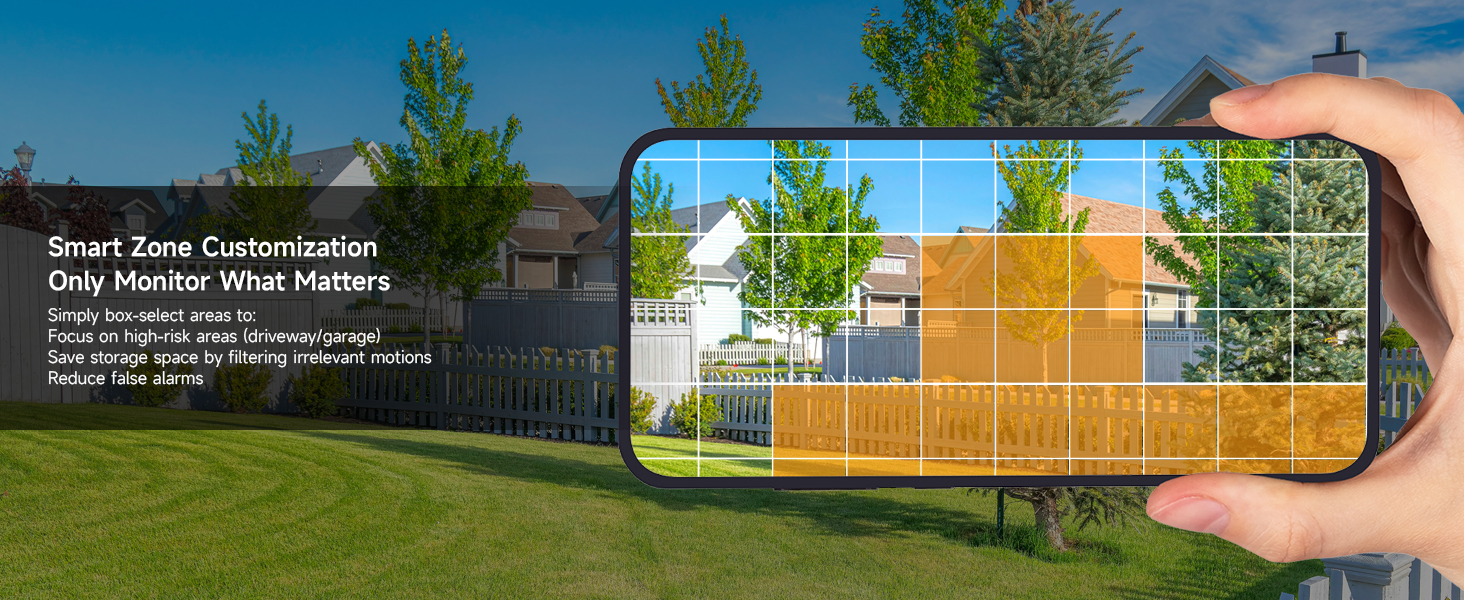
- การปรับแต่ง: Configure detection zones and sensitivity settings to focus on specific areas and reduce irrelevant alerts.

คำอธิบาย: An image showing a house driveway with a car, a person, a pet, and a package, each highlighted with a bounding box and a label indicating AI detection (Person, Car, Pet, Package). This illustrates the system's smart detection capabilities.
4.5. เสียงสองทาง
Each 5MP camera supports two-way audio, allowing you to communicate with individuals near the camera.
- การเปิดใช้งาน: Use the mobile app or NVR interface to activate the microphone and speaker functions.
- การใช้งาน: Useful for greeting visitors, instructing delivery personnel, or deterring intruders.
4.6. Remote Access (Mobile App)
Monitor your property anytime, anywhere using the free ARENTI mobile app.
- ดาวน์โหลดแอพ: Download the ARENTI app from your smartphone's app store.
- การตั้งค่าบัญชี: Create an account and add your NVR system by scanning the QR code or entering the device ID.
- คุณสมบัติ: เข้าถึงสด view, playback recordings, receive push notifications for events, and utilize two-way audio.

คำอธิบาย: A hand holding a smartphone displaying the ARENTI app interface, showing a live camera feed of a person handling a package. Smaller screens in the background show other devices (laptop, tablet) also monitoring the feed, illustrating remote access capabilities.
4.7. Intelligent Color Night Vision
The 5MP cameras provide clear footagทั้งกลางวันและกลางคืน
- การมองเห็นตอนกลางคืนแบบสีเต็มรูปแบบ: Equipped with powerful IR sensors and spotlights, cameras support full-color night vision up to 32 ft in darkness or ambient light.
- ความชัดเจน: Capture every detail with 5MP Ultra HD clarity at 25fps.

คำอธิบาย: A split image comparing infrared night vision (monochrome) and color night vision from an ARENTI camera, showcasing the enhanced detail and color provided by the intelligent color night vision feature in low-light conditions.
5. การบำรุงรักษา
5.1. Weatherproofing
The cameras feature an IP66 weatherproof rating and durable metal housing, designed to withstand various weather conditions.
- ช่วงอุณหภูมิ: Operates effectively from -4°F to 122°F (-20°C to 50°C).
- ความทนทาน: Resistant to rust, rain, and dust.

คำอธิบาย: An ARENTI camera mounted outdoors, with rain falling, illustrating its IP66 weatherproof rating and ability to withstand extreme weather conditions from -4°F to 122°F.
5.2. ความปลอดภัยของข้อมูล
The NVR system uses AES-128 encryption to safeguard every data stream. All footage is stored locally on the NVR's HDD, ensuring no cloud involvement or external access.
6 การแก้ไขปัญหา
| ปัญหา | สาเหตุที่เป็นไปได้ | สารละลาย |
|---|---|---|
| No camera feed | Loose cable connection, no power to NVR/camera, network issue. | Check all cable connections (Ethernet, power). Ensure NVR is powered on. Verify network connectivity. |
| สัญญาณเตือนการเคลื่อนไหวผิดพลาด | High sensitivity, environmental factors (e.g., moving leaves, shadows). | Adjust AI detection sensitivity. Configure specific detection zones to exclude irrelevant areas. |
| ไม่มีการเข้าถึงระยะไกล | NVR not connected to network, incorrect app settings, firewall issues. | Ensure NVR WAN port is connected to router. Check router settings. Verify app login and device addition. |
| การมองเห็นตอนกลางคืนไม่ดี | Obstruction in front of camera, insufficient ambient light for color mode. | Clear any obstructions. Ensure camera lens is clean. Adjust camera position or add external lighting if needed. |
7. ข้อมูลจำเพาะ
| คุณสมบัติ | รายละเอียด |
|---|---|
| หมายเลขรุ่น | AIK8-510B4-MRUS |
| ความละเอียดในการจับภาพวิดีโอ | 5MP (2880×1600) |
| อัตราเฟรม | 25 เฟรมต่อวินาที |
| ช่วงการมองเห็นตอนกลางคืน | Up to 100 Feet (32 ft for full-color) |
| การใช้งานภายใน/ภายนอกอาคาร | ในร่ม, กลางแจ้ง |
| คะแนนสภาพอากาศ | IP66 |
| อุณหภูมิในการทำงาน | -4°F ถึง 122°F (-20°C ถึง 50°C) |
| ความจุในการเก็บข้อมูล | 2TB HDD (expandable up to 10TB) |
| การบีบอัดวิดีโอ | เอช.265 |
| คุณสมบัติพิเศษ | 2-Way Audio, 24/7 Recording, Human/Vehicle/Pet/Package AI Detection, Plug and Play PoE |
| เทคโนโลยีการเชื่อมต่อ | Wired (Ethernet, ONVIF) |
| แหล่งพลังงาน | ไฟฟ้าแบบมีสาย (PoE) |
| ขนาดสินค้า | 16.68 x 16.22 x 6.1 นิ้ว |
| น้ำหนักสินค้า | 12.89 ปอนด์ |
8. การรับประกันและการสนับสนุน
ARENTI offers a 2-Year Protection Plan for this product. For technical support or warranty claims, please contact ARENTI customer service:
- การสนับสนุนทางโทรศัพท์: 1-866-799-7868
- การสนับสนุนทางอีเมล์: support@arenti.com
Additional support resources and FAQs may be available on the official ARENTI webเว็บไซต์.


