1. บทนำ
Welcome to the TABWEE T80 Tablet user manual. This guide provides comprehensive instructions to help you get the most out of your new Android 15 tablet. The T80 is designed for a seamless and powerful user experience, featuring advanced AI capabilities, a vibrant display, and robust performance for both work and entertainment.
คุณสมบัติหลัก:
- ระบบปฏิบัติการ Android 15: Experience the latest features and security enhancements.
- Gemini AI 2.0: Enhanced AI for smarter interactions and controls.
- 10.5-inch HD+ IPS Display: Enjoy clear and vibrant visuals with a wide viewมุมอิง
- ประสิทธิภาพอันทรงพลัง: Equipped with a 2.0GHz CPU, 12GB RAM, and 64GB ROM (expandable up to 2TB via TF card).
- แบตเตอรี่ใช้งานได้ยาวนาน: 6000mAh mega battery for extended use.
- การเชื่อมต่อขั้นสูง: Supports 5G WiFi and Bluetooth 5.0.
- 5MP Google Lens Camera: For clear photos and smart scene recognition.

Figure 1.1: The TABWEE T80 Tablet, showcasinด้วยการออกแบบและการแสดงผลที่เพรียวบาง
2. การตั้งค่า
2.1 การแกะกล่องและการชาร์จครั้งแรก
Carefully remove your TABWEE T80 Tablet from its packaging. Before first use, it is recommended to fully charge the device using the provided USB-C cable and power adapter. The charging port is located on the side of the tablet.
2.2 การเปิดเครื่องและการกำหนดค่าเริ่มต้น
- Press and hold the Power button (located on the side) until the TABWEE logo appears on the screen.
- ทำตามคำแนะนำบนหน้าจอเพื่อเลือกภาษา เชื่อมต่อกับเครือข่าย Wi-Fi และตั้งค่าบัญชี Google ของคุณ
- Review และยอมรับข้อกำหนดและเงื่อนไขเพื่อดำเนินการติดตั้งให้เสร็จสมบูรณ์

รูปที่ 2.1: โอเวอร์view of the TABWEE T80's core specifications and features.
3. การใช้งานแท็บเล็ต
3.1 คุณสมบัติของ Android 15
Your TABWEE T80 runs on the latest Android 15, offering enhanced user experience, improved privacy, and smart features.
Split-Screen Combo
The split-screen feature allows you to run two applications simultaneously, enhancing multitasking and productivity. You can easily save app pairs for quick access.
Video 3.1: Demonstrates how to use the split-screen feature to run two applications concurrently on the TABWEE T80 tablet.
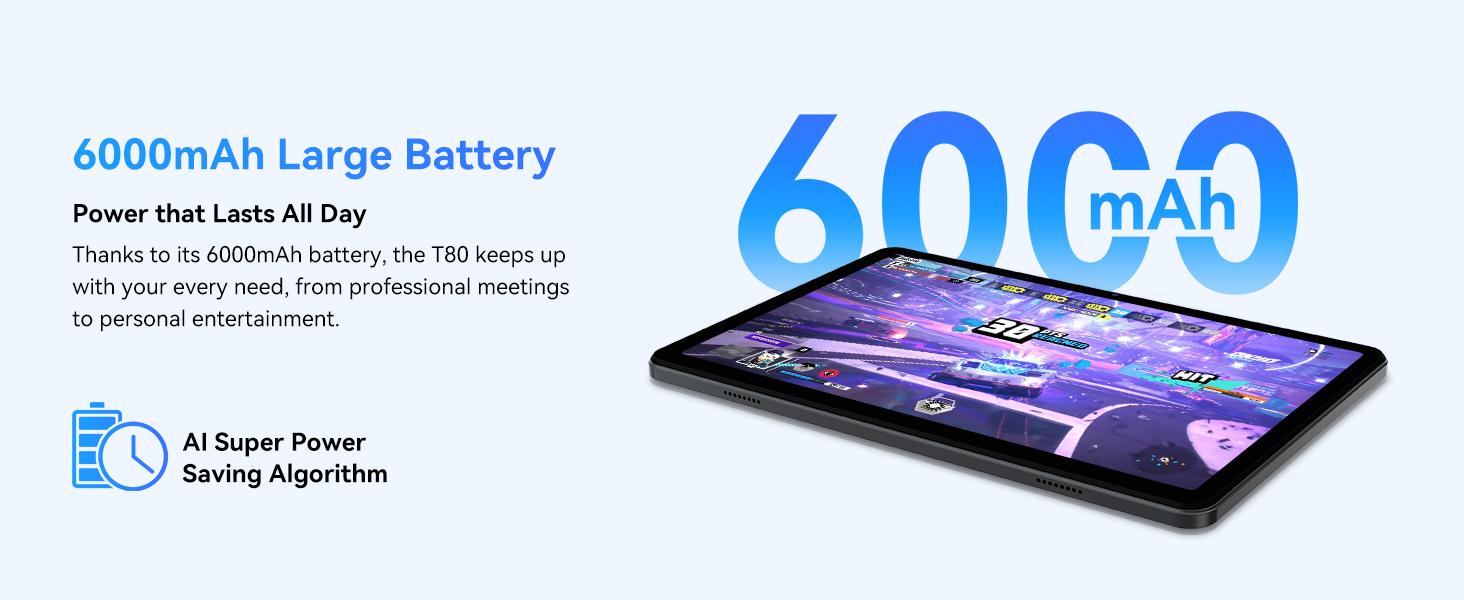
Figure 3.1: Visual representation of the split-screen functionality, allowing for efficient multitasking.
Desktop Customization and Widgets
Personalize your home screen by dragging and grouping apps freely. You can also add various widgets, such as the calendar, to quickly access information and tasks.
Video 3.2: Illustrates how to customize your desktop layout and add widgets for quick access to information.
การควบคุมความเป็นส่วนตัว
Android 15 offers enhanced privacy controls, allowing you to manage app permissions and secure your data. You can block app access to sensitive information like location.
Video 3.3: Shows how to manage privacy settings and control app access to your data on the TABWEE T80.
Parental Controls with Gemini AI
Utilize Gemini AI parental controls to manage screen time, automatically lock games during homework, and ensure a safe digital environment for children.
Figure 3.2: The Digital Wellbeing interface, demonstrating options for managing screen time and parental controls.
3.2 การแสดงผลและภาพ
The 10.5-inch HD+ IPS display provides a clear and immersive viewing experience with a 1280x800 resolution and 84.9% screen-to-body ratio. It's ideal for watching videos, browsing, and reading.

Figure 3.3: Details of the tablet's display, highlighting its resolution and IPS full view ความสามารถ
3.3 ประสิทธิภาพและการจัดเก็บ
Powered by a 2.0GHz Unisoc T310 CPU and 12GB RAM (expandable via software memory extension), the T80 ensures smooth multitasking and responsive performance. With 64GB of internal storage and support for up to 2TB TF cards, you have ampพื้นที่สำหรับทุกสิ่งของคุณ fileแอพ และสื่อ

Figure 3.4: Illustration of the tablet's processing power and memory, enabling seamless multitasking and productivity.
3.4 อายุการใช้งานแบตเตอรี่
The 6000mAh mega battery provides extended usage, offering up to 8 hours of video streaming, 6 hours of gaming, or 30 hours of music playback. Smart power-saving modes further optimize battery longevity.

Figure 3.5: Depiction of the tablet's large 6000mAh battery and its USB-C charging port.
3.5 คุณสมบัติกล้อง
The T80 features a 5MP Google Lens enabled camera. This allows for scene recognition, night mode optimization, and useful functions like text translation and object identification.

รูปที่ 3.6: โอเวอร์view of the tablet's camera and its integration with Google Lens for smart functions.
4. การบำรุงรักษา
To ensure the longevity and optimal performance of your TABWEE T80 Tablet, follow these maintenance guidelines:
- การทำความสะอาด: ใช้ผ้านุ่มไม่เป็นขุยทำความสะอาดหน้าจอและตัวเครื่อง หลีกเลี่ยงวัสดุที่มีฤทธิ์กัดกร่อนหรือสารเคมีรุนแรง
- การอัปเดตซอฟต์แวร์: ตรวจสอบและติดตั้งการอัปเดตระบบเป็นประจำ เพื่อให้ได้รับประโยชน์จากคุณสมบัติล่าสุด การแก้ไขช่องโหว่ด้านความปลอดภัย และการปรับปรุงประสิทธิภาพ
- การดูแลแบตเตอรี่ Avoid extreme temperatures. Do not let the battery fully drain frequently. For long-term storage, charge the battery to about 50%.
- การจัดการพื้นที่เก็บข้อมูล: ล้างสิ่งที่ไม่จำเป็นออกเป็นระยะๆ fileและแอปต่างๆ เพื่อเพิ่มพื้นที่จัดเก็บข้อมูลและรักษาการทำงานที่ราบรื่น
- การป้องกัน: ควรใช้เคสป้องกันและฟิล์มกันรอยเพื่อป้องกันการตกและรอยขีดข่วน
5 การแก้ไขปัญหา
ส่วนนี้จะกล่าวถึงปัญหาทั่วไปที่คุณอาจพบเจอขณะใช้งานแท็บเล็ต TABWEE T80 ของคุณ
5.1 อุปกรณ์ไม่เปิดเครื่อง
- ตรวจสอบแบตเตอรี่: Ensure the tablet has sufficient charge. Connect it to the charger and wait a few minutes before attempting to power on again.
- ฮาร์ดรีเซ็ต: Press and hold the Power button for about 10-15 seconds until the device restarts.
5.2 ปัญหาการเชื่อมต่อ Wi-Fi
- เปิด/ปิด Wi-Fi: ปิด Wi-Fi แล้วเปิดใหม่อีกครั้งในการตั้งค่า
- รีสตาร์ทเราเตอร์: ปิดและเปิดเราเตอร์ Wi-Fi ใหม่
- ลืมเครือข่าย: Go to Wi-Fi settings, forget the problematic network, and then reconnect.
5.3 ประสิทธิภาพช้า
- ปิดแอปพื้นหลัง: ปิดแอปพลิเคชันที่ไม่ได้ใช้งานซึ่งทำงานอยู่เบื้องหลัง
- ล้างแคช: Regularly clear app caches in Settings > Apps.
- เพิ่มพื้นที่เก็บข้อมูลฟรี: ลบที่ไม่จำเป็น files or uninstall rarely used apps.
- รีสตาร์ทอุปกรณ์: การรีสตาร์ทเครื่องง่ายๆ มักจะช่วยแก้ไขปัญหาความเร็วช้าชั่วคราวได้
5.4 แอปพลิเคชันหยุดทำงานหรือไม่ตอบสนอง
- บังคับหยุดแอป: Go to Settings > Apps, select the problematic app, and choose 'Force Stop'.
- Clear App Data/Cache: In the same app settings, try clearing its cache or data (note: clearing data will reset the app to its default state).
- ติดตั้งแอปใหม่อีกครั้ง: Uninstall and then reinstall the app from the Google Play Store.
6. ข้อมูลจำเพาะ
Detailed technical specifications for the TABWEE T80 Tablet:
| คุณสมบัติ | ข้อมูลจำเพาะ |
|---|---|
| ยี่ห้อ | แทบวี |
| ชื่อรุ่น | T80 |
| ระบบปฏิบัติการ | แอนดรอยด์ 15 |
| ขนาดหน้าจอ | 10.5 นิ้ว |
| ความละเอียดหน้าจอ | 1280 x 800 พิกเซล |
| โปรเซสเซอร์ | 2.0 GHz Unisoc T310 |
| หน่วยความจำ (RAM) | 12GB |
| หน่วยความจำ (ROM) | 64GB |
| พื้นที่เก็บข้อมูลแบบขยายได้ | Up to 2TB TF Card |
| หลัง Webความละเอียดของกล้อง | 5 MP |
| ประเภทไร้สาย | 802.11n, 802.11b, 802.11a, 802.11ac, 802.11g (5G WiFi) |
| บลูทูธ | บลูทูธ 5.0 |
| ความจุของแบตเตอรี่ | 6000mAh |
| อายุการใช้งานแบตเตอรี่โดยเฉลี่ย | 550 ชั่วโมง (สแตนด์บาย) |
| น้ำหนักสินค้า | 1.1 ปอนด์ (ประมาณ 523 กรัม) |
| ขนาดสินค้า | 9.5 x 6.4 x 0.3 นิ้ว |
| สี | สีเทา |
7. การรับประกันและการสนับสนุน
TABWEE is committed to quality and customer satisfaction. Your T80 Tablet comes with comprehensive support to ensure a worry-free experience.
7.1 ข้อมูลการรับประกัน
The TABWEE T80 Tablet is backed by a รับประกัน 2 ปี. This warranty covers manufacturing defects and ensures free repair service for eligible issues. Please retain your proof of purchase for warranty claims.
7.2 การสนับสนุนลูกค้า
หากมีข้อสงสัย ความช่วยเหลือด้านเทคนิค หรือการเรียกร้องการรับประกัน โปรดติดต่อทีมสนับสนุนเฉพาะของเรา:
- 24/7 Online Call Support: พร้อมให้ความช่วยเหลือทันที
- การสนับสนุนทางเทคนิคตลอดอายุการใช้งาน: Expert help whenever you need it.
- Hassle-Free Service: Assistance available through the TABWEE Official Flagship Store.
We are dedicated to providing prompt and effective solutions to all your inquiries.

Figure 7.1: Our dedicated customer support team is ready to assist you.


