การแนะนำ
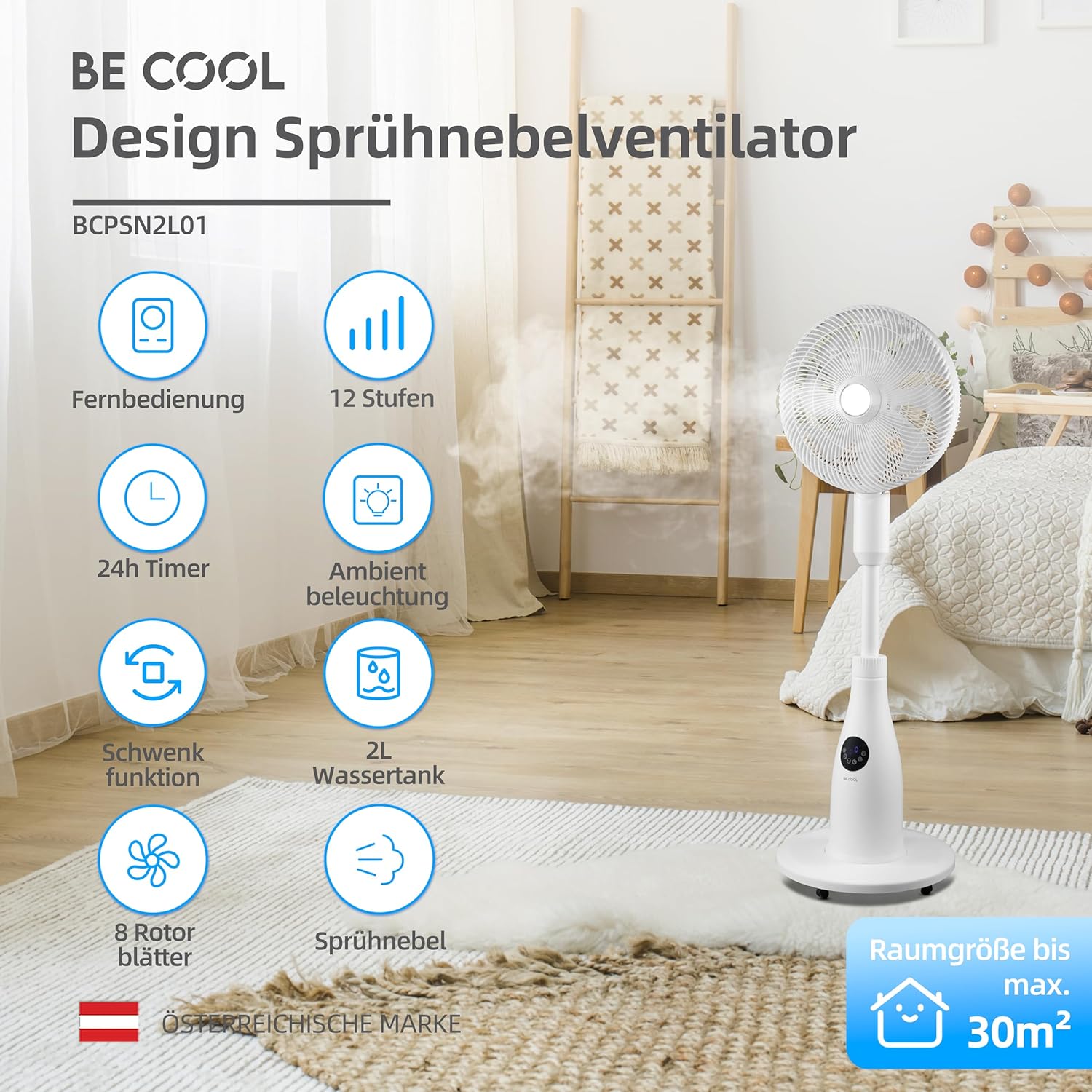
This manual provides essential information for the safe and efficient operation of your BE COOL BCPSN2L01 Pedestal Fan. Please read these instructions carefully before use and retain them for future reference. The BCPSN2L01 combines powerful airflow with an integrated mist function and ambient lighting to enhance your indoor environment.
คำแนะนำด้านความปลอดภัยที่สำคัญ
ปฏิบัติตามข้อควรระวังด้านความปลอดภัยพื้นฐานอยู่เสมอเมื่อใช้เครื่องใช้ไฟฟ้า เพื่อลดความเสี่ยงต่อการเกิดไฟไหม้ ไฟฟ้าช็อต และการบาดเจ็บ
- ตรวจสอบแหล่งจ่ายไฟ voltage ตรงกับฉลากการจัดอันดับบนเครื่องใช้
- ห้ามจุ่มพัดลม สายไฟ หรือปลั๊กลงในน้ำหรือของเหลวอื่นๆ
- ถอดปลั๊กพัดลมออกจากเต้าเสียบเมื่อไม่ได้ใช้งาน ก่อนทำความสะอาด หรือ ก่อนเคลื่อนย้าย
- เก็บพัดลมให้พ้นมือเด็กและสัตว์เลี้ยง
- ห้ามใช้พัดลมกับสายไฟหรือปลั๊กที่ชำรุด
- Avoid placing the fan near curtains or other objects that could be drawn into the fan blades.
- ห้ามสอดนิ้วหรือวัตถุอื่น ๆ เข้าไปในตะแกรงขณะที่พัดลมกำลังทำงาน
- Use the fan only on a stable, level surface.
- อย่าปิดกั้นช่องเปิดอากาศ
- Only use clean, distilled water in the water tank for the mist function.
สินค้าเกินview
The BE COOL BCPSN2L01 is a versatile pedestal fan designed to provide efficient cooling and air circulation with an integrated mist function and ambient lighting.
ส่วนประกอบ
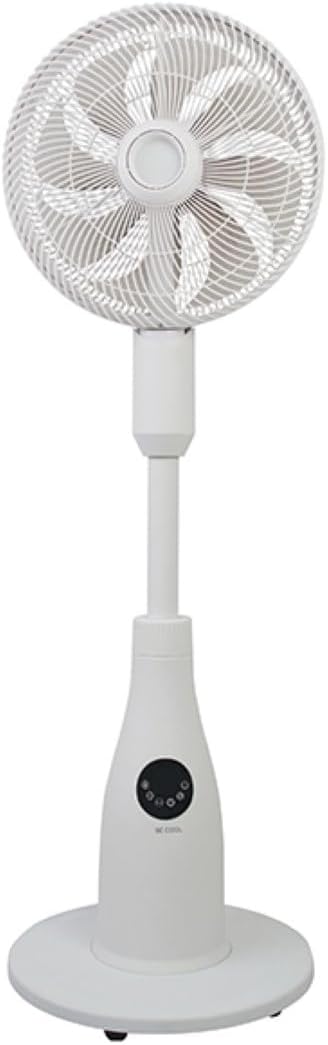
- Fan Head with Grille and Blades
- ขาตั้งปรับได้
- ฐาน
- ถังเก็บน้ำ (ความจุ 2 ลิตร)
- Control Panel (Touch-sensitive)
- รีโมทคอนโทรล
- สายไฟ
แผงควบคุมและรีโมตคอนโทรล
The fan can be operated using the touch-sensitive control panel on the unit or the included remote control.
ฟังก์ชั่นแผงควบคุม:
- ปุ่มเปิด/ปิด: เปิดหรือปิดพัดลม
- ปุ่มความเร็ว: Adjusts fan speed (12 levels).
- ปุ่มโหมด: Cycles through Normal, Nature, and Sleep modes.
- ปุ่มหมอก: Activates or deactivates the mist function.
- ปุ่มสั่น: Toggles the oscillation feature.
- ปุ่มตั้งเวลา: ตั้งค่าตัวจับเวลาปิดอัตโนมัติ (สูงสุด 24 ชั่วโมง)
- ปุ่มไฟ: Controls the ambient lighting.


คำแนะนำการตั้งค่า
การประกอบ
- แกะส่วนประกอบทั้งหมดออกจากบรรจุภัณฑ์อย่างระมัดระวัง
- Assemble the fan head, stand, and base according to the diagrams in the quick start guide (if provided separately). Ensure all connections are secure.
- วางพัดลมบนพื้นผิวที่มั่นคงและระดับเดียวกัน
การเติมน้ำลงในถังน้ำ
- Locate the water tank at the rear of the fan's base.
- Gently pull out the water tank.
- Fill the tank with clean, distilled water. Do not exceed the maximum fill line.
- Carefully reinsert the water tank into its position until it clicks securely.
- Ensure the water tank is properly seated before operating the mist function.

คำแนะนำการใช้งาน
เสียบสายไฟเข้ากับเต้ารับไฟฟ้าที่เหมาะสม
เปิด/ปิดเครื่อง
กดปุ่ม ปุ่มเปิดปิด ใช้แผงควบคุมหรือรีโมทคอนโทรลเพื่อเปิดหรือปิดพัดลม
การปรับความเร็วพัดลม
กดปุ่ม ปุ่มความเร็ว repeatedly to cycle through the 12 available fan speed levels.
การเลือกโหมดการทำงาน
กดปุ่ม ปุ่มโหมด to switch between the following modes:
- โหมดปกติ: ให้การไหลเวียนของอากาศคงที่ตามความเร็วที่เลือก
- โหมดธรรมชาติ: Simulates natural breezes by varying fan speed intermittently.
- โหมดสลีป: Operates at a lower, quieter speed with reduced display brightness for undisturbed rest.

Activating Mist Function
Ensure the water tank is filled. Press the ปุ่มหมอก to activate or deactivate the refreshing mist function.
Using Oscillation
กดปุ่ม ปุ่มสั่น to start or stop the fan's oscillation, which distributes air across a wider area.

การตั้งเวลา
กดปุ่ม ปุ่มจับเวลา repeatedly to set the desired auto-off time, from 1 to 24 hours. The fan will automatically turn off after the set duration.
แสงไฟรอบข้าง
กดปุ่ม ปุ่มไฟ to turn the ambient lighting on or off. This feature provides a soft glow, particularly useful in Sleep Mode.
การบำรุงรักษาและการทำความสะอาด
การทำความสะอาดอย่างสม่ำเสมอจะช่วยรักษาประสิทธิภาพการทำงานของพัดลมและยืดอายุการใช้งาน ควรถอดปลั๊กพัดลมทุกครั้งก่อนทำความสะอาด
การทำความสะอาดภายนอก
เช็ดพื้นผิวภายนอกของพัดลมด้วยผ้านุ่มๆamp ผ้า ห้ามใช้สารทำความสะอาดที่มีฤทธิ์กัดกร่อนหรือตัวทำละลาย
การทำความสะอาดถังเก็บน้ำ
- ถอดถังน้ำออกจากเครื่อง
- เทน้ำที่เหลือออกให้หมด
- Rinse the tank thoroughly with clean water. For deeper cleaning, use a mild detergent and a soft brush, then rinse completely.
- Allow the tank to air dry before refilling and reinserting.
Cleaning Fan Blades and Grille
Periodically, dust may accumulate on the fan blades and inside the grille. Refer to the product's specific instructions for safely removing the front grille to clean the blades. Use a soft cloth or vacuum cleaner with a brush attachment to remove dust.
การแก้ไขปัญหา
หากคุณพบปัญหาเกี่ยวกับพัดลม โปรดดูปัญหาและวิธีแก้ไขที่พบบ่อยต่อไปนี้:
- พัดลมไม่เปิด:
- ตรวจสอบให้แน่ใจว่าสายไฟเสียบเข้ากับเต้ารับไฟฟ้าที่ใช้งานได้แน่นดี
- ตรวจสอบว่าได้กดปุ่มเปิด/ปิดหรือไม่
- Verify there is no power outagอีในพื้นที่ของคุณ
- Mist function is not working:
- ตรวจสอบว่าถังเก็บน้ำมีน้ำเต็มหรือไม่
- ตรวจสอบให้แน่ใจว่าถังเก็บน้ำติดตั้งเข้ากับตัวเครื่องอย่างถูกต้อง
- Clean the mist nozzle if it appears blocked.
- พัดลมมีเสียงดัง:
- ตรวจสอบให้แน่ใจว่าได้วางพัดลมไว้บนพื้นผิวที่มั่นคงและเรียบเสมอกัน
- Check for any obstructions around the fan blades or grille.
- Dust accumulation on blades can cause imbalance; clean the blades if necessary.
- รีโมทคอนโทรลไม่ตอบสนอง:
- Check and replace the battery (1 CR2 battery included).
- Ensure there are no obstructions between the remote and the fan's receiver.
ข้อมูลจำเพาะ
| คุณสมบัติ | ข้อมูลจำเพาะ |
|---|---|
| ยี่ห้อ | ใจเย็นๆ |
| หมายเลขรุ่น | บีซีพีเอสเอ็น2แอล01 |
| พลัง | 80 วัตต์ |
| เล่มที่tage | 230 โวลต์ (AC) |
| ความจุการไหลเวียนของอากาศ | 1500 ม³/ชม. |
| ความจุถังน้ำ | 2 ลิตร |
| อัตราการระเหย | 0.25 L/h (approx.) |
| จำนวนความเร็ว | 12 |
| การสั่น | ใช่ |
| ตัวจับเวลา | นานถึง 24 ชั่วโมง |
| รีโมทคอนโทรล | ใช่ (รวมแบตเตอรี่ CR1 2 ก้อน) |
| ขนาดสินค้า (ลึก x กว้าง x สูง) | 42.9 x 42.9 x 114.5 ซม. |
| น้ำหนักสินค้า | 6.9 กิโลกรัม |
| ขนาดห้องที่แนะนำ | มากถึง 30 m² |

การรับประกันและการสนับสนุน
For warranty information, please refer to the documentation provided at the time of purchase or contact your retailer. For technical support or service inquiries, please contact the manufacturer's customer service department.
ผู้ผลิต: ใจเย็น


