1. บทนำ
The Lamzu Inca Gaming Mouse is engineered for competitive gaming, featuring an ultra-lightweight design, high-precision sensor, and advanced connectivity options. This manual provides essential information for setting up, operating, maintaining, and troubleshooting your Lamzu Inca mouse to ensure optimal performance.
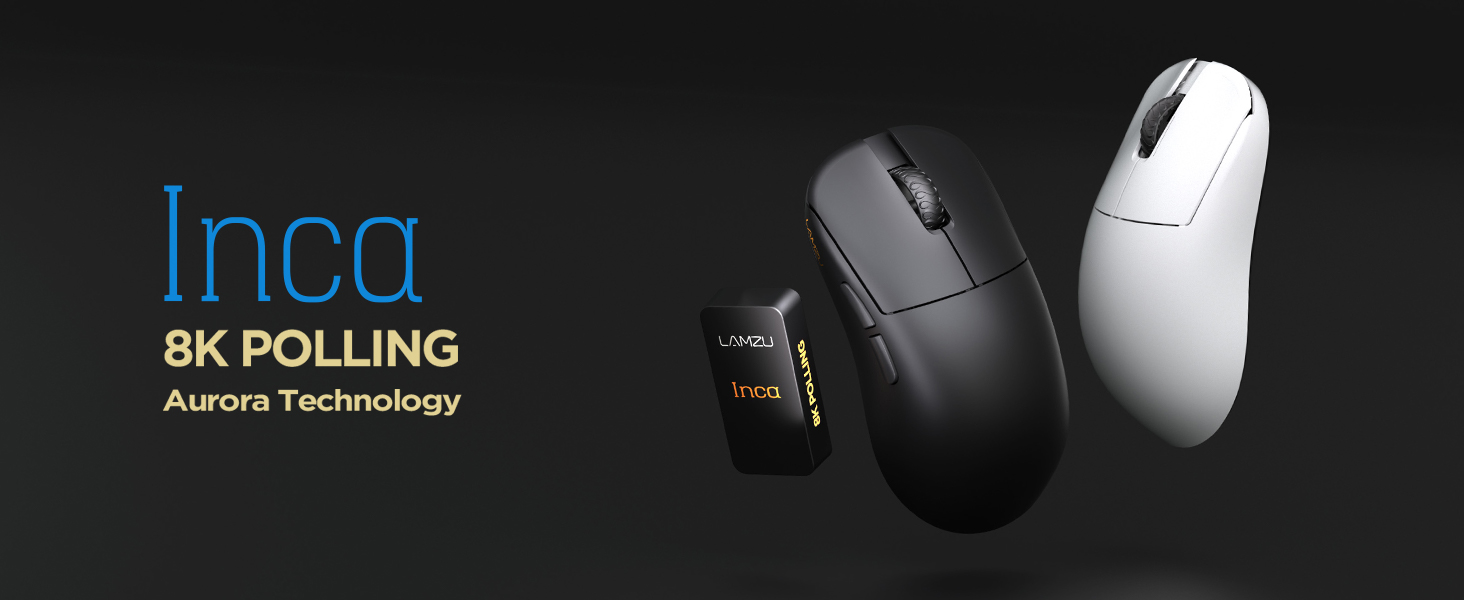
Image: The Lamzu Inca Gaming Mouse, highlighting its 8K Polling Rate and Aurora Technology.

ภาพ: เหนือview of key features including Pixart 3950 sensor, 40g weight, Aurora Technology, 8K Polling, Dual Mode connectivity, and Nordic 52840 MCU.
2. เนื้อหาบรรจุภัณฑ์
โปรดตรวจสอบให้แน่ใจว่ามีสินค้าทั้งหมดอยู่ในแพ็คเกจ:
- Lamzu Inca Gaming Mouse (Black)
- 8K Polling Rate Dongle
- สาย USB Type-C (1.8 เมตร)
- PTFE Feet (x2 sets)
- กระเป๋าผ้ากำมะหยี่
- เทปจับเมาส์
3. การตั้งค่า
3.1 การเชื่อมต่อเมาส์
The Lamzu Inca mouse supports both 2.4GHz wireless and wired connectivity.
Wireless Mode (2.4GHz)
- Locate the 8K Polling Rate Dongle included in your package.
- Plug the 8K dongle into an available USB port on your computer.
- เปิดใช้งานเมาส์โดยใช้สวิตช์เปิด/ปิดที่อยู่ด้านล่างของเมาส์
- The mouse should automatically connect to the dongle. If not, refer to the pairing instructions in the software section.

Image: The Lamzu Inca mouse with its 8K dongle, illustrating the bottom view of the mouse where the sensor and power switch are located.
โหมดใช้สาย
- Connect the provided USB Type-C cable to the front port of the Lamzu Inca mouse.
- เสียบปลายอีกด้านของสาย USB เข้ากับพอร์ต USB ที่มีอยู่ในคอมพิวเตอร์ของคุณ
- เมาส์จะใช้งานได้ทั้งในโหมดเสียบสายและชาร์จแบตเตอรี่ภายในตัวไปพร้อมกัน

ภาพ: ด้านหน้า view of the Lamzu Inca mouse, clearly showing the USB-C port for wired connection and charging.

Image: Diagram illustrating the dual connectivity modes: 2.4G Wireless and Wired (Type-C).
3.2 Software Installation (LAMZU Aurora Driver)
To unlock the full customization potential of your Lamzu Inca mouse, download and install the LAMZU Aurora driver from the official Lamzu webเว็บไซต์.
- The software allows adjustments for DPI, polling rate, debounce time, macro settings, and more.
- หมายเหตุสำหรับผู้ใช้ macOS: To use the Aurora driver on macOS, you must first update the firmware to version 0.0.0.15 or later using a Windows system.

Image: Screenshot of the LAMZU Aurora driver interface, showing options for macro settings, button customization, DPI, polling rate, and debounce time.
4. การใช้งานเมาส์
4.1 ฟังก์ชันปุ่ม
The Lamzu Inca is a 6-button gaming mouse:
- คลิกซ้าย: การดำเนินการหลัก
- คลิกขวา: การดำเนินการรอง
- ล้อเลื่อน: เลื่อนขึ้น/ลง คลิกตรงกลาง
- ปุ่ม DPI: หมุนเวียนผ่าน DPI ที่ตั้งไว้ล่วงหน้าtages (customizable via software).
- ปุ่มไปข้างหน้า: Navigational forward.
- ปุ่มย้อนกลับ: Navigational back.
- สวิตช์เปิด/ปิด: Located on the bottom of the mouse to power on or off.

Image: A detailed diagram labeling all buttons on the Lamzu Inca gaming mouse, including Left, Right, Scroll Wheel, DPI, Forward, Back, and On/Off switch.
4.2 การปรับ DPI
The Lamzu Inca features a PixArt PAW3950 sensor capable of up to 30,000 DPI. DPI settings can be customized and adjusted using the LAMZU Aurora driver. The dedicated DPI button on the mouse allows for quick cycling through your configured DPI profiles.

ภาพ: ด้านล่าง view of the Lamzu Inca mouse, emphasizing its maximum 30,000 DPI capability and the sensor area.
4.3 อัตราการสำรวจความคิดเห็น
The mouse supports an 8K polling rate, ensuring faster and more accurate responses, particularly beneficial in fast-paced games. The polling rate can be configured via the LAMZU Aurora driver.

Image: The Lamzu Inca mouse connected to its 8K dongle, demonstrating the smooth tracking achieved with an 8K polling rate.
4.4 Recommended Grip Style
The Lamzu Inca features a symmetrical high-back design, making it suitable for various grip styles. It is particularly recommended for claw-grip gamers.
- For hand length ≤ 18cm: Palm grip (extended), Claw grip (inward), Fingertip grip.
- For hand length ≥ 18cm: Fingertip grip, Claw grip (extended), Hybrid grip.
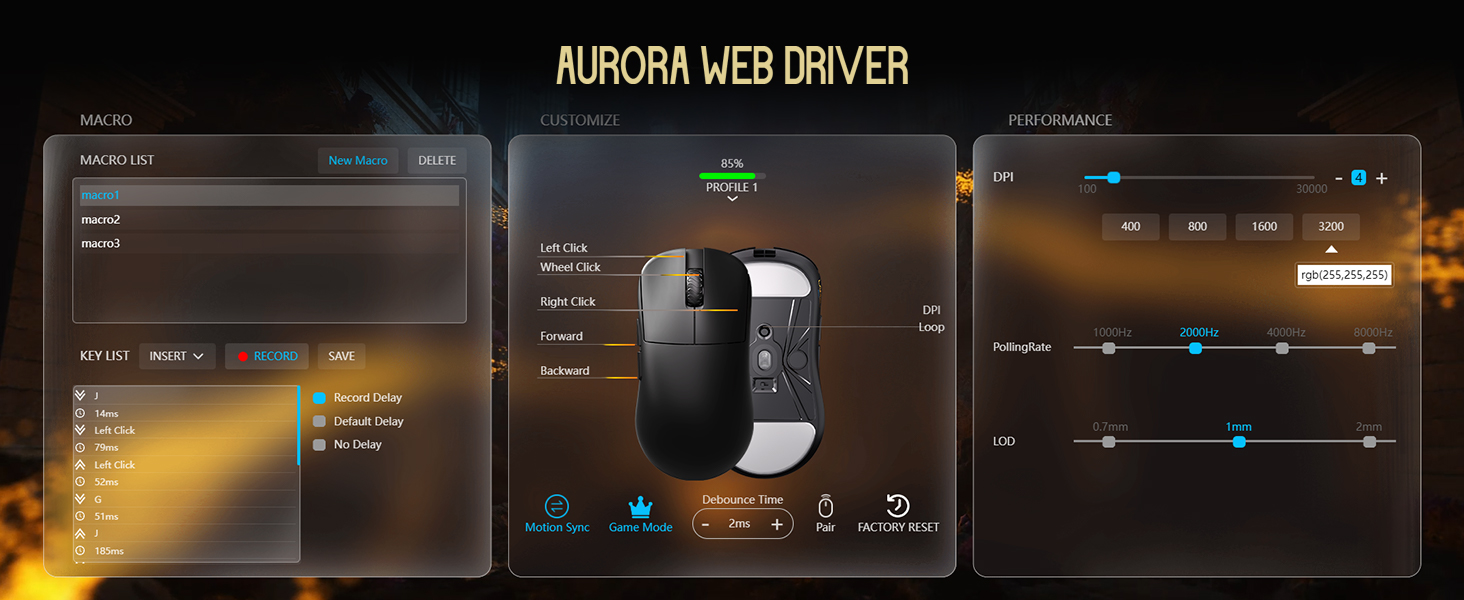
Image: Illustrations of common mouse grip methods (Palm Grip, Claw Grip, Fingertip Grip), indicating the Lamzu Inca's suitability for claw grip.
5. การบำรุงรักษา
5.1 การทำความสะอาด
- Regularly clean the mouse surface with a soft, dry cloth.
- สำหรับสิ่งสกปรกฝังแน่น ให้เช็ดออกเล็กน้อยampเทน้ำหรือน้ำยาทำความสะอาดอ่อนๆ ลงบนผ้า แล้วเช็ดให้แห้งทันที
- หลีกเลี่ยงการใช้สารเคมีรุนแรงหรือวัสดุที่มีฤทธิ์กัดกร่อน เนื่องจากอาจทำให้สีเคลือบของเมาส์เสียหายได้
- Clean the sensor area on the bottom of the mouse periodically to ensure accurate tracking.
5.2 การดูแลแบตเตอรี่
- The mouse uses a nonstandard battery (included).
- ชาร์จเมาส์โดยใช้สาย USB Type-C ที่ให้มา
- หลีกเลี่ยงการปล่อยแบตเตอรี่จนหมดบ่อยครั้งเพื่อยืดอายุการใช้งาน
- เก็บเมาส์ไว้ในที่แห้งและเย็นเมื่อไม่ได้ใช้งานเป็นเวลานาน
6 การแก้ไขปัญหา
6.1 เมาส์ไม่ตอบสนอง
- ตรวจสอบพลังงาน: Ensure the mouse is turned on using the switch on the bottom.
- ตรวจสอบแบตเตอรี่: If in wireless mode, ensure the battery is charged. Connect the USB-C cable to charge.
- ตรวจสอบการเชื่อมต่อ: For wireless, ensure the 8K dongle is securely plugged into a USB port. For wired, ensure the USB-C cable is firmly connected to both the mouse and the computer.
- ลองใช้พอร์ต USB อื่น: Plug the dongle or cable into a different USB port on your computer.
- Re-pair (Wireless): If connection is lost, use the LAMZU Aurora driver to re-pair the mouse with the dongle.
6.2 Sensor Stutter or Inaccurate Tracking
- เซ็นเซอร์ทำความสะอาด: ตรวจสอบให้แน่ใจว่าเซ็นเซอร์ออปติคัลที่ด้านล่างของเมาส์สะอาดและไม่มีฝุ่นหรือเศษต่างๆ
- พื้นผิวแผ่นรองเมาส์: Use the mouse on a clean, uniform mouse pad surface. Avoid highly reflective or uneven surfaces.
- Polling Rate/DPI Settings: Adjust polling rate and DPI settings in the Aurora driver. Sometimes very high polling rates can cause issues on older systems or with certain USB controllers.
- อัพเดตเฟิร์มแวร์: Ensure your mouse firmware is up to date via the LAMZU Aurora driver.
6.3 ซอฟต์แวร์ตรวจไม่พบเมาส์
- ติดตั้งไดรเวอร์ใหม่: Uninstall and reinstall the LAMZU Aurora driver.
- ตรวจสอบการเชื่อมต่อ USB: Ensure the mouse is connected directly to the computer, not through a USB hub.
- รีสตาร์ทคอมพิวเตอร์: A system restart can often resolve software detection issues.
- macOS Firmware: If on macOS, ensure the firmware has been updated on a Windows system as required.
7. ข้อมูลจำเพาะ
| คุณสมบัติ | รายละเอียด |
|---|---|
| รุ่นสินค้า | LA-INCA |
| ขนาดสินค้า | 122 × 63 × 40mm (4.8 x 2.48 x 0.1 inches) |
| น้ำหนักสินค้า | 40 กรัม (1.41 ออนซ์) |
| เซนเซอร์IC | พิกอาร์ต PAW3950 |
| DPI สูงสุด | 30,000 จุดต่อนิ้ว |
| มหาเทพ | Nordic 52840 |
| อัตราการสำรวจความคิดเห็น | สูงสุด 8K (8000Hz) |
| การเชื่อมต่อ | 2.4GHz Wireless, USB Wired (Type-C) |
| สวิตซ์ | Optical Switches (70 million clicks durability) |
| ตัวเข้ารหัส | TTC Gold Dustproof Encoder |
| คุณสมบัติพิเศษ | Ultra-Lightweight, Symmetrical High-Hump Design |
| แบตเตอรี่ | แบตเตอรี่ที่ไม่ได้มาตรฐาน 1 ก้อน (รวมอยู่ด้วย) |
| สี | สีดำ |

Image: Detailed diagram showing the dimensions of the Lamzu Inca mouse and a summary of its key specifications.
7.1 Component Highlights
- Pixart 3950 Sensor: เซ็นเซอร์แสงความแม่นยำสูงสำหรับการติดตามที่แม่นยำ
- Nordic 52840 MCU: Advanced microcontroller for efficient performance and improved battery life.
- สวิตช์แบบออปติคอล: Provide tactile feedback, ultra-fast actuation, and enhanced durability.
- TTC Encoder: Features a five-layer dustproof structure for improved longevity and scroll wheel reliability.

ภาพ: ระยะใกล้ view of the Pixart 3950 sensor IC, a core component for precise mouse tracking.

ภาพ: ระยะใกล้ view of the Nordic 52840 MCU, highlighting its role in advanced mouse functionality and 8K polling rate compatibility.

ภาพ: โปร่งใส view illustrating the internal mechanism of the optical switches, designed for optimized click feel and to prevent double clicks.

ภาพ: ระยะใกล้ view of the TTC Encoder, responsible for the scroll wheel's precise and durable operation.
8. การรับประกันและการสนับสนุน
For warranty information, technical support, and frequently asked questions, please visit the official Lamzu website or contact Lamzu customer service directly. Keep your proof of purchase for warranty claims.
ผู้ผลิต: ลัมซู
วันที่เข้าใช้งานครั้งแรก: 12 มีนาคม 2025


