การแนะนำ
This manual provides essential information for the proper setup, operation, and maintenance of your RAPIQUE R306C USB C Wireless Mouse. Please read these instructions carefully before using the product to ensure optimal performance and longevity.
เนื้อหาแพ็คเกจ
- RAPIQUE R306C Wireless Mouse x 1
- ตัวรับสัญญาณ USB-C x 1
- คู่มือการใช้งาน x 1
สินค้าเกินview
The RAPIQUE R306C is an ultra-slim, portable 2.4GHz wireless mouse designed for modern USB-C devices. It features silent clicks, a smooth scroll wheel, and adjustable DPI settings for precise control.

Image: The RAPIQUE R306C USB C Wireless Mouse, showcasing its sleek, minimalist design in white, alongside its compact USB-C receiver.
คุณสมบัติหลัก:
- การออกแบบเพรียวบางและเรียบง่าย: Streamlined shape with a premium finish, high-gloss top buttons, and a matte metallic base.
- Silent Click & Smooth Scroll: Enjoy low-noise clicks and a soft, silent scroll wheel for focused work environments. Note: The mouse wheel scrolls vertically only.
- Ultra-Slim and Portable: Compact and lightweight, ideal for travel and mobile use.
- DPI ที่ปรับได้: Easily switch between 800 / 1200 / 1600 DPI for precise tracking.
- อายุการใช้งานแบตเตอรี่ยาวนาน: Powered by one AA battery (not included), offering up to 480 hours of use with smart auto-sleep mode.
- เข้ากันได้สากล: Works seamlessly with USB-C devices including MacBook Air/Pro, Mac, iPad Pro/Air, Android tablets, and other modern computers.
คู่มือการติดตั้ง
1. ติดตั้งแบตเตอรี่
- Gently slide off the top cover of the mouse to reveal the battery compartment.
- ใส่แบตเตอรี่ AA หนึ่งก้อน (ไม่ได้รวมอยู่ในชุด) ลงในช่องใส่แบตเตอรี่ โดยตรวจสอบให้แน่ใจว่าขั้วบวก/ลบถูกต้อง
- ใส่ฝาครอบด้านบนกลับเข้าไปโดยให้แน่ใจว่าล็อคเข้าที่อย่างแน่นหนา
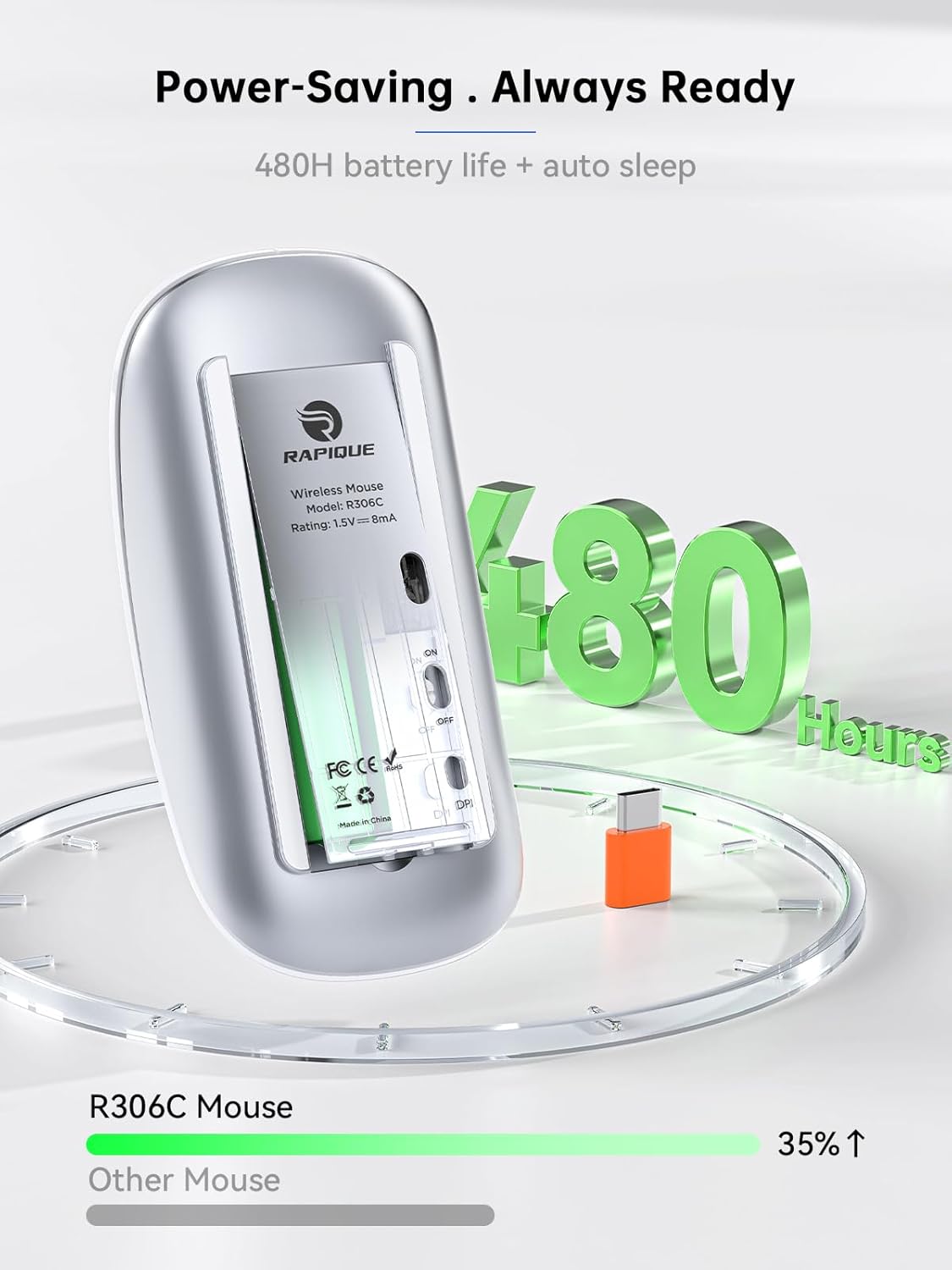
Image: The underside of the RAPIQUE R306C mouse with the battery cover removed, showing the AA battery slot and the USB-C receiver storage.
2. Connect USB-C Receiver
- Locate the USB-C receiver, typically stored within the mouse's battery compartment or packaged separately.
- Plug the USB-C receiver directly into an available USB-C port on your laptop, MacBook, iPad, or other compatible device.

Image: The RAPIQUE R306C mouse positioned next to a laptop, with its orange USB-C receiver visibly plugged into the laptop's USB-C port, illustrating a plug-and-play connection.
3. เปิดเครื่อง
- Flip the ON/OFF switch located on the underside of the mouse to the "ON" position.
- The mouse should automatically connect to your device. No additional drivers are typically required for most operating systems.
คำแนะนำการใช้งาน
ฟังก์ชั่นพื้นฐาน
- คลิกซ้าย: กดปุ่มด้านซ้าย
- คลิกขวา: กดปุ่มด้านขวา
- เลื่อน: Roll the scroll wheel up or down to navigate vertically.
การปรับ DPI
The mouse features a DPI button on its underside, allowing you to adjust tracking sensitivity.
- กดปุ่ม ปุ่ม DPI once to cycle through the available DPI settings (800 / 1200 / 1600 DPI).
- Select the DPI setting that best suits your task for optimal cursor speed and precision.
โหมดสลีปอัตโนมัติ
เพื่อประหยัดพลังงานแบตเตอรี่ เมาส์จะเข้าสู่โหมดพักการทำงานโดยอัตโนมัติหลังจากไม่มีการใช้งานเป็นระยะเวลาหนึ่ง หากต้องการปลุกเมาส์ ให้ขยับเมาส์หรือคลิกปุ่มใดก็ได้
การซ่อมบำรุง
การเปลี่ยนแบตเตอรี่
When the mouse performance degrades or stops responding, it may be time to replace the AA battery. Follow the battery installation steps in the Setup Guide.
การทำความสะอาด
To clean your mouse, use a soft, dry cloth. Avoid using harsh chemicals or abrasive materials, as these may damage the surface.
การแก้ไขปัญหา
- เมาส์ไม่ตอบสนอง:
- ตรวจสอบให้แน่ใจว่าเมาส์เปิดใช้งานอยู่
- Check if the USB-C receiver is securely plugged into your device.
- Replace the AA battery if it is low or depleted.
- Try plugging the USB-C receiver into a different port on your device.
- การเชื่อมต่อไม่ต่อเนื่อง:
- ตรวจสอบให้แน่ใจว่าเมาส์อยู่ภายในระยะการใช้งาน 10 เมตรของตัวรับ
- Avoid obstructions between the mouse and the receiver.
- ลดการรบกวนจากอุปกรณ์ไร้สาย 2.4GHz อื่นๆ
- การเคลื่อนที่ของเคอร์เซอร์ผิดปกติหรือช้า:
- Adjust the DPI setting using the DPI button on the underside of the mouse.
- โปรดตรวจสอบให้แน่ใจว่าได้ใช้เมาส์บนพื้นผิวที่สะอาดและไม่สะท้อนแสง
ข้อมูลจำเพาะ
| คุณสมบัติ | รายละเอียด |
|---|---|
| หมายเลขรุ่น | R306C |
| เทคโนโลยีการเชื่อมต่อ | 2.4GHz Wireless (USB-C Receiver) |
| การตรวจจับการเคลื่อนไหว | ออฟติคอล |
| การตั้งค่า DPI | 800 / 1200 / 1600 |
| ประเภทแบตเตอรี่ | แบตเตอรี่ AA 1 ก้อน (ไม่รวม) |
| อายุการใช้งานแบตเตอรี่ | ใช้งานได้นานสูงสุด 480 ชั่วโมง (อาจแตกต่างกันไปขึ้นอยู่กับการใช้งาน) |
| ระยะการทำงาน | สูงสุด 10 เมตร |
| ขนาด | 4.5 x 2.3 x 0.98 นิ้ว (โดยประมาณ) |
| น้ำหนัก | 2.29 ออนซ์ |
การรับประกันและการสนับสนุน
For warranty information and customer support, please refer to the documentation included with your purchase or visit the official RAPIQUE webไซต์ เก็บหลักฐานการซื้อของคุณไว้เพื่อใช้ในกรณีเรียกร้องการรับประกัน


