1. บทนำ
Welcome to the user manual for your new Apple 13-inch iPad Air (M3). This guide provides essential information to help you set up, operate, maintain, and troubleshoot your device. The iPad Air (M3) is a powerful and versatile tablet, featuring the M3 chip for exceptional performance, a stunning Liquid Retina display, Touch ID for secure authentication, advanced cameras, and a USB-C connector. It supports ultra-fast Wi-Fi 6E for seamless connectivity.

ภาพที่ 1: ด้านหน้า view of the Apple 13-inch iPad Air (M3).
2. สิ่งที่รวมอยู่
Your iPad Air package typically includes the following items:
- Apple 13-inch iPad Air (M3)
- สายชาร์จ USB-C
- อะแดปเตอร์แปลงไฟ USB-C 20W

Image 2: The iPad Air (M3) and its included accessories: a USB-C charge cable and a 20W USB-C power adapter.
3. การตั้งค่า
3.1 การเปิดเครื่องและการกำหนดค่าเริ่มต้น
- เปิดเครื่อง: กดปุ่มด้านบนค้างไว้จนกระทั่งโลโก้ Apple ปรากฏขึ้น
- ปฏิบัติตามคำแนะนำบนหน้าจอ: Your iPad will guide you through the initial setup process, including selecting your language and region, connecting to a Wi-Fi network, and setting up Touch ID.
- แอปเปิลไอดี: Sign in with your Apple ID or create a new one. Your Apple ID is essential for accessing services like the App Store, iCloud, and Messages.
3.2 Charging Your iPad Air
To charge your iPad Air, connect the included USB-C Charge Cable to the USB-C port on your iPad and the other end to the 20W USB-C Power Adapter. Plug the power adapter into a wall outlet. The battery icon in the status bar will indicate charging status.
3.3 การเชื่อมต่ออุปกรณ์เสริม
The iPad Air (M3) supports various accessories to enhance your experience, including the Apple Pencil Pro and Magic Keyboard.
- แอปเปิ้ล ดินสอ โปร: For drawing, note-taking, and marking up documents. Pair it by attaching it magnetically to the side of your iPad.
- คีย์บอร์ดมหัศจรรย์: Provides a comfortable typing experience with a built-in trackpad. Attach your iPad magnetically to the Magic Keyboard for instant connection and power.
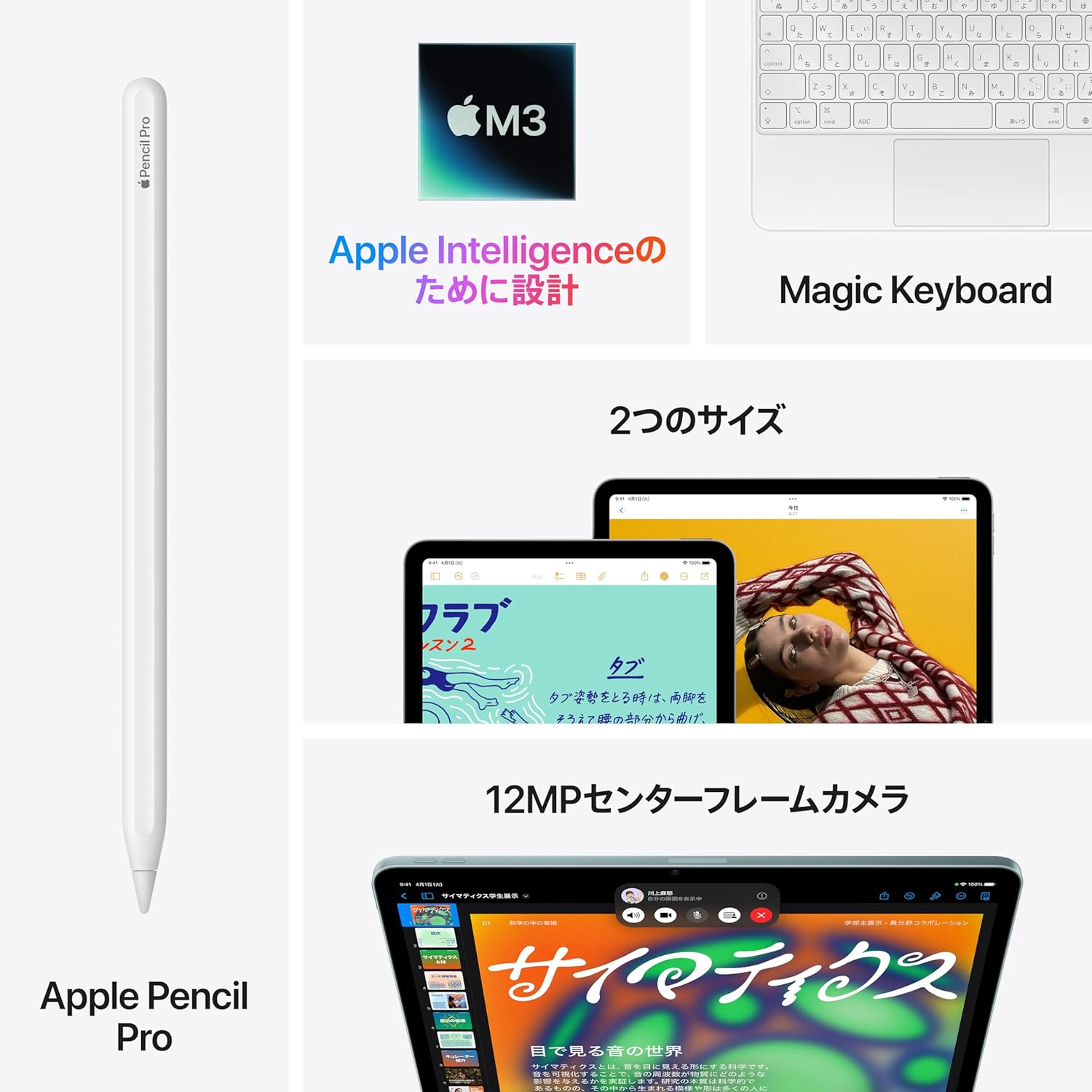
Image 3: The iPad Air (M3) supports accessories like the Apple Pencil Pro and Magic Keyboard, powered by the M3 chip.
4. การใช้งาน iPad Air ของคุณ
4.1 การนำทาง iPadOS
iPadOS offers an intuitive interface designed for touch. Use gestures to navigate:
- หน้าจอหลัก: ปัดขึ้นจากขอบด้านล่างของหน้าจอ
- ตัวสลับแอป: ปัดขึ้นจากขอบล่างและหยุดตรงกลางหน้าจอ
- ศูนย์ควบคุม: ปัดลงจากมุมบนขวา
- Multitasking with Stagผู้จัดการฝ่ายอิเล็กทรอนิกส์: Resize app windows, overlap multiple apps, and connect to an external display for enhanced productivity.
4.2 แอปเปิล อินเทลลิเจนซ์
The M3 chip in your iPad Air is designed for Apple Intelligence, a personal intelligence system that assists you with various tasks. It helps you write text, express yourself, and complete tasks more easily. Apple Intelligence is built with groundbreaking privacy protection, ensuring your data remains private and inaccessible to others, including Apple.

ภาพที่ 4: อดีตample of Apple Intelligence features on the iPad Air screen, assisting with note-taking and organization.
4.3 ฟังก์ชันกล้อง
Your iPad Air is equipped with advanced cameras:
- 12MP Center Stagกล้องหน้า: Ideal for video calls, ensuring you stay centered in the frame, and for taking high-quality selfies.
- กล้องหลังมุมกว้าง 12MP: Perfect for scanning documents, capturing detailed photos, and shooting stunning 4K video.
4.4 ทัชไอดี
Touch ID is integrated into the top button of your iPad Air, providing a secure and convenient way to:
- Unlock your iPad Air.
- Sign into apps.
- Make secure purchases with Apple Pay using your fingerprint.
4.5 การเชื่อมต่อ
The iPad Air (M3) offers robust connectivity options:
- ไวไฟ 6E: Provides ultra-fast wireless connections for quick downloads, streaming, and online activities.
- ขั้วต่อ USB-C: Use the USB-C port to connect to external displays, storage devices, and other peripherals.

Image 5: A user interacting with the iPad Air (M3) and Apple Pencil, demonstrating its portability and versatility.
5. การดูแลรักษา
Proper care ensures the longevity and optimal performance of your iPad Air.
- การทำความสะอาด: ใช้ผ้านุ่มไม่เป็นขุยทำความสะอาดหน้าจอและภายนอก หลีกเลี่ยงวัสดุที่มีฤทธิ์กัดกร่อนหรือสารเคมีรุนแรง
- การเพิ่มประสิทธิภาพแบตเตอรี่: To maximize battery life, keep your iPad Air updated with the latest iPadOS version. Avoid extreme temperatures and enable Optimized Battery Charging in settings.
- การอัปเดตซอฟต์แวร์: Regularly check for and install iPadOS updates to ensure you have the latest features, security enhancements, and performance improvements. Go to Settings > General > Software Update.
- การจัดการพื้นที่เก็บข้อมูล: รีเป็นระยะๆview and manage your storage to free up space. Delete unused apps, photos, and videos.
6 การแก้ไขปัญหา
If you encounter issues with your iPad Air, try these common troubleshooting steps:
- อุปกรณ์ไม่ตอบสนอง: If your iPad is frozen or unresponsive, force restart it. Press and quickly release the Volume Up button, press and quickly release the Volume Down button, then press and hold the Top button until the Apple logo appears.
- ปัญหา Wi-Fi: If you cannot connect to Wi-Fi, try turning Wi-Fi off and on again in Control Center or Settings. Restart your router.
- แอปไม่ตอบสนอง: Force quit the app by swiping up from the bottom of the screen to open the App Switcher, then swipe the problematic app's card up and off the screen. Reopen the app.
- แบตเตอรี่หมดเร็ว: ตรวจสอบการใช้งานแบตเตอรี่ใน การตั้งค่า > แบตเตอรี่ เพื่อระบุแอปที่ใช้พลังงานมาก ปรับการตั้งค่าหรือจำกัดการทำงานเบื้องหลังของแอปเหล่านั้น
- ข้อบกพร่องของซอฟต์แวร์: Ensure your iPadOS is up to date. If problems persist, consider backing up your data and restoring your iPad to factory settings.
7. ข้อมูลจำเพาะทางเทคนิค
| คุณสมบัติ | ข้อมูลจำเพาะ |
|---|---|
| ชื่อรุ่น | ไอแพดแอร์ M3 |
| ขนาดจอแสดงผล | 13 inches Liquid Retina Display with P3 wide color, True Tone, and anti-reflective coating |
| โปรเซสเซอร์ | ชิป Apple M3 |
| ระบบปฏิบัติการ | ไอแพดโอเอส |
| ตัวเลือกการจัดเก็บข้อมูล | 128GB, 256GB, 512GB, 1TB |
| กล้องถ่ายรูป | 12MP Wide back camera, 12MP Center Stagกล้องหน้า |
| การเชื่อมต่อ | Wi-Fi 6E, Bluetooth 5.3, USB-C |
| ความปลอดภัย | Touch ID (integrated into top button) |
| อายุการใช้งานแบตเตอรี่ | ท่องเว็บได้นานถึง 10 ชั่วโมง web ผ่าน Wi-Fi หรือกำลังดูวิดีโอ |
8. การรับประกันและการสนับสนุน
Your Apple 13-inch iPad Air (M3) comes with a standard limited warranty provided by Apple. For detailed information regarding warranty coverage, terms, and conditions, please refer to the documentation included with your product or visit the official Apple webเว็บไซต์.
แอปเปิ้ลแคร์+: Extended service and support options, including accidental damage coverage, are available through AppleCare+. You can purchase AppleCare+ separately to extend your coverage.
สำหรับความช่วยเหลือด้านเทคนิค บริการ และแหล่งข้อมูลเพิ่มเติม โปรดเยี่ยมชมเว็บไซต์อย่างเป็นทางการของ Apple Support webเว็บไซต์: support.apple.com/ipad


