1. บทนำ
The SINGMOOD S100 Portable Karaoke Machine is an all-in-one entertainment system designed for superior audio and visual performance. Featuring a 14.1-inch touchscreen, dual wireless UHF microphones, and a powerful 1000W Bluetooth PA speaker, this machine offers a seamless karaoke experience. Its advanced internal components ensure smooth operation and high-fidelity sound, making it ideal for various settings from home entertainment to outdoor gatherings.

Figure 1: The SINGMOOD S100 Portable Karaoke Machine with its two wireless microphones.
2. สิ่งที่รวมอยู่
Upon unboxing your SINGMOOD S100, please verify that all the following components are present:
- S-100 เครื่องคาราโอเกะ
- 2x UHF Microphones
- 2x Microphone Battery
- อะแดปเตอร์
- คู่มือการใช้งาน (เอกสารนี้)

Figure 2: Visual representation of the contents included in the product package.
3. คุณสมบัติหลัก
The SINGMOOD S100 is equipped with several advanced features to enhance your karaoke and entertainment experience:
- จอแสดงผลระบบสัมผัสขนาด 14.1 นิ้ว: A vibrant display for lyrics, video streaming, and intuitive navigation.
- Dual Wireless UHF Microphones: Provides crystal-clear sound with enhanced stability and long-range connectivity. These microphones are rechargeable via Type-C.
- 1000W Bluetooth PA Speaker: Delivers powerful, full-bodied sound for immersive audio.
- Advanced Internal Components: Powered by an RK3566 chip with 4GB RAM and 64GB ROM, ensuring smooth singing, fast loading, and seamless video streaming without lag.
- 32-bit Digital Audio Decoder Chip: For unparalleled clarity, depth, and richness in every note.
- Integrated App Store: Access and download popular applications like Apple Music, YouTube, Spotify, and Chrome directly from the device.
- โหมดคาราโอเกะ: A dedicated function to lower vocals in songs, transforming any track into a karaoke version with a single click.
- RGB Lighting Show: Dynamic lighting effects on the speaker create a vibrant party atmosphere.
- การออกแบบพกพา: Features a hand-carry handle and four transport wheels, making it as portable as a suitcase for easy transport.
- การเชื่อมต่อที่หลากหลาย: Includes inputs for guitar, condenser microphone, headset, Live OTG, TF card, USB1, USB2, HDMI, and DC12V input.

รูปที่ 3: เกินview of the internal technology stack ensuring lag-free performance.
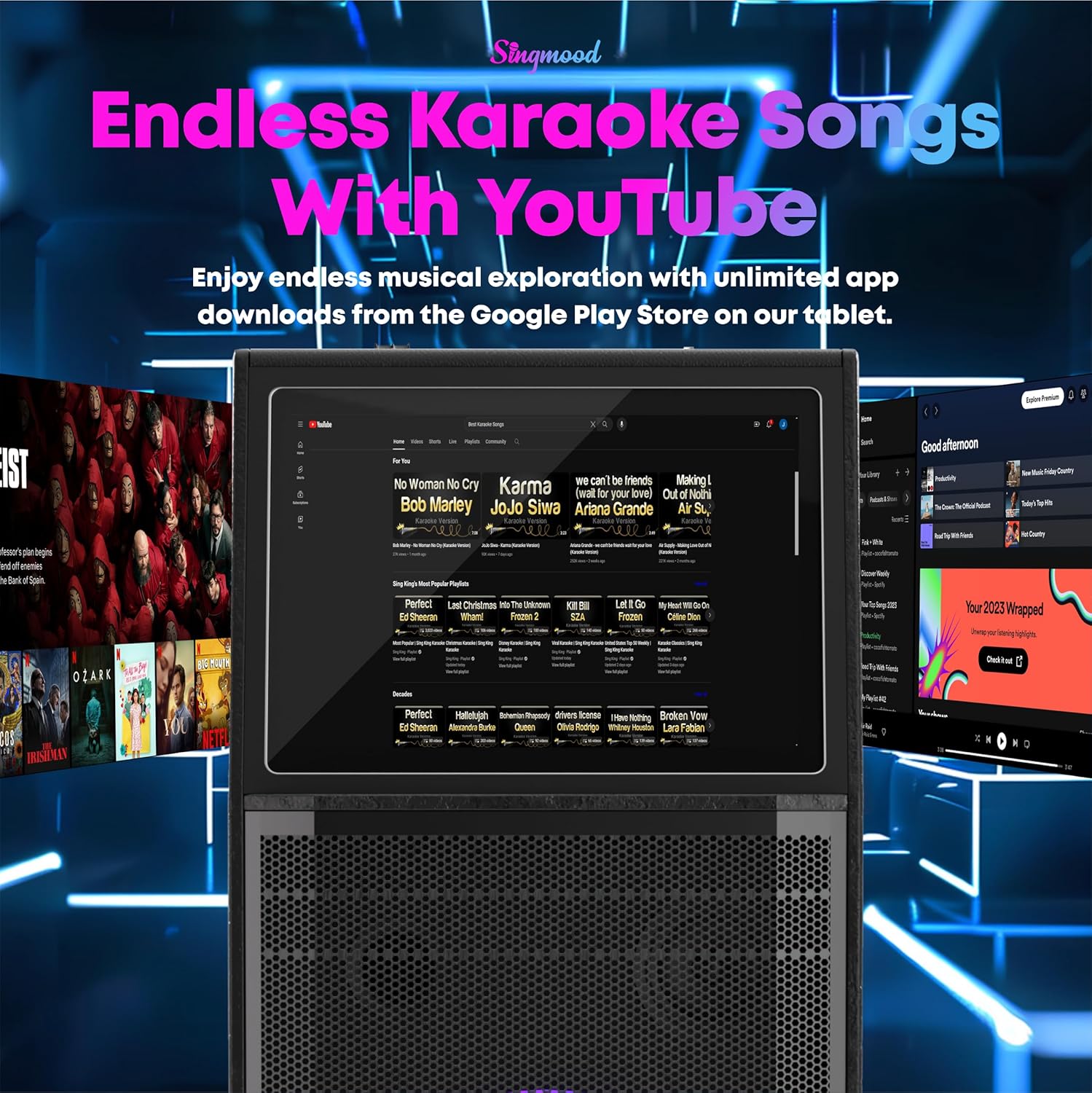
Figure 4: The 32-bit Digital Audio Decoder Chip provides superior sound clarity.

Figure 5: Features of the True UHF Microphones.

Figure 6: The portable design with a hand-carry handle and transport wheels.
4. การตั้งค่า
Follow these steps to set up your SINGMOOD S100 for the first time:
- แกะ: นำส่วนประกอบทั้งหมดออกจากบรรจุภัณฑ์อย่างระมัดระวัง เก็บบรรจุภัณฑ์ไว้เพื่อการจัดเก็บหรือขนส่งในอนาคต
- การเชื่อมต่อไฟฟ้า: Connect the provided adapter to the DC12V INPUT port on the control panel and plug it into a power outlet. The machine can operate on battery power once charged.
- การตั้งค่าไมโครโฟน: Insert the included 9V batteries into each wireless microphone. The microphones are pre-paired with the machine.
- เปิดเครื่อง: Locate the red POWER ON/OFF switch on the control panel and switch it to the 'ON' position. The touchscreen will illuminate.
- การบูตครั้งแรก: Allow the system to fully boot up. This may take a few moments.
5. คู่มือการใช้งาน
Navigate and utilize the various functions of your karaoke machine:
5.1. การนำทางแบบหน้าจอสัมผัส
The 14.1-inch touchscreen serves as your primary interface. Tap on icons to launch applications or adjust settings. The main screen provides quick access to YouTube, Spotify, Bluetooth, My Application, Apple Music, Chrome, Play Store, MediaPlayer, and Settings.

Figure 7: The intuitive touchscreen interface for app access.
5.2. โหมดคาราโอเกะ
To activate karaoke mode and reduce original song vocals, press the dedicated 'KARAOKE M' button on the control panel. This allows your voice to be prominent over the instrumental track.

Figure 8: Activating Karaoke Mode.
5.3. Sound Effects and Controls
The control panel features various knobs and buttons for sound customization:
- การควบคุมระดับเสียง: Adjust the overall volume using the 'VOLUME+' and 'VOLUME-' knobs.
- Microphone Adjustments: Control microphone bass, treble, and echo using the dedicated 'MIC.BASS+', 'MIC.TREBLE+', and 'ECHO+' knobs.
- Sound Effects Buttons: Buttons for 'APPLAUSE', 'LAUGHTER', 'CHEER', and 'BOOING' are available for interactive fun.
- การควบคุม LED: Press the 'LED' button to cycle through or turn off the RGB lighting effects on the speaker.

รูปที่ 9: รายละเอียด view ของแผงควบคุม
5.4. External Connectivity
The S100 supports various external connections:
- เอาท์พุต HDMI: Connect an HDMI cable from the machine to a TV or external display for a larger screen experience.
- พอร์ต USB: Use USB1 and USB2 for connecting external storage devices or a mouse for easier navigation.
- บลูทูธ: Pair your smartphone or tablet via Bluetooth for wireless audio streaming.
Video 1: A demonstration of the SINGMOOD S100's features, including its touchscreen interface, sound effects, and connectivity options.
6. การบำรุงรักษา
To ensure the longevity and optimal performance of your SINGMOOD S100, follow these maintenance guidelines:
- การทำความสะอาด: Use a soft, dry cloth to clean the exterior surfaces. For the touchscreen, use a microfiber cloth specifically designed for electronics. Avoid abrasive cleaners or solvents.
- พื้นที่จัดเก็บ: When not in use, store the machine in a cool, dry place away from direct sunlight and extreme temperatures. If storing for extended periods, ensure the battery is partially charged (around 50%) to preserve its lifespan.
- การดูแลแบตเตอรี่ Recharge the internal battery regularly, even if not frequently used, to prevent deep discharge.
- การดูแลไมโครโฟน: Store microphones in a safe place to prevent damage. Ensure they are charged when needed.
7 การแก้ไขปัญหา
If you encounter issues with your SINGMOOD S100, refer to the following common solutions:
- เสียงตอบรับ: If you hear feedback noise from the speaker, lower the microphone treble, echo, and delay settings on the control panel. Adjusting the microphone's proximity to the speaker can also help.
- ไม่มีเสียง: Ensure the volume is turned up on both the machine and any connected external devices. Check all cable connections (HDMI, audio inputs). Verify microphones are powered on and paired.
- หน้าจอไม่ตอบสนอง: Try restarting the machine. If the issue persists, ensure the power connection is stable.
- ปัญหาการเชื่อมต่อ (บลูทูธ/Wi-Fi): Ensure the machine is within range of the Bluetooth device or Wi-Fi router. Restart both the machine and the connecting device.
8. ข้อมูลจำเพาะ
| คุณสมบัติ | ข้อมูลจำเพาะ |
|---|---|
| หมายเลขรุ่น | S100 |
| ประเภทการติดตั้ง | ชั้นยืน |
| แหล่งพลังงาน | ใช้พลังงานจากแบตเตอรี่ |
| ประเภทขั้วต่อ | HDMI |
| เอาท์พุต วัดtage | 1000 วัตต์ |
| จำนวนช่องสัญญาณ | 2 |
| อินพุตเสียง | ไมโครโฟนไร้สาย |
| ขนาดสินค้า | 12 x 7 x 16 นิ้ว |
| น้ำหนักสินค้า | 51.9 ปอนด์ |
| แบตเตอรี่ | ต้องใช้แบตเตอรี่ 9V จำนวน 1 ก้อน (มีให้ในชุด) |
| เทคโนโลยีการเชื่อมต่อ | ไวไฟ |
| สี | สีดำ |
| อุปกรณ์ที่รองรับ | Audio Source, Microphone, Smartphone, Tablet |
9. การรับประกันและการสนับสนุน
The SINGMOOD S100 Portable Karaoke Machine comes with a รับประกัน 10 ปี, as stated in the product title, ensuring long-term reliability and customer satisfaction. For any support needs, please contact the seller, Singmood, directly. Additionally, protection plans are available for purchase to extend coverage beyond the standard warranty period:
- แผนคุ้มครอง 2 ปี: มีจำหน่ายในราคา 49.99 ดอลลาร์
- แผนคุ้มครอง 3 ปี: มีจำหน่ายในราคา 64.99 ดอลลาร์
- การปกป้องที่สมบูรณ์: A monthly plan at $16.99/month covering all eligible past and future purchases.
For further assistance or inquiries, please refer to the contact information provided with your purchase or visit the official SINGMOOD support channels.


