การแนะนำ
This manual provides essential information for the installation, operation, and maintenance of your QNAP QSW-2104-2T-R2-US 6-Port Unmanaged Switch. Please read this manual thoroughly before using the device to ensure proper setup and optimal performance.

ภาพ: ด้านหน้า view of the QNAP QSW-2104-2T-R2-US 6-Port Unmanaged Switch, showing the DC IN port, LED indicators, and six RJ45 ports.
เนื้อหาแพ็คเกจ
ตรวจสอบว่ามีรายการทั้งหมดอยู่ในแพ็คเกจ:
- QNAP QSW-2104-2T-R2-US Unmanaged Switch
- แหล่งจ่ายไฟ
- สกรูยึด
- สมอ
- แผ่นรองเท้า
- คู่มือการติดตั้งอย่างรวดเร็ว (QIG)
การตั้งค่า
1. การจัดวางทางกายภาพ
- Place the switch on a stable, flat surface.
- Ensure adequate ventilation around the device. Avoid placing it in enclosed spaces or near heat sources.
- The fanless design ensures quiet operation, but proper airflow is still important for heat dissipation.

Image: Diagram illustrating the fanless design and heat dissipation of the QNAP QSW-2104-2T-R2-US switch, showing arrows indicating airflow.
2. การเชื่อมต่อไฟฟ้า
- Connect the power adapter to the DC IN port on the switch.
- เสียบอะแดปเตอร์แปลงไฟเข้ากับเต้ารับที่เหมาะสม
- The PWR/SYS LED indicator will illuminate when power is supplied.
3. การเชื่อมต่อเครือข่าย
The QSW-2104-2T-R2-US features six RJ45 ports:
- Ports 1-4: 2.5GBASE-T RJ45 ports, supporting 2.5Gbps, 1Gbps, and 100Mbps speeds.
- Ports 5-6: 10GBASE-T RJ45 ports, supporting 10Gbps, 5Gbps, 2.5Gbps, 1Gbps, and 100Mbps speeds.
- Connect your network devices (e.g., computers, NAS, routers, access points) to the available RJ45 ports using Ethernet cables (CAT5e, CAT6, or CAT7 recommended for optimal performance).
- The switch is unmanaged, meaning it operates on a plug-and-play basis without requiring complex configuration.

ภาพ: ระยะใกล้ view of the QNAP QSW-2104-2T-R2-US switch ports, clearly labeling the two 10GbE RJ45 ports and four 2.5GbE RJ45 ports.
การใช้งานสวิตช์
ไฟ LED แสดงสถานะ
สวิตช์นี้มีไฟ LED แสดงสถานะ:
- PWR/SYS LED: Indicates power status and system activity.
- LINK/ACT LEDs (for each port):
- Solid Green: Link established at 2.5G/5G/10G speed.
- สีเหลืองอำพันคงที่: เชื่อมต่อสำเร็จแล้วที่ความเร็ว 100M/1G
- ไฟกะพริบ: แสดงกิจกรรมข้อมูล
- Off: No link or device connected.
- ลูป LED: Indicates detection of a network loop.
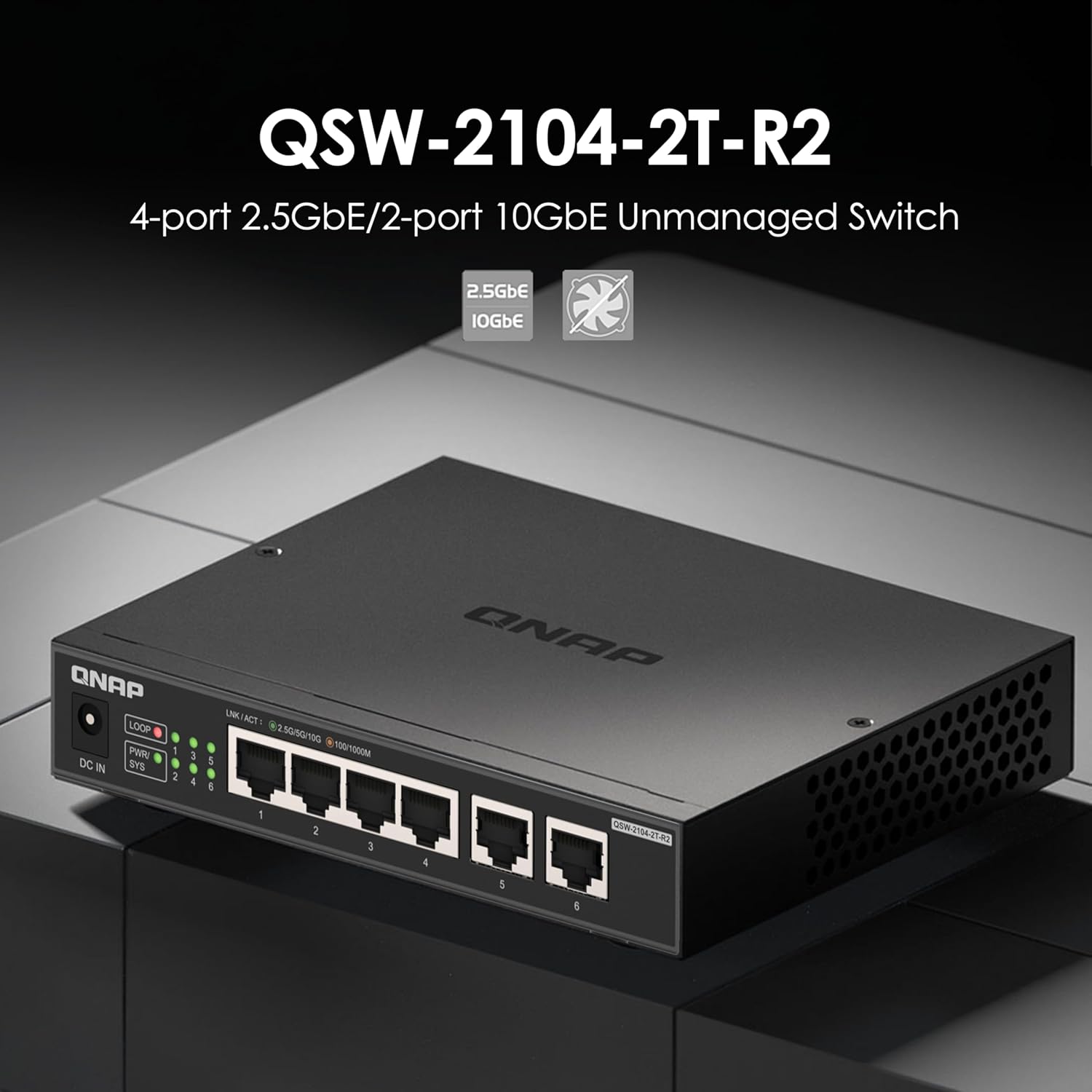
ภาพ: ด้านหน้า view of the QNAP QSW-2104-2T-R2-US switch, highlighting the LED indicators for power, system, link/activity, and loop detection.
การทำงานแบบปลั๊กแอนด์เพลย์
The QSW-2104-2T-R2-US is an unmanaged switch, requiring no software configuration. Simply connect your devices, and the switch will automatically detect and negotiate the optimal speed for each connected device.

Image: Network diagram illustrating various devices like a router, NAS, PC, TV, gaming console, and Wi-Fi access point connected to the QNAP QSW-2104-2T-R2-US switch.
การซ่อมบำรุง
- การทำความสะอาด: ใช้ผ้านุ่มและแห้งเช็ดทำความสะอาดภายนอกสวิตช์ ห้ามใช้น้ำยาทำความสะอาดชนิดน้ำหรือสเปรย์
- การระบายอากาศ : Ensure that the ventilation holes are not obstructed to maintain proper heat dissipation.
- เฟิร์มแวร์: As an unmanaged switch, firmware updates are typically not required or available.
การแก้ไขปัญหา
| ปัญหา | สาเหตุที่เป็นไปได้ | สารละลาย |
|---|---|---|
| No power (PWR/SYS LED off) | อะแดปเตอร์ไฟฟ้าไม่ได้เชื่อมต่อหรือมีข้อบกพร่อง เต้ารับไฟฟ้าไม่ทำงาน | Check power connections. Try a different power outlet. Ensure the power adapter is functioning correctly. |
| No link (LINK/ACT LED off) | Ethernet cable disconnected or faulty; connected device is off or faulty. | Ensure the Ethernet cable is securely connected at both ends. Try a different cable. Verify the connected device is powered on and working. |
| ความเร็วเครือข่ายช้า | Cable quality; device compatibility; network congestion. | Use CAT6 or CAT7 cables for 2.5Gbps/10Gbps connections. Ensure connected devices support the desired speeds. Check for other network activity. |
| LOOP LED is on | ตรวจพบลูปเครือข่าย | A network loop occurs when there are redundant paths between devices, which can cause network instability. Disconnect one of the redundant connections to break the loop. The switch has built-in loop detection to help prevent issues. |

Image: Diagram illustrating the loop detection feature of the QNAP QSW-2104-2T-R2-US switch, showing a warning symbol when a network loop is identified.
ข้อมูลจำเพาะ
| คุณสมบัติ | รายละเอียด |
|---|---|
| แบบอย่าง | QSW-2104-2T-R2-US |
| จำนวนพอร์ต | 6 |
| 2.5GBASE-T RJ45 Ports | 4 (supports 2.5G/1G/100Mb) |
| 10GBASE-T RJ45 Ports | 2 (supports 10G/5G/2.5G/1G/100Mb) |
| ความสามารถในการสลับ | 60 กิกะบิตต่อวินาที |
| รองรับ Jumbo Frame | 12K |
| ออกแบบ | Fanless, Unmanaged |
| ขนาด (สูง x กว้าง x ลึก) | ขนาด 4 x 6 x 1 นิ้ว (โดยประมาณ) |
| น้ำหนัก | 1.61 ปอนด์ (โดยประมาณ) |
| ประเภทอินเทอร์เฟซ | RJ45 |
| ยูพีซี | 885022028153 |
ข้อมูลการรับประกัน
QNAP products typically come with a standard manufacturer's warranty. For specific warranty terms and conditions, please refer to the warranty card included in your product packaging or visit the official QNAP webไซต์นี้ โปรดเก็บหลักฐานการซื้อไว้เพื่อใช้ยืนยันการรับประกัน
This product is noted to come with a 2-year warranty.
การสนับสนุนลูกค้า
For technical assistance, product information, or support, please visit the official QNAP support website or contact their customer service. Refer to the Quick Installation Guide (QIG) for contact details.
คุณยังสามารถเยี่ยมชม QNAP Store on Amazon สำหรับข้อมูลผลิตภัณฑ์และทรัพยากรเพิ่มเติม


