1. บทนำ
The PARKVISION BK-BR2 Bicycle Rear View Camera Recorder is designed to enhance cycling safety and provide recording capabilities for various bicycle types. This system features a 4.3-inch 1080P monitor, a wide-angle camera, and an 8000mAh battery for extended use. It supports loop recording to capture your rides and offers flexible mounting options for both front and rear views.
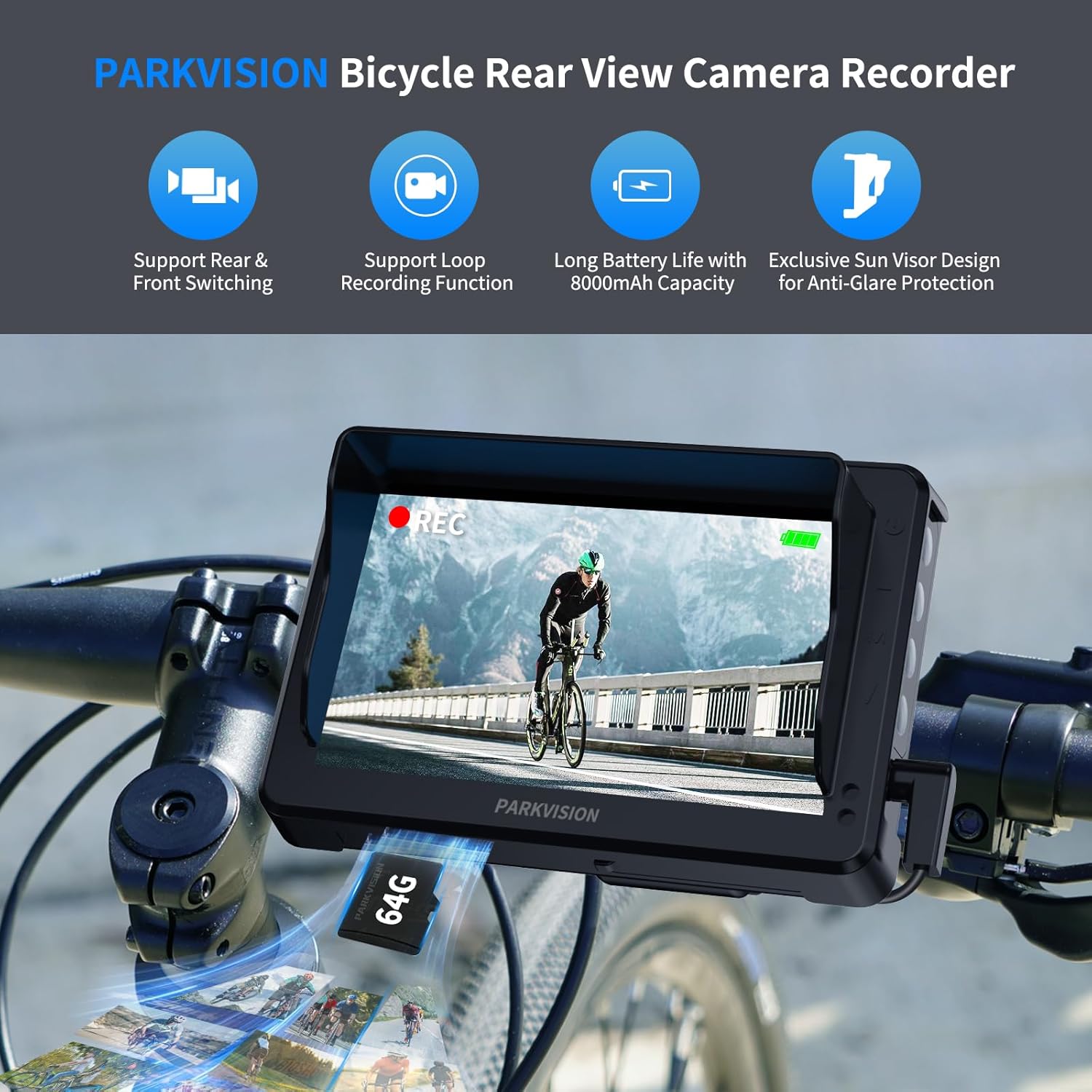
Image 1.1: PARKVISION BK-BR2 Bicycle Rear View Camera Recorder in use.
2. คุณสมบัติหลัก
- HD 1080P Camera & 4.3-inch Monitor: Provides clear, high-definition video with a 110° wide-angle view to eliminate blind spots. The 4.3-inch monitor offers optimal visibility.
- การบันทึกแบบวนซ้ำ: เขียนทับที่เก่าแก่ที่สุด .โดยอัตโนมัติ files when the 64GB TF card (included) is full, ensuring continuous recording. Supports up to 128GB.
- แบตเตอรี่ใช้งานได้ยาวนาน: Equipped with an 8000mAh high-capacity battery, offering up to 9 hours of operation per charge with Type-C fast charging.
- การป้องกันทุกสภาพอากาศ: Features an IP68 waterproof housing and shockproof nylon stand for stable performance in rain or rough terrain.
- Switchable Front/Rear Monitoring: Allows switching between front view (road monitoring) and rear view (blind spot coverage) based on camera installation.
- Smart Auto-Dim: The monitor automatically adjusts brightness based on ambient light conditions for improved visibility day or night.
- Universal Compatibility & Easy Installation: Fits 17-38mm seatposts and 18-42mm handlebars. Features a 360° rotatable ball joint for optimal angle adjustment. Detachable display for anti-theft protection.
3. อะไรอยู่ในกล่อง
ตรวจสอบว่ามีส่วนประกอบทั้งหมดอยู่ในแพ็คเกจ:
- จอภาพขนาด 4.3 นิ้ว 1 จอ
- 1 x กล้อง
- 1 x Visor
- 1 x Display Connector
- ลูกบิด 1 อัน
- 1 x ปะเก็น
- 1 x คู่มือการใช้งาน (คู่มือเล่มนี้)
- เทปตีนตุ๊กแก
- สายเคเบิล Type-C 1 เส้น
- ขาตั้งจอแสดงผล 1 ชิ้น
- การ์ด TF 1x64GB
- Various mounting screws and zip ties

ภาพที่ 3.1: สิ่งของภายในบรรจุภัณฑ์
4. การตั้งค่าและการติดตั้ง
The PARKVISION BK-BR2 system is designed for quick and tool-free installation. Follow these steps for proper setup:
- ติดตั้งกล้อง: Attach the camera to your bicycle's seatpost (17-38mm) or handlebar (18-42mm) using the provided bracket. The 360° rotatable ball joint allows for optimal angle adjustment. Ensure the camera has a clear view ของพื้นที่ที่คุณต้องการติดตาม
- ติดตั้งจอภาพ: Secure the 4.3-inch monitor to your handlebar using the appropriate clamp. The display is detachable for easy removal when leaving your bike unattended.
- เชื่อมต่อส่วนประกอบ: Connect the camera to the monitor using the provided cable. Ensure connections are secure.
- ใส่การ์ด TF: Insert the included 64GB TF card into the designated slot on the monitor.
- ชาร์จอุปกรณ์: Before first use, fully charge the device using the Type-C charging cable.
หมายเหตุความเข้ากันได้: This system is compatible with mountain bikes, road bikes, e-bikes, scooters, and hybrids. It is ไม่ suitable for bicycles with luggage racks, flat and thick handlebars, flat and stout seatposts, or rear passenger seats higher than the seatpost.
Video 4.1: Unboxing and initial setup of the PARKVISION BK-BR2 system, demonstrating how to connect the camera and monitor.

ภาพที่ 4.2: อดีตamples of incompatible installations.
5. การดำเนินการ
5.1 เปิด/ปิดเครื่อง
To turn on the device, press and hold the power button located on the monitor. To turn off, press and hold the power button again.
5.2 การนำทางเมนูและการตั้งค่า
Press the 'M' key on the monitor to enter the settings menu. Use the arrow buttons to navigate through options such as Display Set, Video Set, and Photo Set. Press 'M' again to confirm selections.
5.3 Off Screen Recording
The device features an 'Off Screen Recording' option to conserve battery life while still recording. To configure this:
- From the main screen, press the 'M' key to enter the settings menu.
- Navigate to 'Display Set' and select it.
- Choose 'Off Screen Recording' to enter its configuration.
- Select 'Off' if you do not want the screen to turn off automatically. Alternatively, choose 1min, 3min, or 5min for automatic screen-off after the selected duration.
- Press the 'M' key to confirm your setting.

Image 5.1: Configuring 'Off Screen Recording' settings.
5.4 การบันทึกแบบวนซ้ำ
The system continuously records video. When the TF card is full, the oldest files are automatically overwritten to make space for new recordings. This ensures you always have the most recent footage ใช้ได้
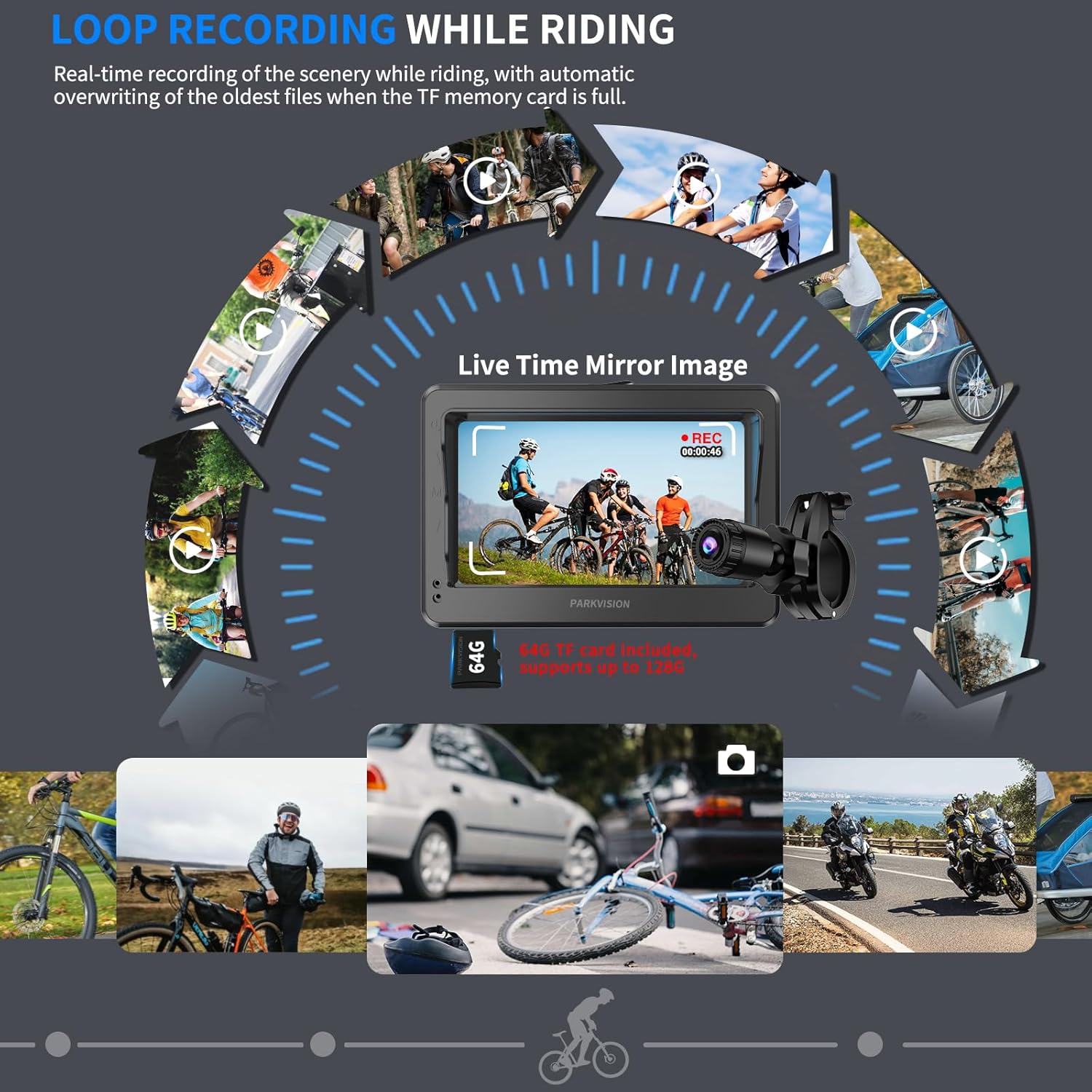
Image 5.2: Loop Recording in action.
5.5 Switching Front/Rear View
Depending on your camera's installation position, you can switch between front-facing and rear-facing views on the monitor. This allows for versatile monitoring of your surroundings.

Image 5.3: Positive & Mirror Adjustment Function.
5.6 Smart Auto-Dim & Night Vision
The monitor automatically adjusts its brightness to suit ambient light conditions, ensuring clear visibility during the day and preventing glare at night. The camera also provides enhanced night vision for safe riding in low-light environments.

Image 5.4: Super Night Vision capability.
Video 5.5: Demonstrates the auto-dimming screen and night vision capabilities of the camera system.
6. การบำรุงรักษา
6.1 การชาร์จแบตเตอรี่
The device uses a Type-C port for charging. Connect the provided Type-C cable to the monitor and a suitable power source. The 8000mAh battery provides up to 9 hours of runtime.

Image 6.1: Battery capacity and charging information.
6.2 ความต้านทานต่อสภาพอากาศ
The camera and monitor are designed with IP68 waterproof housing, making them resistant to rain and dust. However, avoid prolonged submersion in water.
6.3 การจัดการการ์ด TF
The included 64GB TF card is pre-installed. For optimal performance, periodically back up important footage and format the card through the device's settings menu.
7 การแก้ไขปัญหา
- Screen Turns Off During Recording: If the screen turns off while riding, check the "Off Screen Recording" setting in the Display Set menu. Ensure it is set to "Off" if you want the screen to remain on continuously.
- No Video Footage: Ensure the TF card is properly inserted and has sufficient space. Check that loop recording is enabled if you expect continuous recording.
- คุณภาพของภาพต่ำ: Ensure the camera lens is clean and free from dirt or smudges. Check for any protective films that might still be on the screen or lens.
- อุปกรณ์ไม่ได้เปิดเครื่อง: ตรวจสอบให้แน่ใจว่าแบตเตอรี่ชาร์จเต็มแล้ว เชื่อมต่ออุปกรณ์เข้ากับแหล่งจ่ายไฟโดยใช้สาย Type-C แล้วลองอีกครั้ง
8. ข้อมูลจำเพาะ
| คุณสมบัติ | ข้อมูลจำเพาะ |
|---|---|
| ชื่อยี่ห้อ | พาร์ควิชั่น |
| หมายเลขรุ่นสินค้า | 726597469074 |
| ขนาดหน้าจอ | 4.3 นิ้ว |
| ความละเอียดในการจับภาพวิดีโอ | 1080p |
| เทคโนโลยีโฟโต้เซนเซอร์ | ซีมอส |
| ประเภทหน่วยความจำแฟลช | การ์ด Micro SD (มีให้ 64GB รองรับสูงสุด 128GB) |
| รูปแบบการจับภาพวิดีโอ | เอวีไอ |
| รูปแบบเสียงที่รองรับ | Audio unsupported |
| แบตเตอรี่ | ต้องใช้แบตเตอรี่ลิเธียมไอออน 1 ก้อน (รวมอยู่ด้วย) |
| ความจุของแบตเตอรี่ | 8000mAh |
| คุณสมบัติพิเศษ | Loop Recording, Smart Auto-Dim, IP68 Waterproof |
| เทคโนโลยีการเชื่อมต่อ | ยูเอสบี |
| น้ำหนักสินค้า | 1.5 ปอนด์ |
| ขนาดสินค้า | 3 x 7 x 5 นิ้ว |
9. การรับประกันและการสนับสนุน
For warranty information and technical support, please refer to the official PARKVISION webหรือติดต่อฝ่ายบริการลูกค้าโดยตรง เก็บใบเสร็จรับเงินไว้เพื่อใช้ในการเคลมประกัน


