1. บทนำ
This manual provides detailed instructions for the safe and effective use of your pTron Funk Rap 10W Mini Bluetooth Speaker. Please read this manual thoroughly before operating the device and retain it for future reference.
The pTron Funk Rap is a compact and portable Bluetooth speaker designed to deliver clear audio with a 10W output. It features multiple playback options, including Bluetooth 5.4, TF card, and USB, along with a True Wireless Stereo (TWS) function for enhanced sound. The speaker is equipped with a Type-C port for convenient charging and offers up to 8 hours of playtime.
2. เนื้อหาบรรจุภัณฑ์
ตรวจสอบให้แน่ใจว่ามีรายการทั้งหมดอยู่ในบรรจุภัณฑ์:
- pTron Funk Rap 10W Mini Bluetooth Speaker
- Power Cable (Type-C USB)
- คู่มือเริ่มต้นอย่างรวดเร็ว
3. สินค้าหมดview
The pTron Funk Rap speaker features a durable design with a front metal grill and multi-function control buttons for easy operation. Its compact size and lightweight construction make it suitable for various environments.

Image: The pTron Funk Rap 10W Mini Bluetooth Speaker, shown in blue from an angled perspective, highlighting its compact form factor and design.
3.1 การควบคุมและพอร์ต
โปรดทำความคุ้นเคยกับปุ่มควบคุมและพอร์ตต่างๆ ของลำโพง:
- ปุ่มเปิด/ปิด: กดค้างไว้เพื่อเปิดหรือปิดลำโพง
- ปุ่มเล่น/หยุดชั่วคราว: กดเพื่อเล่นหรือหยุดเสียงชั่วคราว
- ปุ่มเพิ่มเสียง/ปุ่มเปลี่ยนเพลงถัดไป: Press to increase volume; press and hold for next track.
- ปุ่มลดเสียง/ปุ่มเล่นเพลงก่อนหน้า: Press to decrease volume; press and hold for previous track.
- ปุ่มโหมด: Press to switch between Bluetooth, TF Card, and USB modes. Long press for TWS pairing.
- พอร์ตชาร์จ Type-C: สำหรับชาร์จลำโพง
- ช่องเสียบการ์ด TF: For inserting a MicroSD/TF card.
- พอร์ต USB: For connecting a USB drive.

Image: An infographic illustrating the main features of the pTron Funk Rap speaker, including its 10W sound, portable design, multi-playback modes, Type-C charging, 66mm drivers, 8 hours playtime, Bluetooth 5.4 connectivity, and TWS function.
4. การตั้งค่า
4.1 การชาร์จลำโพง
- Connect the provided Type-C USB cable to the charging port on the speaker.
- เชื่อมต่อปลายสายอีกด้านหนึ่งเข้ากับอะแดปเตอร์ไฟ USB (ไม่รวมอยู่ด้วย) หรือพอร์ต USB ของคอมพิวเตอร์
- ไฟแสดงสถานะการชาร์จจะสว่างขึ้น
- โดยปกติการชาร์จจนเต็มจะใช้เวลาประมาณ 2 ชั่วโมง ไฟแสดงสถานะจะเปลี่ยนหรือดับลงเมื่อการชาร์จเสร็จสมบูรณ์
4.2 การเปิด/ปิดเครื่อง
- การเปิดเครื่อง: Press and hold the Power button for a few seconds until you hear an audible prompt or see an indicator light.
- วิธีปิดเครื่อง: กดปุ่มเปิด/ปิดค้างไว้อีกครั้งประมาณสองสามวินาที จนกว่าคุณจะได้ยินเสียงแจ้งเตือน หรือไฟแสดงสถานะดับลง
4.3 การจับคู่บลูทูธ
ในการเชื่อมต่อลำโพงกับอุปกรณ์ของคุณผ่านบลูทูธ:
- Ensure the speaker is powered on and in Bluetooth pairing mode (indicated by a flashing LED light and an audible prompt). If not, press the Mode button to switch to Bluetooth mode.
- บนสมาร์ทโฟน แท็บเล็ต หรือแล็ปท็อปของคุณ เปิดใช้งาน Bluetooth
- ค้นหา อุปกรณ์บลูทูธที่พร้อมใช้งาน
- Select "pTron Funk Rap" from the list of devices.
- เมื่อเชื่อมต่อเสร็จแล้ว คุณจะได้ยินเสียงยืนยัน และไฟแสดงสถานะ LED จะหยุดกะพริบ
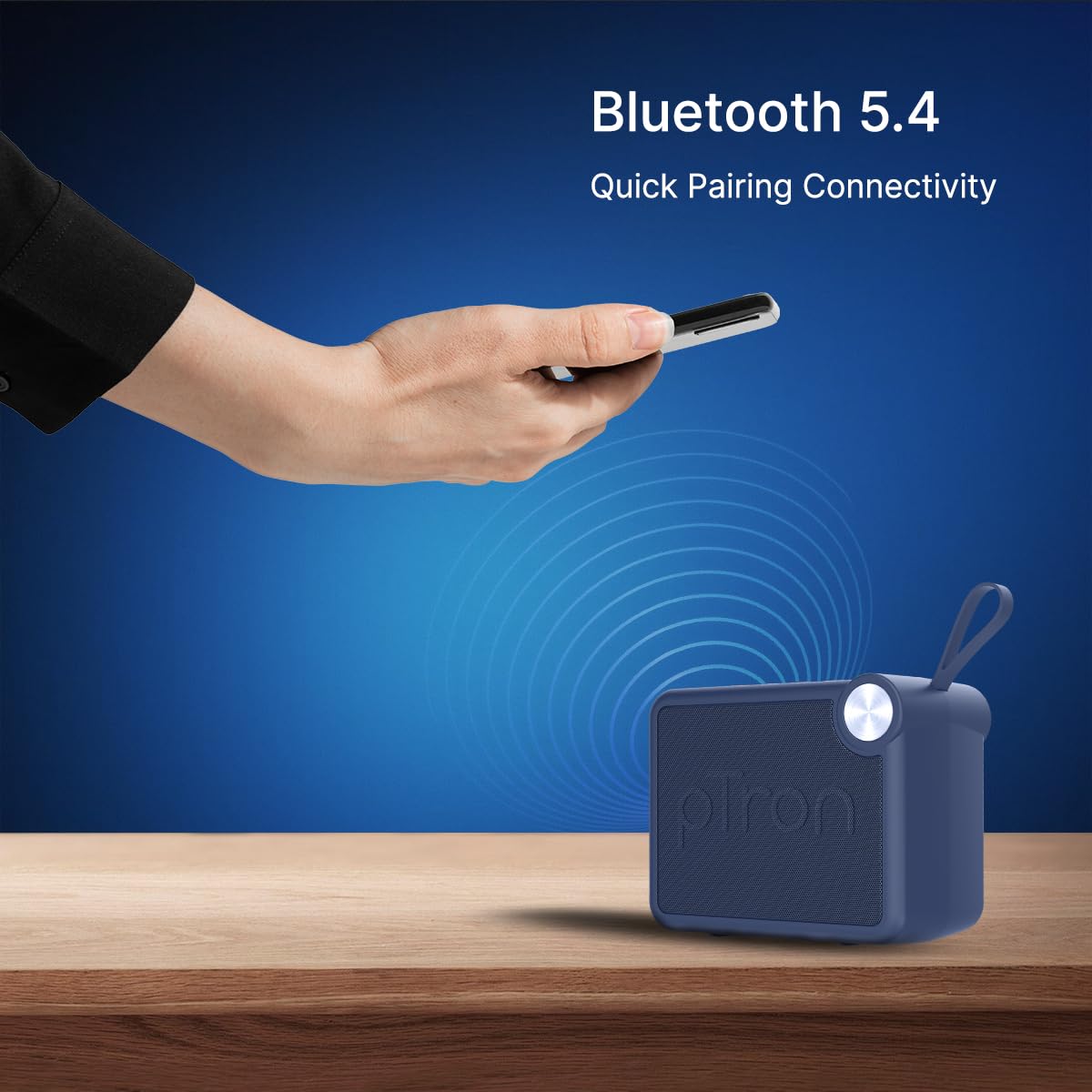
Image: A visual representation of a hand holding a smartphone, indicating the process of connecting to the pTron Funk Rap speaker via Bluetooth 5.4 for quick pairing.
5. คู่มือการใช้งาน
5.1 โหมดบลูทู ธ
- เล่น/หยุดชั่วคราว: กดปุ่มเล่น/หยุดชั่วคราว
- การปรับระดับเสียง: กดปุ่มเพิ่มระดับเสียงหรือลดระดับเสียง
- เพลงถัดไป: กดปุ่มเพิ่มระดับเสียงค้างไว้
- แทร็กก่อนหน้า: กดปุ่มลดระดับเสียงค้างไว้
5.2 โหมดการ์ด TF
- ใส่การ์ด TF (MicroSD) ที่มีเสียง fileเข้าไปในช่องเสียบการ์ด TF
- The speaker will automatically switch to TF Card mode or you may need to press the Mode button.
- Playback controls (Play/Pause, Volume, Next/Previous Track) function as in Bluetooth mode.
5.3 โหมดการเล่นผ่าน USB
- ใส่แฟลชไดรฟ์ USB พร้อมเสียง fileลงในพอร์ต USB
- The speaker will automatically switch to USB mode or you may need to press the Mode button.
- Playback controls (Play/Pause, Volume, Next/Previous Track) function as in Bluetooth mode.
5.4 โหมด True Wireless Stereo (TWS)
To pair two pTron Funk Rap speakers for stereo sound:
- ตรวจสอบให้แน่ใจว่าลำโพงทั้งสองเปิดอยู่และไม่ได้เชื่อมต่อกับอุปกรณ์ Bluetooth ใดๆ
- On both speakers, long press the Mode button for approximately 2 seconds.
- You will hear an audible prompt indicating TWS pairing mode. The speakers will automatically connect to each other.
- Once paired, one speaker will act as the master. Connect your device to this master speaker via Bluetooth as described in section 4.3.
- ตอนนี้เสียงจะเล่นในระบบสเตอริโอผ่านลำโพงทั้งสองตัว

Image: Two pTron Funk Rap speakers are depicted, illustrating their ability to connect in True Wireless Stereo (TWS) mode to provide a more immersive audio experience.
5.5 ฟังก์ชั่นการโทร
เมื่อเชื่อมต่อกับสมาร์ทโฟนผ่านบลูทูธ:
- รับสาย: กดปุ่มเล่น/หยุดชั่วคราวหนึ่งครั้ง
- วางสาย: กดปุ่มเล่น/หยุดชั่วคราวหนึ่งครั้งระหว่างการโทร
- ปฏิเสธสาย: กดปุ่มเล่น/หยุดชั่วคราว
6. การบำรุงรักษา
- การทำความสะอาด: ใช้ผ้านุ่มและแห้งเช็ดทำความสะอาดลำโพง ห้ามใช้น้ำยาทำความสะอาดหรือสารละลายที่มีฤทธิ์กัดกร่อน
- พื้นที่จัดเก็บ: เก็บลำโพงไว้ในที่แห้งและเย็น หลีกเลี่ยงแสงแดดโดยตรงและอุณหภูมิที่สูงหรือต่ำเกินไป
- การดูแลแบตเตอรี่ To prolong battery life, charge the speaker fully before first use and at least once every three months if not used regularly. Avoid fully discharging the battery frequently.
- ความต้านทานน้ำ: ลำโพงนี้ไม่กันน้ำ โปรดหลีกเลี่ยงการสัมผัสน้ำหรือความชื้นมากเกินไป
7 การแก้ไขปัญหา
หากคุณพบปัญหาเกี่ยวกับลำโพงของคุณ โปรดดูปัญหาทั่วไปและวิธีแก้ไขต่อไปนี้:
- ลำโพงไม่เปิด: ตรวจสอบให้แน่ใจว่าแบตเตอรี่ชาร์จเต็มแล้ว เชื่อมต่อลำโพงเข้ากับแหล่งจ่ายไฟโดยใช้สาย Type-C
- ไม่สามารถจับคู่ผ่านบลูทูธ:
- ตรวจสอบให้แน่ใจว่าลำโพงอยู่ในโหมดจับคู่บลูทูธ (ไฟ LED กระพริบ)
- Make sure Bluetooth is enabled on your device and it is within 10 meters of the speaker.
- ปิดและเปิดลำโพงและบลูทูธของอุปกรณ์ของคุณ
- ล้างรายการจับคู่บลูทูธบนอุปกรณ์ของคุณและลองจับคู่ใหม่อีกครั้ง
- ไม่มีเสียง:
- ตรวจสอบระดับเสียงทั้งบนลำโพงและอุปกรณ์ที่เชื่อมต่อของคุณ
- Ensure the speaker is correctly connected to your device.
- หากใช้การ์ด TF หรือ USB โปรดตรวจสอบให้แน่ใจว่าเสียงใช้งานได้ files are in a supported format and the media is inserted correctly.
- คุณภาพเสียงไม่ดี:
- เลื่อนลำโพงให้ใกล้กับอุปกรณ์บลูทูธของคุณมากขึ้นเพื่อลดสัญญาณรบกวน
- ตรวจสอบให้แน่ใจว่าไม่มีสิ่งกีดขวางระหว่างลำโพงและอุปกรณ์ของคุณ
- ตรวจสอบคุณภาพแหล่งกำเนิดเสียง
- TWS pairing issues:
- Ensure both speakers are fully charged and not connected to any other Bluetooth device before initiating TWS pairing.
- ทำตามขั้นตอนการจับคู่ TWS อย่างระมัดระวังอีกครั้ง
8. ข้อมูลจำเพาะ
| คุณสมบัติ | รายละเอียด |
|---|---|
| ชื่อรุ่น | Funk Rap |
| ประเภทลำโพง | ลำโพงแบบพกพา |
| เทคโนโลยีการเชื่อมต่อ | บลูทูธ 5.4, ยูเอสบี |
| โหมดเอาต์พุตเสียง | สเตอริโอ (พร้อม TWS) |
| กำลังขับสูงสุดของลำโพง | 10 วัตต์ |
| ขนาดไดร์เวอร์เสียง | 66 มิล |
| อิมพีแดนซ์ | 4 โอห์ม |
| อัตราส่วนสัญญาณต่อเสียงรบกวน | 85 เดซิเบล |
| การตอบสนองความถี่ | ความถี่ 20000 กิโลเฮิรตซ์ |
| ช่วงบลูทูธ | 10 เมตร |
| แหล่งพลังงาน | ใช้พลังงานจากแบตเตอรี่ |
| ประเภทแบตเตอรี่ | ลิเธียมโพลิเมอร์ (รวม 1 x 9V) |
| อายุการใช้งานแบตเตอรี่โดยเฉลี่ย | 8 ชั่วโมง |
| เวลาในการชาร์จ | 2 ชั่วโมง |
| วิธีการควบคุม | ปุ่มสัมผัส |
| วัสดุ | อะคริโลไนไตรล์ บิวทาไดอีน สไตรีน (ABS) |
| ขนาดสินค้า | 10.4D x 8.6W x 5.8H เซนติเมตร |
| น้ำหนักสินค้า | 271 กรัม |
| ประเทศต้นกำเนิด | อินเดีย |
9. การรับประกันและการสนับสนุน
9.1 ข้อมูลการรับประกัน
The pTron Funk Rap 10W Mini Bluetooth Speaker comes with a รับประกันจากผู้ผลิต 6 เดือน from the date of purchase, covering manufacturing defects. This warranty is limited and does not cover damage caused by misuse, accidents, unauthorized modifications, or normal wear and tear.
9.2 การสนับสนุนลูกค้า
For any product-related queries, technical assistance, or warranty claims, please contact pTron customer support:
- โทรศัพท์: 040-67138888
- อีเมล: support@ptron.in
- ที่อยู่ผู้ผลิต: PALRED ELECTRONICS PVT. LTD., SY.NO. 56, 1ST FLOOR, GUNDLAPOCHAMPALLY VILLAGE, TECH PARK MTP, TSIIC-IALA NACHARAM, HYDERABAD - 500076, TELANGANA, INDIA


