สินค้าเกินview
The Gravity C28 Rugged Smartwatch is designed for durability and comprehensive health and fitness tracking. It features a 2.02-inch TFT high-resolution display, AI-generated watch faces, and over 100 sports modes. This device also includes Bluetooth calling, smart notifications, and robust water, shock, and dust resistance.

ภาพ: ด้านหน้า view of the Gravity C28 Rugged Smartwatch, showcasinด้วยดีไซน์ที่แข็งแรงทนทานและจอแสดงผลดิจิทัล
คุณสมบัติหลัก
- จอแสดงผล HD ขนาด 2.02 นิ้ว: Clear visuals with 320x390 resolution and customizable watch faces.
- การติดตามสุขภาพที่ครอบคลุม: Monitors heart rate, sleep patterns, step count, and calories.
- โหมดกีฬามากกว่า 100 แบบ: Tracks various activities including running, cycling, and hiking.
- Bluetooth Calling & Smart Alerts: Answer calls and receive notifications directly from the wrist.
- ทนทานและทนต่อสภาพอากาศ: 1 ATM waterproof, shockproof, and dustproof design.
- อายุการใช้งานแบตเตอรี่ยาวนาน: Up to 25 days standby time with a 410mAh battery.
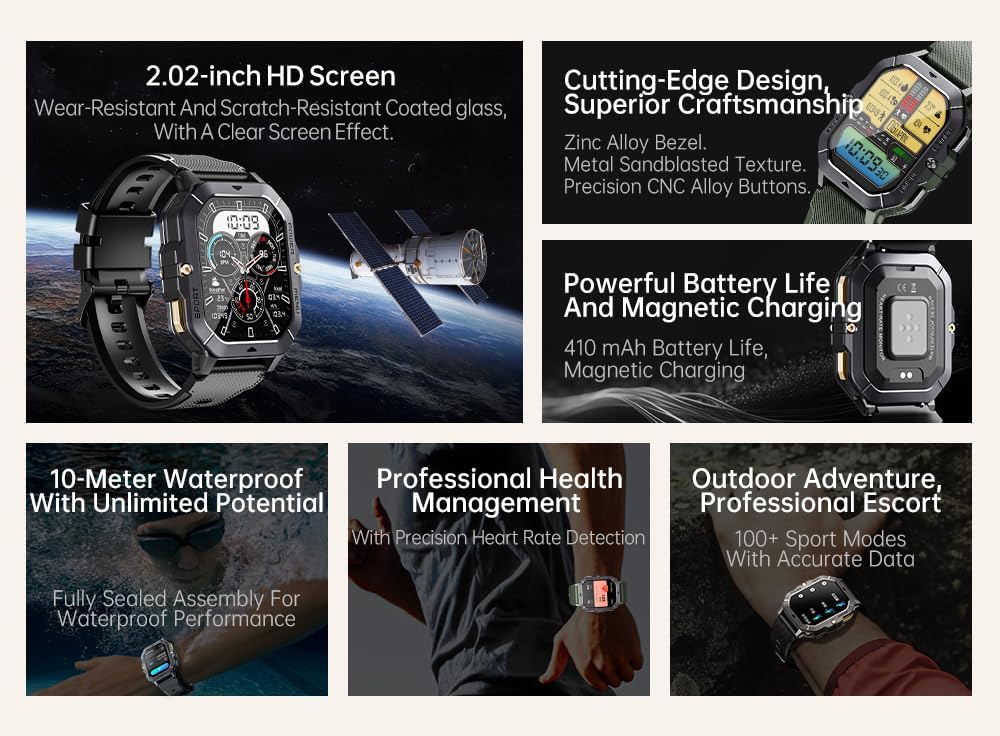
Image: Visual summary of the smartwatch's features, including HD screen, craftsmanship, battery life, waterproofing, health management, and sports modes.
มีอะไรอยู่ในกล่อง
Upon unboxing your Gravity C28 Smartwatch, please ensure all components are present:
- Gravity C28 Smartwatch
- สายชาร์จ
- คู่มือการใช้งาน (เอกสารนี้)
การตั้งค่า
1. การชาร์จอุปกรณ์
Before first use, fully charge your Gravity C28 Smartwatch. Connect the magnetic charging cable to the charging points on the back of the watch and plug the USB end into a compatible power adapter (not included) or a computer USB port.

Image: Close-up of the smartwatch's rear, showing the magnetic charging pins and the charging cable attached.
2. การเปิด/ปิดเครื่อง
- เปิดเครื่อง: Press and hold the 'POWER' button (typically the top right button) until the screen illuminates.
- หมดแรง: Press and hold the 'POWER' button, then select 'Power Off' on the screen, or continue holding until the device shuts down.
3. การติดตั้งและการจับคู่แอป
The Gravity C28 Smartwatch uses the ดาฟิต application for full functionality and data synchronization. The app is compatible with both Android and iOS devices.
- Download the 'Da Fit' app from your device's app store (Google Play Store for Android, Apple App Store for iOS).
- เปิดแอป Da Fit แล้วทำตามคำแนะนำบนหน้าจอเพื่อสร้างบัญชีหรือเข้าสู่ระบบ
- ตรวจสอบให้แน่ใจว่าได้เปิดใช้งาน Bluetooth บนสมาร์ทโฟนของคุณแล้ว
- In the Da Fit app, navigate to 'Add Device' or 'Bind Device'.
- Select 'C28' from the list of available devices.
- ยืนยันคำขอจับคู่บนสมาร์ทโฟนและสมาร์ทวอทช์ของคุณทั้งคู่
การใช้งานสมาร์ทวอทช์
การนำทาง
- หน้าจอสัมผัส: Swipe left, right, up, or down to navigate through menus and access different functions. Tap to select.
- 'POWER' Button: Short press to return to the watch face or wake the screen. Long press for power options.
- 'MENU' Button: Short press to access the main menu.
- 'SPORT' Button: Short press to quickly access sports modes.

ภาพ: อดีตamples of different menu display modes available on the smartwatch, such as Grid View, Surface, Parallel, and Helm.
Bluetooth Calling and Smart Alerts
Once paired with your smartphone, the Gravity C28 allows you to manage calls and notifications directly from your wrist.
- การรับสายโทรศัพท์: When an incoming call is received, the watch will display the caller ID. Tap the green phone icon to answer.
- โทรออก: Access the dial pad or contact list through the watch's menu to initiate calls.
- การแจ้งเตือน: Receive alerts for messages, social media, and other app notifications. Swipe down from the watch face to view การแจ้งเตือนล่าสุด

Image: Two Gravity C28 smartwatches displaying an incoming call and a message alert, demonstrating the Bluetooth call and message alert features.
AI Watch Face and DA GPT
The smartwatch supports AI-generated watch faces for personalization and integrates with DA GPT for interactive features.
- AI Watch Face: Customize your watch face by providing text prompts to the AI, which will generate unique designs.
- DA GPT: Interact with the DA GPT feature to explore new ideas or learn new things directly from your watch.

Image: Diagram illustrating the DA GPT interaction flow and the AI Watch Face generation process, showing how users can request custom watch face backgrounds.
โหมดกีฬา
The Gravity C28 offers over 100 sports modes to accurately track your physical activities. Access these modes via the 'SPORT' button or the main menu.
- Select your desired sport (e.g., running, cycling, swimming).
- The watch will begin tracking relevant metrics such as duration, distance, calories burned, and heart rate.
- End your workout by following the on-screen prompts. Data will sync with the Da Fit app.
การติดตามสุขภาพ
The smartwatch provides continuous monitoring of various health metrics.
- อัตราการเต้นของหัวใจ: การตรวจวัดอัตราการเต้นของหัวใจแบบเรียลไทม์
- การติดตามการนอนหลับ: วิเคราะห์รูปแบบการนอนหลับ รวมถึง การนอนหลับลึก การนอนหลับตื้น และช่วงเวลาที่ตื่น
- Step Counter & Calories: Tracks daily steps and estimated calories burned.
- SpO2, Blood Pressure, Stress: Provides readings for blood oxygen saturation, blood pressure, and stress levels.

Image: Screenshots of the smartwatch display showing various health metrics: Heart Rate, SpO2, Blood Pressure, Stress, Sleep, and Cycle Tracking.
การซ่อมบำรุง
การทำความสะอาด
Regular cleaning helps maintain the smartwatch's appearance and functionality.
- เช็ดหน้าจอและตัวเครื่องด้วยผ้าที่ไม่เป็นขุยและนุ่ม
- สำหรับสิ่งสกปรกฝังแน่น ให้เช็ดออกเล็กน้อยampชุบผ้าด้วยน้ำ หลีกเลี่ยงสารเคมีรุนแรงหรือวัสดุที่มีฤทธิ์กัดกร่อน
- ตรวจสอบให้แน่ใจว่าหน้าสัมผัสการชาร์จสะอาดและแห้งก่อนชาร์จ
ความต้านทานต่อน้ำ
The Gravity C28 is 1 ATM waterproof, meaning it can withstand splashes, rain, and brief immersion in shallow water. It is suitable for daily cleaning, sweating, and getting wet by rain.

Image: The smartwatch being used underwater, illustrating its 1 ATM waterproof capability for activities like snorkeling, and icons for daily cleaning, sweat, and rain resistance.
สำคัญ: While waterproof, avoid prolonged exposure to hot water, steam, or high-pressure water jets. Do not operate buttons underwater.
พื้นที่จัดเก็บ
Store the smartwatch in a cool, dry place away from direct sunlight and extreme temperatures when not in use for extended periods.
การแก้ไขปัญหา
- นาฬิกาไม่เปิด: ตรวจสอบให้แน่ใจว่านาฬิกาชาร์จเต็มแล้ว เสียบนาฬิกาเข้ากับเครื่องชาร์จอย่างน้อย 30 นาที
- ไม่สามารถจับคู่กับโทรศัพท์ได้:
- ตรวจสอบให้แน่ใจว่าได้เปิดใช้งานบลูทูธบนโทรศัพท์และนาฬิกาของคุณแล้ว
- ตรวจสอบให้แน่ใจว่านาฬิกาอยู่ในระยะบลูทูธ (ประมาณ 10 เมตร)
- รีสตาร์ททั้งนาฬิกาและโทรศัพท์ของคุณ
- Clear Bluetooth cache on your phone (Android) or forget the device and re-pair (iOS).
- ข้อมูลสุขภาพที่ไม่ถูกต้อง:
- ตรวจสอบให้แน่ใจว่าสวมนาฬิกาให้พอดีกับข้อมือ ไม่หลวมหรือแน่นเกินไป
- ทำความสะอาดเซ็นเซอร์ที่ด้านหลังของนาฬิกา
- หลีกเลี่ยงการเคลื่อนไหวมากเกินไปในระหว่างการวัด
- การแจ้งเตือนไม่ปรากฏ:
- Check notification permissions in the Da Fit app and your phone's settings.
- Ensure the Da Fit app is running in the background.
- ตรวจสอบให้แน่ใจว่านาฬิกาเชื่อมต่อผ่านบลูทูธแล้ว
- อายุการใช้งานแบตเตอรี่สั้น:
- ลดความสว่างหน้าจอ
- ปิดการตรวจสอบอัตราการเต้นของหัวใจอย่างต่อเนื่องหากไม่จำเป็น
- Limit the number of active notifications.
- Ensure background app refresh for Da Fit is enabled on your phone.
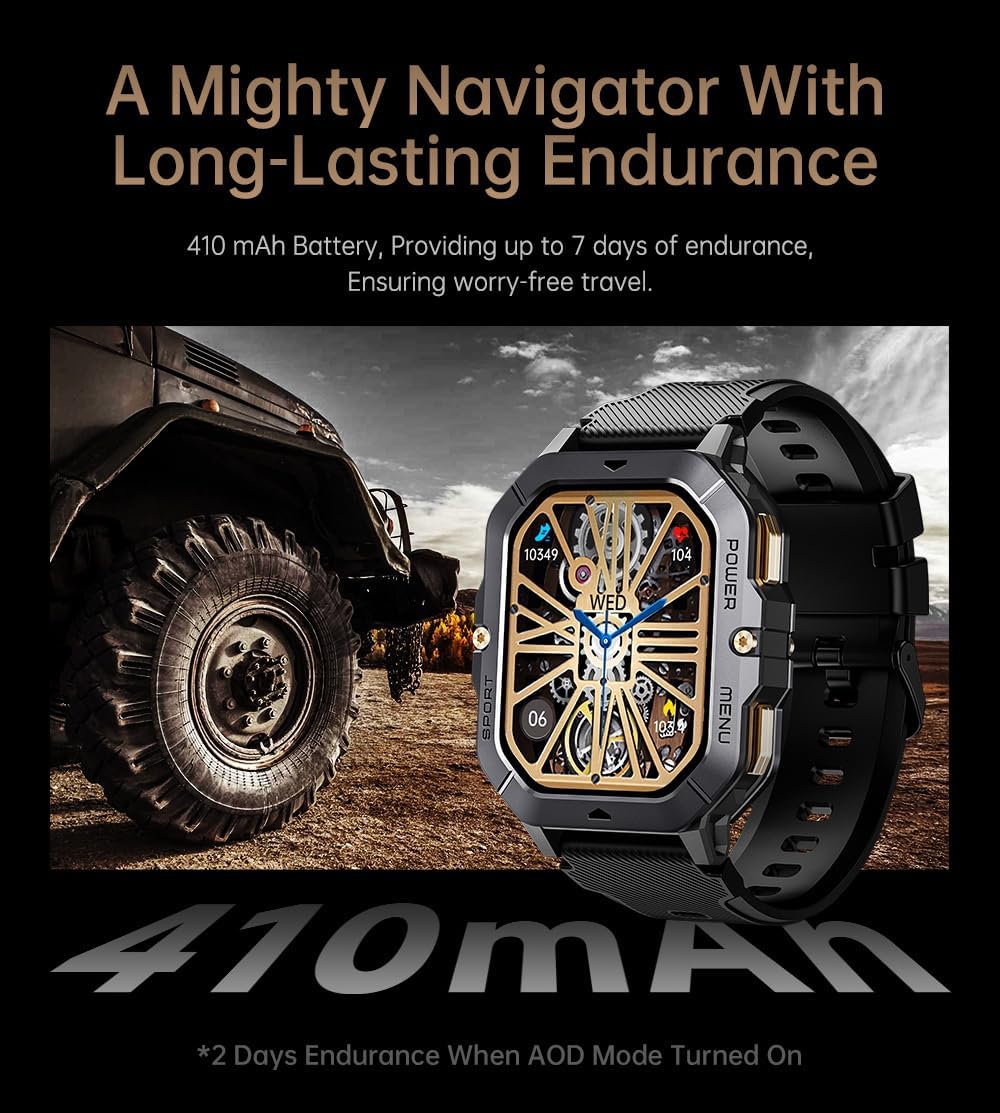
Image: The smartwatch displayed next to a large tire, emphasizing its ruggedness and long-lasting 410 mAh battery, providing up to 7 days of endurance (2 days with AOD mode).
ข้อมูลจำเพาะ
| คุณสมบัติ | รายละเอียด |
|---|---|
| หมายเลขรุ่น | W4-C28 |
| ขนาดจอแสดงผล | จอ TFT ขนาด 2.02 นิ้ว |
| ความจุของแบตเตอรี่ | 410 มิลลิแอมป์ |
| ระบบปฏิบัติการ | Android OS (compatible with Android & iOS via Da Fit app) |
| การเชื่อมต่อ | บลูทูธ |
| ความต้านทานต่อน้ำ | ตู้เอทีเอ็ม 1 ตู้ |
| น้ำหนักสินค้า | 1 ปอนด์ |
| ขนาด | 9 x 4 x 1 นิ้ว (บรรจุภัณฑ์) |
| ประเภทแบตเตอรี่ | ลิเธียมโพลีเมอร์ |
การรับประกันและการสนับสนุน
ข้อมูลการรับประกัน
Warranty details for the Gravity C28 Smartwatch are typically provided with your purchase documentation. Please refer to the warranty card or contact your retailer for specific terms and conditions regarding coverage and duration.
การสนับสนุนลูกค้า
For technical assistance, troubleshooting not covered in this manual, or inquiries regarding your device, please contact Gravity customer support through the contact information provided on the product packaging or the official Gravity webเว็บไซต์.


