การแนะนำ
Welcome to the Gravity C26 Smartwatch user manual. This guide provides comprehensive instructions for setting up, operating, and maintaining your new smartwatch. The Gravity C26 features a 1.96-inch AMOLED display, Bluetooth calling, over 100 sports modes, heart rate and sleep monitoring, AI voice assistant, and 1 ATM waterproofing. It is designed for seamless integration with both iOS and Android devices, offering a robust and versatile experience for daily wear and fitness tracking.
มีอะไรอยู่ในกล่อง
เมื่อเปิดบรรจุภัณฑ์ โปรดตรวจสอบว่ามีส่วนประกอบทั้งหมดอยู่ครบ:
- Gravity C26 Smartwatch
- สายชาร์จ
- คู่มือการใช้งาน (เอกสารนี้)
สินค้าเกินview
The Gravity C26 Smartwatch is equipped with a high-resolution AMOLED display and intuitive controls. Familiarize yourself with its key components:

ภาพ: ด้านหน้า view of the Gravity C26 Smartwatch, showcasing its square display and rugged design.
แสดง
The smartwatch features a 1.96-inch AMOLED display with a resolution of 410x502 pixels, providing clear and vibrant visuals. The screen is designed with explosion-proof and drop-proof tempered glass for enhanced durability.

ภาพ: Close-up of the Gravity C26 Smartwatch display, highlighting its 1.96-inch AMOLED screen and tempered glass protection.
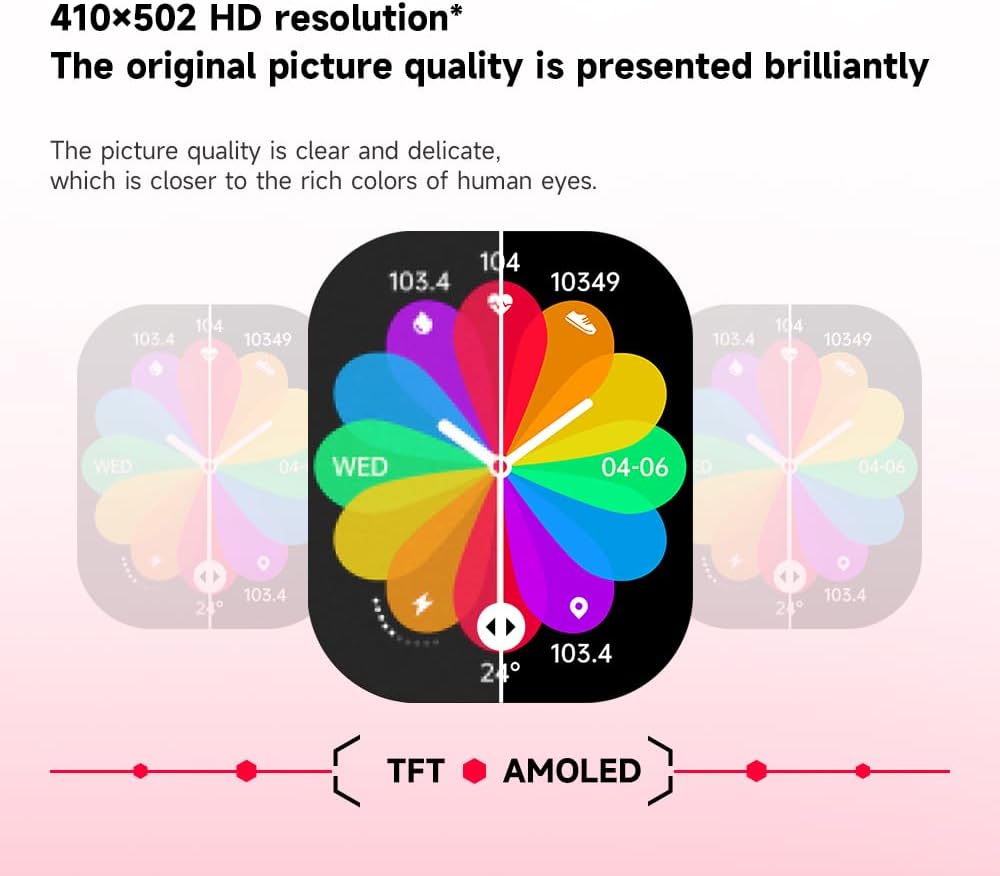
ภาพ: Visual representation of the 410x502 HD resolution and sRGB color gamut of the Gravity C26 Smartwatch display.
Buttons and Sensors
- ปุ่มเปิด/ปิด: Typically located on the side, used for turning the watch on/off, waking the screen, and returning to the home screen.
- ปุ่มกีฬา: Dedicated button for quick access to sports modes.
- เซ็นเซอร์วัดอัตราการเต้นของหัวใจ: Located on the back of the watch for continuous heart rate monitoring.
- หน้าสัมผัสการชาร์จ: มีขั้วแม่เหล็กด้านหลังสำหรับชาร์จไฟ
การตั้งค่า
1. การชาร์จสมาร์ทวอทช์
Before first use, fully charge your Gravity C26 Smartwatch. A full charge typically takes approximately 2 hours.
- เชื่อมต่อสายชาร์จแบบแม่เหล็กเข้ากับจุดชาร์จที่ด้านหลังของนาฬิกา
- ต่อปลายสาย USB เข้ากับอะแดปเตอร์แปลงไฟ USB มาตรฐาน (แนะนำ 5V/1A) หรือพอร์ต USB ของคอมพิวเตอร์
- หน้าจอแสดงผลของนาฬิกาจะแสดงตัวบ่งชี้การชาร์จ

ภาพ: Illustration of the Gravity C26 Smartwatch's 350mAh battery and charging process, indicating long battery life.
2. Installing the FitCloudPro App
The Gravity C26 Smartwatch requires the FitCloudPro app for full functionality and synchronization with your smartphone.
- Scan the QR code provided in the watch's quick start guide or search for "FitCloudPro" in the Apple App Store (for iOS) or Google Play Store (for Android).
- ดาวน์โหลดและติดตั้งแอพบนสมาร์ทโฟนของคุณ
- Follow the on-screen instructions to create an account and set up your profile.
3. Pairing the Smartwatch with Your Phone
โปรดตรวจสอบให้แน่ใจว่าได้เปิดใช้งานบลูทูธบนสมาร์ทโฟนของคุณก่อนดำเนินการต่อ
- เปิดแอป FitCloudPro บนสมาร์ทโฟนของคุณ
- ไปที่ส่วน "อุปกรณ์" หรือ "เพิ่มอุปกรณ์" ภายในแอป
- The app will search for nearby devices. Select "Gravity C26" from the list of discovered devices.
- ยืนยันคำขอจับคู่บนสมาร์ทโฟนและสมาร์ทวอทช์ของคุณหากได้รับแจ้ง
- เมื่อจับคู่แล้ว นาฬิกาจะซิงโครไนซ์เวลาและข้อมูลกับโทรศัพท์ของคุณ
การใช้งานสมาร์ทวอทช์
การนำทางพื้นฐาน
- เลื่อนลง: เข้าถึงการตั้งค่าด่วน (เช่น ความสว่าง โหมดห้ามรบกวน)
- ปัดขึ้น: View การแจ้งเตือน
- ปัดไปทางซ้าย/ขวา: Navigate through widgets and main functions (e.g., activity, heart rate, weather).
- แตะ: Select an item or enter a function.
- กดปุ่มเปิด/ปิด: Return to the home screen or wake/sleep the display.

ภาพ: Display of various menu styles and functions available on the Gravity C26 Smartwatch, including settings, dial, contacts, call records, sleep, and voice assistant.
การโทรด้วยบลูทูธ
The Gravity C26 supports Bluetooth calling, allowing you to make and receive calls directly from your wrist.
- ตรวจสอบให้แน่ใจว่านาฬิกาเชื่อมต่อกับโทรศัพท์ของคุณผ่านบลูทูธ
- To make a call: Access the "Dial" or "Contacts" function on the watch. You can dial a number directly or select a contact from your synchronized phonebook.
- วิธีรับสาย: เมื่อมีสายเรียกเข้า นาฬิกาจะแสดงหมายเลขผู้โทร แตะไอคอนสีเขียวเพื่อรับสาย หรือไอคอนสีแดงเพื่อปฏิเสธสาย

ภาพ: Depiction of the Gravity C26 Smartwatch's Bluetooth calling feature and AI voice assistant capabilities, showing call interface and voice commands.
การแจ้งเตือน
Receive notifications for calls, messages, and app alerts directly on your smartwatch. Ensure notification permissions are enabled in the FitCloudPro app and your phone's settings.
โหมดกีฬา
The Gravity C26 offers over 100 sports modes to track your workouts with precision.
- Press the dedicated "Sport" button or navigate to the "Sports" icon on the watch.
- Select your desired activity (e.g., Walking, Running, Cycling, Swimming).
- Tap to start the activity. The watch will begin tracking metrics such as duration, distance, calories burned, and heart rate.
- To pause or end an activity, swipe right or press the power button and select the appropriate option.

ภาพ: Visual display of the Gravity C26 Smartwatch supporting over 100 sports modes, showing examples like walking, running, climbing, and cycling.
การติดตามสุขภาพ
The smartwatch continuously monitors your heart rate and sleep patterns.
- อัตราการเต้นของหัวใจ: Access the heart rate widget to view your current heart rate. The app provides historical data and analysis.
- การติดตามการนอนหลับ: Wear the watch to bed for automatic sleep monitoring. The app will provide detailed reports on sleep stages (deep, light, REM) and duration.
- คำเตือนเกี่ยวกับการดื่มน้ำให้เพียงพอ: Set up hydration reminders in the FitCloudPro app to ensure you stay hydrated throughout the day.
AI ผู้ช่วยเสียง
Activate the built-in AI voice assistant for hands-free control and information retrieval.
- To activate, raise your hand or use the designated voice assistant icon on the watch.
- Speak your commands clearly, such as "How is the weather tomorrow?" or "Call my mom."
การปรับแต่งหน้าปัดนาฬิกา
Personalize your smartwatch with over 200 cool visual watch faces available through the FitCloudPro app.

ภาพ: A selection of customizable watch faces available for the Gravity C26 Smartwatch, demonstrating various styles and data displays.
การซ่อมบำรุง
การทำความสะอาดและการดูแลรักษา
- ควรทำความสะอาดหน้าจอนาฬิกาและสายนาฬิกาเป็นประจำด้วยผ้าเนื้อนุ่มและแห้งamp ผ้า.
- หลีกเลี่ยงการใช้สารเคมีรุนแรงหรือวัสดุที่มีฤทธิ์กัดกร่อน เพราะอาจทำให้นาฬิกาเสียหายได้
- ตรวจสอบให้แน่ใจว่าหน้าสัมผัสการชาร์จสะอาดและแห้งก่อนชาร์จเพื่อป้องกันการกัดกร่อน
ความต้านทานต่อน้ำ
The Gravity C26 Smartwatch is 1 ATM waterproof, dustproof, and shock resistant. This means it can withstand splashes, rain, and brief immersion in shallow water (up to 10 meters depth). It is suitable for daily use and activities like swimming in a pool.
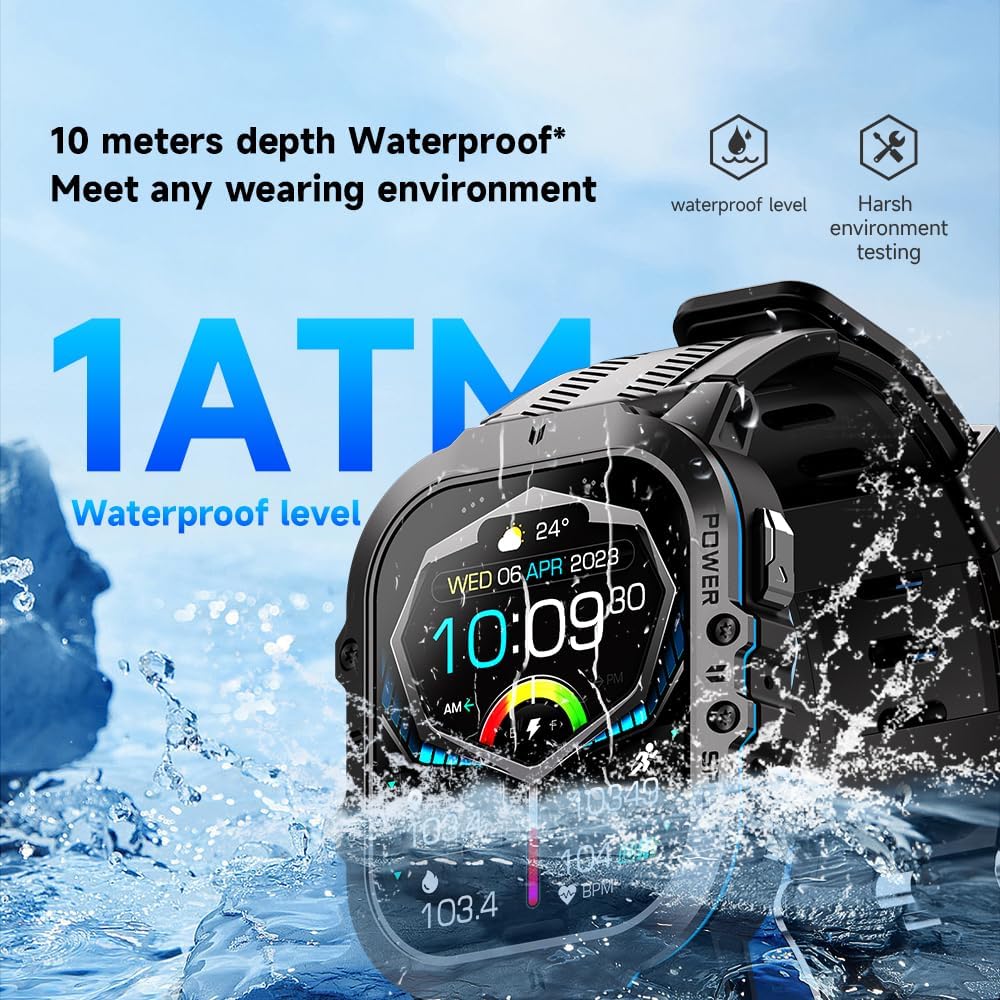
ภาพ: Visual demonstrating the Gravity C26 Smartwatch's 1 ATM waterproof rating, showing it submerged in water.
สำคัญ: Do not press any buttons while the watch is submerged. Avoid exposure to hot water, steam, or high-pressure water jets, as this may compromise the water resistance.
ความทนทานต่ออุณหภูมิ
The watch is designed to function in extreme temperatures ranging from -24°C to 60°C.
การแก้ไขปัญหา
| ปัญหา | วิธีแก้ปัญหาที่เป็นไปได้ |
|---|---|
| นาฬิกาไม่เปิด | ตรวจสอบให้แน่ใจว่านาฬิกาชาร์จเต็มแล้ว เสียบนาฬิกาเข้ากับเครื่องชาร์จอย่างน้อย 30 นาที |
| ไม่สามารถจับคู่กับสมาร์ทโฟนได้ |
|
| ไม่ได้รับการแจ้งเตือน |
|
| ข้อมูลสุขภาพที่ไม่ถูกต้อง |
|
ข้อมูลจำเพาะ
| คุณสมบัติ | รายละเอียด |
|---|---|
| ยี่ห้อ | แรงโน้มถ่วง |
| หมายเลขรุ่น | SF20250527B0DVBMK825_B0DVBMK825_1_2CVbmM |
| ขนาดจอแสดงผล | หน้าจอ AMOLED ขนาด 1.96 นิ้ว |
| ปณิธาน | ขนาด 410x502 |
| ความจุของแบตเตอรี่ | 350 มิลลิแอมป์ |
| เวลาสแตนด์บาย | นานถึง 25 วัน |
| ความต้านทานต่อน้ำ | 1 ATM (ความลึก 10 เมตร) |
| ระบบปฏิบัติการ | Android OS (compatible with iOS & Android) |
| การเชื่อมต่อ | บลูทูธ |
| คุณสมบัติพิเศษ | Activity Tracker, Heart Rate Monitor, Sleep Monitor, Bluetooth Call, AI Voice Assistant, 100+ Sports Modes |
| ความทนทานต่ออุณหภูมิ | -24°C ถึง 60°C |
| น้ำหนักสินค้า | 1 ปอนด์ |
| ขนาดแพ็คเกจ | 9 x 4 x 1 นิ้ว |
การรับประกันและการสนับสนุน
For warranty information and technical support, please refer to the warranty card included with your product or visit the official Gravity webไซต์ โปรดเก็บใบเสร็จรับเงินไว้เป็นหลักฐานการซื้อสำหรับการเรียกร้องการรับประกัน
ผู้ผลิต: แรงโน้มถ่วง
วันที่เข้าใช้งานครั้งแรก: 28 มกราคม 2025


