1. บทนำ
The Rane ONE MKII is a motorized DJ controller designed for professional DJs using Serato DJ Pro. This unit combines the tactile feel of traditional turntables with advanced digital control, offering a comprehensive solution for mixing, scratching, and performance. It features two motorized platters, an extensive internal effects suite, and deep integration with Serato's Stems functionality, providing enhanced creative control for various DJing environments, from home studios to clubs and events.
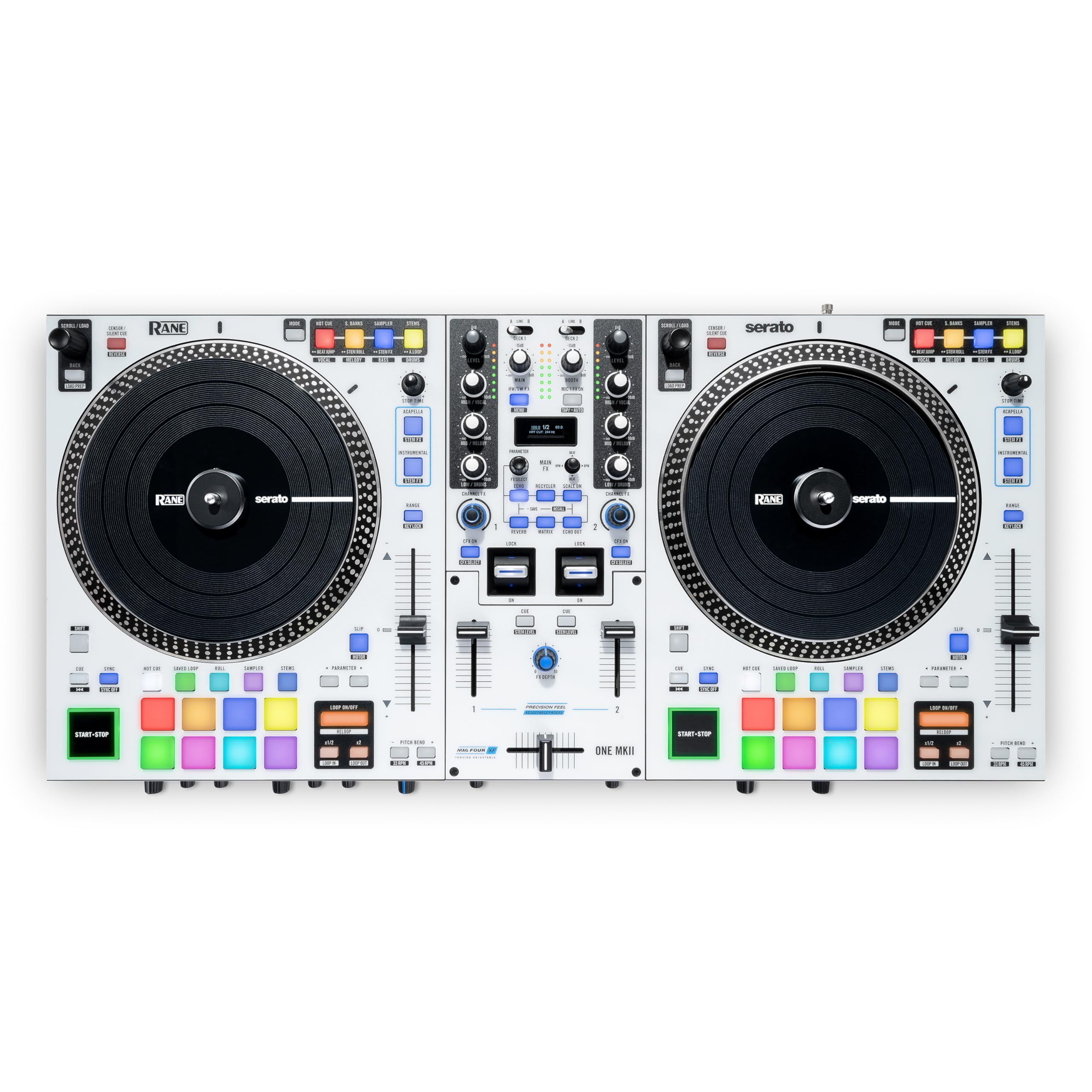
รูปที่ 1.1: จากบนลงล่าง view of the Rane ONE MKII controller, showcasing its dual motorized platters, mixer section, and performance pads.
2. คุณสมบัติหลัก
- Motorized 7.2" Platters: Provides an authentic turntable feel with adjustable torque settings for precise control during scratching and mixing.
- Serato DJ Pro Integration: Unlocks full Serato DJ Pro functionality, including advanced Stems control for isolating and manipulating individual track elements.
- Dynamic Internal FX Suite: Features 29 meticulously crafted internal effects with an OLED display for intuitive selection and parameter adjustment.
- Channel FX: Dedicated filter knobs on each channel provide hands-on control over Filter, Filter Roll, Flanger, and Noise effects.
- 16 Multi-Color Backlit Pads: Eight performance pads per deck, each with 10 modes, for Hot Cues, Saved Loops, Rolls, Sampler, and Stems functions.
- Secondary Pad Buttons: Allows simultaneous access to two pad modes, enhancing workflow and creative flexibility.
- Custom PRECISION FEEL Channel Faders: Ultra-smooth, tension-adjustable faders for intricate and dynamic mixing.
- MAG FOUR Crossfader: Tension-adjustable crossfader with independent contour and reverse controls for precise scratch performance.
- โครงสร้างแข็งแรงทนทาน: All-metal chassis with high-quality knobs and faders designed for durability and professional use.
3. คู่มือการติดตั้ง
3.1 การแกะกล่องและการตรวจสอบเบื้องต้น
Carefully remove the Rane ONE MKII from its packaging. Inspect the unit for any signs of damage during transit. Ensure all included accessories, such as power cable and USB cables, are present.
3.2 Connecting Your Rane ONE MKII
Before connecting the Rane ONE MKII to your computer or audio system, ensure all devices are powered off. Refer to the diagram below for proper connection points.

Figure 3.1: Rear panel connections of the Rane ONE MKII.
- การเชื่อมต่อไฟฟ้า: Connect the included power adapter to the unit and then to a power outlet.
- การเชื่อมต่อ USB: Use the provided USB Type-B cables to connect the Rane ONE MKII to your computer. The unit features two USB ports (USB A and USB B) for connecting two computers simultaneously, allowing for seamless DJ changeovers.
- เอาต์พุตเสียง:
- ช่องต่อเอาต์พุตหลัก (XLR): Connect these to your main sound system or PA.
- Booth Outputs (XLR): Connect these to your booth monitor speakers.
- เอาต์พุตหลัก (RCA): An additional stereo RCA output for connecting to other audio devices.
- อินพุตเสียง:
- Deck Inputs (RCA): Two stereo RCA input pairs (Deck 1-2) for connecting external media players or turntables.
- Aux Input (RCA): A stereo RCA input for connecting auxiliary audio sources.
- Microphone Inputs (XLR / 1/4" TRS): Two combo inputs for connecting microphones.
- เอาท์พุตหูฟัง: 1/4" TRS and 1/8" TRS outputs for connecting headphones.
3.3 การติดตั้งซอฟต์แวร์
The Rane ONE MKII unlocks Serato DJ Pro. Download and install the latest version of Serato DJ Pro from the official Serato website. Ensure your computer meets the minimum system requirements for Serato DJ Pro.
4. คู่มือการใช้งาน
4.1 การเปิดและปิดเครื่อง
To power on, connect the power adapter and press the power button located on the rear panel. To power off, ensure all audio is faded out, then press and hold the power button until the unit shuts down.
4.2 Motorized Platters and Torque Adjustment
The 7.2-inch motorized platters provide a realistic vinyl feel. You can adjust the platter's torque to match your preference using the dedicated control on the unit. This allows for customization whether you prefer a lighter touch for mixing or a heavier feel for scratching.
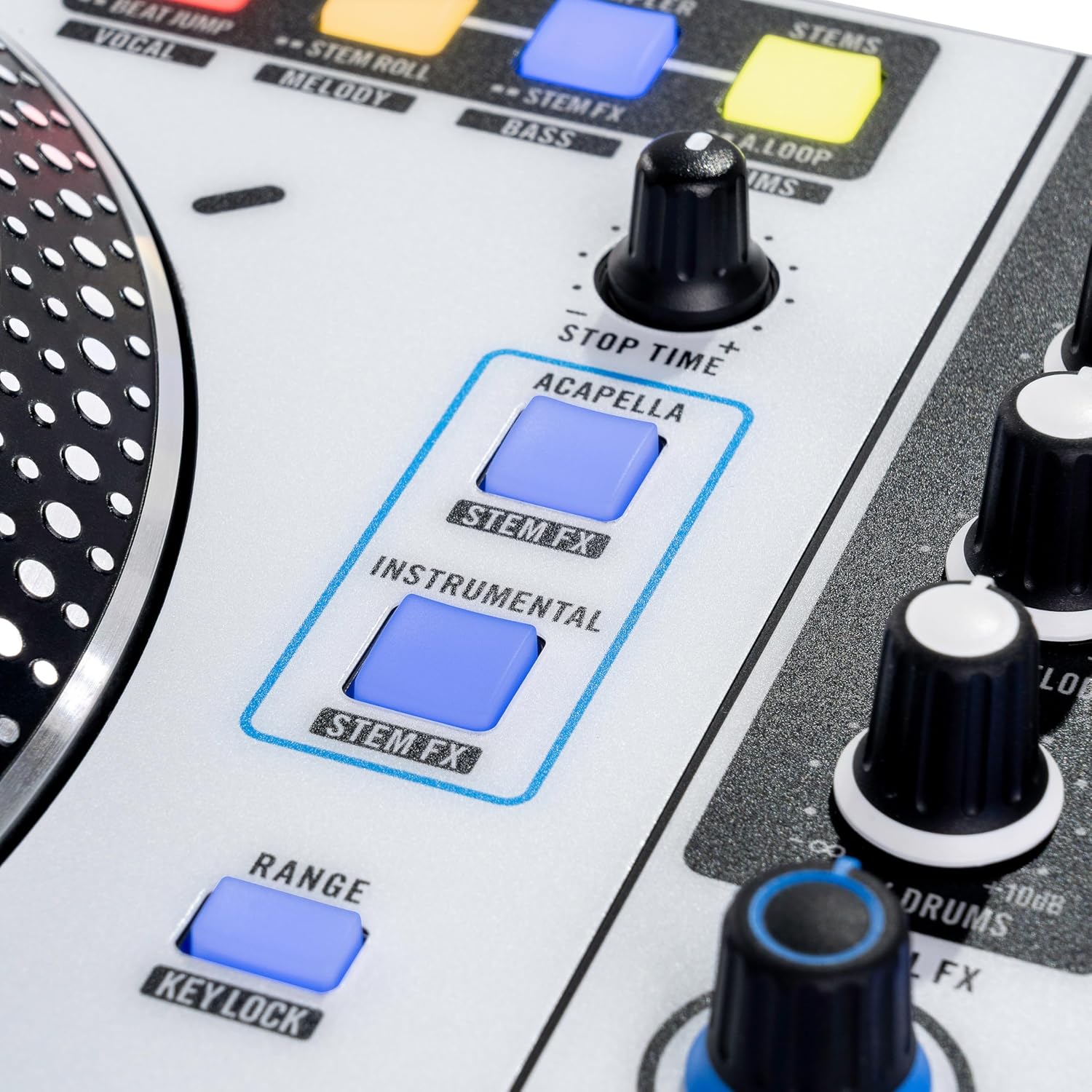
Figure 4.1: Detail of a motorized platter, designed for an authentic vinyl experience.
4.3 Dynamic Internal FX Suite
The Rane ONE MKII features 29 internal effects. Use the OLED display and associated controls to browse and select effects. The Channel FX knobs allow for quick application of Filter, Filter Roll, Flanger, and Noise effects directly to individual channels.

Figure 4.2: The central mixer section with OLED display for effect selection and control.
4.4 Stems Integration
Leverage Serato DJ Pro's Stems feature with dedicated controls on the Rane ONE MKII. Use the Acapella/Instrumental buttons to instantly isolate or remove vocals and instrumentals. Stems Level Control and performance pad modes like Stem FX and Stem Roll allow for real-time manipulation and remixing of individual track elements (vocals, melody, bass, drums).

Figure 4.3: Dedicated Stems controls for isolating and manipulating track elements.
4.5 แผ่นประสิทธิภาพ
Each deck features eight multi-color backlit performance pads with 10 modes. These modes include Hot Cue, Saved Loop, Roll, Sampler, and Stems. Secondary pad buttons above the platters provide immediate access to additional pad modes, streamlining your performance workflow.

Figure 4.4: Multi-color performance pads for various creative functions.
4.6 การควบคุมเฟดเดอร์
The Rane ONE MKII is equipped with Custom PRECISION FEEL channel faders and a MAG FOUR tension-adjustable crossfader. These faders offer ultra-smooth and accurate control, essential for dynamic mixing and precise scratching. Adjust the tension and contour settings of the crossfader to suit your individual style.

Figure 4.5: Channel faders and crossfader for precise audio control.
4.7 วิดีโอสาธิตผลิตภัณฑ์
Video 4.1: An official product video demonstrating the Rane ONE MKII in use by a DJ, showcasing its features and performance capabilities.
5. การบำรุงรักษา
To ensure the longevity and optimal performance of your Rane ONE MKII, follow these maintenance guidelines:
- การทำความสะอาด: Regularly wipe the unit with a soft, dry, lint-free cloth. Avoid using abrasive cleaners, solvents, or strong chemicals, as these can damage the finish and components.
- การป้องกันฝุ่น: When not in use, cover the controller with a dust cover to prevent dust and debris from accumulating on the platters, faders, and buttons.
- การหลีกเลี่ยงของเหลว: Keep liquids away from the unit to prevent spills and potential damage to internal electronics.
- การจัดการสายเคเบิล: ตรวจสอบให้แน่ใจว่าสายเคเบิลทั้งหมดจัดเรียงอย่างเป็นระเบียบและไม่ตึงเกินไป เพื่อป้องกันความเสียหายต่อขั้วต่อและพอร์ต
- พื้นที่จัดเก็บ: เก็บอุปกรณ์ไว้ในที่แห้งและเย็น หลีกเลี่ยงแสงแดดโดยตรงและอุณหภูมิที่สูงหรือต่ำเกินไป
6 การแก้ไขปัญหา
If you encounter issues with your Rane ONE MKII, refer to the following common troubleshooting steps:
- ไม่มีไฟฟ้า: Ensure the power adapter is securely connected to both the unit and a working power outlet. Verify the power button is pressed.
- ไม่มีเสียงออก: Check all audio cable connections (Main, Booth, Headphones). Verify volume levels on the controller, your computer, and your sound system. Ensure the correct audio output device is selected in your computer's sound settings and Serato DJ Pro.
- Controller Not Recognized by Computer/Serato DJ Pro: Ensure USB cables are securely connected. Try a different USB port or cable. Restart your computer and the Rane ONE MKII. Verify that Serato DJ Pro is updated to the latest version and that necessary drivers are installed (if applicable).
- Platters Not Responding: Check the motor on/off switch for each platter. Ensure Serato DJ Pro is running and correctly configured for the Rane ONE MKII.
- เอฟเฟกต์ไม่ทำงาน: Verify that effects are enabled in Serato DJ Pro and on the controller. Check the OLED display for effect selection and parameter settings.
- เสียงเพี้ยน: Check input and output gain levels to prevent clipping. Ensure all cables are in good condition and properly connected.
For further assistance, consult the Rane support webเว็บไซต์หรือติดต่อฝ่ายบริการลูกค้า
7. ข้อมูลจำเพาะ
| หมายเลขรุ่น | ONEMKII |
| น้ำหนักสินค้า | 30.4 ปอนด์ (13.8 กิโลกรัม) |
| ขนาดสินค้า | 12.48 x 26.5 x 5 นิ้ว (ลึก 13.6 นิ้ว x กว้าง 26.5 นิ้ว x สูง 4.9 นิ้ว) |
| สี | สีขาว |
| ประเภทวัสดุ | สแตนเลส |
| แหล่งพลังงาน | สายไฟ |
| จำนวนช่องสัญญาณ | 2 |
| เทคโนโลยีการเชื่อมต่อ | (2) RCA stereo input pairs (Deck 1–2), (2) USB Type-B ports, (2) XLR / 1/4” TRS inputs (Mic 1–2), (2) XLR outputs (Booth), (2) XLR outputs (Main), 1/4” TRS output (Headphones), 1/8” TRS output (Headphones), RCA stereo input pair (Aux), RCA stereo output pair (Master) |
8. การรับประกันและการสนับสนุน
The Rane ONE MKII comes with a manufacturer's warranty. Please refer to the warranty card included with your product or visit the official Rane webดูรายละเอียดข้อกำหนดและเงื่อนไขการรับประกันได้ที่เว็บไซต์ เก็บหลักฐานการซื้อไว้เพื่อใช้ในการเรียกร้องการรับประกัน
For technical support, product registration, or to download the latest drivers and software, please visit the Rane support webเว็บไซต์:
You may also find additional resources and FAQs on the Rane brand store on Amazon: Rane Store.


