การแนะนำ
This manual provides comprehensive instructions for the assembly, operation, and maintenance of your FLEXISPOT L Shaped Standing Desk. Please read this manual thoroughly before assembly and use to ensure safe and efficient operation. This desk is designed to provide a versatile and ergonomic workspace, allowing seamless transitions between sitting and standing positions.

Image: The FLEXISPOT L Shaped Standing Desk in a home office setting, showcasing its spacious design and ability to accommodate multiple devices like monitors and a printer.
ข้อมูลด้านความปลอดภัย
Adherence to the following safety guidelines is crucial for preventing injury and damage to the desk:
- ควรประกอบโต๊ะบนพื้นผิวที่มั่นคงและเรียบเสมอกัน
- Keep the desk away from heat sources.
- Do not place heavy objects on the desk when it is in the raised position beyond the specified weight capacity.
- Always use the desk with caution and follow all instructions provided in this manual.
- Ensure no obstructions are present in the desk's path during height adjustments to prevent collision.
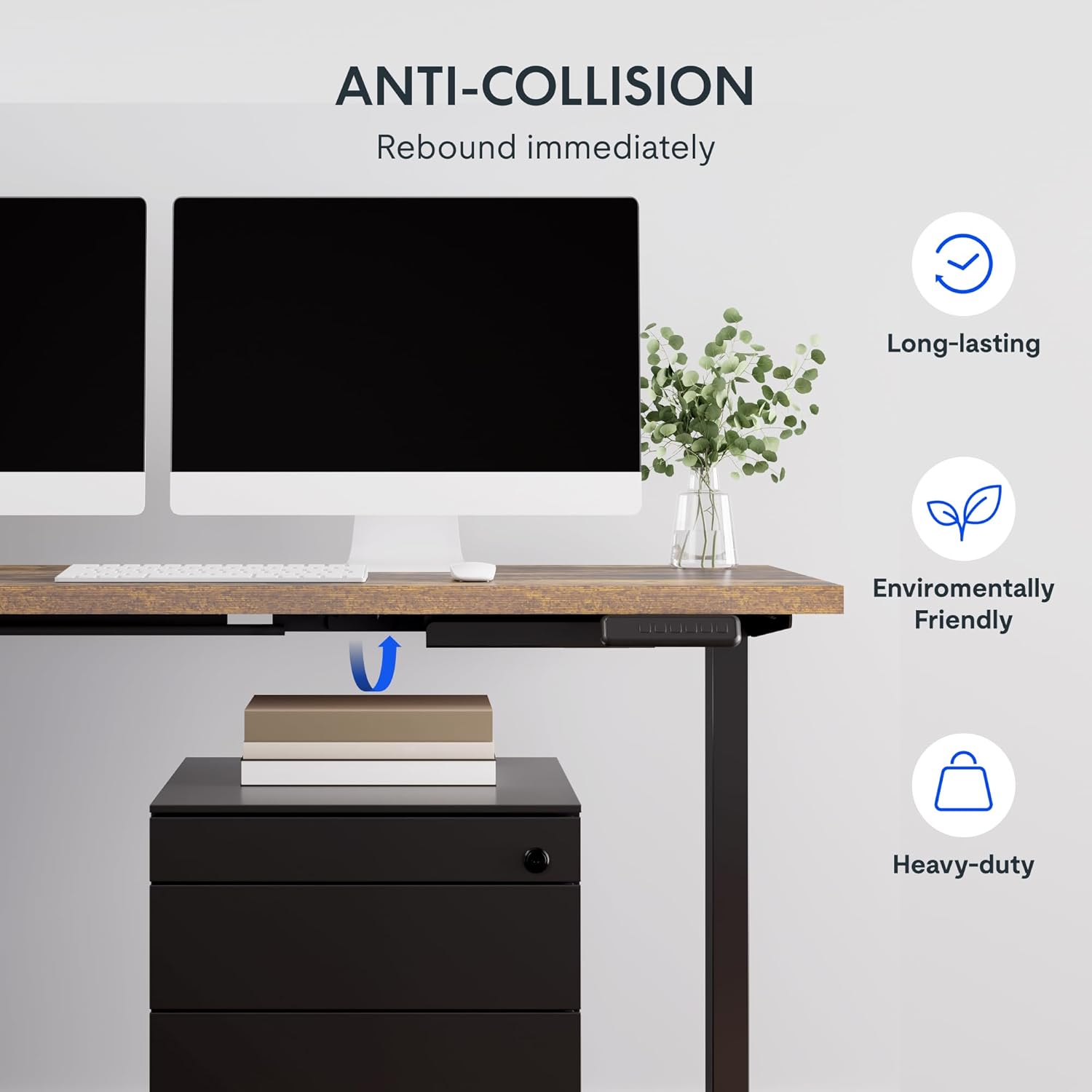
Image: Illustration of the desk's anti-collision feature, showing it rebounding when an object is detected underneath, ensuring safety during height adjustments.
คุณสมบัติผลิตภัณฑ์
- เดสก์ท็อปกว้างขวาง: The expansive L-shaped work surface is seamlessly crafted with environmentally sourced splice board, measuring 63.0" x 55.1". It provides ample space for ongoing projects and office supplies.
- Versatile Orientation: This height-adjustable desk features a wider desktop section that can be positioned on either the left or right side, allowing you to customize the layout to best fit your space.
- โครงสร้างแข็งแรง: The industrial-grade steel frame and solid desktop (1") combine to support a maximum weight capacity of up to 220 lbs, effortlessly handling your ideal work setup.
- Customizable LED Control Panel: The LED control pad allows you to customize the desk height with 4 different memory settings, enabling easy switching between your preferred standing and sitting positions.

ภาพ: เหนือศีรษะ view demonstrating the flexible right/left orientation of the L-shaped standing desk, highlighting its adaptability to various room layouts.

ภาพ: ภาพระยะใกล้ view emphasizing the 1-inch thick commercial-grade desktop, indicating durability and suitability for monitor mounts.
การติดตั้งและการประกอบ
Your FLEXISPOT L Shaped Standing Desk ships in two separate packages, which may arrive on different days. Please ensure you have received both packages before beginning assembly.

Image: Visual representation indicating that the desk components are shipped in two separate boxes, which may arrive at different times.
ก่อนที่คุณจะเริ่มต้น:
- จัดเตรียมพื้นที่ให้กว้างขวางสำหรับการชุมนุม
- Unpack all components and verify against the parts list (refer to the included assembly guide for a detailed list).
- แนะนำให้ใช้คนสองคนในการประกอบ เนื่องจากชิ้นส่วนมีน้ำหนักและขนาดใหญ่
- Ensure all necessary tools are available. While some basic tools may be included, additional tools like a drill might be helpful for pre-drilled holes that may be missing (as noted in some customer reviewส).
ขั้นตอนการประกอบ:
- Assemble the desk frame according to the provided assembly instructions. Pay close attention to the orientation of the L-shaped sections, as they can be configured for left or right-sided use.
- Attach the desktop sections to the assembled frame. Ensure all screws are tightened securely.
- Connect the motor and control panel cables as indicated in the assembly guide.
- Carefully flip the desk upright with assistance.
- Plug the desk into a power outlet.
คำแนะนำการใช้งาน
The FLEXISPOT L Shaped Standing Desk features an intuitive LED control panel for easy height adjustment and memory settings.

ภาพ: รายละเอียด view of the smart control panel, showing the LED display, up/down buttons, four memory preset buttons, and the anti-collision indicator.
การปรับความสูงของโต๊ะ:
- ใช้ ขึ้น (▲) และ ลง (▼) arrow buttons on the control panel to manually adjust the desk height. The current height will be displayed on the LED screen.
- The desk has a height range from 28.3 inches (minimum) to 45.9 inches (maximum).

Image: The desk demonstrating its large adjustable height range, from a minimum of 28.3 inches to a maximum of 45.9 inches, suitable for various user preferences.
การตั้งค่าหน่วยความจำล่วงหน้า:
The control panel allows you to save up to four preferred height settings:
- ปรับความสูงของโต๊ะตามต้องการโดยใช้ปุ่มขึ้น/ลง
- กดปุ่ม "เอ็ม" button (or similar memory set button, if present). The display may flash.
- Immediately press one of the numbered memory buttons (1, 2, 3 หรือ 4) เพื่อบันทึกความสูงปัจจุบันลงในค่าที่ตั้งไว้ล่วงหน้านั้น
- หากต้องการเรียกความสูงที่บันทึกไว้ เพียงกดปุ่มหน่วยความจำที่มีหมายเลขตรงกัน โต๊ะจะเลื่อนไปยังตำแหน่งที่ตั้งบันทึกไว้โดยอัตโนมัติ
คุณสมบัติป้องกันการชน:
The desk is equipped with an anti-collision system. If the desk encounters an obstruction during height adjustment, it will automatically stop and rebound slightly to prevent damage. Ensure the area around and under the desk is clear before adjusting height.
การซ่อมบำรุง
Regular maintenance ensures the longevity and optimal performance of your FLEXISPOT L Shaped Standing Desk.
- การทำความสะอาด: เช็ดพื้นเดสก์ท็อปและกรอบด้วยผ้าเนื้อนุ่มamp cloth. Avoid abrasive cleaners or harsh chemicals that could damage the finish. For the rustic brown top, a mild cleaner can be used for smudges.
- การจัดการสายเคเบิล: Periodically check and organize cables to prevent tangling or interference with the desk's movement. The desk includes some small cable management tools.
- เครื่องยนต์และโครง: The motor is designed for quiet and smooth operation. No specific user maintenance is required for the motor or frame. If you notice unusual noises or movement, refer to the troubleshooting section or contact customer support.
- ความจุน้ำหนัก: Do not exceed the maximum weight capacity of 220 lbs. Distribute weight evenly across the desktop.
การแก้ไขปัญหา
หากคุณประสบปัญหาเกี่ยวกับโต๊ะทำงานของคุณ โปรดดูปัญหาทั่วไปและวิธีแก้ไขต่อไปนี้:
| ปัญหา | สาเหตุที่เป็นไปได้ | สารละลาย |
|---|---|---|
| โต๊ะไม่ขยับหรือไม่ตอบสนองต่อปุ่มควบคุม | Power disconnected, motor cable loose, control panel issue. |
|
| Desk stops during adjustment or moves erratically. | Obstruction detected (anti-collision activated), uneven weight distribution, motor overload. |
|
| Memory presets are not saving or recalling correctly. | Incorrect saving procedure, temporary glitch. |
|
หากปัญหายังคงอยู่หลังจากลองวิธีแก้ปัญหาเหล่านี้แล้ว โปรดติดต่อฝ่ายบริการลูกค้าของ FLEXISPOT เพื่อขอความช่วยเหลือเพิ่มเติม
ข้อมูลจำเพาะ
| คุณสมบัติ | รายละเอียด |
|---|---|
| ยี่ห้อ | เฟล็กซิสพอท |
| แบบอย่าง | 63x55"Top (3-Legged) |
| ขนาดสินค้า (ลึก x กว้าง x สูง) | ลึก 55.1 นิ้ว x กว้าง 63 นิ้ว x สูง 45.9 นิ้ว |
| สี | Black Frame + Rustic Brown Top |
| สไตล์ | ทันสมัย |
| วัสดุฐาน | เหล็กอัลลอยด์ |
| ประเภทวัสดุยอดนิยม | ไม้ |
| ประเภทการเสร็จสิ้น | ขัดเงา |
| คุณสมบัติพิเศษ | แบบมีสาย |
| งานเฟอร์นิเจอร์สำเร็จรูป | วอลนัท |
| ยูพีซี | 840460438421 |
| ชื่อประเภทรายการ | โต๊ะทำงานแบบยืน |
| ความสูงขั้นต่ำ | 28.3 นิ้ว |
| ความสูงสูงสุด | 45.9 นิ้ว |
| คำแนะนำน้ำหนักสูงสุด | 220 ปอนด์ |
| การประกอบที่จำเป็น | ใช่ |
| ประเภทการรับประกัน | ขยายเวลา |

Image: A detailed diagram illustrating the key dimensions of the L-shaped standing desk, including length, width, and height range.
การรับประกันและการสนับสนุน
FLEXISPOT provides a comprehensive warranty for your peace of mind:
- ความคุ้มครอง 5 ปี: ใช้ได้กับโครงโต๊ะและมอเตอร์
- การรับประกัน 2 ปี: ใช้ได้กับแผงควบคุมและอุปกรณ์อิเล็กทรอนิกส์
For warranty claims, technical support, or any inquiries, please contact FLEXISPOT customer support. You can find contact information on the official FLEXISPOT webเว็บไซต์หรือผ่านแพลตฟอร์มการซื้อของคุณ
นโยบายการคืนสินค้า: This product typically has a 30-day return policy for refund or replacement, subject to the retailer's terms and conditions.
แผนการคุ้มครอง: Extended protection plans are available for purchase, including 2-Year and 3-Year options, as well as a monthly "Complete Protect" plan. These plans offer additional coverage beyond the standard manufacturer's warranty.


