1. บทนำ
The TECTINTER N64 to HDMI Converter allows you to connect your classic Nintendo 64, SNES, SFC, NGC, or Gamecube console to modern televisions, monitors, or projectors via an HDMI input. This adapter converts analog signals to digital HDMI, providing a clearer 720P or 1080P resolution output with minimal latency, enhancing your retro gaming experience.
2. สินค้าหมดview
2.1 เนื้อหาบรรจุภัณฑ์
- TECTINTER N64 to HDMI Converter (x1)
- สายไฟ USB (x1)
- คู่มือผู้ใช้ (x1)

Image: The package includes the N64 to HDMI converter, a USB power cable, and a user manual.
2.2 คุณสมบัติหลัก
- เข้ากันได้สากล: Supports Nintendo 64, SNES, SFC, NGC, and Gamecube consoles.
- เอาท์พุตความละเอียดสูง: Converts analog signals to 720P/1080P HDMI resolution.
- ปลั๊กแอนด์เพลย์: ไม่ต้องติดตั้งไดรเวอร์ใดๆ
- Zero Lag: Designed for low latency gaming.
- การลดเสียงรบกวน: Built-in signal stabilization to minimize static and flickering.
- การออกแบบที่ทนทาน: Features a reinforced braided cable and gold-plated connectors.

Image: The converter is compatible with Nintendo 64, SNES, SFC, and Gamecube consoles, connecting them to an HDTV via an HDMI cable.

Image: This 4-in-1 HD converter supports N64, SNES, SFC, and Gamecube consoles.

Image: The N64 to HDTV converter unit and its USB power cable.
3. คำแนะนำในการตั้งค่า
- Connect the Converter to your Console: Plug the N64 AV multi-out connector from the converter into the corresponding port on your Nintendo 64, SNES, SFC, NGC, or Gamecube console.
- เชื่อมต่อกับจอแสดงผล: Connect one end of an HDMI cable (not included) to the 'OUTPUT' port on the converter and the other end to an available HDMI input on your television, monitor, or projector.
- เพิ่มพลังให้กับตัวแปลง: Connect the provided USB power cable to the 'Power' port on the converter and plug the other end into a USB power source (e.g., a USB wall adapter, TV USB port, or console USB port).
- เปิดเครื่อง: Turn on your console and your display device. Select the correct HDMI input on your display.
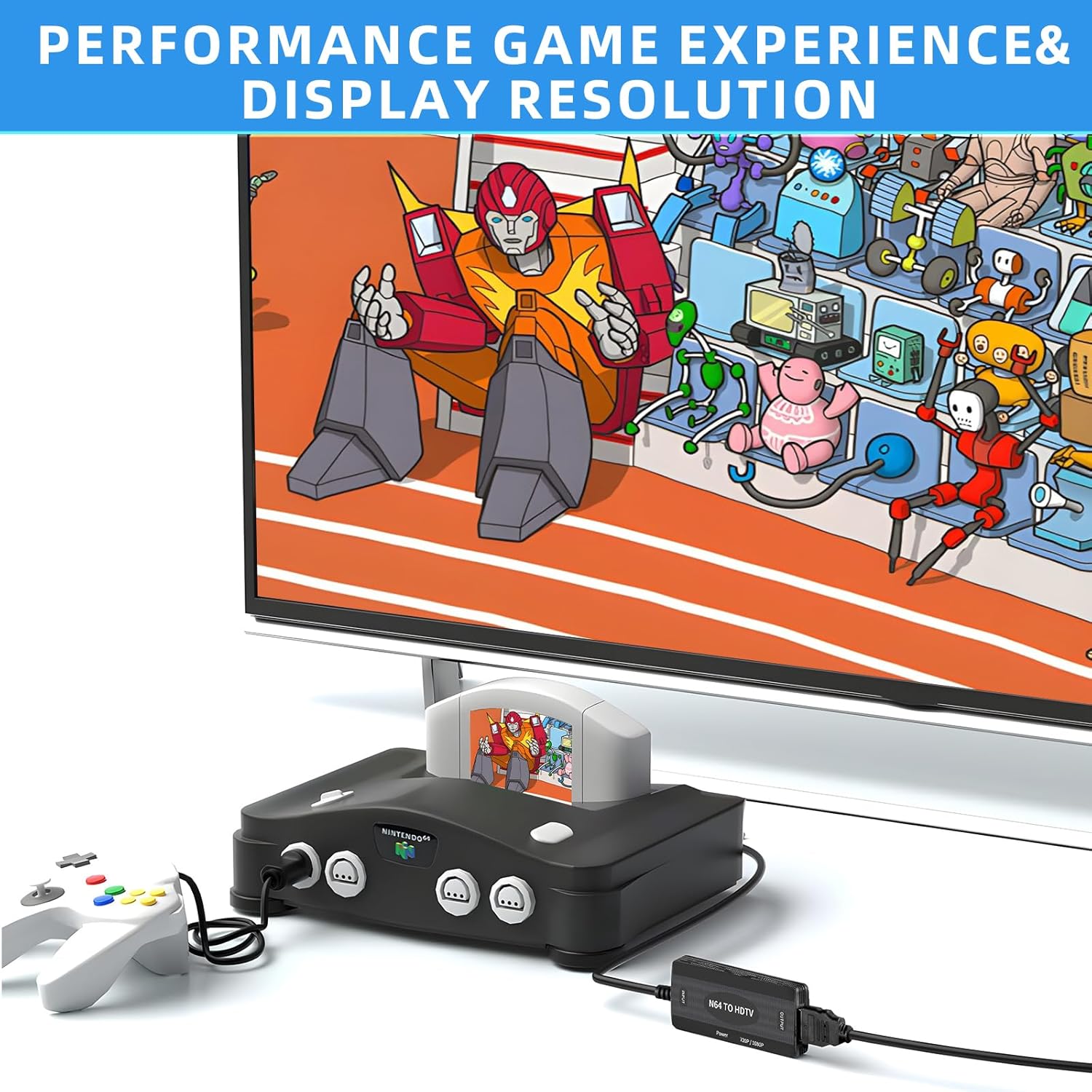
Image: An N64 console is connected to the converter, which outputs to a television.
4. คู่มือการใช้งาน
Once connected and powered, the converter will automatically detect the video signal from your console. The converter features a switch to select between 720P and 1080P output resolutions. Adjust this switch to your preferred setting based on your display's capabilities and visual preference.
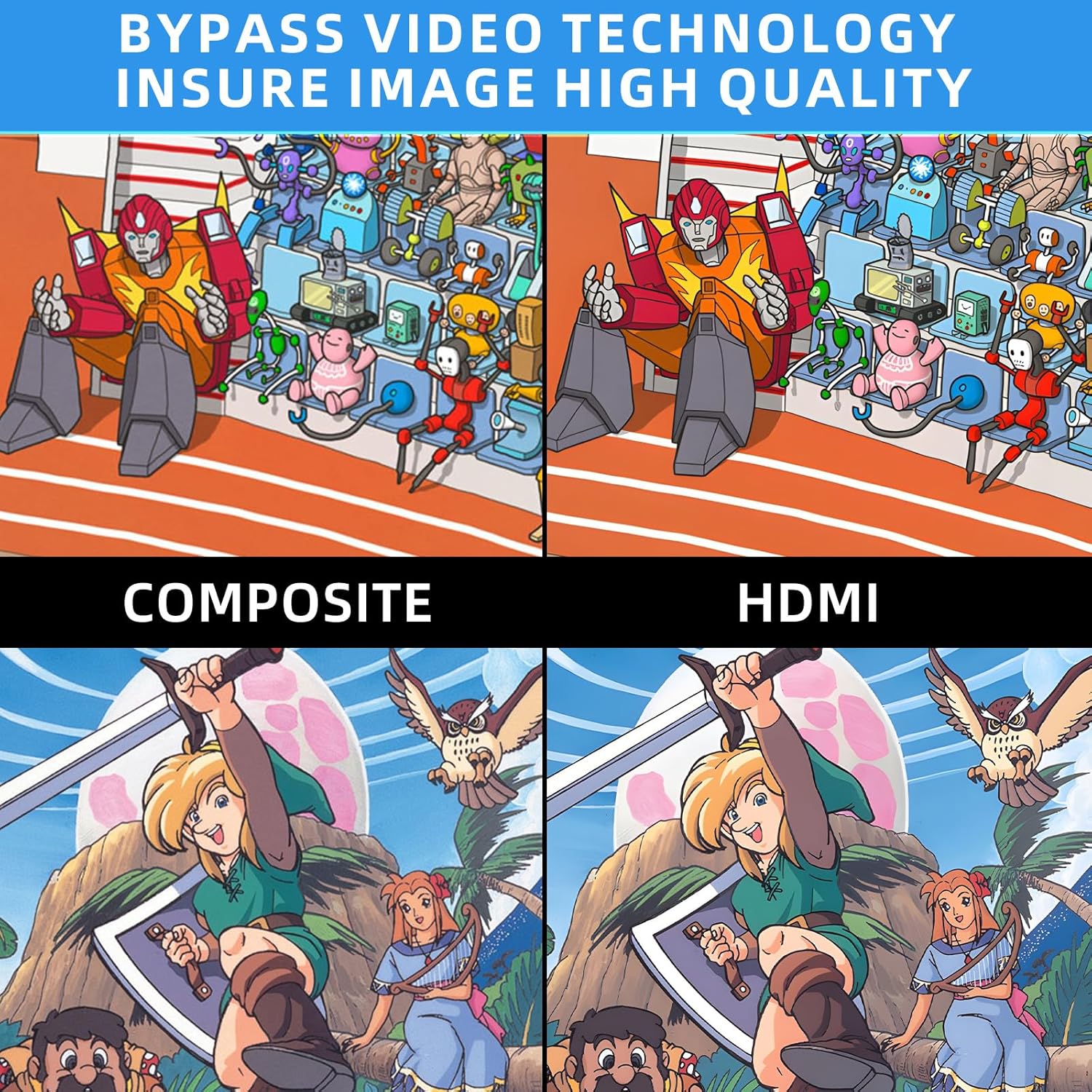
Image: Comparison of Composite video output versus HDMI output, highlighting improved image quality with the converter.
5 การแก้ไขปัญหา

Image: Troubleshooting guide for common issues like 'No Signal'.
- Blue Screen / No Signal: If your screen displays a blue screen or 'No Signal', it indicates no video input. Please check all connections to ensure they are secure and correctly plugged in. Verify that your display is set to the correct HDMI input.
- ไม่มีเสียง: If there is no sound, please reconnect all cables. Ensure your display's audio settings are correctly configured for the HDMI input.
- N64/SNES/GC to HDMI, does not support HDMI to AV: This converter is designed for one-way conversion from analog AV (N64/SNES/GC) to digital HDMI. It does not support conversion from HDMI to AV.
- ความต้องการพลังงาน: The converter requires external power via the included USB cable. Ensure it is connected to a stable USB power source.
If the above steps do not resolve the issue, please contact TECTINTER customer service for further assistance.
6. ข้อมูลจำเพาะ
| คุณสมบัติ | ข้อมูลจำเพาะ |
|---|---|
| ขนาดสินค้า (กว้าง x ยาว x สูง) | 1 x 0.5 x 0.5 นิ้ว |
| น้ำหนักสินค้า | 7 ออนซ์ (0.2 กิโลกรัม) |
| หมายเลขรุ่นสินค้า | N64 HDMI |
| อุปกรณ์ที่รองรับ | จอภาพ, โทรทัศน์ |
| ประเภทขั้วต่อ | HDMI |
| ผู้ผลิต | เทคเตอร์ |
7. การบำรุงรักษา
To ensure the longevity and optimal performance of your TECTINTER N64 to HDMI Converter, follow these maintenance guidelines:
- เก็บอุปกรณ์ไว้ในสภาพแวดล้อมที่แห้ง ห่างไกลจากความชื้นและอุณหภูมิที่สูงหรือต่ำเกินไป
- ควรหลีกเลี่ยงการทำตัวแปลงสัญญาณตกหรือกระแทกอย่างแรง
- ทำความสะอาดอุปกรณ์ด้วยผ้านุ่มและแห้ง ห้ามใช้น้ำยาทำความสะอาดหรือสเปรย์
- Disconnect the power cable when the converter is not in use for extended periods.
8. การรับประกันและการสนับสนุน
This product comes with a standard manufacturer's warranty. For detailed information regarding warranty coverage, returns, or technical support, please refer to the contact information provided with your purchase or visit the official TECTINTER webไซต์ โปรดเก็บหลักฐานการซื้อไว้เพื่อใช้ในการเรียกร้องการรับประกัน


