การแนะนำ
The Lexar SL300 USB 3.2 Gen 2 Type-C Portable SSD is a high-performance external storage solution designed for fast and reliable data management. It offers blazing-fast data transfer speeds and robust durability, making it suitable for professionals and casual users alike. This manual provides essential information for setting up, operating, maintaining, and troubleshooting your Lexar SL300 Portable SSD.
สินค้าเกินview

รูปที่ 1: ด้านหน้า view of the Lexar SL300 Portable SSD, showcasing its sleek black design and the Lexar logo.
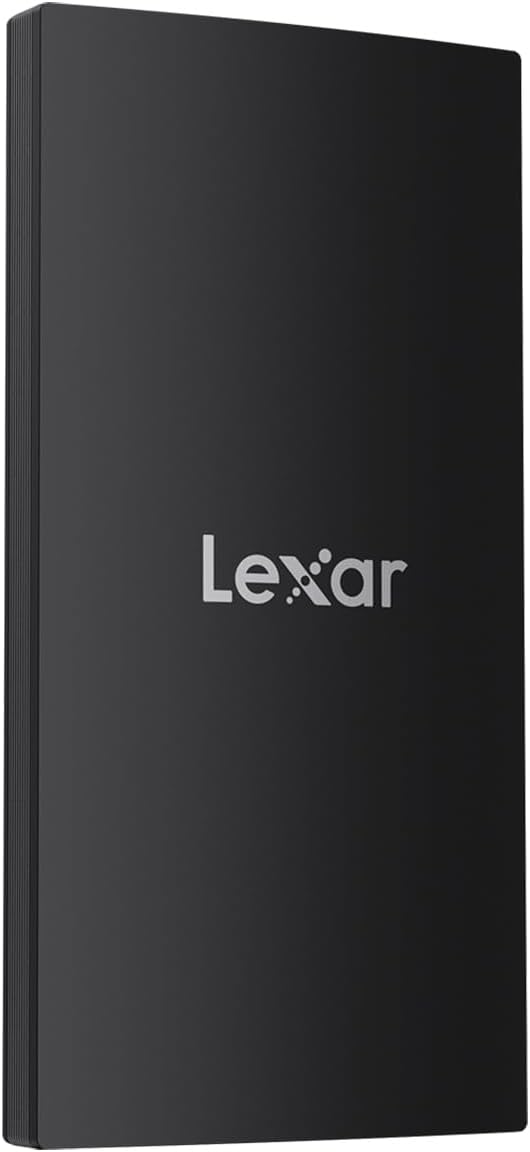
รูปที่ 2: ด้านข้าง view of the Lexar SL300 Portable SSD, highlighting its slim profile and textured edges.
The Lexar SL300 is a compact and lightweight device, designed for portability. It features a USB Type-C port for connectivity and comes with a versatile 2-in-1 USB-C/USB-A cable to ensure broad compatibility with various devices.
คู่มือการติดตั้ง
เนื้อหาแพ็คเกจ:
- Lexar SL300 SSD แบบพกพา
- 2-in-1 USB-C/USB-A Cable
- คู่มือเริ่มต้นใช้งานฉบับย่อ (ไม่รวมอยู่ในคู่มือนี้)
การเชื่อมต่อ SSD:
- ตรวจสอบปลายสายเคเบิลให้ถูกต้อง: Use the USB-C end of the provided 2-in-1 cable for the SSD.
- เชื่อมต่อกับ SSD: Insert the USB-C end of the cable into the USB-C port on the Lexar SL300 Portable SSD.
- เชื่อมต่อกับอุปกรณ์ของคุณ:
- For devices with a USB-C port (e.g., modern laptops, tablets, iPhone 15/16 series), connect the other USB-C end of the cable directly to your device's USB-C port.
- For devices with a USB-A port (e.g., older desktops, laptops), use the USB-A adapter integrated into the cable and connect it to your device's USB-A port.
- การรับรู้อุปกรณ์: Your operating system (Windows, macOS, Android, iPadOS) should automatically detect the Lexar SL300 SSD. It may appear as a new drive in 'My Computer' (Windows) or 'Finder' (macOS).
- Formatting (if necessary): The SSD comes pre-formatted for general use. If you need to reformat it for a specific operating system or file system (e.g., exFAT, NTFS, APFS), please refer to your operating system's disk management tools. หมายเหตุ: การฟอร์แมตจะลบข้อมูลทั้งหมดในไดรฟ์
คำแนะนำการใช้งาน
การถ่ายโอนข้อมูล:
Once connected and recognized by your device, the Lexar SL300 operates like any other external drive. You can drag and drop fileคุณสามารถคัดลอกและวาง หรือใช้ซอฟต์แวร์สำรองข้อมูลของระบบเพื่อถ่ายโอนข้อมูลได้
- การคัดลอก Files: เลือก files or folders you wish to transfer from your computer, then drag them to the Lexar SL300 drive icon, or right-click and choose "Copy" then "Paste" into the SSD's folder.
- การลบ Files: Select unwanted files on the SSD and move them to the Recycle Bin/Trash. Remember to empty the Recycle Bin/Trash to free up space.
- ผลงาน: The Lexar SL300 supports USB 3.2 Gen 2, offering read speeds up to 1050MB/s and write speeds up to 1000MB/s. To achieve optimal speeds, ensure your host device also supports USB 3.2 Gen 2 or higher. Connecting to older USB 2.0 or 3.0 ports will result in lower transfer speeds.
การกำจัดอย่างปลอดภัย:
Always safely eject the Lexar SL300 SSD before disconnecting it from your computer to prevent data corruption.
- หน้าต่าง: Click the "Safely Remove Hardware and Eject Media" icon in the system tray, then select the Lexar SL300. Wait for the "Safe to Remove Hardware" message before disconnecting.
- MacOS: Drag the Lexar SL300 drive icon to the Trash, or right-click the drive icon and select "Eject". Wait for the icon to disappear from the desktop before disconnecting.
การบำรุงรักษาและการดูแล
The Lexar SL300 Portable SSD is designed for durability and requires minimal maintenance.
- การป้องกันทางกายภาพ: The SSD features IP54 dust and water resistance and 2m anti-drop protection. While robust, avoid intentional exposure to excessive dust, water, or extreme impacts to prolong its lifespan.
- การกระจายความร้อน: Built-in double-layer graphite sheets enhance heat dissipation. Ensure the device is not covered or placed in environments with poor ventilation during extended use to maintain optimal performance.
- การทำความสะอาด: ใช้ผ้านุ่ม แห้ง และไม่เป็นขุยทำความสะอาดภายนอก SSD ห้ามใช้น้ำยาทำความสะอาดหรือตัวทำละลาย
- พื้นที่จัดเก็บ: When not in use, store the SSD in a cool, dry place, away from direct sunlight and extreme temperatures.
การแก้ไขปัญหา
If you encounter issues with your Lexar SL300 Portable SSD, try the following solutions:
- ตรวจไม่พบ SSD:
- ตรวจสอบให้แน่ใจว่าได้เสียบสายเคเบิลเข้ากับ SSD และอุปกรณ์ของคุณอย่างแน่นหนาแล้ว
- ลองเสียบ SSD เข้ากับพอร์ต USB อื่นบนอุปกรณ์ของคุณดู
- ลองทดสอบด้วยสาย USB-C ที่ใช้งานร่วมกันได้เส้นอื่นดู หากมี
- รีสตาร์ทเครื่องคอมพิวเตอร์ของคุณ
- Check your device's Disk Management (Windows) or Disk Utility (macOS) to see if the drive is recognized but uninitialized or unformatted.
- ความเร็วในการถ่ายโอนข้อมูลช้า:
- Ensure you are connected to a USB 3.2 Gen 2 (or higher) port on your device. Older USB 2.0 or 3.0 ports will limit speeds.
- ตรวจสอบให้แน่ใจว่าไดรเวอร์ของอุปกรณ์ของคุณเป็นเวอร์ชันล่าสุด
- หลีกเลี่ยงการรันแอปพลิเคชันที่มีความต้องการสูงหลายรายการในช่วงเวลาที่มีการใช้งานมาก file การโอนย้าย
- Check the health of the SSD using appropriate disk utility software.
- ข้อมูลเสียหายหรือผิดพลาด:
- ถอด SSD ออกอย่างปลอดภัยทุกครั้งก่อนทำการถอดสาย
- Run a disk check or error-checking utility on the drive (e.g., 'chkdsk' on Windows, 'First Aid' on macOS Disk Utility).
- ตรวจสอบให้แน่ใจว่าระบบปฏิบัติการของคุณเป็นเวอร์ชันล่าสุด
If problems persist, please contact Lexar customer support for further assistance.
ข้อมูลจำเพาะ
| คุณสมบัติ | รายละเอียด |
|---|---|
| ยี่ห้อ | เล็กซาร์ |
| หมายเลขรุ่น | LSL300001T-RNBNG |
| ความจุในการเก็บข้อมูลแบบดิจิตอล | 1 เทราไบต์ (TB) |
| อินเทอร์เฟซฮาร์ดดิสก์ | USB 3.2 เจเนอเรชั่นที่ 2 |
| เทคโนโลยีการเชื่อมต่อ | ยูเอสบี ไทป์ ซี |
| ความเร็วในการอ่าน | สูงถึง 1050MB/วินาที |
| ความเร็วในการเขียน | สูงถึง 1000MB/วินาที |
| คุณสมบัติความทนทาน | IP54 Dust and Water Resistance, 2m Anti-Drop Protection |
| ขนาด (กxยxส) | 4.92 x 3.94 x 1.38 นิ้ว (ขนาดสินค้า) |
| น้ำหนักสินค้า | 0.005 ออนซ์ (ประมาณ 0.15 กรัม) |
| ความเข้ากันได้ | PC, Mac, Tablets, iPads, Android devices, iPhone 15 & 16 series |
การรับประกันและการสนับสนุน
Lexar products are designed and manufactured to the highest standards. For specific warranty information regarding your Lexar SL300 Portable SSD, please refer to the warranty card included with your product or visit the official Lexar webเว็บไซต์.
การสนับสนุนลูกค้า:
- For technical assistance, troubleshooting beyond this manual, or warranty claims, please visit the official Lexar support page.
- You can typically find support contact information, FAQs, and driver downloads on the Lexar webเว็บไซต์: www.lexar.com/support (นี่เป็นข้อความตัวอย่าง) URL, please refer to the actual Lexar support site).


