1. สินค้าหมดview
This manual provides instructions for the Acer Vero 24-inch FHD IPS Monitor and the accompanying ErgoFlexy Dual Monitor Mount. The monitor features a 1920x1080 resolution, 120Hz refresh rate, 4ms response time, anti-glare screen, integrated speakers, and VESA mount compatibility. The dual monitor mount allows for ergonomic adjustments including tilt, swivel, and height.
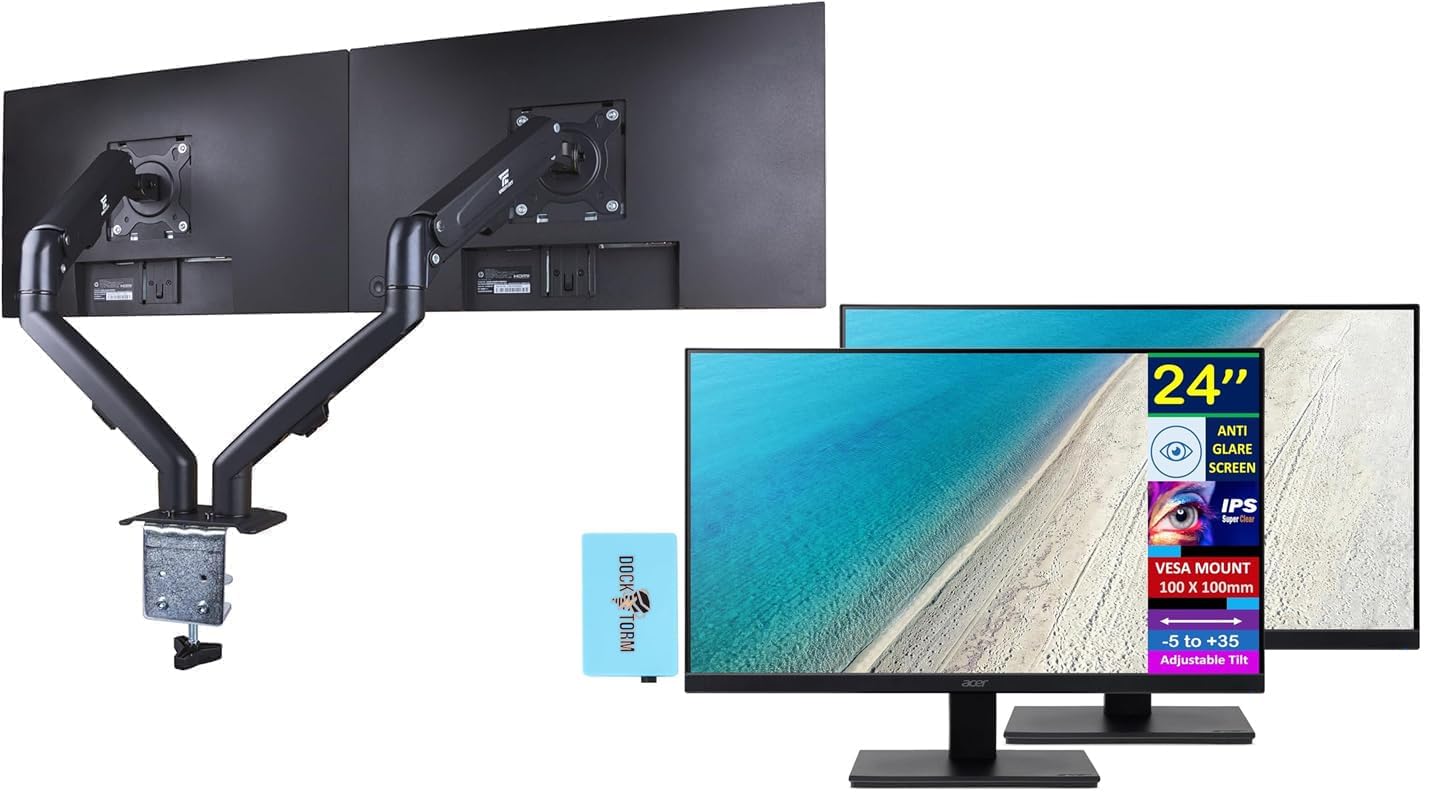
Image 1.1: Two Acer Vero 24-inch monitors attached to the ErgoFlexy Dual Monitor Mount, showcasing the setup.
2. เนื้อหาบรรจุภัณฑ์
Verify that all components are present in the package. If any items are missing or damaged, contact your retailer.
- Acer Vero 24-inch FHD IPS Monitor (x2)
- ErgoFlexy Dual Monitor Mount (x1)
- สายไฟ (x2)
- สาย HDMI (2 เส้น)
- VGA Cables (x2)
- Dockztorm Hub (x1)
- คู่มือการใช้งาน (เอกสารนี้)
- Mounting Hardware (screws, washers, Allen keys)
3. คำแนะนำในการตั้งค่า
3.1 Monitor Assembly (if not using mount)
If you are not using the dual monitor mount, you can assemble the monitor with its included stand.
- นำจอภาพออกจากบรรจุภัณฑ์อย่างระมัดระวัง
- ยึดฐานขาตั้งเข้ากับคอขาตั้ง ยึดด้วยสกรูที่ให้มา
- Attach the assembled stand to the back of the monitor until it clicks into place or is secured with screws.

ภาพที่ 3.1: ด้านหน้า view of the Acer Vero 24-inch monitor with its standard stand.

ภาพที่ 3.2: ด้านหลัง view of the Acer Vero 24-inch monitor, highlighting the VESA mounting holes and input ports.
3.2 ErgoFlexy Dual Monitor Mount Installation
The ErgoFlexy Dual Monitor Mount is designed for desks with a thickness between 10mm and 18mm.
- ติดโต๊ะ Clamp: ยึดโต๊ะให้ปลอดภัยamp component of the mount to the edge of your desk. Tighten the screw until the mount is stable.
- Assemble Arms: Connect the monitor arms to the central pole of the desk clamp.
- Attach Monitors:
- Remove any pre-attached stands from the monitors.
- Align the VESA mounting holes (100mm x 100mm) on the back of each Acer Vero monitor with the mounting plate on each arm.
- Secure the monitors to the mounting plates using the provided screws.

ภาพที่ 3.3: ด้านข้าง view of the dual monitor setup, illustrating the monitor arms and their connection points.
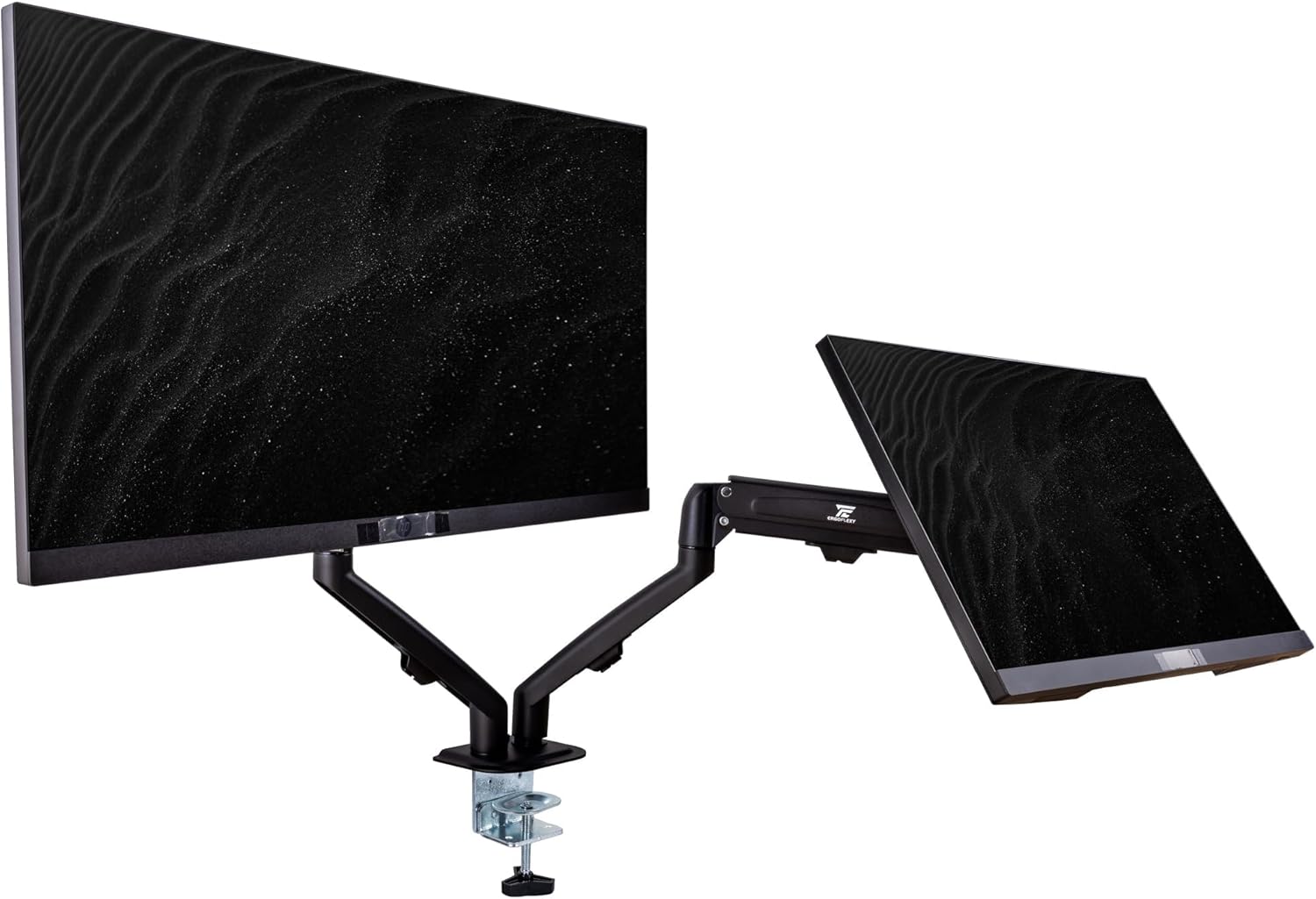
Image 3.4: Diagram detailing the maximum height, extension, swivel, and tilt ranges of the ErgoFlexy Dual Monitor Mount, along with supported screen sizes (17"-27") and weight capacity (2-7kg).
3.3 สายเชื่อมต่อ
Connect the necessary cables to each monitor and your computer.
- สายไฟ: ต่อปลายด้านหนึ่งของสายไฟเข้ากับช่องเสียบสายไฟของจอภาพ และต่อปลายอีกด้านหนึ่งเข้ากับเต้ารับไฟฟ้า
- สายวิดีโอ: Connect either an HDMI cable or a VGA cable from your computer's video output to the corresponding input port on each monitor. The monitor supports 1 x HDMI and 1 x VGA.
- สายสัญญาณเสียง: If using external speakers or headphones with the monitor's audio output, connect an audio cable from the monitor's audio line out to your audio device.
- Dockztorm Hub: Connect the Dockztorm Hub to your computer via USB for additional connectivity.
4. คู่มือการใช้งาน
4.1 การเปิด/ปิดเครื่อง
- To power on the monitor, press the power button located on the monitor's frame.
- หากต้องการปิดเครื่อง ให้กดปุ่มเปิด/ปิดค้างไว้จนกว่าจอภาพจะปิด
4.2 การปรับการตั้งค่าการแสดงผล
Use the OSD (On-Screen Display) menu buttons, typically located on the bottom or back of the monitor, to adjust settings such as:
- ความสว่าง/คอนทราสต์: Adjust for optimal visual comfort.
- การตั้งค่าสี: ปรับค่าอุณหภูมิสี แกมมา และความอิ่มตัวของสี
- การเลือกอินพุต: Manually switch between HDMI and VGA inputs if auto-detection fails.
- การตั้งค่าเสียง: Control volume for integrated speakers or connected audio devices.
4.3 Ergonomic Adjustments with ErgoFlexy Mount
The ErgoFlexy Dual Monitor Mount allows for flexible positioning of your monitors.
- การปรับความสูง: Lift or lower the monitor arms along the central pole to achieve your desired viewความสูงของไอเอ็นจี
- เอียง: Adjust the monitor screen vertically from -5 to +35 degrees for optimal viewing angle. The mount itself supports +90° / -45° tilt.
- หมุน: Rotate the monitor horizontally up to 180 degrees (+/- 90 degrees from center) on the mount. The mount supports +/- 180° swivel.
- การหมุน: Pivot the monitor from landscape to portrait orientation (0 to 90 degrees). The mount supports 180° rotation.
- ส่วนขยาย: Extend or retract the monitor arms to adjust the distance from your eyes. The maximum extension is 15 inches (28mm).

ภาพที่ 4.1: ด้านข้างfile of the Acer Vero 24-inch monitor, demonstrating its slim design.
5. การบำรุงรักษา
5.1 Cleaning the Monitor Screen
To clean the anti-glare screen, use a soft, lint-free cloth lightly dampเคลือบด้วยน้ำหรือน้ำยาทำความสะอาดหน้าจอโดยเฉพาะ
- ห้ามฉีดน้ำยาทำความสะอาดลงบนหน้าจอโดยตรง
- หลีกเลี่ยงการใช้สารทำความสะอาดที่มีฤทธิ์กัดกร่อน แอลกอฮอล์ หรือสารละลายที่มีแอมโมเนียเป็นส่วนประกอบ เนื่องจากสารเหล่านี้อาจทำให้พื้นผิวหน้าจอเสียหายได้
- Ensure the monitor is powered off and unplugged before cleaning.
5.2 การดูแลทั่วไป
- Keep the monitor and mount in a clean, dry environment.
- หลีกเลี่ยงการให้ผลิตภัณฑ์สัมผัสกับอุณหภูมิหรือความชื้นที่สูงหรือสูงเกินไป
- ห้ามปิดกั้นช่องระบายอากาศบนจอภาพ
6 การแก้ไขปัญหา
| ปัญหา | สาเหตุที่เป็นไปได้ | สารละลาย |
|---|---|---|
| ไม่มีภาพบนหน้าจอ |
|
|
| ภาพสั่นไหวหรือภาพไม่เสถียร |
|
|
| ไม่มีเสียงออกจากลำโพงในตัว |
|
|
| Monitor mount feels unstable |
|
|
7. ข้อมูลจำเพาะ
| คุณสมบัติ | ข้อมูลจำเพาะ |
|---|---|
| ขนาดจอแสดงผล | 24 นิ้ว |
| ประเภทแผง | ไอพีเอส |
| ความละเอียด (สูงสุด) | FHD (1920 x 1080) |
| อัตราส่วนภาพ | 16:9 น. |
| อัตราการรีเฟรช | 120เฮิรตซ์ |
| เวลาตอบสนอง | 4ms (GTG) |
| ความสว่าง | 250 นิต |
| อัตราส่วนคอนทราสต์ | 1000:1 น. |
| Viewมุมเอียง (H/V) | 178° / 178° |
| การรองรับสี | 16.7 ล้านสี |
| การเคลือบหน้าจอ | ป้องกันแสงสะท้อน |
| พอร์ต | 1 x HDMI, 1 x VGA, ช่องเสียบสายสัญญาณเสียงเข้า/ออก |
| ลำโพงในตัว | ใช่ |
| ความเข้ากันได้ของเมาท์ VESA | 100มม. x 100มม. |
| จอภาพเอียง | -5° ถึง +35° |
| ขนาดสินค้า (กว้าง x ลึก x สูง) | 21.26 x 7.72 x 16.69 นิ้ว (พร้อมขาตั้ง) |
| น้ำหนักสินค้า | 9.70 lb (monitor only) |
| Mount Swivel Angle | +/- 180 ° |
| Mount Rotation Angle | 180° |
| Mount Tilt Angle | +90° / -45° |
| Mount Max Extension | 15 นิ้ว (28 มม.) |
| Mount Fit Desk Thickness | 10 - 18 มม. |
| Mount Weight Capacity | 2 - 7 Kg per arm |
8. ข้อมูลการรับประกัน
For detailed warranty information regarding your Acer Vero monitors and ErgoFlexy Dual Monitor Mount, please refer to the warranty card included in your product packaging or visit the official Acer webเว็บไซต์.
Optional protection plans are available for purchase separately, offering extended coverage beyond the standard manufacturer's warranty. These plans typically cover defects and malfunctions for a specified period (e.g., 3-year or 4-year plans).
9. การสนับสนุน
If you encounter issues not covered in the troubleshooting section or require further assistance, please contact Acer customer support.
- ฝ่ายสนับสนุนของเอเซอร์ Webเว็บไซต์: เยี่ยม www.acer.com/support for drivers, FAQs, and contact information.
- แหล่งข้อมูลออนไลน์: ตรวจสอบ ร้าน Acer บน Amazon สำหรับข้อมูลผลิตภัณฑ์เพิ่มเติม