1. บทนำ
This manual provides essential information for the safe and efficient installation, operation, and maintenance of the Weidmuller UR20-FBC-MOD-TCP-ECO I/O Module. Please read this manual thoroughly before attempting to install or operate the device.
The UR20-FBC-MOD-TCP-ECO is an industrial I/O module designed for robust performance in various automation applications. It features a 24 VDC input voltage and push-in termination style for reliable connections.
2. ข้อมูลด้านความปลอดภัย
- ควรตัดกระแสไฟก่อนทำการติดตั้ง เดินสาย หรือซ่อมบำรุงโมดูลทุกครั้ง
- การติดตั้งและบำรุงรักษาควรดำเนินการโดยบุคลากรที่มีคุณสมบัติเท่านั้น
- Ensure proper grounding to prevent electrical shock and ensure correct operation.
- Operate the module within the specified environmental conditions (temperature, humidity).
- Do not expose the module to excessive moisture or corrosive substances.
3. สินค้าหมดview
The Weidmuller UR20-FBC-MOD-TCP-ECO is a compact I/O module designed for distributed control systems. It integrates seamlessly into industrial networks, providing reliable data acquisition and control capabilities.
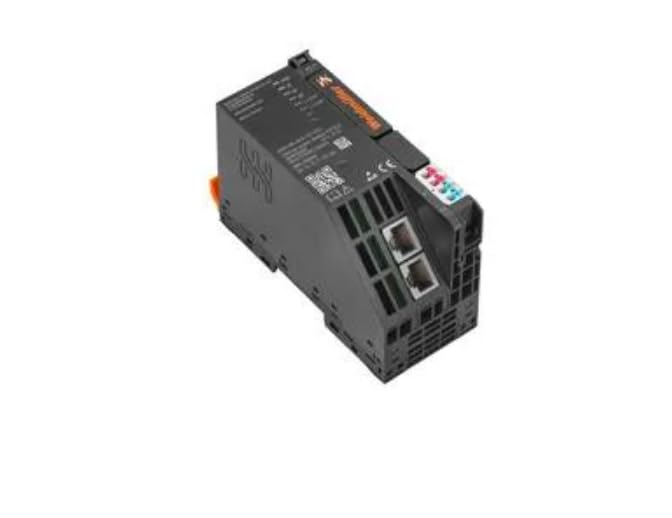
3.1 คุณสมบัติหลัก
- การออกแบบกะทัดรัดเพื่อการติดตั้งที่ประหยัดพื้นที่
- Push-in termination technology for quick and reliable wiring.
- ช่วงอุณหภูมิการทำงานที่กว้าง (-20°C ถึง +60°C)
- Ethernet/TCP communication capabilities.
4. การตั้งค่าและการติดตั้ง
4.1 การติดตั้ง
- Ensure the DIN rail is securely mounted in a suitable enclosure.
- Align the module's DIN rail clip with the top edge of the DIN rail.
- Press the module firmly downwards until it clicks into place on the DIN rail.
- Verify that the module is securely fastened and does not wobble.
4.2 การเดินสายไฟ
The UR20-FBC-MOD-TCP-ECO utilizes push-in termination for electrical connections. Ensure all wires are stripped to the recommended length before insertion.
- แหล่งจ่ายไฟ: Connect a stable 24 VDC power supply to the designated power terminals. Observe correct polarity (+ and -).
- การเชื่อมต่อเครือข่าย: Connect standard Ethernet cables to the RJ45 ports for network communication.
- การเชื่อมต่อ I/O: Connect field devices to the appropriate input/output terminals as per your system design. Refer to the system documentation for specific pin assignments.
- Ensure all connections are firm and free from loose strands.
4.3 การเพิ่มพลังเริ่มต้น
After all connections are made and verified, apply power to the module. Observe the status indicator LEDs for proper initialization.
5. การดำเนินการ
Once powered, the UR20-FBC-MOD-TCP-ECO module will establish communication with the connected network controller. The module's operational status can be monitored via its integrated LED indicators.
5.1 ตัวบ่งชี้สถานะ
Refer to the module's labeling for the exact meaning of each LED. Typically, these include:
- กำลังไฟ LED: ระบุสถานะแหล่งจ่ายไฟ
- ไฟ LED แสดงสถานะเครือข่าย: Indicates network connection and communication activity.
- I/O Status LEDs: Indicate the status of individual input/output channels.
5.2 การสื่อสารผ่านเครือข่าย
The module communicates over Ethernet using TCP/IP protocols. Configuration of network parameters (e.g., IP address) is typically performed via the connected controller or a dedicated configuration tool.
6. การบำรุงรักษา
Regular maintenance ensures the longevity and reliable operation of the I/O module.
- การทำความสะอาด: ควรเช็ดทำความสะอาดภายนอกของโมดูลเป็นระยะด้วยผ้าแห้งเนื้อนุ่ม ห้ามใช้สารทำความสะอาดที่มีฤทธิ์กัดกร่อนหรือตัวทำละลาย ตรวจสอบให้แน่ใจว่าได้ตัดกระแสไฟก่อนทำความสะอาด
- การตรวจสอบ: Regularly inspect wiring connections for tightness and signs of damage or corrosion. Check for any physical damage to the module housing.
- อัพเดตเฟิร์มแวร์: Consult the Weidmuller website or your system integrator for information on available firmware updates. Follow all instructions carefully when performing updates.
7 การแก้ไขปัญหา
ส่วนนี้ให้คำแนะนำสำหรับปัญหาทั่วไป สำหรับปัญหาที่ซับซ้อน โปรดติดต่อฝ่ายสนับสนุนด้านเทคนิค
| ปัญหา | สาเหตุที่เป็นไปได้ | สารละลาย |
|---|---|---|
| ไม่มีไฟ LED แสดงสถานะพลังงาน | No power supply; incorrect wiring; faulty module. | Check 24 VDC power supply; verify wiring polarity; test with a known good power source. |
| Network Status LED off/flashing incorrectly | No network connection; incorrect network settings; faulty cable. | Check Ethernet cable connection; verify network configuration (IP address, subnet mask); replace cable. |
| I/O ไม่ตอบสนอง | Incorrect I/O wiring; faulty field device; software configuration error. | Verify I/O wiring; test field device independently; check controller software configuration. |
8. ข้อมูลจำเพาะทางเทคนิค
| พารามิเตอร์ | ค่า |
|---|---|
| หมายเลขรุ่น | UR20-FBC-MOD-TCP-ECO |
| หมายเลขชิ้นส่วน | 2659700000 |
| ผู้ผลิต | Weidmuller |
| อินพุต Voltage | 24 โวลต์ดีซี |
| รูปแบบการสิ้นสุด | ดันเข้าไป |
| อุณหภูมิการทำงานขั้นต่ำ | -20 องศาเซลเซียส |
| อุณหภูมิการทำงานสูงสุด | +60 องศาเซลเซียส |
| น้ำหนักสินค้า | 6.99 ปอนด์ |
9. ข้อมูลการรับประกัน
Weidmuller products are manufactured to high-quality standards. For specific warranty terms and conditions, please refer to the official Weidmuller warranty statement available on their webหรือติดต่อตัวแทนจำหน่ายในพื้นที่ของคุณ เก็บหลักฐานการซื้อไว้เพื่อใช้ในการเคลมประกัน
10. การสนับสนุนด้านเทคนิค
For technical assistance, product inquiries, or service requests, please contact your authorized Weidmuller distributor or visit the official Weidmuller webไซต์สำหรับทรัพยากรสนับสนุนและข้อมูลการติดต่อ


