การแนะนำ
The Shark NeverChange Compact Pro Air Purifier is designed to deliver clean air with powerful, long-lasting HEPA filtration. This manual provides essential information for setting up, operating, and maintaining your air purifier to ensure optimal performance and air quality in your home.
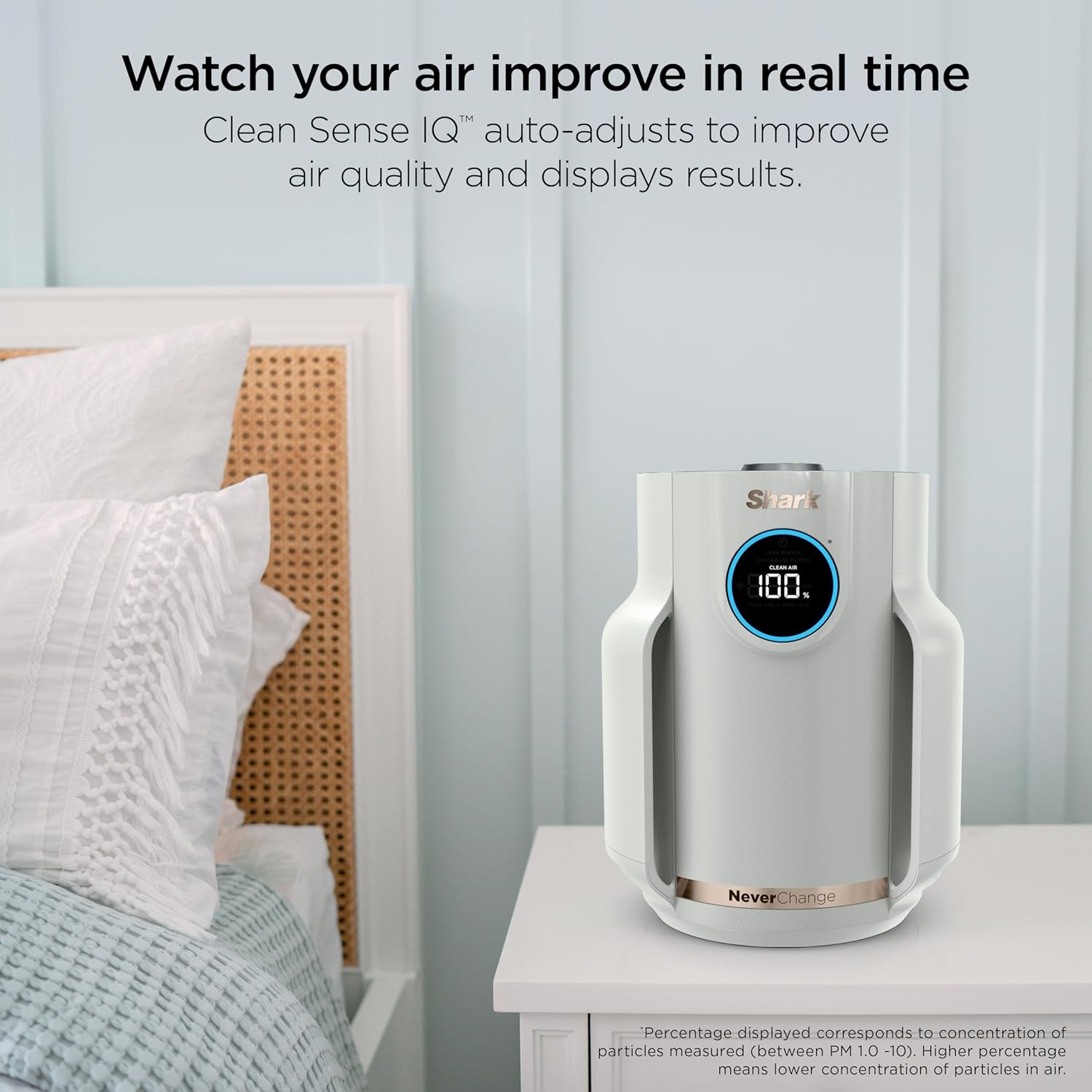
Image: Shark NeverChange Compact Pro Air Purifier, white, with a digital display showing '100%' clean air, placed on a bedside table next to a bed.
การตั้งค่า
- แกะกล่องอุปกรณ์: นำเครื่องฟอกอากาศและอุปกรณ์ทั้งหมดออกจากบรรจุภัณฑ์อย่างระมัดระวัง
- ถอดบรรจุภัณฑ์ตัวกรอง: Before first use, locate the HEPA filter at the bottom of the unit. Twist the bottom cover to unlock, remove the filter, and discard any plastic packaging. Reinsert the filter and secure the cover by twisting it back into place.
- Install Odor Neutralizer Cartridge: Locate the Odor Neutralizer Technology cartridge. Insert it into the designated slot on top of the unit. Rotate the dial to adjust the scent intensity (from minimum to maximum). This cartridge helps guard against odors and releases a fresh scent.
- ตำแหน่งเครื่องฟอกอากาศ: Place the unit on a flat, stable surface in the desired room. Ensure there is adequate space around the air intake (sides) and air outlet (top) for optimal airflow.
- เชื่อมต่อพลังงาน: เสียบสายไฟยาว 6 ฟุตเข้ากับเต้ารับไฟฟ้ามาตรฐาน
Video: Official Shark NeverChange Air Purifier Compact Pro overview, demonstrating key features and setup steps.
คำแนะนำการใช้งาน
The Shark NeverChange Air Purifier features an intuitive control panel and CleanSense IQ technology to automatically manage air quality.
แผงควบคุมโอเวอร์view

Image: Diagram highlighting the control panel features, including the Odor Neutralizer Technology, Front Display LED Screen, DebrisDefense Filters, and Shark NeverChange Filter.
- ปุ่มเปิด/ปิด: กดเพื่อเปิดหรือปิดเครื่อง
- ความเร็วพัดลม: Cycle through 5 manual fan speeds or select AUTO mode. In AUTO mode, the purifier adjusts fan speed based on real-time air quality.
- การควบคุมความสว่าง: Adjust the brightness of the display lights, including a dim mode for minimal sleep interruption.
- จอแสดงผลคุณภาพอากาศ: The LED screen displays real-time air quality percentage. A blue ring indicates good air quality (85-100%), orange indicates fair (70-84%), and red indicates poor (0-69%).
- คุณภาพอากาศ Views: Press the 'i' button to switch between different air quality views: Clean Air percentage, PM1.0 (allergens), PM2.5 (smoke), and PM10 (dust).
CleanSense IQ Technology
With CleanSense IQ, the air purifier continuously monitors your air quality. When pollutants are detected, the unit automatically increases fan speed to clean the air. Once the air quality improves to 100% for 5 minutes, the unit enters Eco mode to conserve filter life and energy.

Image: Shark NeverChange Compact Pro Air Purifier in a nursery setting, highlighting its suitability for sensitive environments with quiet performance and dimmable lights.
การซ่อมบำรุง
Regular maintenance ensures the longevity and efficiency of your Shark NeverChange Air Purifier.
Debris Defense Washable Filter
- The Debris Defense filter is designed to capture large particles like hair, dust, and pet dander before they reach the HEPA filter.
- การทำความสะอาด: Easily remove the Debris Defense screens from the sides of the unit. You can vacuum, wipe, or rinse them clean. Allow them to dry completely before reinserting.

Image: A person demonstrating how to slide out and clean the Debris Defense filter of the Shark NeverChange Air Purifier.
NeverChange HEPA Filter
- The NeverChange HEPA filter is designed for long-lasting filtration, potentially up to 5 years, reducing the need for frequent replacements.
- การทดแทน: The unit's display will indicate the remaining filter life. When replacement is needed, twist the bottom cover, remove the old filter, and insert a new Shark NeverChange HEPA filter.

ภาพ: ระเบิด view diagram illustrating the PureShield Anti-Allergen HEPA filtration system with Debris Defense, Pet Particle Barrier, Activated Carbon, and NanoSeal Anti-Allergen HEPA layers.
การแก้ไขปัญหา
- หน่วยไม่เปิด: Ensure the power cord is securely plugged into both the unit and a working electrical outlet. Check if the filter cover is properly secured.
- คุณภาพอากาศไม่ดี: Verify that the Debris Defense filters are clean and the HEPA filter is not expired. Ensure the unit is placed in an open area, not obstructed by walls or furniture.
- เสียงผิดปกติ: Check for any obstructions in the fan or filter area. Ensure all filters are correctly installed.
- No Scent from Odor Neutralizer: Check if the Odor Neutralizer cartridge is correctly installed and the dial is set to a desired intensity. The cartridge may need replacement if it has been in use for an extended period.
ข้อมูลจำเพาะ
- หมายเลขรุ่น: เอชพี072
- ยี่ห้อ: ฉลาม
- สี: นกพิราบ
- ขนาดสินค้า : ลึก 9.21 นิ้ว x กว้าง 9.21 นิ้ว x สูง 11.61 นิ้ว
- น้ำหนักสินค้า: 4.41 ปอนด์
- ครอบคลุมพื้นที่: Up to 250 Square Feet (Based on AHAM AC-1, at one air change per hour)
- คลาสตัวกรอง: HEPA (HEPA-Exceeding Anti-Allergen NanoSeal)
- ขนาดการกักเก็บอนุภาค: 0.2 ไมครอน
- คุณสมบัติพิเศษ: CleanSense IQ, NeverChange Filtration, Debris Defense Protection, Odor Neutralizer Technology
- แหล่งพลังงาน: ไฟฟ้ากระแสสลับ/ไฟฟ้ากระแสตรง
- วัดtage: 19.2 วัตต์

Image: Shark NeverChange Compact Pro Air Purifier on a desk, with its height (11.3") and width (9.2") dimensions overlaid.
การรับประกันและการสนับสนุน
For warranty information and customer support, please refer to the official SharkNinja webหรือติดต่อฝ่ายบริการลูกค้าโดยตรง เก็บใบเสร็จรับเงินไว้เพื่อใช้ในการเคลมประกัน


