การแนะนำ
Thank you for choosing the HORLAT Projector Tripod Stand TP-01. This stand is specifically designed to provide stable and adjustable support for your HORLAT W10/W11 projectors. It features a 180° rotational capability, allowing for flexible projection angles. Please read this manual carefully before use to ensure proper installation and operation.
Note: This product is a projector stand. The projector itself is not included.
ข้อมูลด้านความปลอดภัยที่สำคัญ
- ตรวจสอบให้แน่ใจว่าได้วางขาตั้งบนพื้นผิวที่มั่นคงและเรียบเสมอกัน เพื่อป้องกันการพลิคว่ำ
- Do not overload the stand beyond its intended capacity. This stand is designed for HORLAT W10/W11 projectors only.
- Keep the stand away from heat sources, direct sunlight, and moisture.
- Do not attempt to modify or disassemble the stand.
- เก็บให้พ้นมือเด็กเพื่อป้องกันอุบัติเหตุ
เนื้อหาแพ็คเกจ
กรุณาตรวจสอบแพ็คเกจสำหรับรายการต่อไปนี้:
- HORLAT Projector Tripod Stand TP-01
- อะแดปเตอร์
Note: The term "Adapter" is listed in the product's package contents. This may refer to a specific mounting adapter for the projector.
สินค้าเกินview
The HORLAT TP-01 stand is designed for ease of use and stability. It features a sturdy base and a rotatable platform for your projector.

Image: The HORLAT Projector Tripod Stand TP-01, showcasing its sleek design and stable structure.
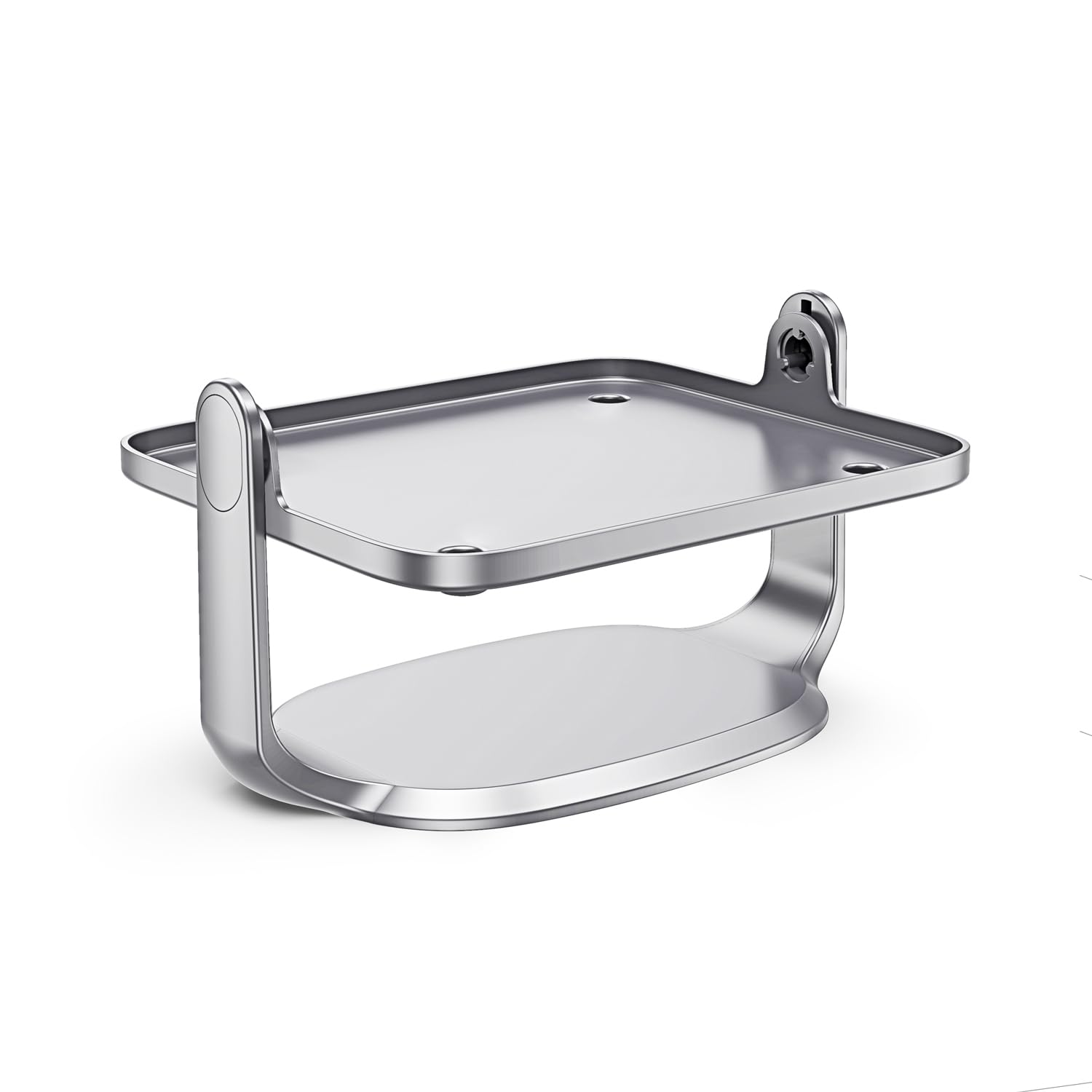
Image: Diagram illustrating the 90-degree and 45-degree rotation capabilities of the projector stand's platform.
คำแนะนำการตั้งค่า
- แกะกล่องขาตั้ง: นำส่วนประกอบทั้งหมดออกจากบรรจุภัณฑ์อย่างระมัดระวัง
- วางขาตั้ง: Position the stand on a flat, stable surface where you intend to use your projector. Ensure there is enough space for the projector and its cables.
-
Mount the Projector: Gently place your HORLAT W10 or W11 projector onto the stand's platform. Ensure it is centered and stable.
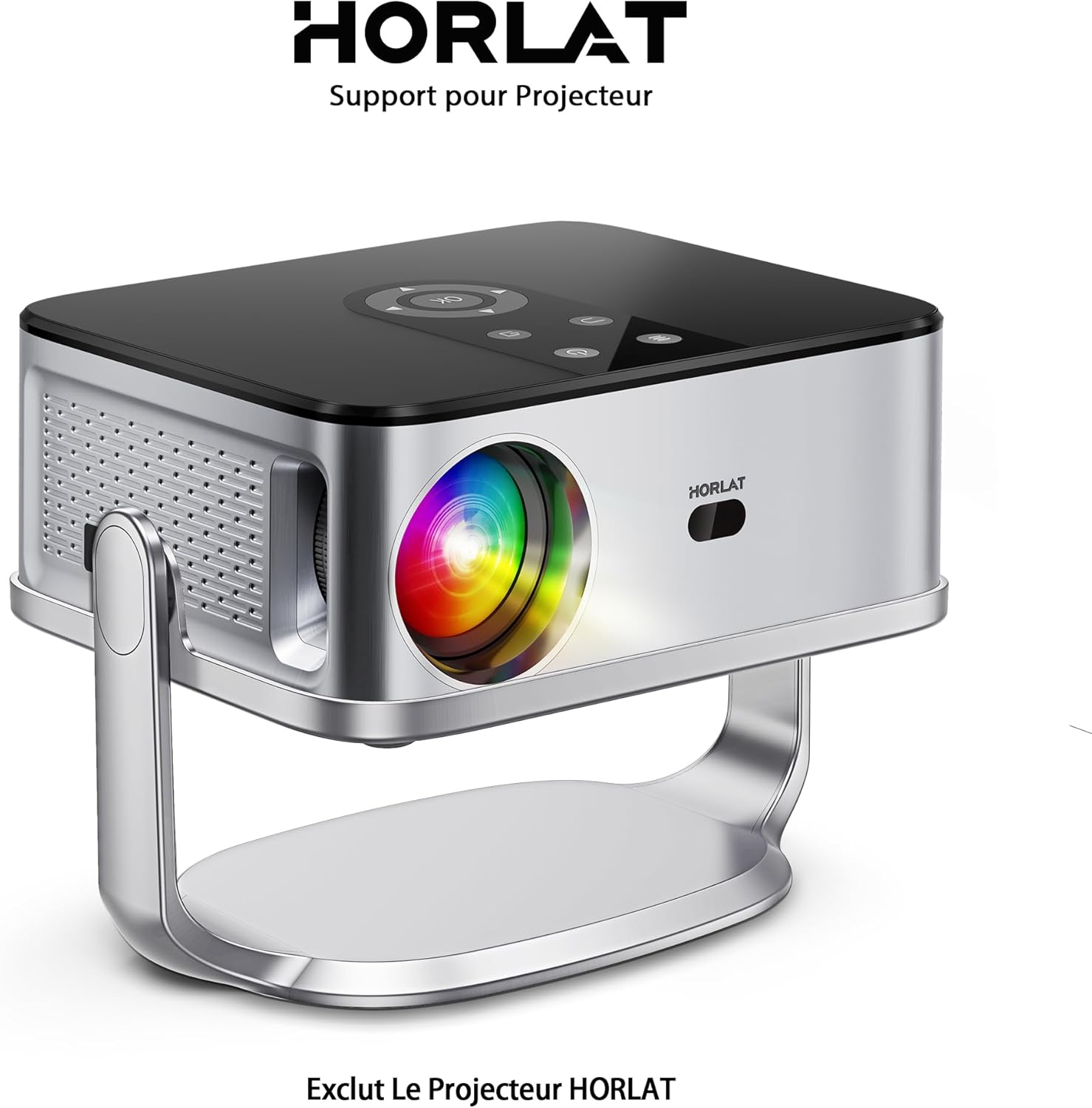
Image: A HORLAT projector securely placed on the TP-01 stand, demonstrating proper mounting.
- เชื่อมต่อสายเคเบิล: Connect all necessary power and video cables to your projector. Route cables neatly to avoid obstruction or tripping hazards.
การดำเนินงานของบูธ
The HORLAT TP-01 stand allows for easy adjustment of your projector's position and angle.
-
การปรับการหมุน: The projector platform can be rotated up to 180 degrees. Gently hold the projector and rotate the platform to achieve the desired projection angle. The stand is designed to hold the projector securely at various angles.
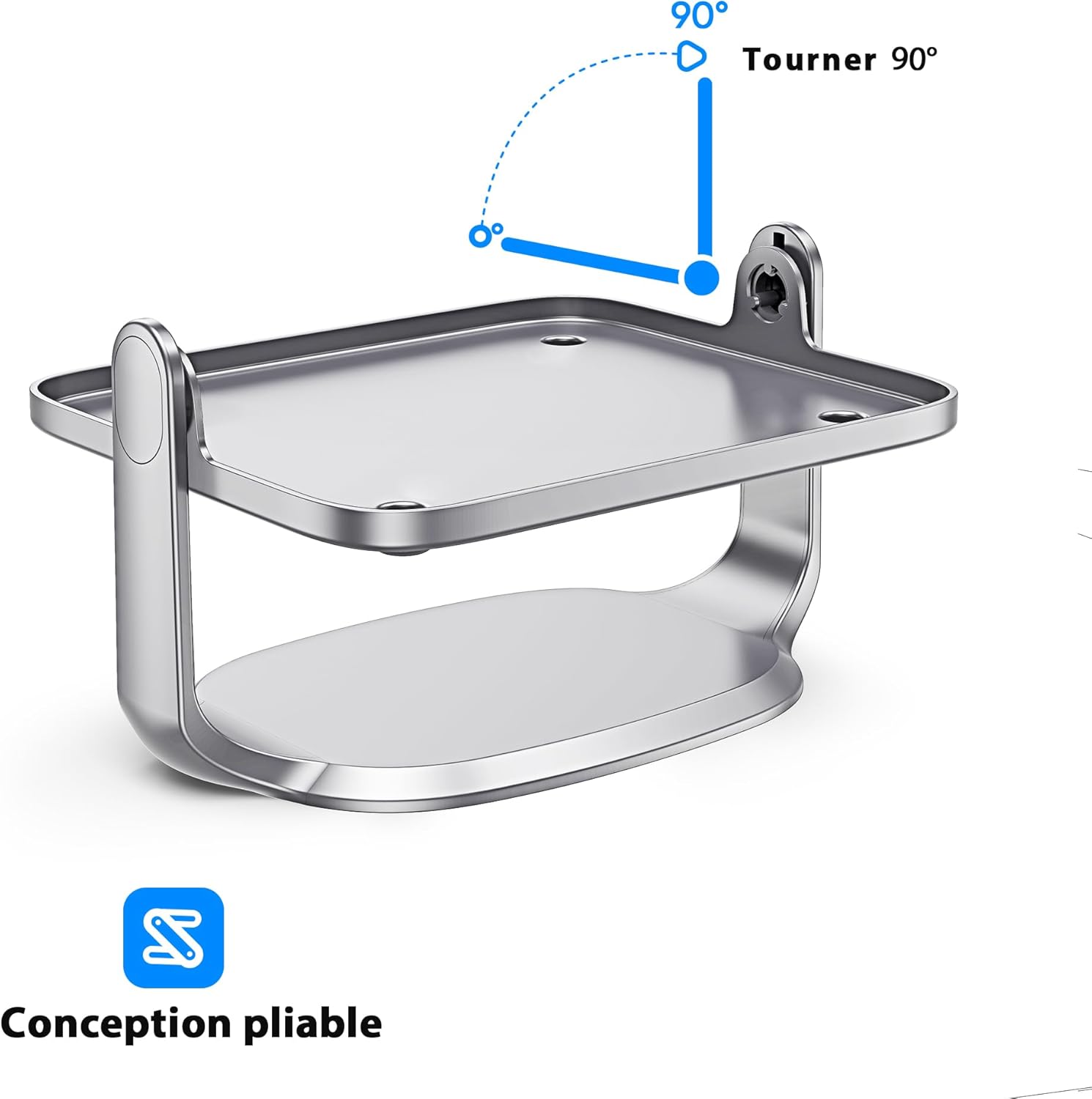
Image: Diagram showing the 90-degree rotation capability of the projector stand, allowing for versatile positioning.
- การวางตำแหน่ง: Once the desired angle is set, ensure the stand remains stable. The design allows for flexible placement on various surfaces while maintaining stability.
การซ่อมบำรุง
- การทำความสะอาด: To clean the stand, wipe it with a soft, dry cloth. Do not use abrasive cleaners or solvents, as these may damage the finish.
- พื้นที่จัดเก็บ: When not in use, store the stand in a cool, dry place, away from direct sunlight and extreme temperatures.
- การตรวจสอบ: Periodically check the stand for any signs of wear or damage. If any damage is found, discontinue use and contact customer support.
การแก้ไขปัญหา
| ปัญหา | สาเหตุที่เป็นไปได้ | สารละลาย |
|---|---|---|
| Stand is unstable. | Uneven surface; projector not centered. | Place the stand on a flat, level surface. Ensure the projector is centered on the platform. |
| Difficulty rotating the platform. | Excessive force applied; obstruction. | Ensure no cables or other objects are obstructing the rotation. Apply gentle, even pressure. Do not force rotation. |
| Stand appears damaged. | Physical impact; manufacturing defect. | Discontinue use immediately. Contact HORLAT customer support for assistance. |
ข้อมูลจำเพาะ
| คุณสมบัติ | รายละเอียด |
|---|---|
| ยี่ห้อ | ฮอร์ลัต |
| หมายเลขรุ่น | ทีพี-01 |
| อุปกรณ์ที่รองรับ | HORLAT W10/W11 Projectors |
| ประเภทการติดตั้ง | Tripod (Desktop Stand) |
| คุณสมบัติพิเศษ | 180° Rotational Platform |
| การรับประกัน | การรับประกันจากผู้ผลิต 1 ปี |
การรับประกันและการสนับสนุนลูกค้า
The HORLAT Projector Tripod Stand TP-01 comes with a การรับประกันจากผู้ผลิต 1 ปีการรับประกันนี้ครอบคลุมถึงข้อบกพร่องในวัสดุและฝีมือการผลิตภายใต้การใช้งานปกติ
For warranty claims, technical support, or any questions regarding your product, please contact HORLAT customer service through the retailer where you purchased the product or visit the official HORLAT webเว็บไซต์สำหรับข้อมูลการติดต่อ
Please have your model number (TP-01) and proof of purchase ready when contacting support.


