1. บทนำ
This manual provides detailed instructions for the proper setup, operation, and maintenance of your FEELWORLD T10 Camera Monitor. Please read this manual thoroughly before using the product to ensure optimal performance and longevity. The FEELWORLD T10 is designed to enhance your videography and photography experience with its advanced monitoring capabilities.
2. เนื้อหาบรรจุภัณฑ์
ตรวจสอบว่ามีรายการทั้งหมดอยู่ในแพ็คเกจของคุณ:
- FEELWORLD T10 Camera Monitor
- F750 4400mAh Battery (or similar NP-F series battery)
- สาย USB
- คู่มือการใช้งาน (เอกสารนี้)
If any items are missing or damaged, please contact FEELWORLD customer support.
3. การตั้งค่า
3.1. การติดตั้งแบตเตอรี่
The FEELWORLD T10 monitor is powered by an NP-F series battery. The package includes an F750 4400mAh battery.
- ตรวจสอบให้แน่ใจว่าจอภาพปิดอยู่
- Locate the battery slot on the rear of the monitor.
- Align the battery with the slot, ensuring the contacts match.
- สอดแบตเตอรี่เข้าไปในช่องจนกระทั่งล็อคเข้าที่อย่างแน่นหนา
- ในการถอด ให้กดปุ่มปลดแบตเตอรี่ (ถ้ามี) แล้วเลื่อนแบตเตอรี่ออก
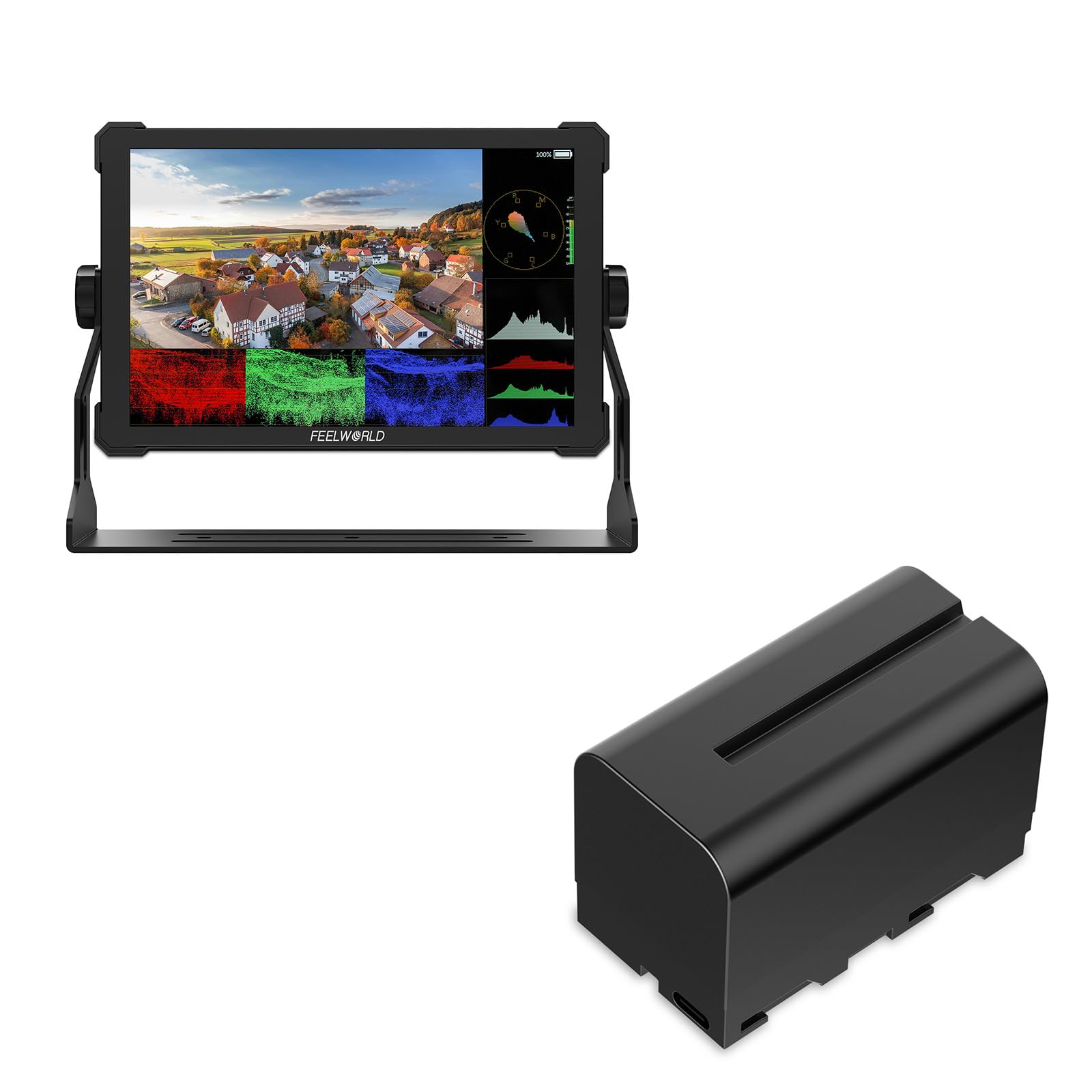
ภาพที่ 1: ด้านหลัง view of the FEELWORLD T10 Camera Monitor showing the battery slot. The F750 battery is designed to slide into this slot for power.
3.2. Connecting to a Camera/Device
The T10 monitor supports various input methods. Use the appropriate cable (not always included) to connect your camera or device.
- อินพุต HDMI: Connect an HDMI cable from your camera's HDMI output to the monitor's HDMI input port.
- การเชื่อมต่อ USB: The included USB cable can be used for firmware updates or power delivery (if supported by your power source).
4. คู่มือการใช้งาน
4.1. การเปิด/ปิดเครื่อง
Press and hold the power button (usually located on the side or top of the monitor) for a few seconds to turn the monitor on or off. A short press may activate/deactivate the screen or enter standby mode, depending on settings.
4.2. Basic Navigation and Menu System
The T10 monitor typically features a menu button and navigation buttons (up/down/left/right or a scroll wheel) to access and adjust settings.
- กดปุ่ม เมนู ปุ่มเพื่อเปิดเมนูหลัก
- ใช้ปุ่มนำทางเพื่อเลื่อนดูตัวเลือกเมนู
- กดปุ่ม ตกลง/ตั้งค่า button (often the center of the navigation cluster) to select an option or confirm a setting.
- กดปุ่ม เมนู button again or an EXIT ปุ่มเพื่อปิดเมนู
4.3. คุณสมบัติหลักและการตั้งค่า
The FEELWORLD T10 offers various features to assist with videography and photography:
- อัตราส่วนภาพ: Adjust the display aspect ratio (e.g., 16:9) to match your camera's output or desired viewกำลังจัดรูปแบบ
- ความละเอียดวิดีโอ: The monitor supports up to 1080p video resolution. Ensure your camera's output matches or is compatible.
- โฟกัสช่วย: Utilize peaking or other focus assist tools to ensure sharp focus.
- เครื่องมือสำหรับการเปิดเผยข้อมูล: Features like false color or zebras can help monitor exposure levels.
- Custom Function Buttons: Assign frequently used functions to programmable buttons for quick access.
5. การบำรุงรักษา
5.1. การทำความสะอาดจอภาพ
- ใช้ผ้าเนื้อนุ่มที่ไม่เป็นขุยเช็ดหน้าจอและตัวเครื่องเบา ๆ
- สำหรับรอยเปื้อนฝังแน่น ให้เช็ดออกเล็กน้อยampen the cloth with water or a screen-cleaning solution specifically designed for electronics.
- Avoid using harsh chemicals, solvents, or abrasive materials, as these can damage the screen or casing.
5.2. การดูแลแบตเตอรี่
- ชาร์จแบตเตอรี่ให้เต็มก่อนใช้งานครั้งแรก
- เก็บแบตเตอรี่ไว้ในที่เย็นและแห้งเมื่อไม่ได้ใช้งาน
- Avoid fully discharging lithium-ion batteries frequently, as this can reduce their lifespan.
- หากจัดเก็บเป็นเวลานาน ควรชาร์จแบตเตอรี่ให้มีความจุประมาณ 50-60%
5.3. การจัดเก็บ
When not in use, store the monitor in a protective case or bag to prevent scratches and impact damage. Keep it away from extreme temperatures, humidity, and direct sunlight.
6 การแก้ไขปัญหา
| ปัญหา | สาเหตุที่เป็นไปได้ | สารละลาย |
|---|---|---|
| จอภาพไม่เปิดขึ้นมา | แบตเตอรี่หมดหรือติดตั้งไม่ถูกต้อง | ชาร์จแบตเตอรี่หรือตรวจสอบให้แน่ใจว่าเสียบแบตเตอรี่เข้าที่อย่างถูกต้อง |
| No signal displayed. | Incorrect input source selected; cable not connected properly; camera not outputting signal. | Check cable connections; select correct input source in monitor menu; verify camera's output settings. |
| ภาพบิดเบี้ยวหรือกระพริบ | Faulty cable; incompatible resolution/frame rate; interference. | Try a different cable; adjust camera output resolution; move away from strong electromagnetic sources. |
| แบตเตอรี่หมดเร็วมาก | High screen brightness; old battery; cold environment. | Reduce screen brightness; replace old battery; operate in moderate temperatures. |
If you encounter issues not listed here, please refer to the support section or contact customer service.
7. ข้อมูลจำเพาะ
| คุณสมบัติ | รายละเอียด |
|---|---|
| ยี่ห้อ | FEELWORLD |
| ชื่อรุ่น | T10 |
| อัตราส่วนภาพ | 16:9 น. |
| ความละเอียดในการจับภาพวิดีโอ | 1080p |
| รองรับ File รูปแบบ | MP4, AVI, MOV |
| ประเภทแบตเตอรี่ | Lithium Ion (NP-F series compatible) |
| อายุการใช้งานแบตเตอรี่โดยเฉลี่ย | Approximately 3 Hours (with included F750 battery) |
| อุปกรณ์ที่รองรับ | Personal Computer, Smartphone, Tablet (via appropriate adapters/cables) |
| การใช้งานเฉพาะของผลิตภัณฑ์ | Videography, Photography |
| ความละเอียดการแสดงผลสูงสุด | เอฟเอชดี |
| ออโต้โฟกัส | Yes (Focus Assist features) |
8. การรับประกันและการสนับสนุน
8.1. ข้อมูลการรับประกัน
ผลิตภัณฑ์ FEELWORLD โดยทั่วไปมาพร้อมกับการรับประกันแบบจำกัด โปรดดูรายละเอียดในบัตรรับประกันที่แนบมากับผลิตภัณฑ์ของคุณ หรือเยี่ยมชมเว็บไซต์อย่างเป็นทางการของ FEELWORLD webโปรดตรวจสอบเว็บไซต์เพื่อดูข้อกำหนดและเงื่อนไขการรับประกันที่อัปเดตและละเอียดที่สุด เก็บหลักฐานการซื้อไว้เพื่อใช้ในการเรียกร้องการรับประกัน
8.2. การสนับสนุนลูกค้า
For technical assistance, troubleshooting, or service inquiries, please contact FEELWORLD customer support through their official website or the contact information provided in your product packaging. You may need to provide your product model (T10) and serial number.
FEELWORLD Official Store: Visit the FEELWORLD Store on Amazon


