1. บทนำ
This manual provides essential information for the safe and effective use of your arboleaf Smart Body Composition Scale CS10E. Please read this manual thoroughly before using the device and retain it for future reference.
2. ข้อมูลด้านความปลอดภัย
ข้อควรระวังเพื่อความปลอดภัยที่สำคัญ:
- Do not use this device if you have a pacemaker or other implanted medical device.
- Pregnant women should consult a physician before using this scale.
- The scale uses Bioelectrical Impedance Analysis (BIA) technology. While generally safe, individuals with certain medical conditions should exercise caution.
- Ensure the scale is placed on a hard, flat surface for accurate measurements.
- Do not use the scale on wet or slippery surfaces to prevent falls.
- ควรเก็บเครื่องชั่งให้ห่างจากน้ำและอุณหภูมิที่สูงจัด
3. เนื้อหาบรรจุภัณฑ์
ตรวจสอบว่ามีรายการทั้งหมดอยู่ในแพ็คเกจ:
- arboleaf Smart Body Composition Scale CS10E
- แบตเตอรี่ AAA (มีให้ 3 ก้อน)
- คู่มือการใช้งาน (เอกสารนี้)
4. สินค้าหมดview
The arboleaf CS10E is an advanced smart scale designed to provide comprehensive body composition analysis. It features 8 electrodes for enhanced accuracy and segmental analysis.
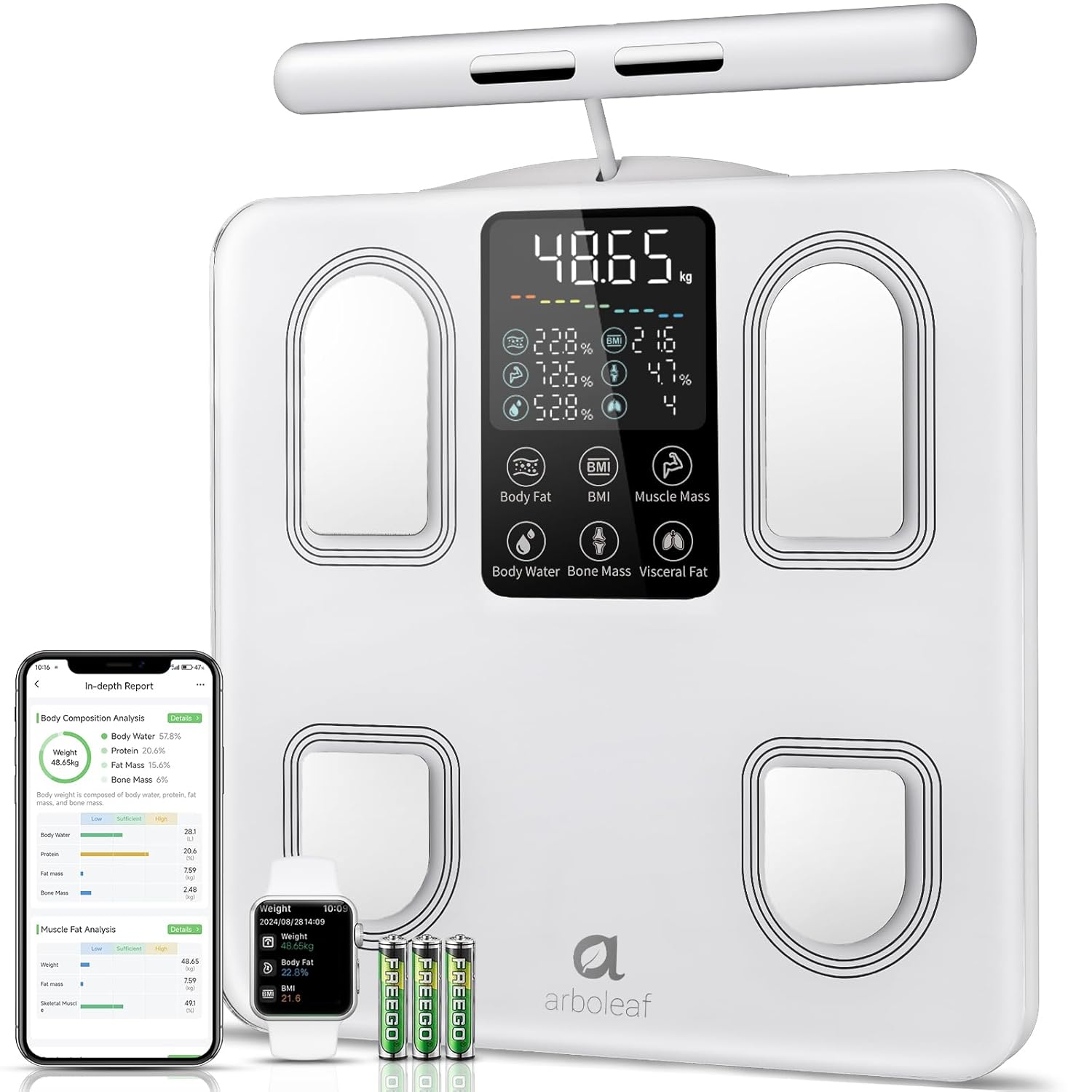
Image: arboleaf Smart Body Composition Scale CS10E, showing the scale, a smartphone displaying the app, a smartwatch, and three AAA batteries.
คุณสมบัติหลัก:
- 8 Electrodes: Four electrodes on the scale platform for feet, and four on a retractable handle for hands, enabling full-body segmental analysis.
- จอแสดงผล LED ขนาดใหญ่: Provides clear readings of key metrics directly on the scale.
- แพลตฟอร์มกระจกนิรภัย: ทนทานและทำความสะอาดง่าย
- Dual-Frequency BIA Technology: For precise and reliable body composition measurements.
- High Precision Chips: Ensures accurate data collection.
- ด้ามจับพับเก็บได้: Over 1.5 meters long, with a magnetic retraction system for convenient storage.
- การออกแบบป้องกันการลื่น: For stability and safety during use.
5. การตั้งค่า
5.1. การติดตั้งแบตเตอรี่
- เปิดช่องใส่แบตเตอรี่ที่ด้านล่างของเครื่องชั่ง
- Insert the three AAA batteries, ensuring correct polarity (+/-).
- ปิดช่องใส่แบตเตอรี่ให้แน่น
5.2. การดาวน์โหลดและติดตั้งแอป
The arboleaf scale requires the arboleaf app for full functionality and data tracking.
- Scan the QR code provided in the packaging or search for "arboleaf" in your device's app store (Apple App Store for iOS, Google Play Store for Android).
- Download and install the arboleaf app.
- เปิดแอปพลิเคชันและทำตามคำแนะนำบนหน้าจอเพื่อสร้างบัญชีและตั้งค่าโปรไฟล์ส่วนตัวของคุณfile.
5.3. จับคู่กับแอพ
- ตรวจสอบให้แน่ใจว่าได้เปิดใช้งาน Bluetooth บนสมาร์ทโฟนของคุณแล้ว
- Open the arboleaf app.
- Step onto the scale barefoot. The scale display will light up.
- The app should automatically detect and connect to the scale. If not, navigate to the device pairing section within the app and follow the instructions to manually add the scale.
6. คู่มือการใช้งาน
6.1. การวัดผล
For accurate body composition analysis, follow these steps:
- วางเครื่องชั่งบนพื้นผิวที่แข็งและเรียบ
- Step onto the scale barefoot, ensuring your feet are positioned on the four metal electrodes on the platform.
- Grasp the retractable handle with both hands, ensuring your palms are in full contact with the four metal electrodes on the handle.
- Stand still and maintain a straight posture with your arms extended slightly away from your body. Your arms should form an angle relative to your body. Do not bend your arms during measurement.
- Wait for the measurement to complete. The scale display will show your weight and other key metrics.

Image: Illustration showing the correct posture for using the arboleaf scale, emphasizing full contact with electrodes and proper arm positioning.
6.2. การทำความเข้าใจการอ่านค่าที่แสดงบนหน้าจอ
The scale's LED display shows up to 7 key metrics in real-time:
- Weight (kg/lb/st)
- เปอร์เซ็นต์ไขมันในร่างกายtage
- ดัชนีมวลกาย (BMI)
- มวลกล้ามเนื้อ
- เปอร์เซ็นต์น้ำในร่างกายtage
- มวลกระดูก
- ระดับไขมันในอวัยวะภายใน

Image: Close-up of the arboleaf scale display, highlighting the 7 real-time body metrics shown.
6.3. Segmental Analysis
The 8-electrode design allows for detailed segmental analysis, providing distinct measurements for each arm, each leg, and the torso. This offers a more granular understanding of your body composition.

Image: Diagram showing a human body divided into segments (arms, legs, torso) with data points for muscle balance and fat analysis in each segment.
6.4. Data Synchronization and Multi-User Support
Each measurement automatically synchronizes with the arboleaf app. The app supports an unlimited number of user profiles with automatic recognition, making it suitable for the entire family. For users with a weight difference of less than 2 kg, manual data assignment in the app may be required.

Image: Screenshot of the arboleaf app displaying a list of multiple user profiles, indicating support for unlimited users.
7. คุณสมบัติของแอพ
The arboleaf app provides a comprehensive platform for tracking and analyzing your health data.
7.1. 27 Body Composition Metrics
Beyond the basic readings on the scale, the app provides detailed analysis of 27 body composition metrics, including:
- Body Weight, BMI, Body Fat, Muscle Mass, Body Water, Bone Mass, Visceral Fat
- Protein, BMR (Basal Metabolic Rate), Subcutaneous Fat, Body Age
- Segmental Muscle Mass (left arm, right arm, torso, left leg, right leg)
- Segmental Fat Mass (left arm, right arm, torso, left leg, right leg)

Image: A woman looking at her smartphone, with an overlay showing icons representing 27 essential body composition metrics tracked by the arboleaf app.
7.2. Health Plan and Tracking
Configure your health plan within the app. It offers continuous tracking and reminders to help you achieve your fitness and wellness goals. View your progress through clear weekly, monthly, and yearly graphs.
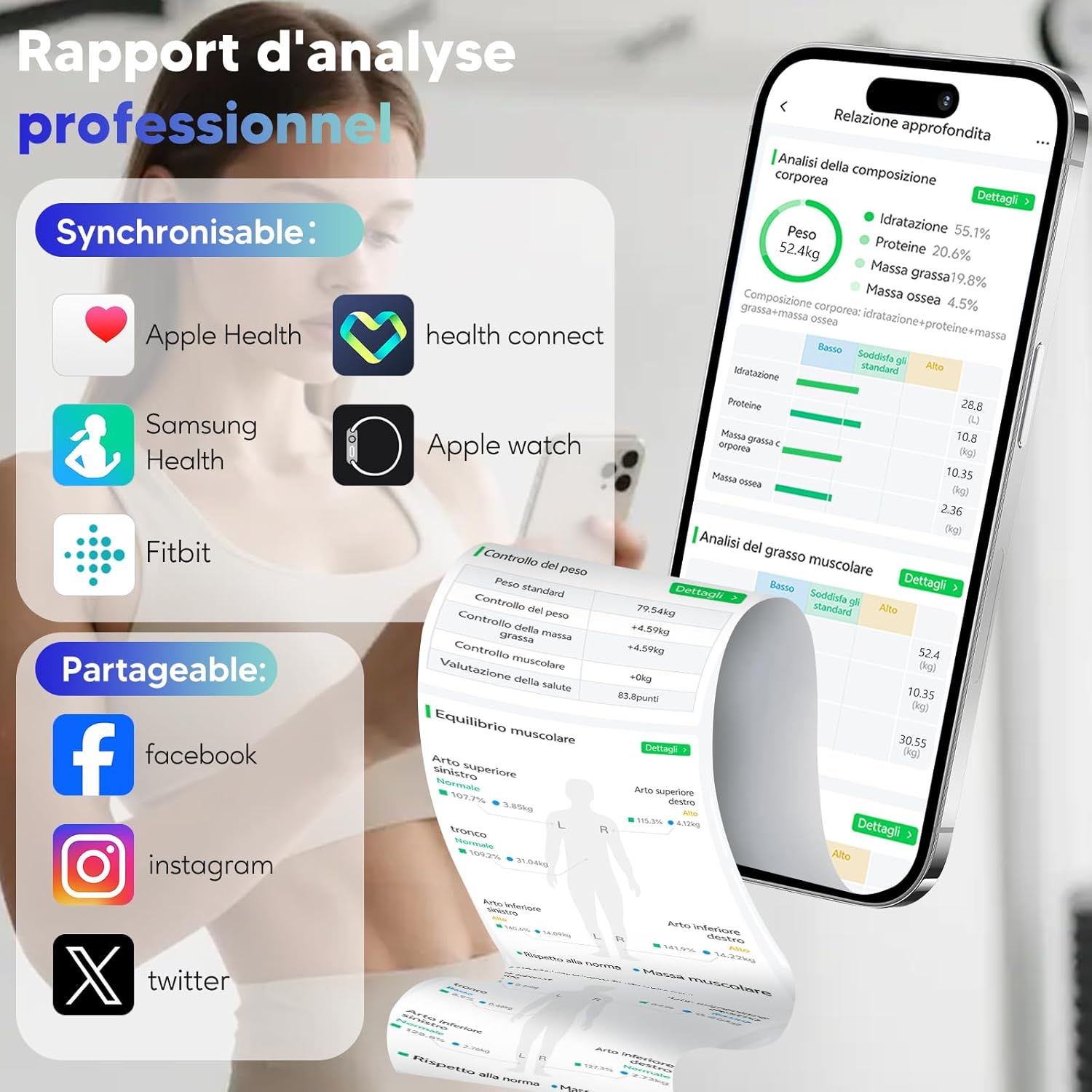
Image: A woman running on a treadmill, with an overlay showing the arboleaf app displaying weight, body fat, and BMI trends over weeks, months, and years.
7.3. Third-Party App Integration
The arboleaf app supports synchronization with popular health platforms:
- สุขภาพแอปเปิ้ล
- กูเกิลฟิต
- ซัมซุง เฮลท์
- ฟิตบิท
- นาฬิกาแอปเปิ้ล

Image: Screenshot of the arboleaf app showing support for sharing and syncing data with Apple Health, Health Connect, Samsung Health, Fitbit, and Apple Watch.
7.4. Data Sharing and Reports
Share your progress on social media platforms like Facebook, Instagram, and Twitter directly from the app. You can also generate professional analysis reports in PDF format.

Image: A smartphone displaying the arboleaf app's PDF report generation feature, alongside a printed report and a person using the scale.
8. การบำรุงรักษา
8.1. การทำความสะอาด
เช็ดพื้นผิวของเกล็ดด้วยผ้าเนื้อนุ่มและแห้งamp ผ้า ห้ามใช้น้ำยาทำความสะอาดที่มีฤทธิ์กัดกร่อนหรือจุ่มตะกรันลงในน้ำ
8.2. การจัดเก็บ
เก็บเครื่องชั่งไว้ในที่แห้งและเย็น หลีกเลี่ยงการวางของหนักบนเครื่องชั่งเมื่อไม่ได้ใช้งาน
9 การแก้ไขปัญหา
- No display/Scale not turning on: ตรวจสอบว่าติดตั้งแบตเตอรี่ถูกต้องและมีประจุเพียงพอหรือไม่ เปลี่ยนแบตเตอรี่หากจำเป็น
- การอ่านค่าที่ไม่ถูกต้อง: Ensure the scale is on a hard, flat surface. Make sure your feet and hands are clean, dry, and in full contact with all electrodes. Avoid wearing excessive clothing.
- App not connecting via Bluetooth: Ensure Bluetooth is enabled on your device. Restart the app and try pairing again. If issues persist, restart your smartphone.
- ข้อมูลไม่ซิงค์กัน: Check your internet connection. Ensure the app is open and running in the background during measurement.
- Weight difference less than 2kg for multi-user: Manually assign the measurement data to the correct user profile ภายในแอป
10. ข้อมูลจำเพาะ
| คุณสมบัติ | รายละเอียด |
|---|---|
| หมายเลขรุ่น | CS10E |
| จำกัด น้ำหนัก | 180 กิโลกรัม |
| ความแม่นยำในการอ่าน | 0.1กก. |
| วัสดุ | กระจกนิรภัย |
| ประเภทจอภาพ | นำ |
| แหล่งพลังงาน | แบตเตอรี่ AAA 3 ก้อน (รวมอยู่ด้วย) |
| ขนาดสินค้า | 31 x 31 cm (platform) |
| น้ำหนักสินค้า | 1.5 กิโลกรัม |
| คุณสมบัติพิเศษ | Automatic shut-off, Large screen, Smart features, Anti-slip platform |
11. วิดีโอผลิตภัณฑ์อย่างเป็นทางการ
วิดีโอ: จบแล้วview of the arboleaf Smart Body Composition Scale CS10E, demonstrating its features, usage, and app integration for comprehensive health tracking.
12. การรับประกันและการสนับสนุน
For warranty information, technical support, or further assistance, please refer to the official arboleaf website or contact their customer service directly. Contact details can typically be found on the product packaging or the brand's official online presence.


