การแนะนำ
The infiniity DM56 Sport Smartwatch is designed to enhance your active lifestyle by providing comprehensive fitness and health tracking capabilities. Featuring a vibrant 1.43-inch AMOLED HD display, built-in GPS, and extensive health monitoring, this smartwatch is a reliable companion for both daily wear and rigorous activities. This manual provides essential information for setting up, operating, and maintaining your DM56 smartwatch.
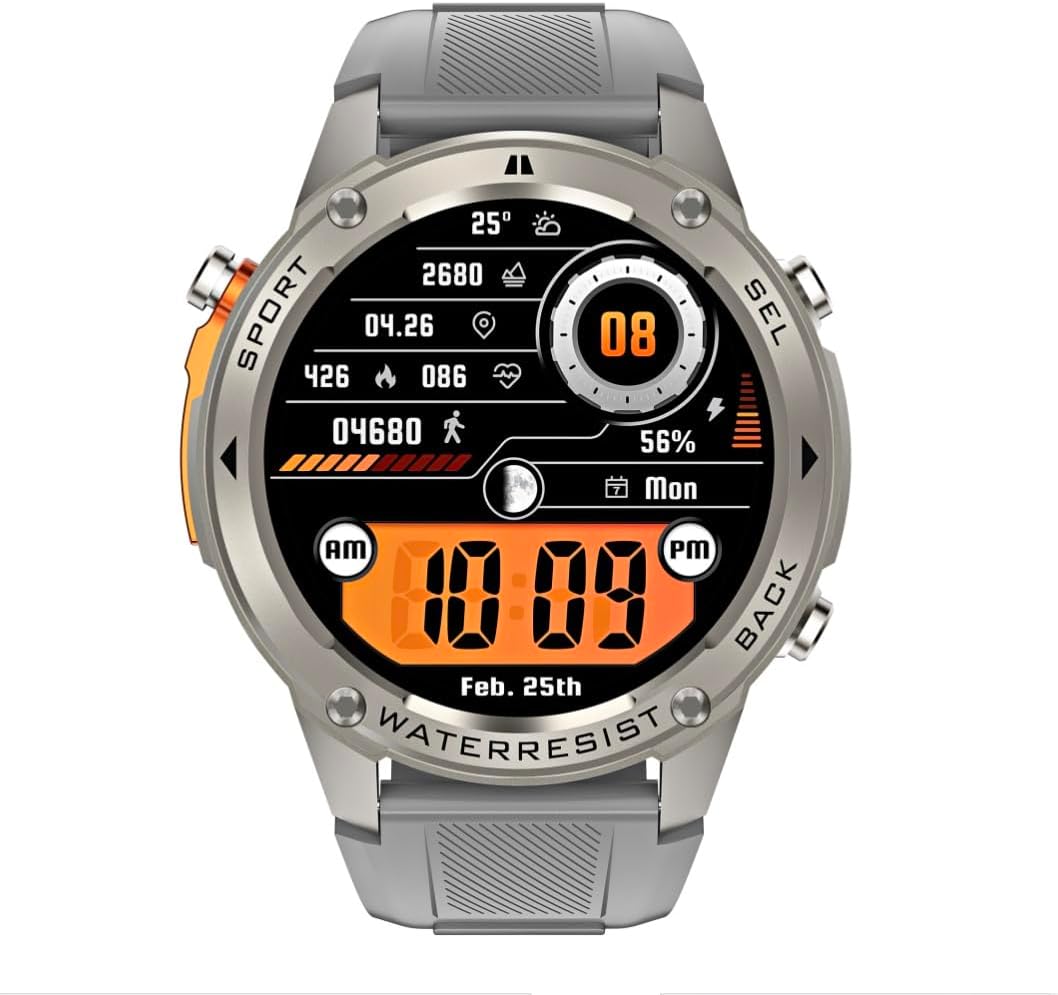
ภาพ: ด้านหน้า view of the infiniity DM56 Sport Smartwatch, displaying a digital watch face with time, date, activity data, and battery level. The watch features a silver bezel and a light grey silicone strap.
ข้อมูลด้านความปลอดภัย
- ห้ามพยายามถอดประกอบหรือดัดแปลงอุปกรณ์ เพราะอาจทำให้การรับประกันเป็นโมฆะและเกิดความเสียหาย
- ควรเก็บอุปกรณ์ให้ห่างจากอุณหภูมิที่สูงจัด แสงแดดโดยตรง และของเหลวที่มีฤทธิ์กัดกร่อน
- ควรหลีกเลี่ยงการกระแทกหรือการตกหล่นของอุปกรณ์อย่างรุนแรง
- ควรปรึกษาแพทย์หรือผู้เชี่ยวชาญทางการแพทย์ก่อนเริ่มโปรแกรมออกกำลังกายใหม่ใดๆ โดยเฉพาะอย่างยิ่งหากคุณมีปัญหาสุขภาพอยู่แล้ว
- The device is 5ATM waterproof, suitable for swimming and showering, but not for diving or high-pressure water activities.
- Use only the provided charging cable and a compatible power adapter (5V, 0.5A) to prevent damage.
มีอะไรอยู่ในกล่อง
- infiniity DM56 Sport Smartwatch
- สายชาร์จ
- คู่มือการใช้งาน (เอกสารนี้)
การตั้งค่า
1. การชาร์จสมาร์ทวอทช์
Before first use, fully charge your DM56 smartwatch. Connect the magnetic charging cable to the charging contacts on the back of the watch and plug the USB end into a power source (e.g., computer USB port or a 5V/0.5A USB power adapter).

ภาพ: ด้านหลัง view of the DM56 smartwatch, highlighting the optical heart rate sensor and magnetic charging contacts. The watch features a light grey silicone strap.
หน้าจอแสดงผลของนาฬิกาจะแสดงสถานะการชาร์จ โดยปกติการชาร์จเต็มจะใช้เวลาประมาณ 2 ชั่วโมง
2. การติดตั้งและการจับคู่แอป
To unlock the full functionality of your DM56 smartwatch, you need to download and install the companion application on your smartphone.
- ดาวน์โหลดแอป: ค้นหา the "infiniity Fit" app (or similar, check packaging for exact name) in the Apple App Store (for iOS 11 and above) or Google Play Store (for Android 5.0 and above).
- สร้างบัญชี: เปิดแอปและทำตามคำแนะนำบนหน้าจอเพื่อสร้างบัญชีผู้ใช้ใหม่หรือเข้าสู่ระบบหากคุณมีบัญชีผู้ใช้อยู่แล้ว
- เปิดใช้งานบลูทูธ: ตรวจสอบให้แน่ใจว่าได้เปิดใช้งาน Bluetooth บนสมาร์ทโฟนของคุณแล้ว
- จับคู่อุปกรณ์: In the app, navigate to the "Device" or "Add Device" section. The app will scan for available smartwatches. Select "DM56" from the list of discovered devices.
- ยืนยันการจับคู่: คำขอจับคู่อาจปรากฏขึ้นทั้งบนโทรศัพท์และสมาร์ทวอทช์ของคุณ ยืนยันการจับคู่บนอุปกรณ์ทั้งสองเครื่อง
- ตั้งค่าให้เสร็จสมบูรณ์: Once paired, the app will guide you through initial settings such as personal profile, notification preferences, and health monitoring permissions.
คำแนะนำการใช้งาน
1. การนำทางพื้นฐาน
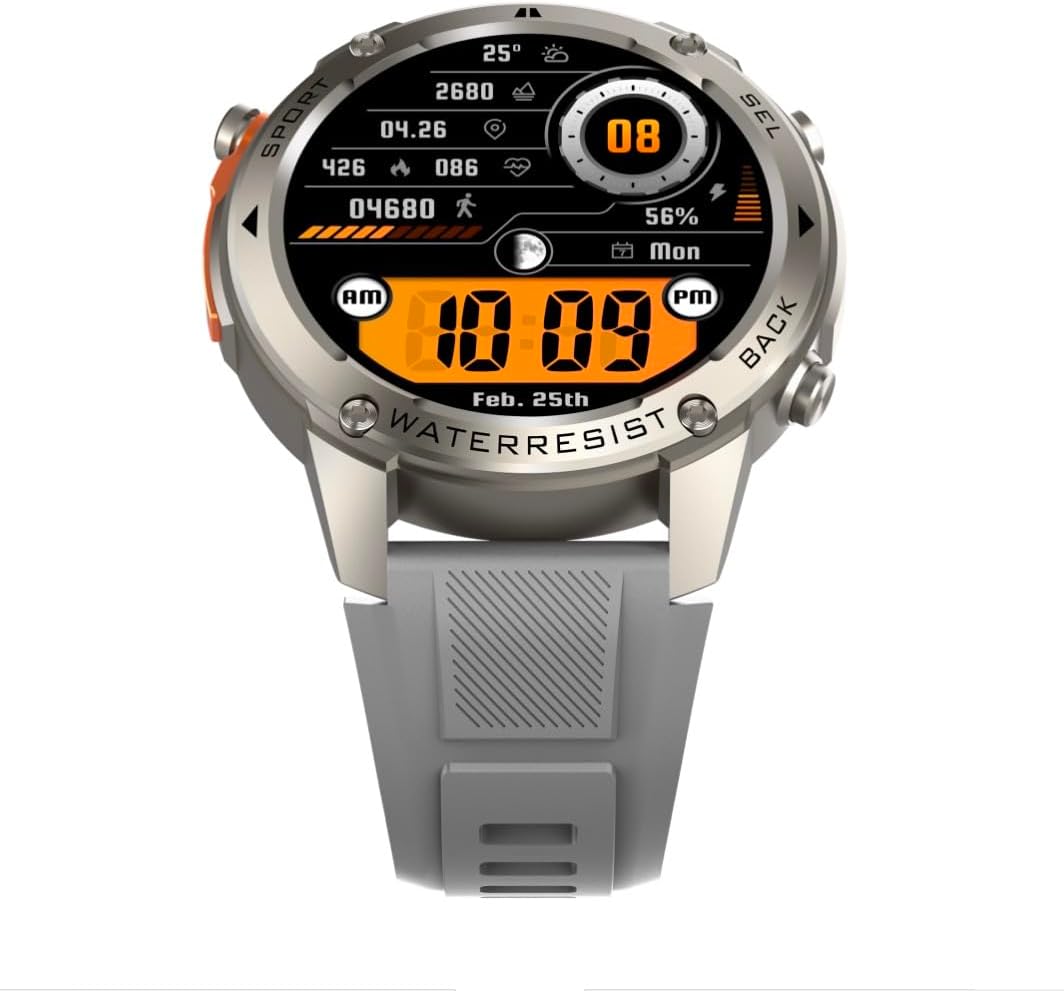
ภาพ: ด้านหน้า view of the DM56 smartwatch, showcasing its 1.43-inch AMOLED display with a digital watch face showing time, date, steps, heart rate, and battery level. The watch has a silver bezel and light grey strap.
- หน้าจอสัมผัส: Swipe left/right to navigate between main screens (e.g., activity, heart rate, weather). Swipe up to access notifications. Swipe down to access quick settings. Tap to select an item or enter a menu.
- ปุ่มด้านข้าง: The DM56 features multiple physical buttons.
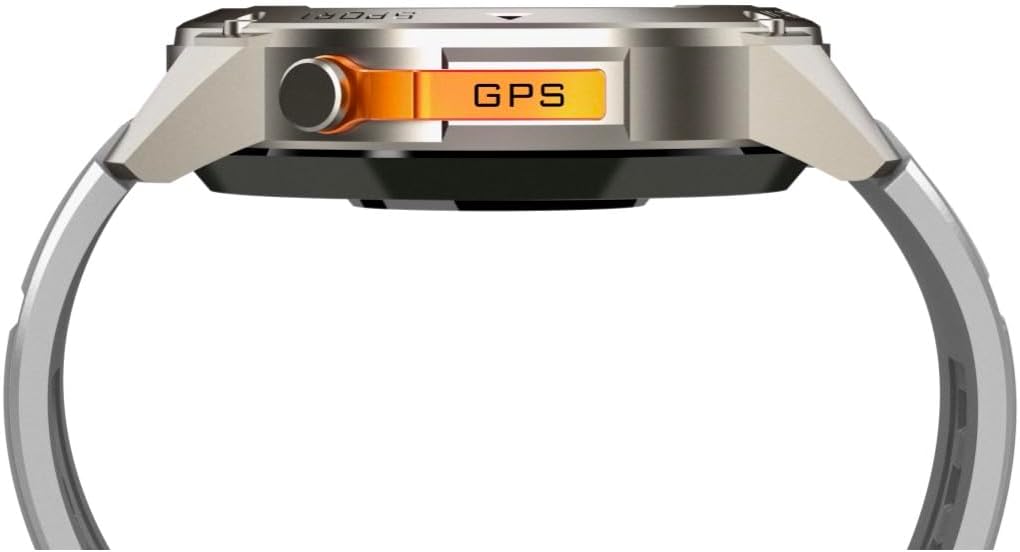
ภาพ: ด้านข้าง view of the DM56 smartwatch, highlighting the orange "GPS" button on the right side of the watch case. This button is used for quick access to GPS functions or sport modes.
- Power/Home Button: Typically located on the top right. Press to wake/sleep the screen, or long-press to power on/off. From any screen, press to return to the watch face.
- Sport/GPS Button: Often highlighted (e.g., orange). Press to quickly launch sport modes or activate GPS.
- Select/Back Buttons: Used for navigating menus, confirming selections, or going back to the previous screen. Refer to the on-screen prompts for specific button functions.
2. คุณสมบัติการแสดงผล
The 1.43-inch AMOLED display offers vibrant colors and deep blacks. It supports an Always-On Display (AOD) mode, allowing you to see the time and essential information without raising your wrist or tapping the screen. AOD settings can be configured in the companion app.
3. การติดตามสุขภาพ
The DM56 smartwatch is equipped with the VC30F sensor for comprehensive health tracking:
- การตรวจสอบอัตราการเต้นของหัวใจ: การติดตามอัตราการเต้นของหัวใจอย่างต่อเนื่องจะช่วยให้คุณเข้าใจสุขภาพหัวใจและหลอดเลือดของคุณได้ดียิ่งขึ้น View ข้อมูลแบบเรียลไทม์บนนาฬิกาหรือแนวโน้มโดยละเอียดในแอป
- การตรวจวัดออกซิเจนในเลือด (SpO2): วัดระดับความอิ่มตัวของออกซิเจนในเลือดของคุณ
- การติดตามการนอนหลับ: ติดตามการนอนหลับของคุณโดยอัตโนมัติtages (deep, light, REM) and provides a sleep quality score.
- การติดตามความเครียด: ตรวจสอบระดับความเครียดของคุณตลอดทั้งวัน
- pedometer: Counts your daily steps, distance, and calories burned.
หมายเหตุ: ข้อมูลการติดตามสุขภาพมีไว้เพื่อใช้อ้างอิงเท่านั้น และไม่ควรนำไปใช้ในการวินิจฉัยหรือการรักษาทางการแพทย์
4. โหมดกีฬาและระบบ GPS
The DM56 supports over 170 sports modes, with 14 built-in modes and the ability to add more via the app. It features L1+L5 dual-frequency GPS and multi-system positioning (GPS, GLONASS, BDS, Galileo, NAVIC, QZSS) for accurate outdoor activity tracking.
- การเริ่มออกกำลังกาย: Press the Sport/GPS button or navigate to the "Workout" menu on the watch. Select your desired activity (e.g., Outdoor Running, Cycling).
- การเก็บข้อมูล GPS: For outdoor activities, ensure you are in an open area for faster GPS signal acquisition. The watch will indicate when GPS is ready.
- ระหว่างออกกำลังกาย: The watch will display real-time metrics such as duration, distance, pace, heart rate, and calories burned.
- การจบการออกกำลังกาย: Press the appropriate button or swipe on the screen to pause or end the workout. Confirm to save the data. Detailed workout summaries are available in the app.
5. Smart Notifications and Calls
Once paired with your smartphone, the DM56 can receive notifications for calls, SMS messages, and various apps. You can answer or reject calls directly from the watch.
- การเปิดใช้งานการแจ้งเตือน: Configure which app notifications you wish to receive in the companion app settings.
- Viewการแจ้งเตือน: ปัดขึ้นบนหน้าปัดนาฬิกาเพื่อ view การแจ้งเตือนล่าสุด
- การรับสาย/ปฏิเสธสาย: When an incoming call arrives, tap the green icon to answer or the red icon to reject. The watch uses its built-in microphone and speaker for calls.
6. คุณสมบัติกันน้ำ (5ATM)
The DM56 has a 5ATM waterproof rating, meaning it can withstand water pressures equivalent to a depth of 50 meters. It is suitable for swimming in pools or shallow water, showering, and daily use. It is not recommended for diving, snorkeling, or high-speed water sports.
- ห้ามใช้งานปุ่มใต้น้ำ
- หลังจากสัมผัสกับน้ำเกลือ ให้ล้างนาฬิกาด้วยน้ำสะอาดและเช็ดให้แห้งสนิท
การซ่อมบำรุง
- การทำความสะอาด: ทำความสะอาดตัวเรือนและสายรัดนาฬิกาเป็นประจำโดยใช้ผ้านุ่ม งamp cloth. For the charging contacts and sensors on the back, use a dry cotton swab to remove any dust or debris.
- การเปลี่ยนสายรัด: The silicone straps are replaceable. Refer to the quick-release pins on the underside of the strap for removal and attachment.
- การอัปเดตซอฟต์แวร์: Periodically check the companion app for firmware updates. Updates often include performance improvements, bug fixes, and new features. Ensure your watch is sufficiently charged before starting an update.
- พื้นที่จัดเก็บ: หากจะเก็บนาฬิกาไว้เป็นเวลานาน ควรชาร์จแบตเตอรี่ประมาณ 50% แล้วเก็บไว้ในที่แห้งและเย็น
การแก้ไขปัญหา
| ปัญหา | วิธีแก้ปัญหาที่เป็นไปได้ |
|---|---|
| นาฬิกาไม่สามารถเปิดได้ | ตรวจสอบให้แน่ใจว่านาฬิกาชาร์จเต็มแล้ว เสียบนาฬิกาเข้ากับสายชาร์จและแหล่งจ่ายไฟอย่างน้อย 30 นาที |
| ไม่สามารถจับคู่กับสมาร์ทโฟนได้ |
|
| ไม่ได้รับการแจ้งเตือน |
|
| ข้อมูลสุขภาพที่ไม่ถูกต้อง |
|
| GPS signal acquisition is slow. |
|
ข้อมูลจำเพาะ
| คุณสมบัติ | รายละเอียด |
|---|---|
| ชื่อรุ่น | ดม.56 |
| ยี่ห้อ | อินฟินิตี้ |
| แสดง | 1.43 Inches AMOLED, 466x466 pixels |
| เซ็นเซอร์ | Heart Rate (VC30F), Accelerometer (STK8321), Magnetometer (Compass), Barometer+Altitude (SPL07-03) |
| การเชื่อมต่อ | บลูทูธ 5.3 |
| ความจุของแบตเตอรี่ | 500 mAh (ลิเธียมไอออน) |
| ระดับการกันน้ำ | 5ATM (สูงสุด 50 เมตร) |
| จีพีเอส | Built-in GPS (L1+L5 dual-frequency), Multi-System Positioning (GPS, GLONASS, BDS, Galileo, NAVIC, QZSS) |
| ความเข้ากันได้ | Android 5.0+ and iOS 11 and above |
| คุณสมบัติพิเศษ | จอแสดงผล AMOLED ที่เปิดตลอดเวลา |
| น้ำหนักสินค้า | 0.65 ออนซ์ |
| ขนาดแพ็คเกจ | 4.25 x 4.25 x 2.8 นิ้ว |
การรับประกันและการสนับสนุน
For warranty information and technical support, please refer to the official Infinity webหรือติดต่อฝ่ายบริการลูกค้าโดยตรง โปรดเก็บใบเสร็จรับเงินไว้เป็นหลักฐานการซื้อสำหรับการเรียกร้องการรับประกัน
ผู้ผลิต: Infiniity


