1. บทนำ
This manual provides essential instructions for the safe and effective use of your POWTREE 7.0Ah V8 SV10 Replacement Battery. This high-capacity lithium-ion battery is designed to replace the original battery in compatible Dyson V8 series cordless vacuum cleaners, offering enhanced performance and extended runtime.
2. ข้อมูลด้านความปลอดภัย
Your POWTREE replacement battery is equipped with multiple safety features to ensure reliable operation. Please adhere to the following guidelines:
- The battery is CE/RoHS/FCC certified, indicating compliance with health, safety, and environmental protection standards.
- Built-in protection mechanisms prevent overcharging, overcurrent, short circuits, internal overheating, and over-discharge.
- ห้ามถอดประกอบ ดัดแปลง หรือพยายามซ่อมแซมแบตเตอรี่
- Avoid exposing the battery to water, fire, or extreme temperatures.
- Store the battery in a cool, dry place away from direct sunlight and metallic objects.
- If the battery shows signs of damage, swelling, or leakage, discontinue use immediately and dispose of it properly according to local regulations.

3. ความเข้ากันได้
This POWTREE 7.0Ah V8 SV10 Replacement Battery is fully compatible with the following Dyson V8 series cordless vacuum cleaner models:
- Dyson V8 Animal Cordless Stick Vacuum Cleaner
- Dyson V8 Animal HEPA Cordless Stick Vacuum Cleaner
- Dyson V8 Absolute (including 214730-01)
- Dyson V8 Motorhead Cordless Stick Vacuum Cleaner
- Dyson V8 Motorhead HEPA Cordless Stick Vacuum Cleaner
- Dyson V8 Animal+ Cordless Stick Vacuum
- Dyson V8 Hepa Cordless Stick Vacuum Cleaner
- Dyson SV10 series
Important: This battery is NOT compatible with Dyson V6 or V7 series vacuum cleaners.

4. การตั้งค่า (การติดตั้งแบตเตอรี่)
Follow these steps to replace your Dyson V8 vacuum cleaner battery:
- ถอดฝาครอบกันฝุ่นออก: Locate and remove the dust cover from your vacuum cleaner.
- Unscrew Rear Handle Screw: Identify and unscrew the screw located at the rear of the vacuum's handle.
- Unscrew Dust Cover Back Screw: Unscrew the screw positioned at the back of the dust cover assembly.
- ถอดแบตเตอรี่เก่าออก: Carefully detach and remove the existing battery from the vacuum cleaner.
- ติดตั้งแบตเตอรี่ใหม่: Align the POWTREE replacement battery with the vacuum's battery slot and gently push it into place until it clicks.
- สกรูยึด: Reinsert and tighten all screws removed in steps 2 and 3.
- Replace Dust Cover: Reattach the dust cover.

5. การใช้งาน (การชาร์จและการใช้งาน)
5.1 ค่าบริการเริ่มต้น
Before first use, fully charge the battery. This helps calibrate the battery and ensures optimal performance.
5.2 วิธีการชาร์จ
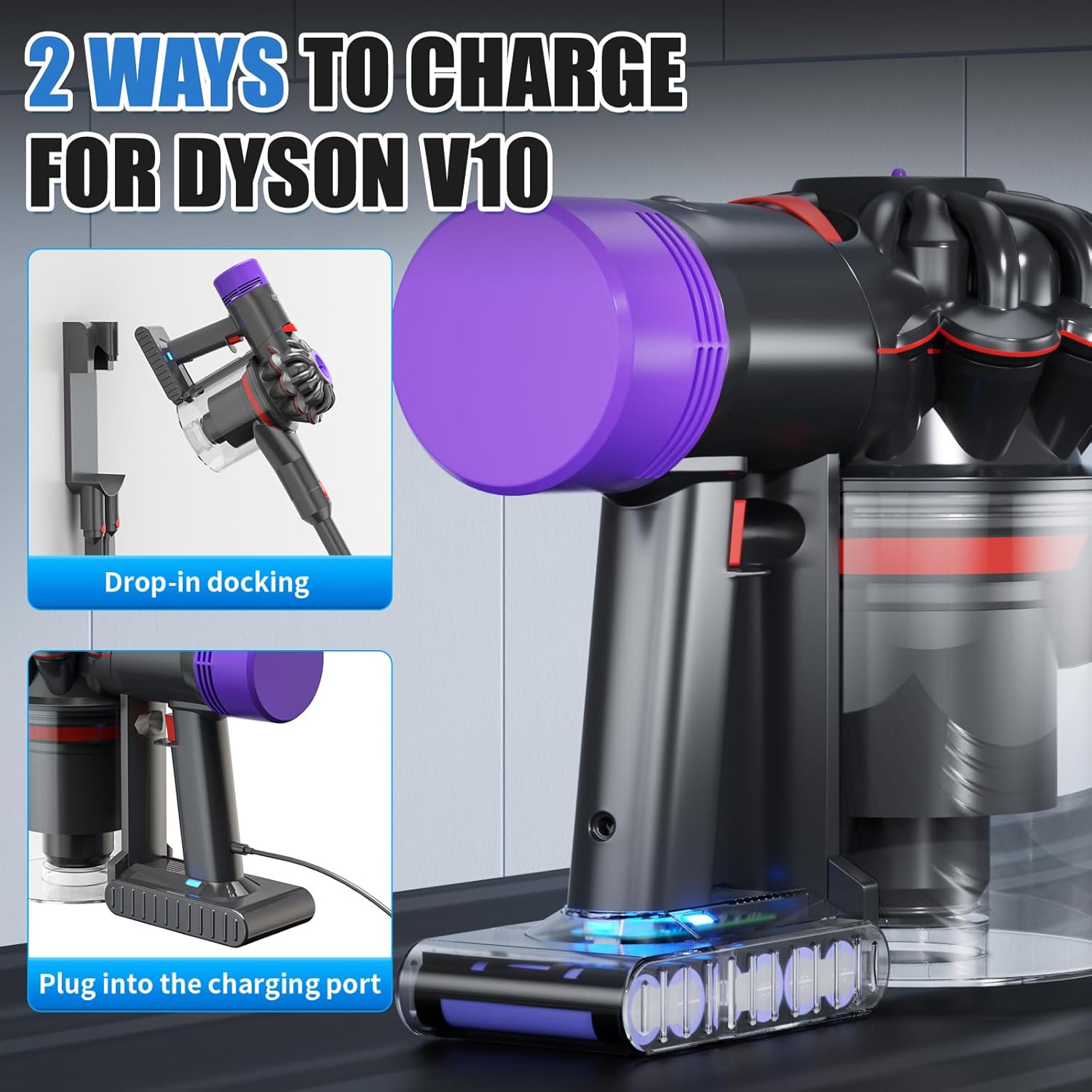
The POWTREE replacement battery is designed to be compatible with your original Dyson V8 charger and charging methods:
- Drop-in Docking: Place your Dyson V8 vacuum into its wall-mounted docking station.
- เสียบปลั๊กโดยตรง: Connect the original charger directly to the charging port on the battery.
5.3 ไฟแสดงสถานะ LED
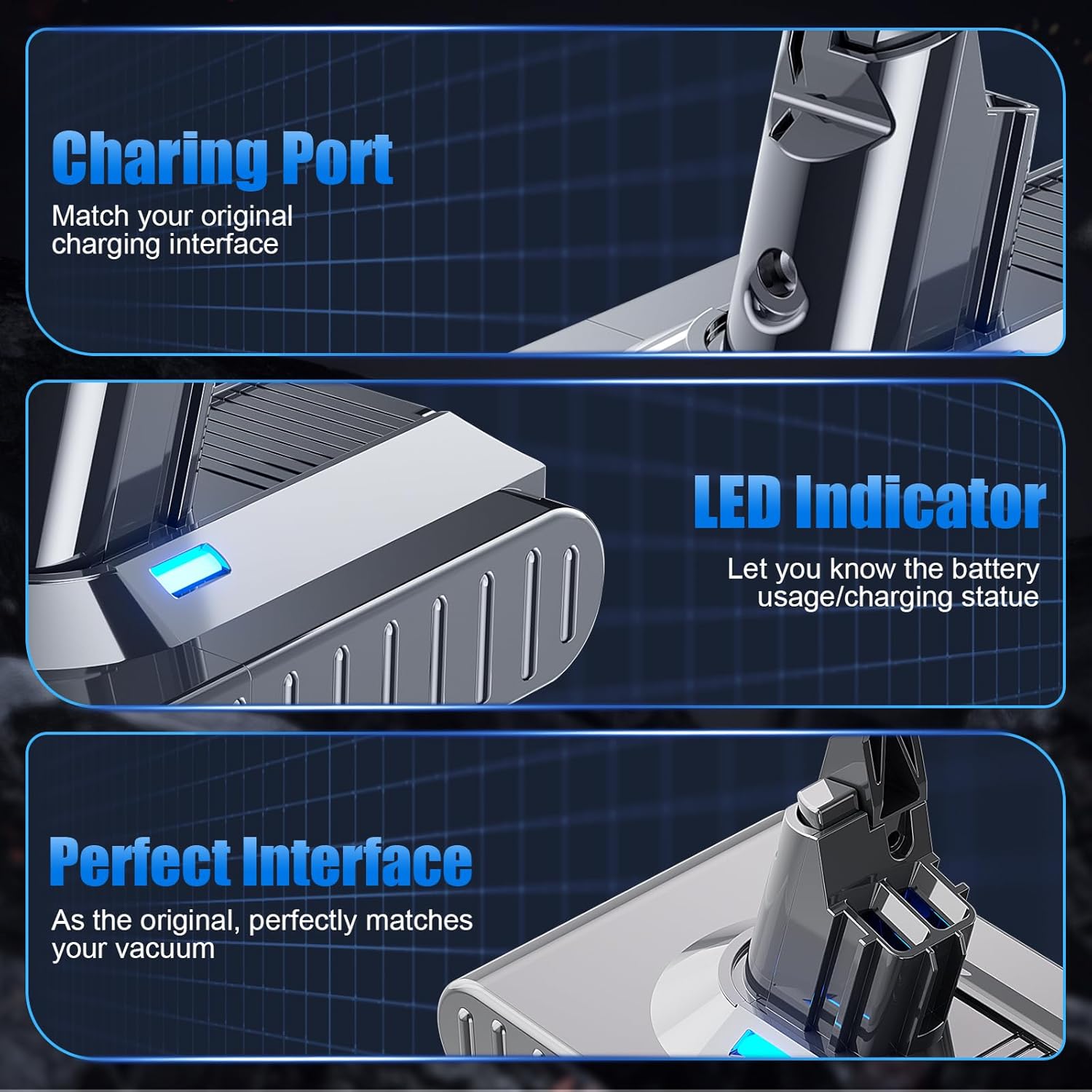
The battery features an LED indicator composed of 3 separate lights. Each light represents approximately 33% of the battery's charge level. This allows for easy monitoring of battery usage and charging status.
- ไฟติด 3 ดวง: ชาร์จ 67-100%
- ไฟติด 2 ดวง: ชาร์จ 34-66%
- ไฟ 1 ดวงเปิด: ชาร์จ 1-33% (ชาร์จเร็ว ๆ นี้)
- ไม่มีไฟ: Battery depleted or not connected.
6. การบำรุงรักษา
การบำรุงรักษาอย่างถูกวิธีสามารถยืดอายุการใช้งานของแบตเตอรี่ได้:
- การชาร์จปกติ: Avoid completely draining the battery before recharging. Frequent partial charges are generally better for lithium-ion batteries than full discharge cycles.
- พื้นที่จัดเก็บ: If storing the battery for an extended period, ensure it is charged to approximately 50-70% capacity. Store it in a cool, dry environment.
- การทำความสะอาด: Keep the battery contacts clean and free of dust or debris. Use a dry cloth to wipe the exterior if necessary.
- อุณหภูมิ: Operate and charge the battery within recommended temperature ranges (typically 0°C to 45°C or 32°F to 113°F). Extreme temperatures can degrade battery performance and life.
7 การแก้ไขปัญหา
If you encounter issues with your POWTREE replacement battery, consider the following:
- แบตเตอรี่ไม่ชาร์จ:
- Ensure the charger is properly connected to both the battery/vacuum and the power outlet.
- ตรวจสอบว่าเต้ารับไฟฟ้าสามารถใช้งานได้
- Check for any visible damage to the charger or battery.
- รันไทม์สั้น:
- ตรวจสอบให้แน่ใจว่าแบตเตอรี่ชาร์จเต็มแล้วก่อนใช้งาน
- Operating the vacuum in MAX mode will consume battery power more quickly.
- Over time, all batteries experience some capacity degradation.
- เครื่องดูดฝุ่นไม่ทำงาน:
- Confirm the battery is securely installed.
- ตรวจสอบว่าแบตเตอรี่มีประจุเพียงพอหรือไม่
หากขั้นตอนการแก้ไขปัญหาข้างต้นไม่สามารถแก้ปัญหาได้ โปรดติดต่อฝ่ายบริการลูกค้า
8. ข้อมูลจำเพาะ
| คุณสมบัติ | ข้อมูลจำเพาะ |
|---|---|
| ประเภทแบตเตอรี่ | ลิเธียมไอออน (Li-ion) |
| เล่มที่tage | 21.6โวลต์ |
| ความจุ | 7000mAh (7.0Ah) |
| หมายเลขรุ่น | Dyson V8 SV10 Battery Replacement 215681 |
| ขนาดสินค้า | 6.1 x 3.9 x 5.5 นิ้ว |
| น้ำหนักสินค้า | 1.32 ปอนด์ |
| การรับรอง | CE, RoHS, FCC |

9. การรับประกันและการสนับสนุน
POWTREE offers the following support for your replacement battery:
- การรับประกัน: 180 days limited warranty from the date of purchase.
- การส่งคืน: 30-day return policy for full refunds.
- บริการลูกค้า: For any questions or assistance, please contact us through your purchase platform. You can typically find a "Contact Seller" option within your order details or an "Ask a Question" link on our storefront.


