1. บทนำ
The MAONO Wave T1 Mini Wireless Lavalier Microphone system is designed for high-quality audio capture with iPhone and iPad devices. This compact and portable system is ideal for video recording, vlogging, live streaming, interviews, and other content creation scenarios. It features MFi certification for seamless iOS compatibility, advanced AI noise cancellation, AI voice filters, and an extended battery life for reliable performance.
2. อะไรอยู่ในกล่อง
Carefully unpack your MAONO Wave T1 Mini system and ensure all components are present:
- Wave T1 mini Transmitter (x2)
- ตัวรับสัญญาณสายฟ้า (x1)
- เคสชาร์จ (x1)
- สายชาร์จ USB-A เป็น USB-C (1 ชิ้น)
- คู่มือผู้ใช้ (x1)

3. สินค้าหมดview และคุณสมบัติที่สำคัญ
The MAONO Wave T1 Mini offers a range of features designed for optimal audio recording:
- Mini Mic, Pro Sound: Ultra-compact and portable design delivering 48kHz/16bit studio-quality sound.
- ได้รับการรับรอง MFI: Apple-certified Lightning plug ensures secure, interference-free premium audio signal transmission and seamless compatibility with iOS systems (iPhone 14 series and below, iPad). Note: Not compatible with iPhone 15, 16, or other USB-C port devices.
- 4-Level AI Noise Cancellation: One-click activation/deactivation of noise reduction, combined with 32dB gain control and Smart Automatic Limiting for clear recordings in noisy environments.
- อายุการใช้งานแบตเตอรี่ยาวนานขึ้น 30 ชั่วโมง: The charging case provides up to 30 hours of total usage, with individual transmitters offering approximately 6 hours of use. The receiver allows charging of your device while recording.
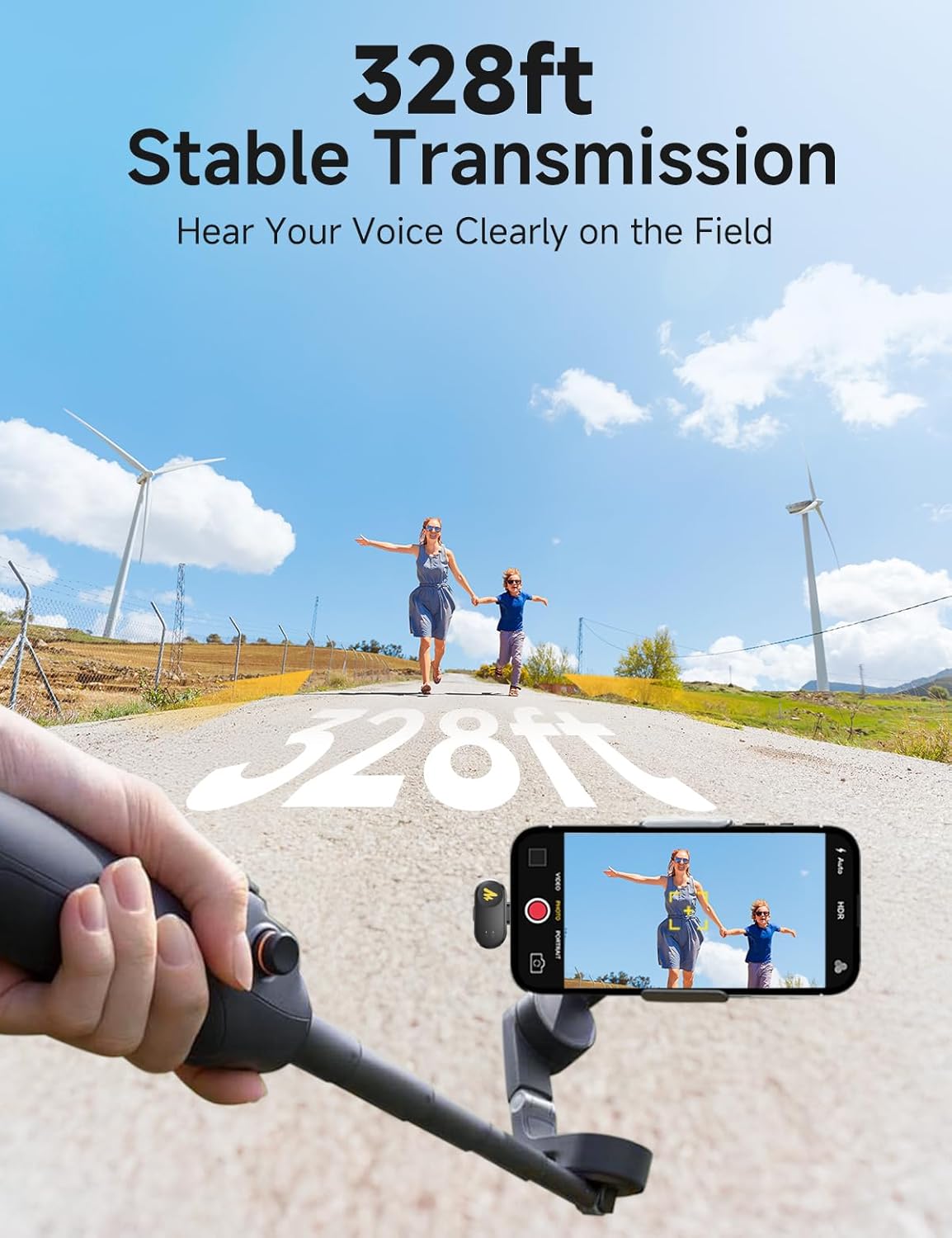
- 328ft Stable Transmission: Plug-and-play operation with a stable 2.4GHz anti-interference connection up to 328 feet (100 meters) without signal dropouts.
- AI Voice Filters and Effects: Utilize the Maono Link app to switch between 4 unique voice filters and 4 voice-altering effects. Real-time adjustment of noise reduction level and sound gain is also available.
- รีโมทคอนโทรล: Double-tap the microphone to remotely control photo capture or video recording on your connected device.




4. คู่มือการติดตั้ง
Follow these steps to set up your MAONO Wave T1 Mini Wireless Lavalier Microphone:
- ชาร์จระบบ: Before first use, ensure both transmitters and the charging case are fully charged using the provided USB-A to USB-C charging cable. The charging case will indicate charging status.
- เชื่อมต่อเครื่องรับ: Plug the Lightning Receiver directly into the Lightning port of your iPhone or iPad. The receiver is plug-and-play and should be recognized automatically by your device.
- เปิดใช้งานตัวส่งสัญญาณ: Remove the transmitters from the charging case. They will automatically power on and attempt to pair with the receiver. An LED indicator on the transmitters will show their connection status.
- Wear the Microphone: Clip the transmitter(s) onto your clothing, ideally near your mouth, for optimal sound capture. The compact design allows for discreet placement.
- Install Maono Link App (Optional but Recommended): For advanced control and features, download the "Maono Link" app from the App Store. This app allows you to adjust settings like gain, noise reduction, and apply voice filters.


5. คู่มือการใช้งาน
Once set up, operating your MAONO Wave T1 Mini is straightforward:
- การเชื่อมต่ออัตโนมัติ: The transmitters automatically connect to the receiver when removed from the charging case and the receiver is plugged into your device.
- ตัดเสียงรบกวน: Press the dedicated button on the transmitter to cycle through the 4 levels of AI noise cancellation (Slight, Moderate, Strong, Super) or turn it off.
- Remote Photo/Video: Double-tap the transmitter to remotely trigger photo capture or start/stop video recording on your connected iPhone or iPad.
- การชาร์จขณะบันทึก: The Lightning receiver features a pass-through charging port, allowing you to charge your iPhone or iPad simultaneously while recording, preventing battery drain during long sessions.
- Maono Link App Control: Use the Maono Link app to fine-tune audio settings. You can adjust microphone gain, select noise reduction levels, apply 4 unique voice filters (Sound Enhancer, Brightness, Warmth, Huskiness), and experiment with 4 voice-altering effects (Lolita, Uncle, Origin, Goddess).


6. การบำรุงรักษา
To ensure the longevity and optimal performance of your MAONO Wave T1 Mini Wireless Lavalier Microphone, follow these maintenance guidelines:
- การทำความสะอาด: Use a soft, dry cloth to gently wipe the transmitters, receiver, and charging case. Avoid using liquid cleaners or abrasive materials.
- พื้นที่จัดเก็บ: Always store the transmitters in their charging case when not in use. This protects them from dust and physical damage and keeps them charged.
- หลีกเลี่ยงเงื่อนไขที่รุนแรง: อย่าให้อุปกรณ์สัมผัสกับอุณหภูมิ ความชื้น หรือแสงแดดโดยตรง
- จัดการด้วยความระมัดระวัง: The microphones are small and lightweight; avoid dropping them or subjecting them to strong impacts.
7 การแก้ไขปัญหา
If you encounter issues with your MAONO Wave T1 Mini, refer to the following common problems and solutions:
- ไม่มีเสียง/คุณภาพเสียงไม่ดี:
- Ensure the receiver is fully plugged into your iPhone/iPad's Lightning port.
- Check if the transmitters are powered on and successfully paired (indicated by LED).
- Verify microphone placement; ensure it's clipped close to the sound source.
- Adjust gain settings via the Maono Link app.
- Disable or adjust noise cancellation levels if recording in a quiet environment, as excessive noise reduction can sometimes affect natural sound.
- Microphone Not Connecting/Losing Connection:
- Ensure transmitters are fully charged.
- Confirm the receiver is securely connected to your device.
- Move closer to the receiver; the maximum stable transmission range is 328ft (100m). Obstacles can reduce this range.
- Restart your iPhone/iPad and re-insert the receiver.
- Device Not Charging While Recording:
- Ensure the charging cable is securely connected to the receiver's charging port and a power source.
- Check if the charging cable is functional.
- Incompatibility with iPhone 15/16 or USB-C Devices:
- This specific model (Lightning version) is designed for iPhone 14 series and below, and iPads with Lightning ports. It is not compatible with devices using USB-C ports. Please ensure you have the correct version for your device.
- Maono Link App Issues:
- โปรดตรวจสอบให้แน่ใจว่าแอปของคุณได้รับการอัปเดตเป็นเวอร์ชันล่าสุดแล้ว
- รีสตาร์ทแอปหรืออุปกรณ์ของคุณ
8. ข้อมูลจำเพาะ
| คุณสมบัติ | ข้อมูลจำเพาะ |
|---|---|
| หมายเลขรุ่น | WM622 PB2 |
| ยี่ห้อ | เมาโน |
| เทคโนโลยีการเชื่อมต่อ | Wireless (2.4GHz Anti-interference) |
| ประเภทขั้วต่อ | Lightning (MFi Certified) |
| อุปกรณ์ที่รองรับ | iPhone (14 series and below), iPad (with Lightning port) |
| ปัจจัยรูปแบบไมโครโฟน | Lavalier (Clip-on) |
| อัตราส่วนสัญญาณต่อเสียงรบกวน | 85 เดซิเบล |
| ความละเอียดเสียง | 48kHz/16บิต |
| การตอบสนองความถี่ | 20เฮิรตซ์-20กิโลเฮิรตซ์ |
| ได้รับการควบคุม | 32dB (adjustable via app) |
| ระบบตัดเสียงรบกวน | 4-level AI Noise Cancellation |
| ช่วงการส่งผ่าน | สูงถึง 328 ฟุต (100 เมตร) |
| เวลาการใช้งานเครื่องส่งสัญญาณ | ประมาณ 6 ชั่วโมง |
| อายุการใช้งานแบตเตอรี่ทั้งหมด (รวมเคส) | นานถึง 30 ชั่วโมง |
| ประเภทแบตเตอรี่ | ลิเธียมไอออน (รวมอยู่ด้วย) |
| น้ำหนักสินค้า | 4.6 ออนซ์ (รวมแพ็คเกจ) |
| การใช้ที่แนะนำ | Gaming, Interviews, Meeting, Streaming, Video Recording, Vlogging |
9. การรับประกันและการสนับสนุน
สำหรับข้อมูลการรับประกันและการสนับสนุนทางเทคนิค โปรดดูที่เว็บไซต์อย่างเป็นทางการของ MAONO webเยี่ยมชมเว็บไซต์หรือติดต่อฝ่ายบริการลูกค้าของ MAONO โดยตรง เก็บใบเสร็จรับเงินไว้เพื่อใช้ในการเคลมประกัน
You can visit the official MAONO store for more information: MAONO Store


