การแนะนำ
This manual provides comprehensive instructions for the assembly, operation, maintenance, and troubleshooting of your FLEXISPOT One-Piece Electric Standing Desk. Please read this manual thoroughly before assembly and use to ensure proper function and safety. Keep this manual for future reference.

Image: The FLEXISPOT One-Piece Electric Standing Desk, featuring a black desktop and black frame, set up with a laptop and monitor.
การติดตั้งและการประกอบ
Your FLEXISPOT Electric Standing Desk is designed for straightforward assembly. The desk ships in two separate packages, which may arrive at different times. Please ensure all components are present before beginning assembly.
เครื่องมือที่จำเป็น (ไม่รวม):
- Electric drill (recommended for faster assembly)
ขั้นตอนการประกอบ:
- แกะชิ้นส่วนทั้งหมดออกจากบรรจุภัณฑ์ และตรวจสอบกับรายการชิ้นส่วนที่ให้ไว้ในคู่มือการประกอบที่แยกออกมาต่างหาก
- Attach the desk legs to the desktop frame. The main bracket and motor are pre-attached for convenience.
- Secure the desktop to the frame. The desktop is a single, seamless piece, 1 inch thick, providing enhanced stability.
- Connect the control panel and power cables according to the wiring diagram in the assembly guide.
- Install any optional accessories, such as the headphone hooks, if desired.
สำคัญ: Always follow the detailed assembly instructions included in your product packaging. Ensure all screws are tightened securely to prevent instability. Do not exceed the maximum weight recommendation of 132 pounds.

ภาพ: ภาพระยะใกล้ view highlighting the seamless, one-piece desktop with rounded edges, emphasizing its solid construction.
คำแนะนำการใช้งาน
The FLEXISPOT Electric Standing Desk features an intuitive control panel for easy height adjustment and memory presets.
การปรับความสูง:
- ใช้ Up และ ลง arrow buttons on the control panel to adjust the desk height.
- โต๊ะทำงานสามารถปรับระดับความสูงได้ตั้งแต่ต่ำสุด 28.1 นิ้ว ถึงสูงสุด 45.7 นิ้ว
- The motor operates quietly, under 50 dB, ensuring minimal disruption to your workspace.
การตั้งค่าหน่วยความจำ:
The desk includes four programmable memory height presets, allowing you to save and recall your preferred sitting and standing positions instantly.
- ปรับความสูงของโต๊ะตามต้องการโดยใช้ปุ่มขึ้น/ลง
- กดปุ่ม 'เอ็ม' button (or similar memory set button, refer to your control panel diagram).
- Immediately press one of the numbered preset buttons (1, 2, 3 หรือ 4) to save the current height to that position.
- หากต้องการเรียกความสูงที่บันทึกไว้ เพียงกดปุ่มตั้งค่าล่วงหน้าที่มีหมายเลขตรงกัน โต๊ะจะเลื่อนไปยังตำแหน่งที่ตั้งบันทึกไว้โดยอัตโนมัติ

ภาพ: รายละเอียด view of the smart control panel, showing the LED display for height, up/down buttons, and four memory preset buttons.

Image: A visual representation of the desk's height adjustment range, indicating minimum (28.1 inches) and maximum (45.7 inches) heights.
การซ่อมบำรุง
Regular maintenance ensures the longevity and optimal performance of your standing desk.
- การทำความสะอาด: เช็ดพื้นเดสก์ท็อปและกรอบด้วยผ้าเนื้อนุ่มamp ผ้า หลีกเลี่ยงน้ำยาทำความสะอาดที่มีฤทธิ์กัดกร่อนหรือสารเคมีรุนแรงที่อาจทำลายพื้นผิวได้
- การจัดการสายเคเบิล: Periodically check and organize cables to prevent tangles and ensure smooth operation during height adjustments.
- น้ำหนักจำกัด: Do not exceed the maximum weight capacity of 132 pounds. Overloading can strain the motor and frame.
- สภาพแวดล้อม : ควรวางโต๊ะทำงานให้ห่างจากแหล่งความร้อนโดยตรงและความชื้นสูง
- การตรวจสอบตัวยึด: ตรวจสอบสกรูและตัวยึดทั้งหมดเป็นระยะ เพื่อให้แน่ใจว่ายังแน่นอยู่ ขันให้แน่นอีกครั้งหากจำเป็น
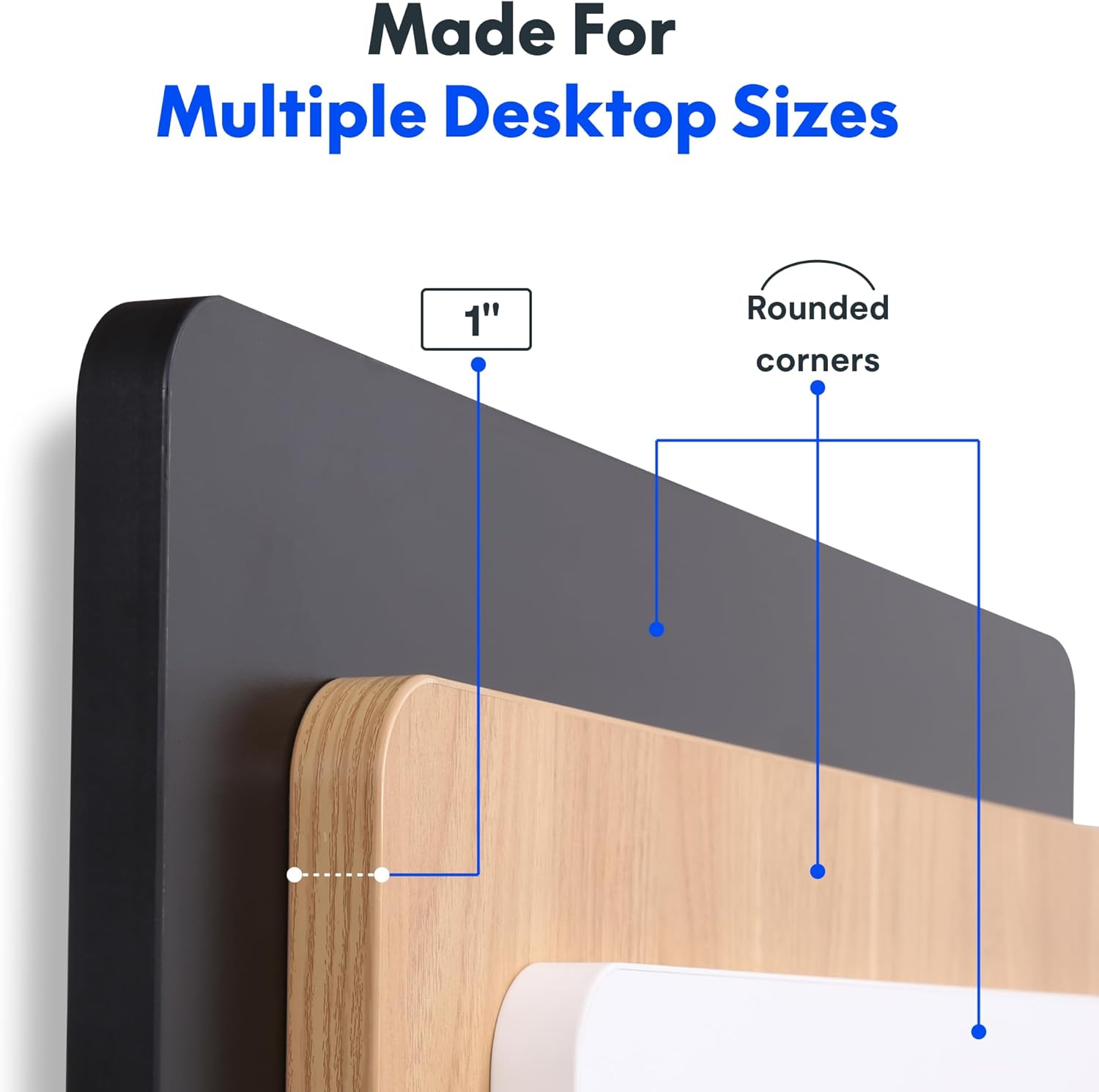
Image: The desk in operation, illustrating its smooth and quiet movement, ideal for maintaining concentration.
การแก้ไขปัญหา
If you encounter issues with your FLEXISPOT Electric Standing Desk, refer to the following common problems and solutions.
Desk Not Adjusting Height:
- การเชื่อมต่อไฟฟ้า: Ensure the power cord is securely plugged into both the desk and a working electrical outlet.
- การเชื่อมต่อสายเคเบิล: Check all cables connecting the control panel to the motor and power supply for secure connections.
- โอเวอร์โหลด: Verify that the weight on the desk does not exceed the maximum capacity of 132 pounds. Remove excess weight and try again.
- ขั้นตอนการรีเซ็ต: Consult your specific assembly guide for any factory reset procedures for the control panel.
Unusual Noises During Adjustment:
- Clicking Sound: A clicking sound, particularly when lowering, may indicate an issue with the motor or leg mechanism. Ensure the desk is not overloaded. If the issue persists, contact customer support.
- โยกเยก: Ensure all assembly screws are tightly secured. Check that the desk is on a level surface.
หากขั้นตอนเหล่านี้ไม่สามารถแก้ไขปัญหาได้ โปรดดูส่วนการรับประกันและการสนับสนุนเพื่อขอความช่วยเหลือเพิ่มเติม
ข้อมูลจำเพาะ
Detailed specifications for the FLEXISPOT One-Piece Electric Standing Desk (48x24 inch model).

Image: A diagram illustrating the key dimensions of the desk: 48 inches in width, 24 inches in depth, and a 1-inch desktop thickness.
| คุณสมบัติ | รายละเอียด |
|---|---|
| ยี่ห้อ | เฟล็กซิสพอท |
| แบบอย่าง | One-Piece Electric Standing Desk 48x24 |
| ขนาดของโต๊ะทำงาน (กว้าง x ลึก) | 48 นิ้ว x 24 นิ้ว |
| ความหนาของเดสก์ท็อป | 1 นิ้ว |
| ช่วงการปรับความสูง | 28.1 inches (min) to 45.7 inches (max) |
| ระดับเสียงมอเตอร์ | ต่ำกว่า 50 เดซิเบล |
| หน่วยความจำที่ตั้งไว้ล่วงหน้า | 4 |
| ความจุน้ำหนักสูงสุด | 132 ปอนด์ |
| วัสดุกรอบ | เหล็กอัลลอยด์ |
| วัสดุเดสก์ท็อป | ไม้แปรรูป |
| สี | Black Top + Black Frame |
| คุณสมบัติพิเศษ | One-Piece Desktop, Headphone Hook |
| จำเป็นต้องประกอบ | ใช่ |

ภาพ: ภาพระยะใกล้ view of the desk's underside, highlighting the two convenient headphone hooks for storage.
ข้อมูลการรับประกัน
FLEXISPOT provides the following warranty for your Electric Standing Desk:
- Frame, Motor, and Mechanical Parts: รับประกันจำกัด 5 ปี
- ชิ้นส่วนอิเล็กทรอนิกส์: รับประกันจำกัด 2 ปี
This warranty covers defects in materials and workmanship under normal use. Please retain your proof of purchase for warranty claims. For specific terms and conditions, refer to the warranty documentation included with your product or visit the official FLEXISPOT webเว็บไซต์.
การสนับสนุนลูกค้า
For further assistance, technical support, or warranty claims, please contact FLEXISPOT customer service. You can typically find contact information on the official FLEXISPOT webเว็บไซต์หรือผ่านทางร้านค้าปลีกที่คุณซื้อผลิตภัณฑ์
เมื่อติดต่อฝ่ายสนับสนุน โปรดเตรียมข้อมูลต่อไปนี้ให้พร้อม:
- Product Model: One-Piece Electric Standing Desk 48x24
- ASIN: B0DRFZWN7X
- วันที่ซื้อ
- คำอธิบายโดยละเอียดของปัญหา
เยี่ยมชม ร้าน FLEXISPOT บน Amazon สำหรับข้อมูลผลิตภัณฑ์และทรัพยากรสนับสนุนเพิ่มเติม


