การแนะนำ
This manual provides detailed instructions for the assembly, operation, maintenance, and troubleshooting of your FLEXISPOT One-Piece Electric Standing Desk. Please read this manual thoroughly before use to ensure proper function and safety.

Image: The FLEXISPOT One-Piece Electric Standing Desk, featuring a maple top and white frame, with a monitor, keyboard, mouse, and headphones. This desk offers a seamless and sturdy workspace.
การติดตั้งและการประกอบ
Your FLEXISPOT standing desk is shipped in two separate packages, which may arrive at different times. Ensure all components are present before beginning assembly.
เนื้อหาแพ็คเกจ
- One-piece desktop (Maple Top, 40x24 inches)
- Electric lifting frame (White Frame)
- Control panel and motor
- Assembly hardware and tools (some assembly may require an electric drill, not included)
- คู่มือการใช้งาน
คำแนะนำในการประกอบ
- แกะชิ้นส่วนทั้งหมดออกจากบรรจุภัณฑ์ และตรวจสอบกับรายการชิ้นส่วนที่ให้ไว้ในคู่มือการประกอบที่แยกออกมาต่างหาก
- Attach the lifting columns to the desktop, ensuring proper alignment.
- Install the foot supports to the lifting columns.
- Connect the control panel and motor cables according to the wiring diagram.
- Secure all connections and ensure the desk is stable.

Image: Desktop dimensions indicating a width of 40 inches, a depth of 24 inches, and a thickness of 1 inch. This illustrates the compact and sturdy design of the one-piece desktop.

ภาพ: รายละเอียด view of the dual-stage legs, highlighting their robust construction and the mechanism for continuous height adjustment from 28.1 to 45.7 inches.
คำแนะนำการใช้งาน
การปรับความสูง
The desk features an electric height control system, allowing for effortless adjustment. The height can be adjusted from a minimum of 28.1 inches to a maximum of 45.7 inches.
- ใช้ Up และ ลง buttons on the control panel to manually adjust the desk to your desired height.
- The motor operates quietly, under 50 dB, ensuring a peaceful work environment.

Image: Visual representation of the desk's height adjustment capabilities, demonstrating its range from a minimum of 28.1 inches to a maximum of 45.7 inches, suitable for various user heights and preferences.

Image: A close-up of the desk surface with a graphic illustrating minimal noise during operation, emphasizing the smooth and quiet movement of the electric motor.
หน่วยความจำที่ตั้งไว้ล่วงหน้า
The control panel includes 4 memory height presets, allowing you to save and quickly recall your preferred sitting and standing positions.
- ปรับความสูงของโต๊ะตามต้องการโดยใช้ปุ่มขึ้น/ลง
- กดปุ่ม 'เอ็ม' button (or similar memory set button, if applicable) followed by the desired preset number (1, 2, 3, or 4) to save the current height.
- To recall a saved height, simply press the corresponding preset number button.

ภาพ: รายละเอียด view of the smart control panel, illustrating the LED display, the Up and Down adjustment buttons, and the four programmable memory preset buttons for quick height recall.
คุณสมบัติเพิ่มเติม
- Seamless One-Piece Desktop: The 1-inch thick desktop provides a smooth, gap-free, and stable surface.
- ที่เกี่ยวหูฟัง: The desk includes a convenient headphone hook for organized storage.

Image: The desk showcasing its whole-piece desktop with smoothly rounded edges, emphasizing the seamless and durable surface design.
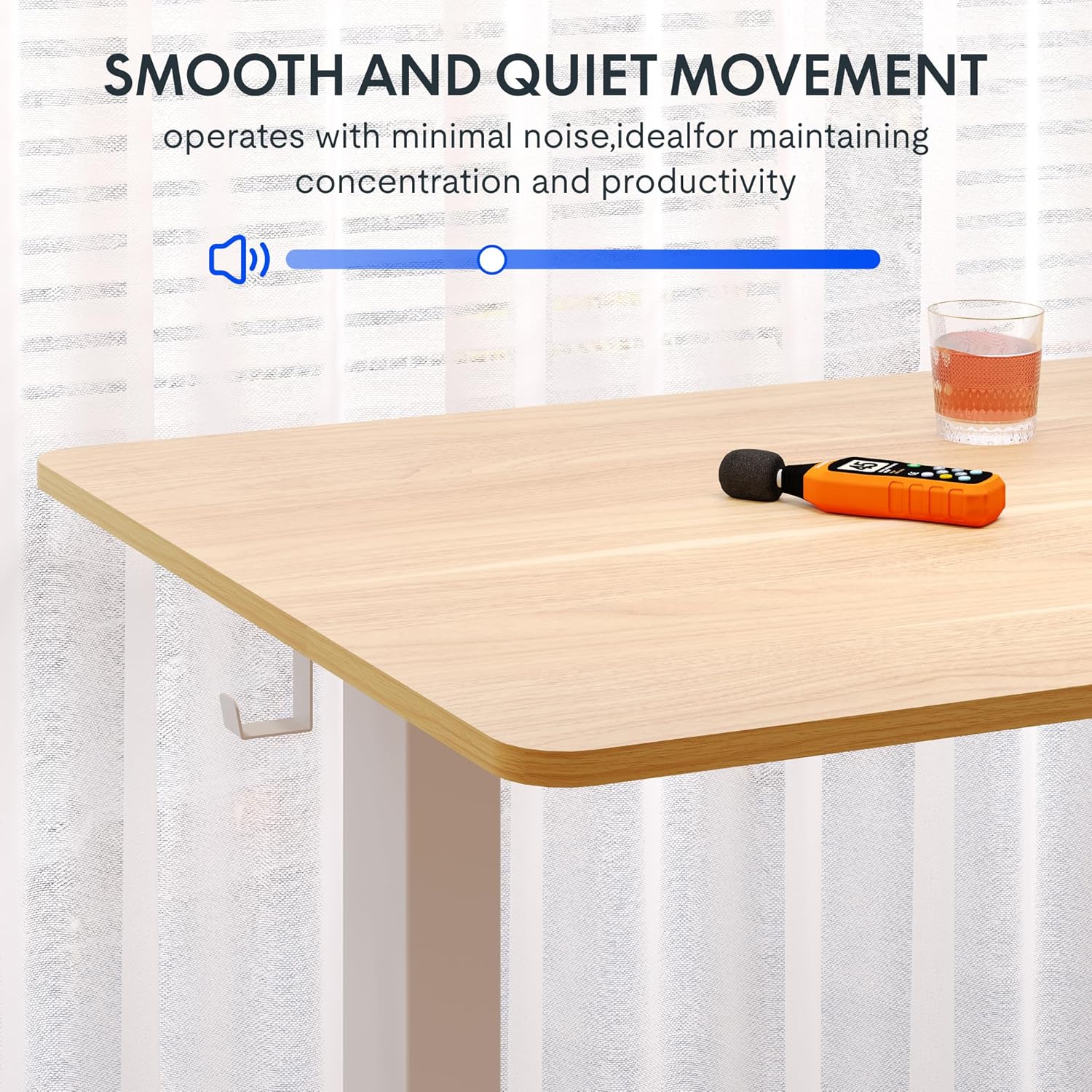
Image: A close-up of the two integrated desk hooks, designed for convenient storage of items such as headphones or bags, keeping your workspace tidy.
การบำรุงรักษาและการดูแล
การดูแลทั่วไป
- เช็ดทำความสะอาดพื้นผิวโต๊ะด้วยผ้าเนื้อนุ่มและแห้งamp ผ้า หลีกเลี่ยงน้ำยาทำความสะอาดที่มีฤทธิ์กัดกร่อนหรือสารเคมีรุนแรง
- ตรวจสอบสกรูและข้อต่อทั้งหมดอย่างสม่ำเสมอเพื่อให้แน่ใจว่ายังคงแน่นอยู่
- ควรวางโต๊ะทำงานให้ห่างจากแหล่งความร้อนโดยตรงและความชื้นสูง
ข้อควรระวังเพื่อความปลอดภัย
- Do not exceed the maximum weight recommendation of 132 pounds on the desktop. The frame is built to hold up to 176 lbs, but the desktop's recommended limit is 132 lbs.
- Be cautious when adjusting the desk height to prevent injury or pinching. Ensure no objects are obstructing the desk's movement.
- Ensure the desk is placed on a level surface and is stable before use.
- Do not allow children to operate the desk without adult supervision.
การแก้ไขปัญหา
If you encounter any issues with your FLEXISPOT standing desk, please refer to the following common troubleshooting tips. For more complex problems, contact customer support.
| ปัญหา | สาเหตุที่เป็นไปได้ | สารละลาย |
|---|---|---|
| โต๊ะไม่ขยับหรือไม่ตอบสนองต่อปุ่มควบคุม | Power cable disconnected; motor overload; control panel error. | Check power connection. Unplug and replug the desk. Reduce weight on the desk. Perform a reset (refer to specific reset instructions in the full manual, if available). |
| โต๊ะเคลื่อนไหวไม่สม่ำเสมอหรือมีเสียงผิดปกติ | การเชื่อมต่อหลวม; การกระจายน้ำหนักไม่สม่ำเสมอ; สิ่งกีดขวาง | Ensure all assembly screws are tight. Redistribute weight evenly on the desktop. Check for any obstructions under or around the desk. |
| การตั้งค่าหน่วยความจำล่วงหน้าใช้งานไม่ได้ | Incorrect saving procedure; temporary control panel glitch. | Re-save the memory presets following the operating instructions. Power cycle the desk. |
ข้อมูลจำเพาะผลิตภัณฑ์
- ยี่ห้อ: เฟล็กซิสพอท
- แบบอย่าง: Maple Top + White Frame, 40x24 Inches
- ขนาดสินค้า (ลึก x กว้าง x สูง): 24"D x 40"W x 28"H (minimum height)
- ช่วงการปรับความสูง: 28.1" ถึง 45.7"
- วัสดุเดสก์ท็อป: ไม้แปรรูป (ผิวเคลือบเมเปิล)
- ความหนาของเดสก์ท็อป: 1 นิ้ว (ชิ้นเดียว)
- วัสดุกรอบ: เหล็กอัลลอย (เคลือบสีขาว)
- ความจุน้ำหนักสูงสุด: 132 Pounds (Desktop), 176 Pounds (Frame)
- ระดับเสียง: ต่ำกว่า 50 เดซิเบล
- คุณสมบัติพิเศษ: 4 Memory Height Presets, Headphone Hook, Seamless One-Piece Desktop
- จำเป็นต้องประกอบ: ใช่
- ยูพีซี: 840460428897
การรับประกันและการสนับสนุน
ข้อมูลการรับประกัน
FLEXISPOT provides the following warranty for your electric standing desk:
- Frame, Motor, and Mechanical Parts: รับประกันจำกัด 5 ปี
- ชิ้นส่วนอิเล็กทรอนิกส์: รับประกันจำกัด 2 ปี
Please retain your proof of purchase for warranty claims. The warranty covers defects in materials and workmanship under normal use.
การสนับสนุนลูกค้า
For technical assistance, warranty claims, or any questions regarding your FLEXISPOT product, please visit the official FLEXISPOT store or contact their customer service directly.
Official FLEXISPOT Store: ร้าน FLEXISPOT บน Amazon


