1. บทนำ
Thank you for choosing the ELEPHAS Projector. This projector is designed to provide a high-quality home theater experience with its 800 ANSI lumens brightness, 1080p HD resolution, and versatile connectivity options. Enjoy officially licensed streaming apps like Netflix, Prime Video, and YouTube directly from the device, along with seamless dual-band WiFi and Bluetooth 5.0 for enhanced audio. This manual will guide you through the setup, operation, and maintenance of your new projector.
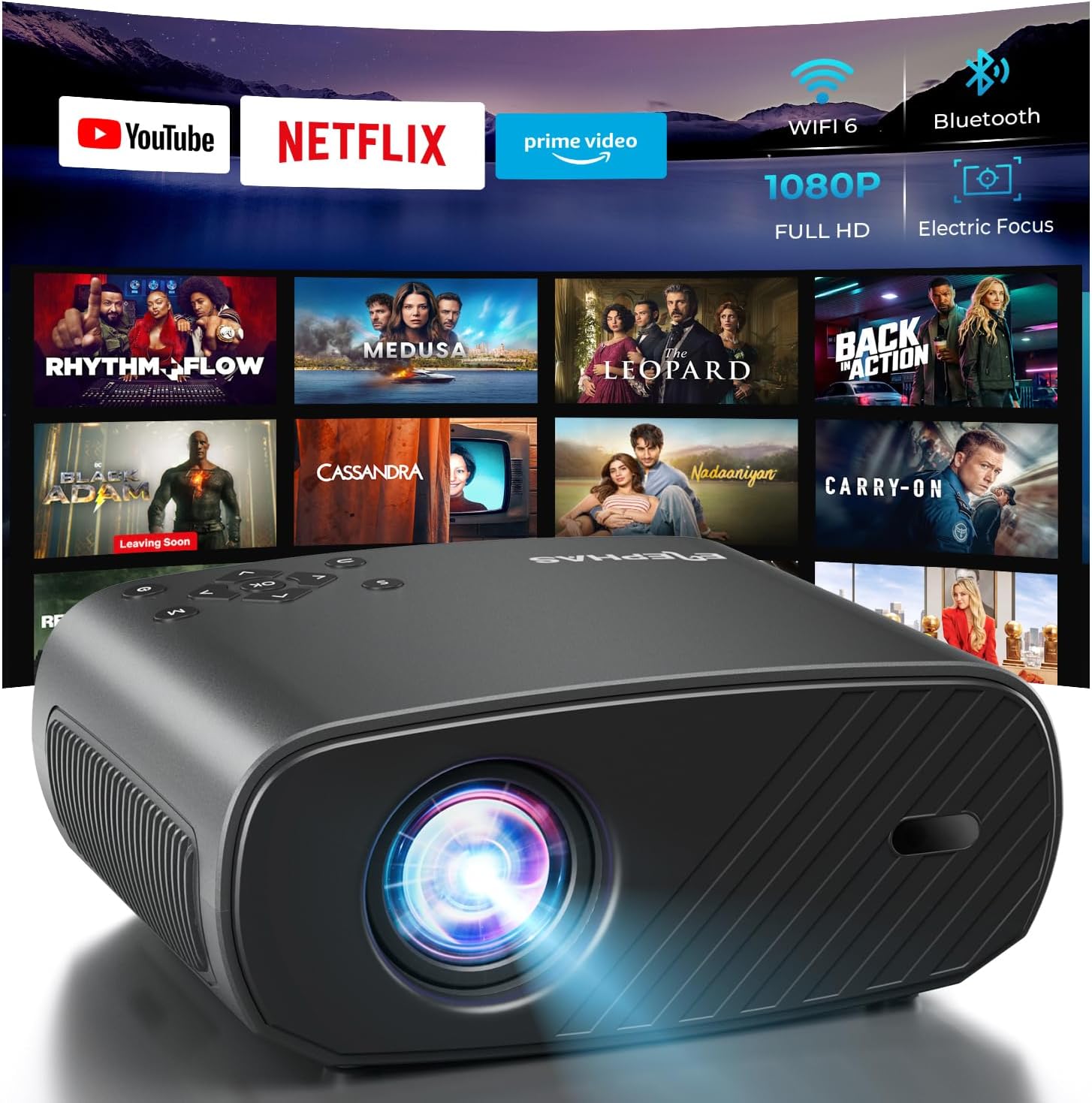
The ELEPHAS Projector offers a comprehensive entertainment solution with integrated streaming services and advanced display technology.
2. ข้อมูลด้านความปลอดภัย
- อย่าปิดกั้นช่องระบายอากาศ ตรวจสอบให้แน่ใจว่ามีการระบายอากาศรอบ ๆ โปรเจ็กเตอร์อย่างเพียงพอเพื่อป้องกันความร้อนสูงเกินไป
- อย่ามองตรงเข้าไปในเลนส์โปรเจ็กเตอร์เมื่อลamp เปิดอยู่เนื่องจากแสงที่สว่างเกินไปอาจทำให้ดวงตาเสียหายได้
- Keep the projector away from water or any liquids. Do not expose it to rain or moisture.
- ใช้เฉพาะอะแดปเตอร์แปลงไฟที่ให้มาพร้อมกับโปรเจคเตอร์เท่านั้น
- Avoid placing the projector on unstable surfaces where it could fall.
- ถอดปลั๊กโปรเจ็กเตอร์ในระหว่างที่มีพายุฝนฟ้าคะนองหรือเมื่อไม่ได้ใช้งานเป็นเวลานาน
3. เนื้อหาบรรจุภัณฑ์
กรุณาทำเครื่องหมายในช่องสำหรับรายการต่อไปนี้:
- ELEPHAS Projector (BL128-PLUS)
- สายไฟ
- สาย HDMI
- รีโมทคอนโทรล
- คู่มือการใช้งาน
4. สินค้าหมดview
Familiarize yourself with the various components and ports of your ELEPHAS Projector.

The projector features multiple connectivity options for diverse media sources.
แผงด้านหน้า:
- เลนส์: ฉายภาพขึ้นบนจอภาพ
แผงด้านหลัง:
- HDMI Ports (HDMI1, HDMI2): Connect to devices like laptops, gaming consoles, or streaming sticks.
- USB Ports (USB1, USB2): Connect USB drives for media playback or power external devices.
- พอร์ต AV: เชื่อมต่อกับอุปกรณ์รุ่นเก่าโดยใช้สาย AV
- พอร์ตหูฟัง: Connect external headphones or speakers via a 3.5mm audio jack.
- กำลังไฟเข้า: เชื่อมต่อสายไฟ
5. การตั้งค่า
5.1 การจัดวาง
วางโปรเจ็กเตอร์บนพื้นผิวที่มั่นคงและเรียบ เพื่อประสิทธิภาพสูงสุด viewing, ensure the projector is aligned with your projection surface (wall or screen). The projector can project images up to 150 inches. The ideal projection distance will vary based on desired screen size.

The ELEPHAS Projector delivers stunning brightness and clarity for an immersive viewการสร้างประสบการณ์
5.2 การเชื่อมต่อสายไฟ
- เชื่อมต่อสายไฟเข้ากับพอร์ตอินพุตไฟของโปรเจ็กเตอร์
- เสียบปลายอีกด้านหนึ่งของสายไฟเข้ากับเต้ารับไฟฟ้า
- กดปุ่มเปิด/ปิดบนโปรเจ็กเตอร์หรือรีโมทคอนโทรลเพื่อเปิดเครื่อง
5.3 Initial Image Adjustment
The ELEPHAS Projector features cutting-edge electric focus and auto keystone correction for instant image perfection.
- แก้ไขภาพบิดเบี้ยวอัตโนมัติ: The projector will automatically adjust the image to correct trapezoidal distortion, ensuring a rectangular picture even if the projector is not perfectly aligned.
- โฟกัสไฟฟ้า: The projector will automatically adjust the focus for a sharp image. Manual adjustments can typically be made via the remote control if needed.
6. คู่มือการใช้งาน
6.1 การเชื่อมต่ออุปกรณ์
Your projector supports various input sources:
- ช่องต่อ HDMI: Connect your laptop, gaming console, Blu-ray player, or streaming devices (e.g., Firestick) to the HDMI ports. Select the corresponding HDMI input from the projector's source menu.
- ยูเอสบี: เสียบแฟลชไดรฟ์ USB เข้ากับพอร์ต USB เพื่อเล่นสื่อ files (videos, photos, music). Navigate to the media player application on the projector's interface.
- Wireless Connectivity (Wi-Fi): The projector supports dual-band WiFi (2.4G and 5G) for seamless screen mirroring from iOS and Android devices. Access the screen mirroring function from the main menu and follow the on-screen instructions to connect your device.

Effortlessly connect your mobile devices wirelessly for screen mirroring.
6.2 แอปพลิเคชันสตรีมมิ่ง
The ELEPHAS Projector comes with officially licensed Netflix, Prime Video, and YouTube apps pre-installed, allowing direct access to a vast library of content.

Enjoy seamless access to popular streaming platforms directly from the projector.
- Navigate to the desired app from the home screen using the remote control.
- Log in with your account credentials to start streaming.
6.3 บลูทู ธ เสียง
Enhance your audio experience by connecting external Bluetooth speakers or headphones.

Connect wirelessly to your favorite audio devices via Bluetooth 5.0.
- Go to the projector's settings menu.
- Select 'Bluetooth' and turn it on.
- ใส่อุปกรณ์เสียง Bluetooth ของคุณเข้าสู่โหมดจับคู่
- Select your device from the list of available devices on the projector screen to connect.
7. การบำรุงรักษา
7.1 การทำความสะอาดเลนส์
Use a soft, lint-free cloth specifically designed for optical lenses. Do not use abrasive cleaners or cloths, as they can scratch the lens.
7.2 การทำความสะอาดตัวโปรเจ็กเตอร์และช่องระบายอากาศ
Wipe the projector's exterior with a soft, dry cloth. Use a small brush or vacuum cleaner with a soft brush attachment to gently clean the ventilation openings to prevent dust buildup, which can affect performance and lifespan.
8 การแก้ไขปัญหา
| ปัญหา | สาเหตุที่เป็นไปได้ | สารละลาย |
|---|---|---|
| ไม่มีภาพบนหน้าจอ | Power cable disconnected; Incorrect input source selected; Device not powered on. | Check power connection; Select correct input source (HDMI1/2, USB); Ensure connected device is on. |
| ภาพเบลอ | Out of focus; Projector not perpendicular to screen. | Allow auto-focus to adjust or manually adjust focus via remote; Auto keystone correction should fix image shape. |
| ไม่มีเสียง | Volume too low/muted; External audio device not connected properly; Incorrect audio output selected. | Increase volume; Check Bluetooth connection or 3.5mm cable; Ensure projector's audio output is set correctly. |
| ปัญหาการเชื่อมต่อ Wi-Fi/บลูทูธ | Out of range; Interference; Incorrect password. | Move closer to router/device; Reduce interference; Re-enter password. |
| เสียงพัดลมดังจนสังเกตได้ | Normal operation; Blocked vents. | A slight fan noise is normal for projectors. Ensure vents are not blocked and are clean. |
9. ข้อมูลจำเพาะ
| คุณสมบัติ | รายละเอียด |
|---|---|
| ยี่ห้อ | ช้าง |
| หมายเลขรุ่น | BL128-PLUS |
| ความละเอียดการแสดงผล | 1920 x 1080 (ฟูลเอชดี) |
| ความสว่าง | 800 ANSI Lumens |
| อัตราส่วนคอนทราสต์ | 10,000:1 น. |
| เทคโนโลยีการเชื่อมต่อ | บลูทูธ, HDMI, USB, Wi-Fi |
| คุณสมบัติพิเศษ | Auto Focus, Built-In Speaker, Netflix Official License, Prime Video, YouTube Support |
| ข้อแนะนำการใช้ | โฮมซีเนม่า |
| น้ำหนักสินค้า | 4.64 ปอนด์ |
| ขนาดแพ็คเกจ | 13.98 x 10.87 x 5.28 นิ้ว |
10. การรับประกันและการสนับสนุน
The ELEPHAS Projector is backed by a รับประกัน 1 ปี from the date of purchase. This warranty covers manufacturing defects and ensures reliable performance of your device.
For any questions, setup assistance, troubleshooting, or warranty claims, please contact ELEPHAS customer support. Our dedicated team is available 24/7 to provide prompt and helpful service.
Please refer to the contact information provided on the ELEPHAS official webไซต์หรือเอกสารการซื้อของคุณสำหรับช่องทางการสนับสนุนล่าสุด


