1. บทนำ
This manual provides detailed instructions for the setup, operation, maintenance, and troubleshooting of your Phomemo D520BT Bluetooth Thermal Label Printer. Please read this manual thoroughly before using the device to ensure proper functionality and to extend the product's lifespan.

Figure 1: Phomemo D520BT printer in purple, printing a shipping label, with a smartphone displaying a label design connected via Bluetooth. This image illustrates the printer's compact design and wireless printing capability.
2. เนื้อหาบรรจุภัณฑ์
ตรวจสอบว่าสินค้าทั้งหมดที่ระบุไว้ด้านล่างนี้รวมอยู่ในแพ็คเกจของคุณแล้ว หากมีสินค้าใดสูญหายหรือเสียหาย โปรดติดต่อฝ่ายสนับสนุนลูกค้า
- Phomemo D520BT Thermal Printer
- Roll Label (sampเลอ)
- คู่มือเริ่มต้นอย่างรวดเร็ว
- คู่มือการใช้งาน (เอกสารนี้)
- สายไฟ
- สาย USB
- อะแดปเตอร์ Type-C
- อะแดปเตอร์แปลงไฟ

Figure 2: All components included in the Phomemo D520BT product package.
3. คู่มือการติดตั้ง
3.1 การแกะกล่อง
- นำเครื่องพิมพ์และอุปกรณ์เสริมทั้งหมดออกจากบรรจุภัณฑ์อย่างระมัดระวัง
- Remove any protective films or packing materials from the printer.
3.2 การโหลดฉลาก
The Phomemo D520BT supports both roll paper and folding paper labels.
- Open the printer cover by gently lifting it.
- สำหรับกระดาษม้วน: Place the label roll into the internal paper holder, ensuring the labels feed from the bottom and the printing side faces upwards. Guide the first label through the output slot until it is slightly visible.
- สำหรับพับกระดาษ: Place the stack of folding labels behind the printer, ensuring the labels feed smoothly into the rear input slot and the printing side faces upwards. Guide the first label through the output slot until it is slightly visible.
- ปิดฝาครอบเครื่องพิมพ์ให้แน่น

Figure 3: The Phomemo D520BT printer supports both folding paper and roll paper labels.
3.3 การเชื่อมต่อเครื่องพิมพ์
The D520BT offers both USB and Bluetooth connectivity.
3.3.1 USB Connection (Windows, Mac, Chrome OS, Linux)
- ต่อสาย USB ด้านหนึ่งเข้ากับเครื่องพิมพ์ และอีกด้านหนึ่งเข้ากับคอมพิวเตอร์ของคุณ
- เชื่อมต่ออะแดปเตอร์จ่ายไฟเข้ากับเครื่องพิมพ์และเสียบเข้ากับเต้ารับไฟฟ้า
- เปิดเครื่องพิมพ์
- Install the necessary printer drivers for your operating system. Drivers can typically be found on the official Phomemo webเว็บไซต์.
3.3.2 Bluetooth Connection (Android, iOS, iPad)
- เชื่อมต่ออะแดปเตอร์จ่ายไฟเข้ากับเครื่องพิมพ์และเสียบเข้ากับเต้ารับไฟฟ้า
- เปิดเครื่องพิมพ์
- ดาวน์โหลดและติดตั้ง “Labelife” แอปจากร้านแอปของอุปกรณ์ของคุณ
- Open the Labelife app and follow the in-app instructions to pair your device with the D520BT printer via Bluetooth.

Figure 4: The Phomemo D520BT supports both Bluetooth and USB connectivity for various devices and operating systems.
4. คู่มือการใช้งาน
4.1 เปิด/ปิดเครื่อง
- เปิดเครื่อง: Press the power button located on the printer. The indicator light will illuminate.
- หมดแรง: กดปุ่มเปิด/ปิดค้างไว้จนกว่าไฟแสดงสถานะจะดับ
4.2 การพิมพ์ฉลาก
- Ensure the printer is powered on and connected to your device (computer via USB or mobile device via Bluetooth).
- เปิดเอกสารหรือแอพพลิเคชันที่คุณต้องการพิมพ์
- Select the Phomemo D520BT as your printer.
- Adjust print settings as needed (e.g., label size, orientation). The printer supports a width range of 1 to 4.6 inches.
- Initiate the print command.
The Labelife app provides various free templates for customizing shipping labels, address labels, barcode labels, and thank-you stickers.
4.3 คุณสมบัติหลัก
- High Speed Printing: The D520BT can print up to 72 labels per minute (150mm/s), suitable for high-volume printing tasks.
- ความละเอียดสูง: Prints at 203 DPI, ensuring sharp and precise details on each label.
- Wide Printing Range: Supports label widths from 1 inch to 4.6 inches, accommodating various label types including 4x6 inch shipping labels.
- Ink-Free Thermal Technology: Utilizes direct thermal printing, eliminating the need for ink or toner cartridges.
- การออกแบบประหยัดพื้นที่: Features a built-in paper holder, reducing the need for external label racks and optimizing desktop space.
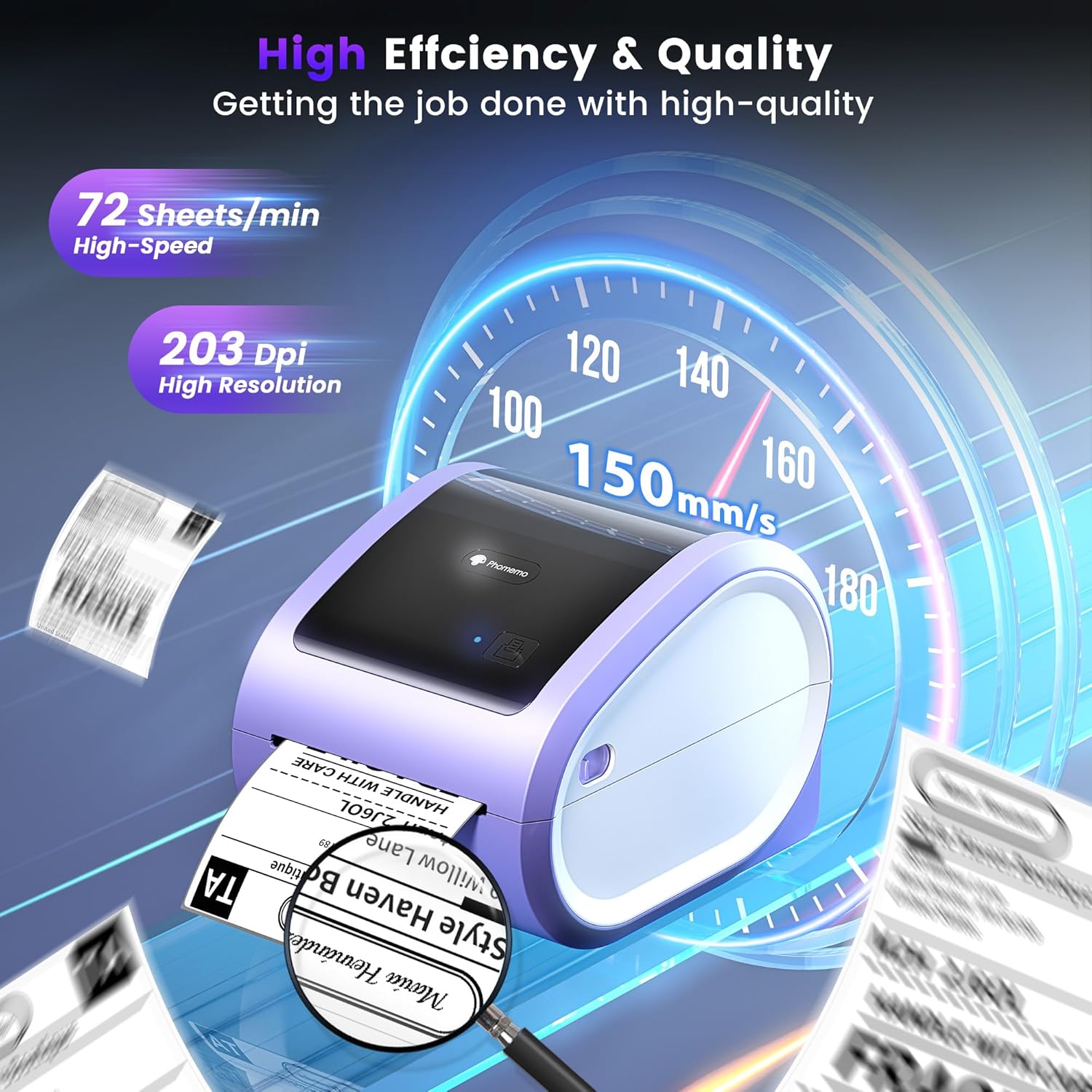
Figure 5: The Phomemo D520BT offers high efficiency and quality with a print speed of 150mm/s and 203 DPI resolution.

Figure 6: The Phomemo D520BT is compatible with various label sizes, from 1 inch to 4.6 inches wide.

Figure 7: The Phomemo D520BT supports multi-scenario applications for various labeling needs.

Figure 8: The Phomemo D520BT is compatible with all major shipping and sales platforms.
5. การบำรุงรักษา
5.1 การทำความสะอาดหัวพิมพ์
Regular cleaning of the print head ensures optimal print quality and extends the printer's life.
- ปิดเครื่องพิมพ์และถอดปลั๊กไฟ
- เปิดฝาครอบเครื่องพิมพ์
- Gently wipe the print head with an alcohol swab or a soft, lint-free cloth lightly dampเคลือบด้วยแอลกอฮอล์ไอโซโพรพิล
- รอให้หัวพิมพ์แห้งสนิทก่อนปิดฝาและเปิดเครื่องพิมพ์
5.2 พื้นที่จัดเก็บ
Store the printer in a cool, dry place away from direct sunlight and extreme temperatures. Avoid exposing the printer to dust or moisture.
6 การแก้ไขปัญหา
If you encounter issues with your Phomemo D520BT printer, refer to the following common problems and solutions:
- เครื่องพิมพ์ไม่เปิดเครื่อง:
- Ensure the power adapter is securely connected to both the printer and a working power outlet.
- ตรวจสอบว่าได้กดปุ่มเปิด/ปิดแน่นดีแล้ว
- Labels not printing or feeding incorrectly:
- Verify that labels are loaded correctly with the printing side facing up.
- Ensure there are no obstructions in the label path.
- Check if the label roll or stack is depleted.
- Poor print quality (faded, streaky, or blank labels):
- ทำความสะอาดหัวพิมพ์ตามวิธีที่อธิบายไว้ในหัวข้อ 5.1
- โปรดตรวจสอบให้แน่ใจว่าคุณใช้ฉลากความร้อนคุณภาพสูง
- Check print density settings in your printer preferences.
- ปัญหาการเชื่อมต่อบลูทูธ:
- Ensure Bluetooth is enabled on your mobile device and the printer.
- โปรดรีสตาร์ททั้งเครื่องพิมพ์และอุปกรณ์มือถือของคุณ
- Ensure you are within the Bluetooth range.
- Re-pair the printer through the Labelife app.
- ปัญหาการเชื่อมต่อ USB:
- Verify the USB cable is securely connected to both the printer and the computer.
- Ensure the correct printer drivers are installed.
- ลองใช้พอร์ต USB หรือสายเคเบิลอื่น
For further assistance, refer to the detailed video tutorials and user manuals available online, or contact Phomemo customer support.
7. ข้อมูลจำเพาะ
| คุณสมบัติ | ข้อมูลจำเพาะ |
|---|---|
| ยี่ห้อ | โฟเมโม |
| ชื่อรุ่น | D520BT |
| เทคโนโลยีการเชื่อมต่อ | บลูทูธ, ยูเอสบี |
| เทคโนโลยีการพิมพ์ | เทอร์มอล |
| คุณสมบัติพิเศษ | Portable, Built-in Holder |
| เอาท์พุตเครื่องพิมพ์ | เอกรงค์ |
| ความเร็วการพิมพ์สูงสุด | 150 mm/s (72 labels/min) |
| ความละเอียดในการพิมพ์ | 203 จุดต่อนิ้ว |
| ความกว้างพิมพ์แม็กซ์ | 4.6 นิ้ว |
| น้ำหนักสินค้า | 2.4 ปอนด์ |
| ขนาดสินค้า | ลึก 10.31 นิ้ว x กว้าง 10.31 นิ้ว x สูง 7.87 นิ้ว |
8. การรับประกันและการสนับสนุน
Phomemo provides customer support to assist with any questions or issues you may encounter. For detailed warranty information, please refer to the warranty card included with your product or visit the official Phomemo website. Our customer support team is available via phone, email, or remote support.
For additional resources, including video tutorials and updated user manuals, please visit the Phomemo support page.


