1. บทนำ
The ARENTI B2 360° View Indoor Camera is designed to provide comprehensive monitoring for various indoor environments, including nurseries, pet areas, or general home surveillance. This camera offers advanced features such as 2K ultra-clear video, enhanced night vision, two-way audio communication, and smart detection capabilities. It operates independently via a smartphone application, providing flexible monitoring options.

Image 1.1: ARENTI B2 Indoor Camera with its smartphone application interface.
2. อะไรอยู่ในกล่อง
- ARENTI B2 Indoor Camera (x1)
- อะแดปเตอร์ไฟ (x1)
- สายไฟ USB (x1)
- แท่นยึด (x1)
- สกรูยึด (x2)
- คู่มือเริ่มต้นอย่างรวดเร็ว (x1)
- Reset Pin (x1)
3. การตั้งค่า
3.1 Initial Power-Up and App Installation
- Connect the camera to a power source using the provided USB power cable and adapter.
- Download the ARENTI smartphone application from your device's app store.
- ลงทะเบียนเพื่อสร้างบัญชี หรือเข้าสู่ระบบหากคุณมีบัญชีอยู่แล้ว
3.2 การเชื่อมต่อกับ Wi-Fi
- Follow the in-app instructions to add a new device. Select the B2 camera model.
- Ensure your smartphone is connected to a 2.4GHz Wi-Fi network. The camera supports 2.4GHz Wi-Fi only.
- The app will guide you through generating a QR code. Present this QR code to the camera lens for scanning.
- Once the camera successfully scans the QR code, it will connect to your Wi-Fi network.
Video 3.1: Instructions on how to connect the ARENTI B2 camera to your smartphone via the app.
3.3 การติดตั้งกล้อง
The camera can be placed on a flat surface or mounted to a wall or ceiling using the provided bracket and screws. Ensure the camera has a clear line of sight to the area you wish to monitor.
4. คู่มือการใช้งาน
4.1 สด View และการควบคุมแพน/เอียง
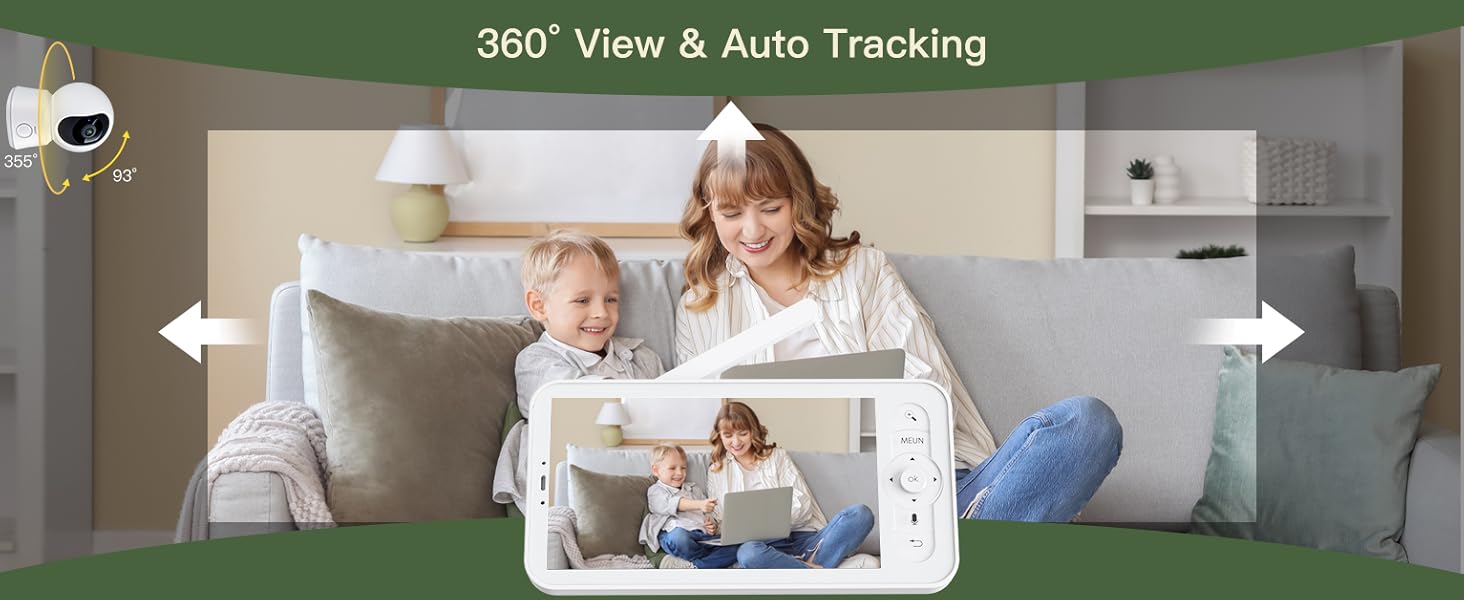
Access the live video feed through the ARENTI smartphone app. The camera features a 100° wide-angle lens with 355° horizontal and 60° vertical rotation, allowing for a 360° panoramic view. Use the app's controls to pan and tilt the camera remotely.
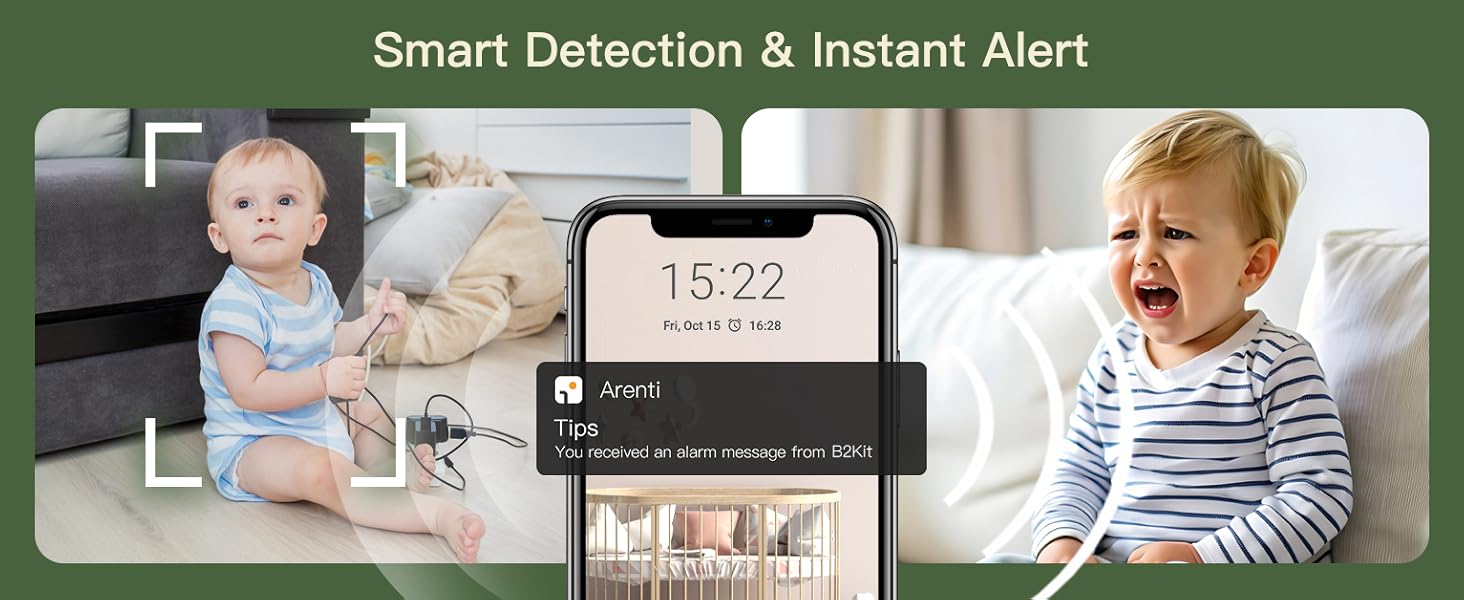
Image 4.1: The camera's 360° view and auto-tracking capabilities.
Video 4.1: Demonstration of the ARENTI B2 camera's functionality with the smartphone application.
4.2 คุณภาพวิดีโอและการมองเห็นในเวลากลางคืน
The camera delivers 2K ultra-clear video via the app. It features infrared night vision, allowing you to monitor in low-light conditions up to 33 feet.

Image 4.2: Night vision clarity comparison, highlighting the 2K HD video quality.
4.3 Two-Way Audio and Interactive Features
Utilize the built-in microphone and speaker for real-time two-way communication. You can speak through the app to the camera's location and hear audio from the camera's environment. The camera also supports playing lullabies and white noise, and setting nursing reminders.

Image 4.3: Camera features including temperature sensing, lullabies, and white noise.

Image 4.4: One-touch call feature for instant communication.
4.4 Smart Alerts and Environmental Monitoring
The camera detects motion, crying, and can be configured with custom detection zones. Real-time alerts are sent to your smartphone. A built-in temperature sensor provides 24/7 environmental monitoring.

Image 4.5: Motion and sound detection with real-time alerts.
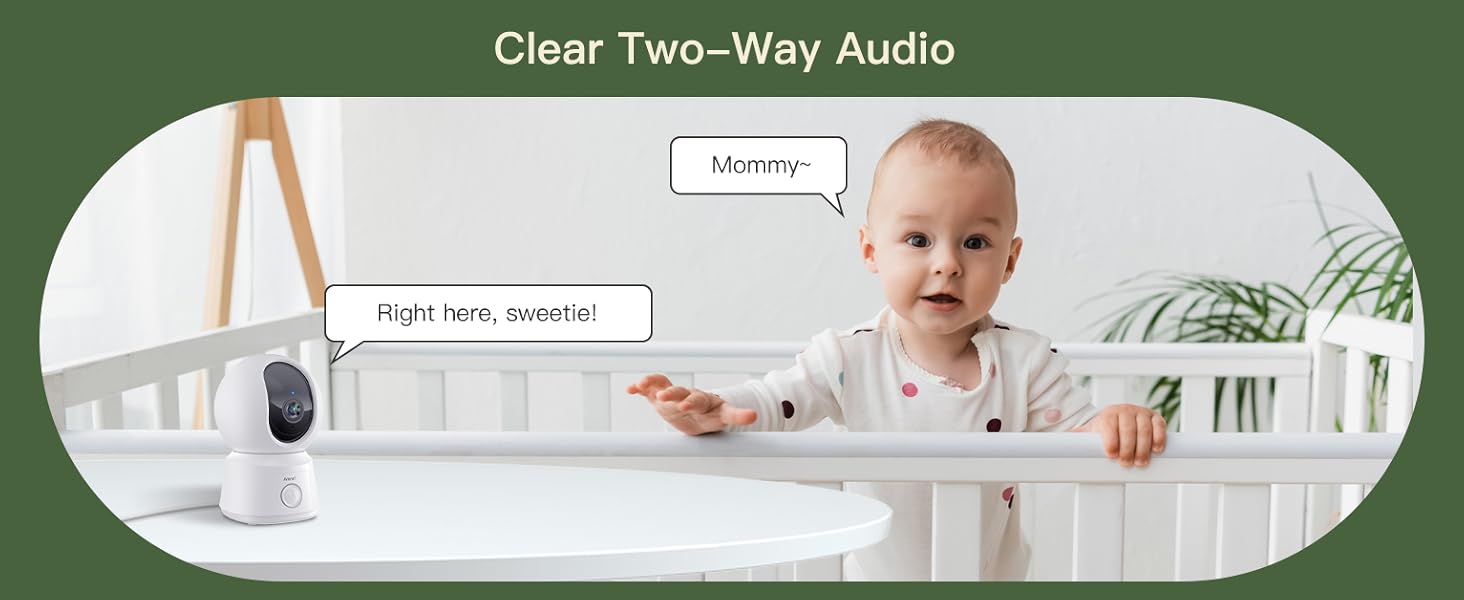
Image 4.6: Environmental monitoring and smart alert features.
4.5 Storage and Privacy
The camera supports up to a 256GB Micro SD card for local storage. Optional Amazon AWS cloud storage is available with end-to-end encryption. Free 6-second event clips are included with a 7-day loop. Data is accessible only to authorized users.
Image 4.7: Storage options and event recording details.
ภาพที่ 4.8: จบแล้วview of privacy and security features.
4.6 การรองรับอุปกรณ์หลายชนิด
The ARENTI app allows viewing on multiple devices, including smartphones, tablets, and laptops. You can also share access with family members and manage permissions.

Image 4.9: Multiple device and account sharing support.
Video 4.2: How the ARENTI B2 camera works with the smartphone app.
Video 4.3: Demonstration of the ARENTI B2 camera's non-WiFi functionality.
วิดีโอ 4.4: จบview of the ARENTI B2 camera with audio features.
วิดีโอ 4.5: บทนำสั้นๆview of the ARENTI B2 camera's features.
5. การบำรุงรักษา
- การทำความสะอาด: ใช้ผ้าแห้งเนื้อนุ่มเช็ดทำความสะอาดเลนส์และตัวกล้อง หลีกเลี่ยงสารเคมีรุนแรงหรือวัสดุที่มีฤทธิ์กัดกร่อน
- อัพเดตเฟิร์มแวร์: Regularly check the ARENTI app for firmware updates to ensure optimal performance and security.
- การจัดวาง: ตรวจสอบให้แน่ใจว่าได้วางกล้องไว้ในตำแหน่งที่มั่นคง ห่างจากแสงแดดโดยตรง แหล่งความร้อน และความชื้น
6 การแก้ไขปัญหา
- ไม่มีไฟฟ้า: Ensure the power adapter and USB cable are securely connected and the power outlet is functional.
- ปัญหาการเชื่อมต่อ Wi-Fi: Verify your Wi-Fi network is 2.4GHz. Ensure the camera is within range of your router. Try resetting the camera using the provided reset pin.
- คุณภาพวิดีโอไม่ดี: ตรวจสอบความแรงของสัญญาณ Wi-Fi ตรวจสอบให้แน่ใจว่าเลนส์กล้องสะอาดและไม่มีสิ่งกีดขวาง
- ไม่มีเสียง: Check the volume settings on your smartphone app. Ensure the camera's microphone and speaker are not obstructed.
- ไม่ได้รับการแจ้งเตือน: Verify motion and sound detection settings are enabled in the app. Check your smartphone's notification settings for the ARENTI app.
7. ข้อมูลจำเพาะ
| คุณสมบัติ | ข้อมูลจำเพาะ |
|---|---|
| ชื่อรุ่น | B2 แคม |
| การใช้งานภายใน/ภายนอกอาคาร | ในร่ม |
| เทคโนโลยีการเชื่อมต่อ | ไร้สาย (Wi-Fi 2.4GHz) |
| ความละเอียดในการจับภาพวิดีโอ | 2K HD (via app), 1080p (general) |
| Viewอิงแองเกิล | 100 องศา |
| การหมุนแพน/เอียง | แนวนอน 355 องศา แนวตั้ง 60 องศา |
| ช่วงการมองเห็นตอนกลางคืน | 33 ฟุต |
| ประเภทการแจ้งเตือน | Audio and Motion, Crying Detection |
| วิธีการควบคุม | แอป |
| พื้นที่จัดเก็บ | Micro SD (up to 256GB), Cloud Storage (optional) |
| แหล่งพลังงาน | เครื่องใช้ไฟฟ้าแบบมีสาย (5 โวลต์, 4.5 วัตต์) |
| ขนาดรายการ (ยาว x กว้าง x สูง) | 2.99 x 2.87 x 4.61 นิ้ว |
| คุณสมบัติพิเศษ | Easy to Install, Temperature Sensor, Two-Way Audio |
8. การรับประกันและการสนับสนุน
The ARENTI B2 Indoor Camera typically comes with a 1-year protection plan. For detailed warranty information, product support, or troubleshooting assistance beyond this manual, please refer to the official ARENTI webเว็บไซต์หรือติดต่อฝ่ายบริการลูกค้า


